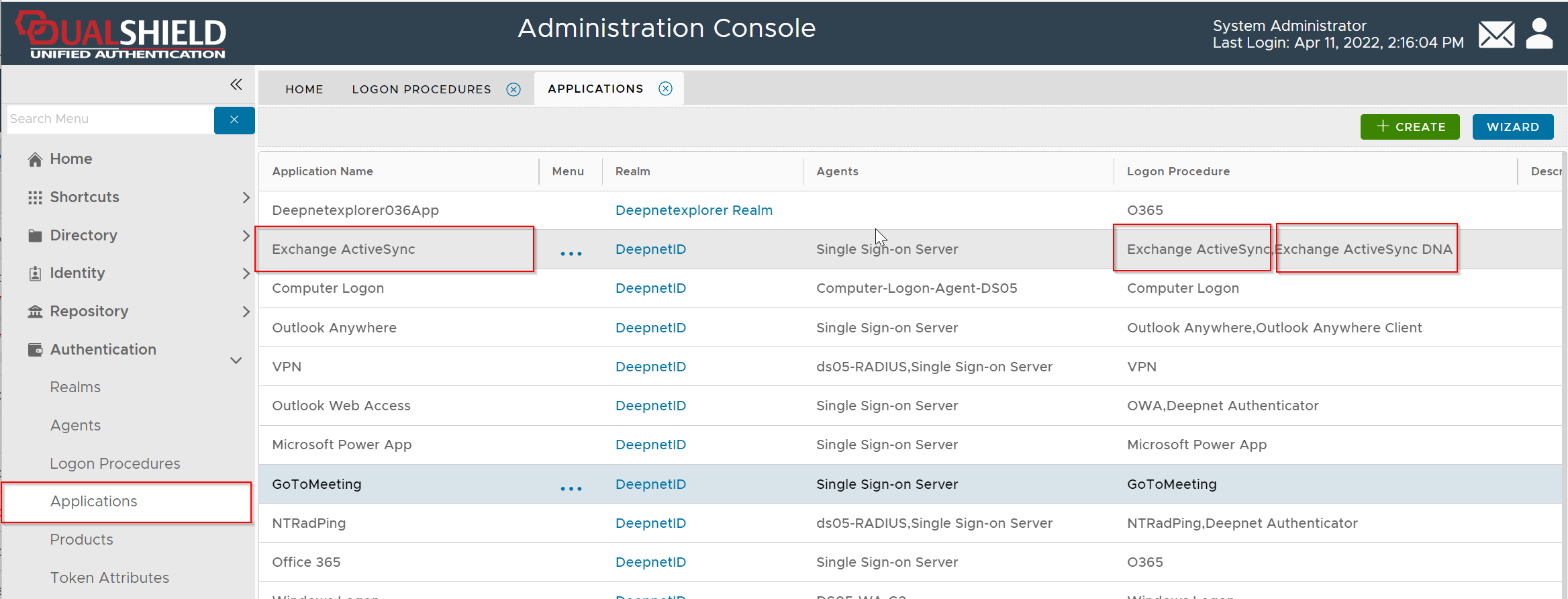
Set up DualShield Connection Server
In order to use the DeepNet Authenticator (DNA) app, you need to set up the DualShield Connection Server (DCS)
Configure Policy Settings
DualShield provides a mobile app called DeepNet Authenticator (DNA) that can be used by users to activate their own devices.
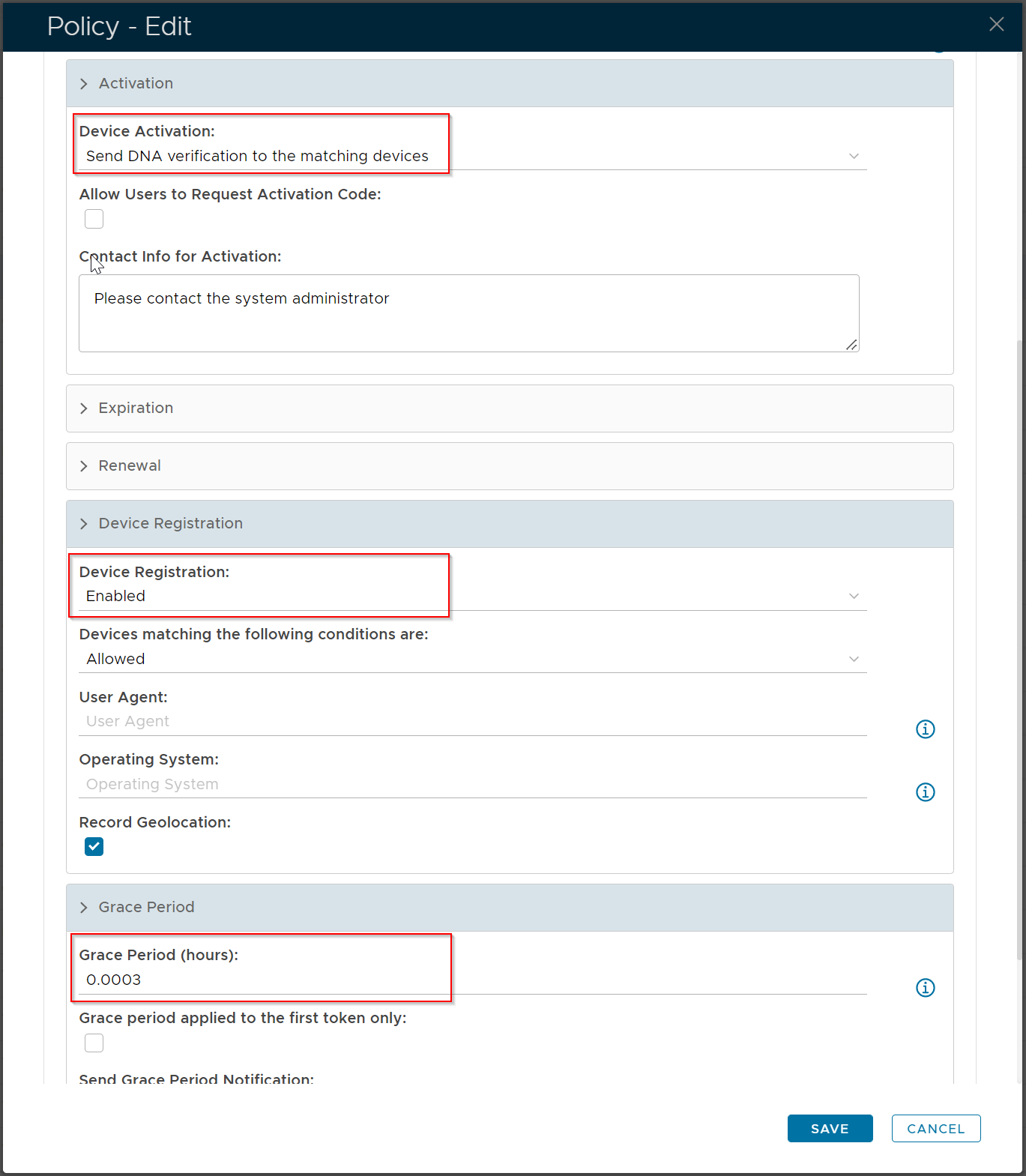
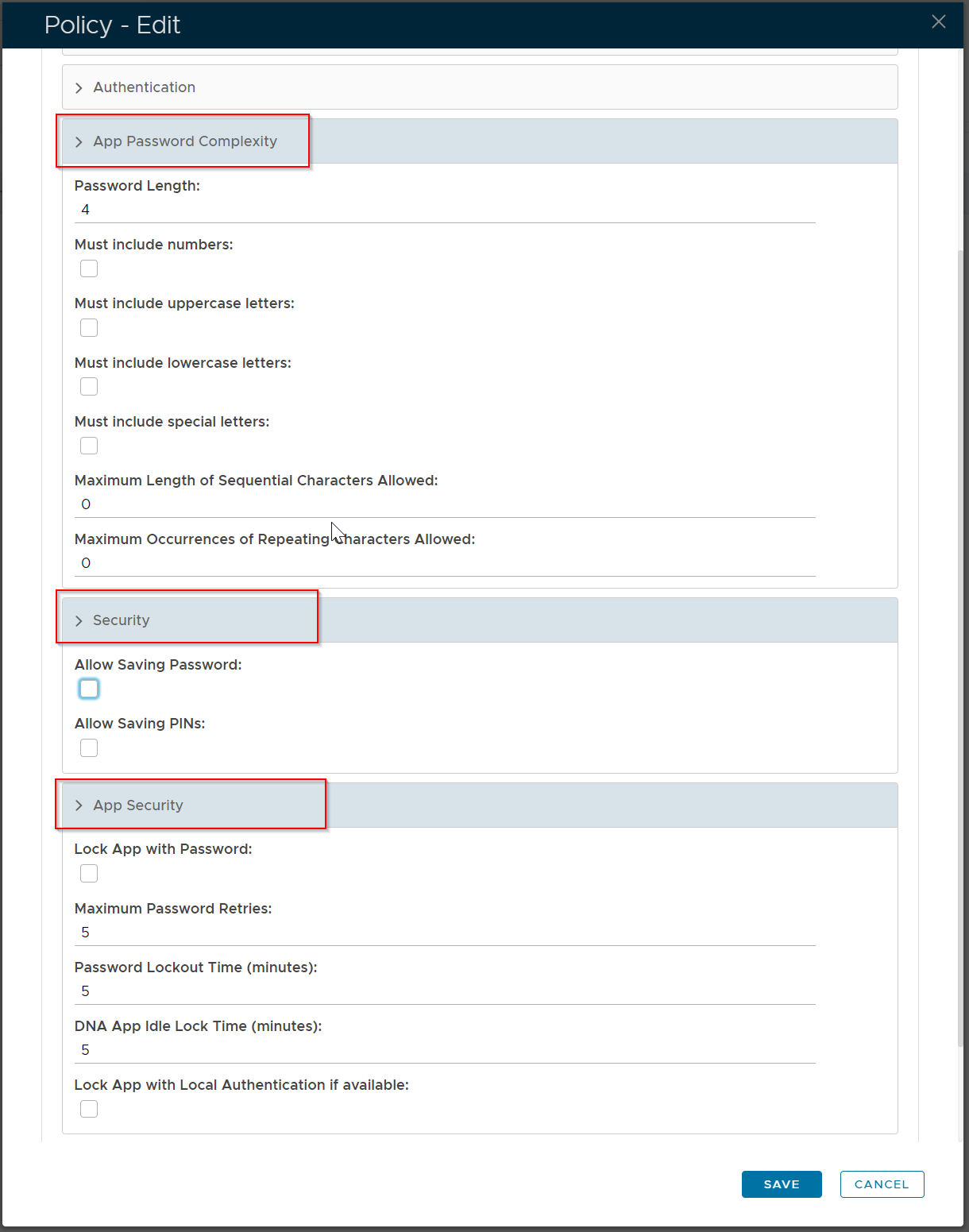
If you allow your users to activate their own devices using the DNA app, then you need to configure the following policies:
DeviceID Policy
Deepnet Authenticator Policy
Customize Message Template
To allow users to self-activate their devices using the DeepNet Authenticator (DNA) app, you can customize the message template used by the DNA app.
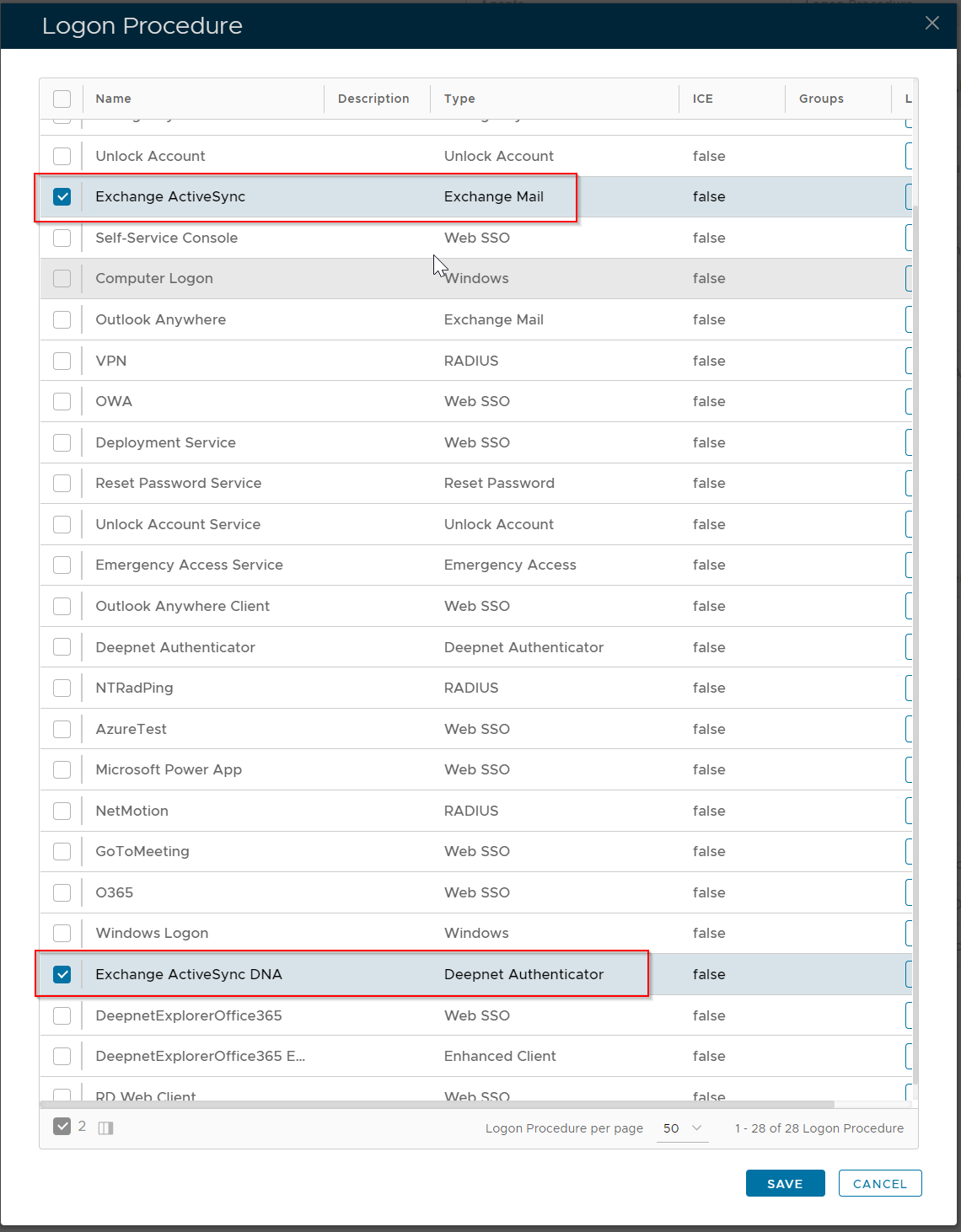
Set up a Logon Procedure for Deepnet Authenticator
In order to use the Deepnet Authenticator, you need to create a new logon procedure of the type "Deepnet Authenticator" and attach it to the MFA application
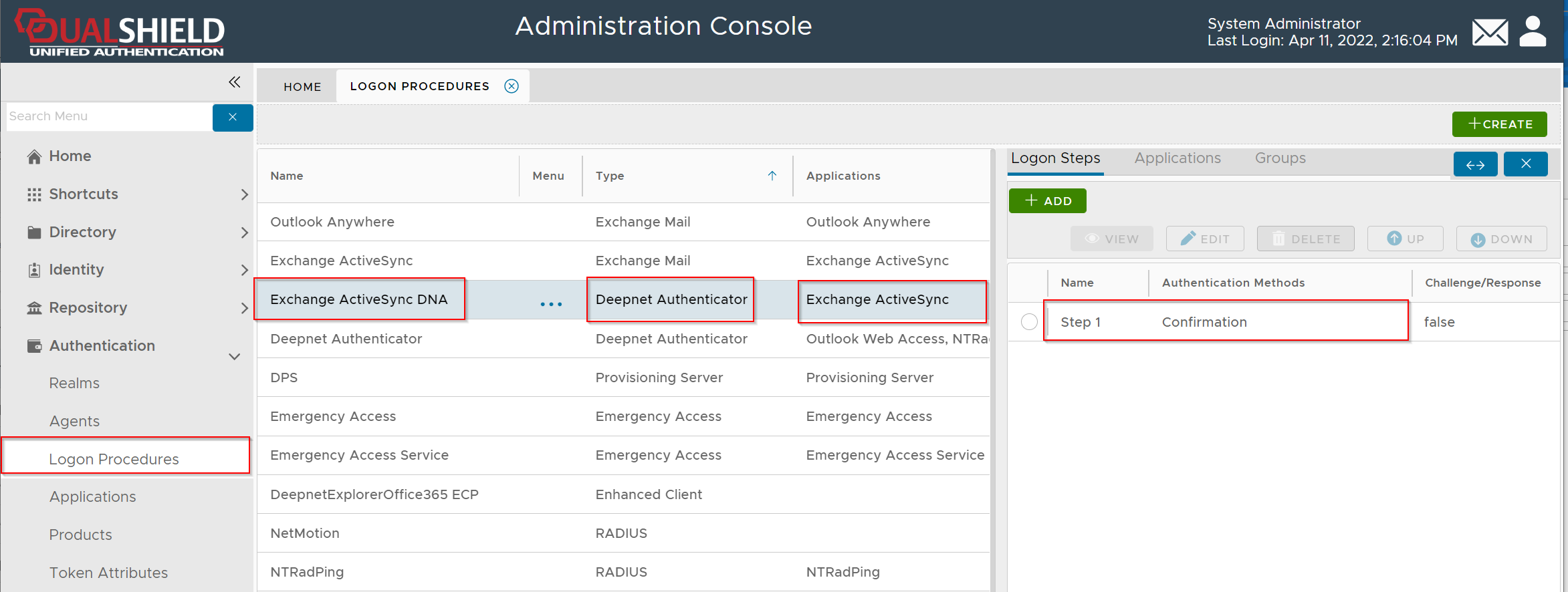
Therefore, the MFA application will have 2 logon procedures: