To set up a SAM service in Twilio, follow the steps below.
First, you need to buy a phone number
In the Twilio console, navigate to "Phone Numbers\Manage\Active numbers"
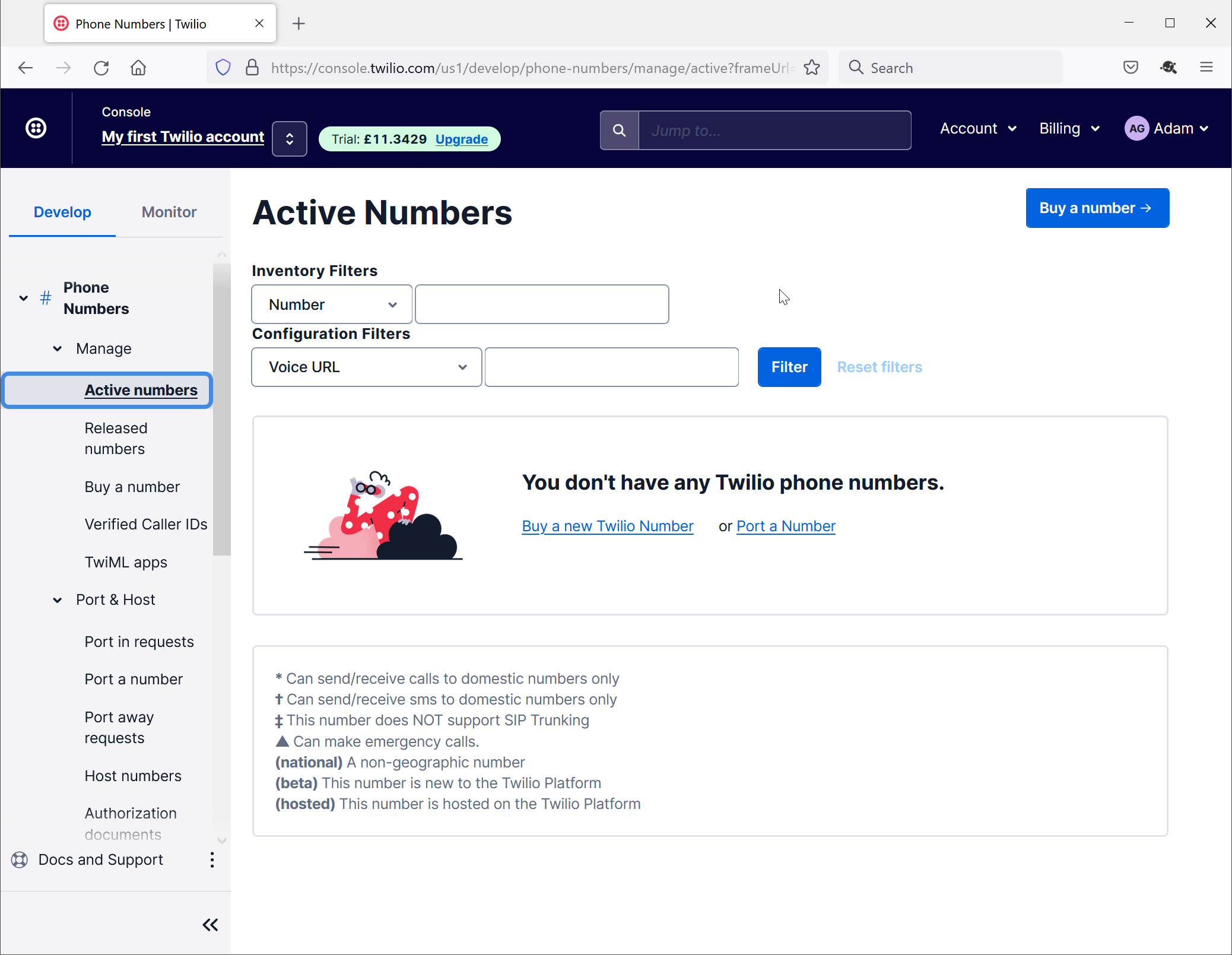
Click the "Buy a number" button
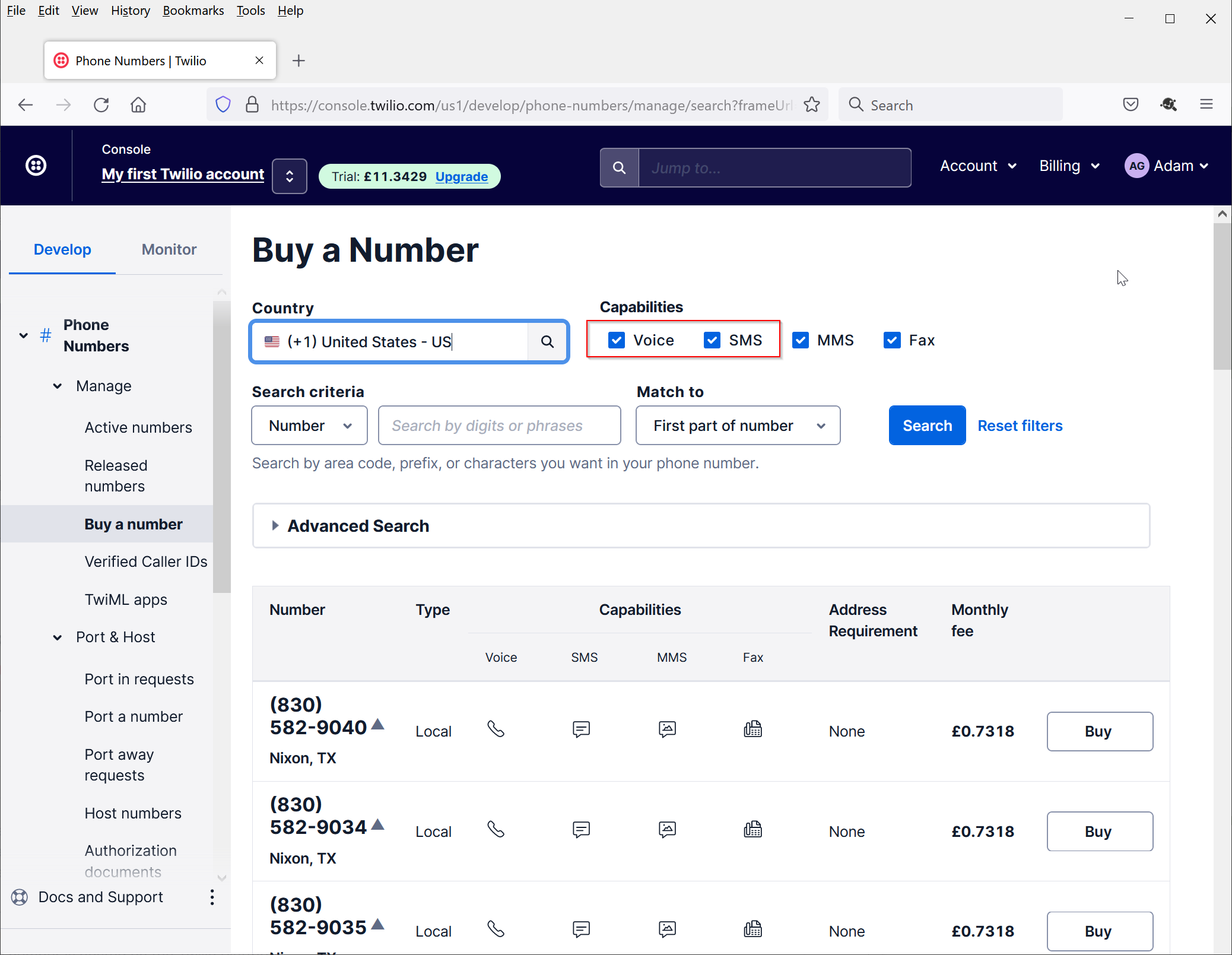
Click the "Buy" button next to the number that you want to buy
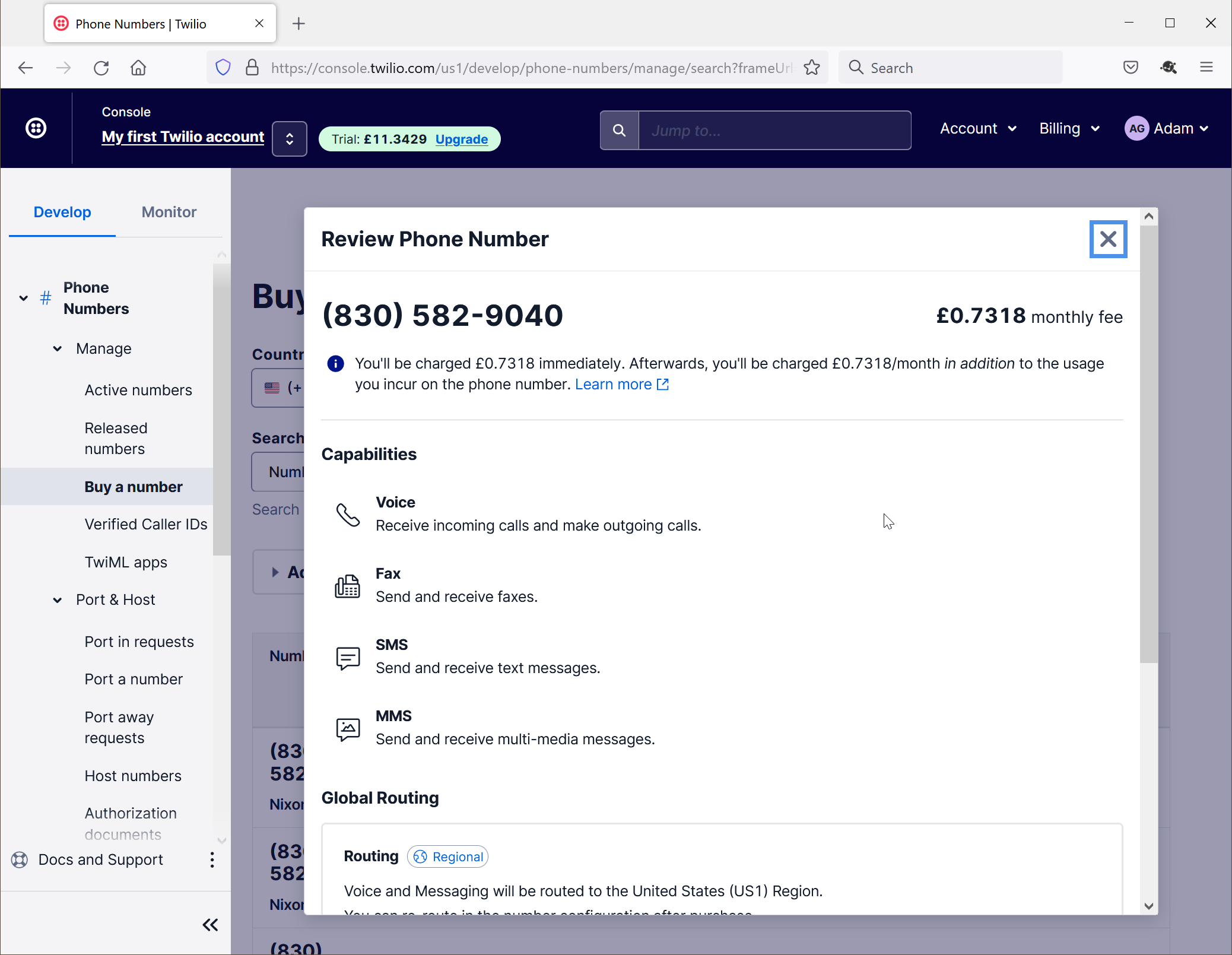
Make sure that the Capabilities include SMS and Voice.
Scroll down the screen
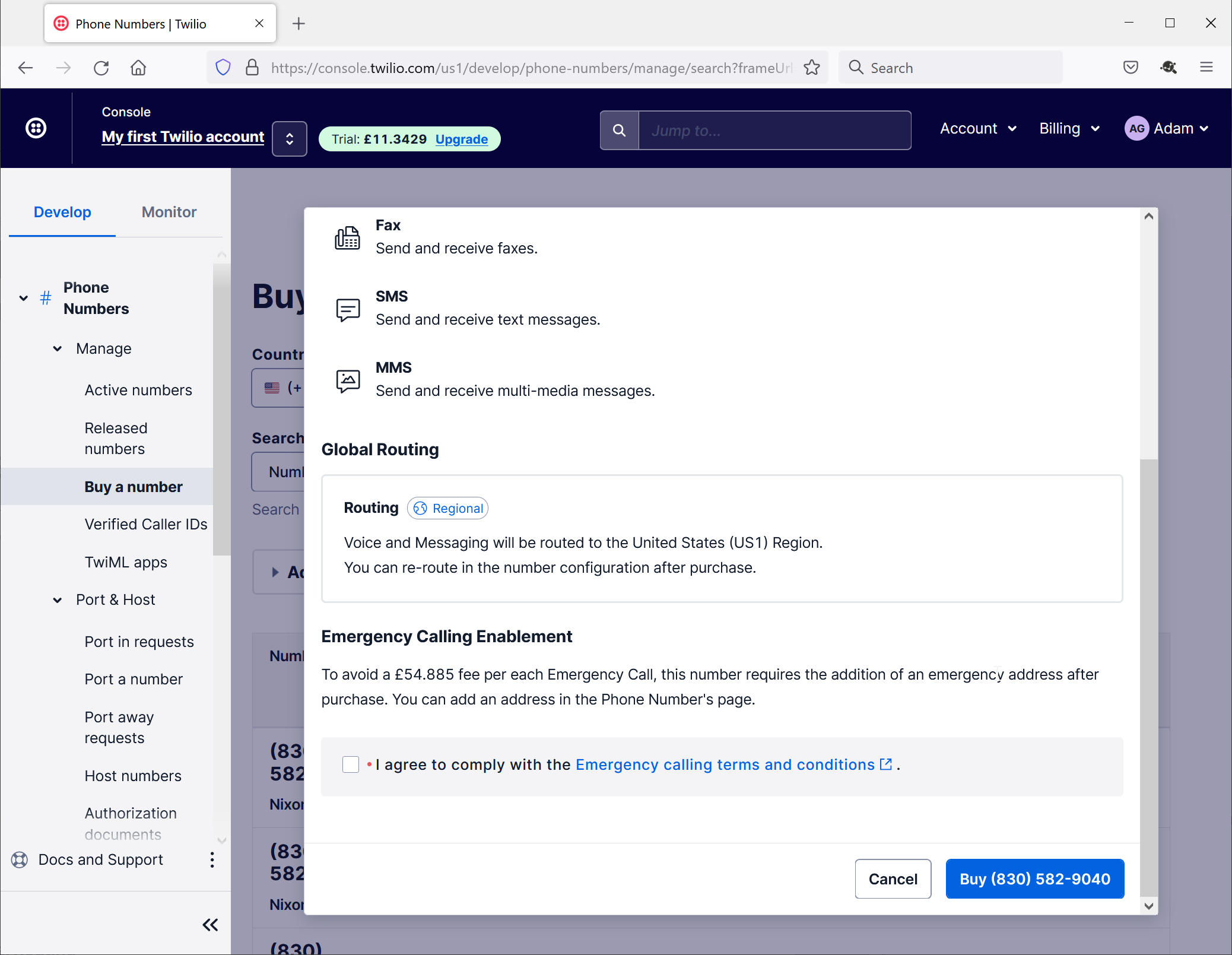
Check "I agree..."
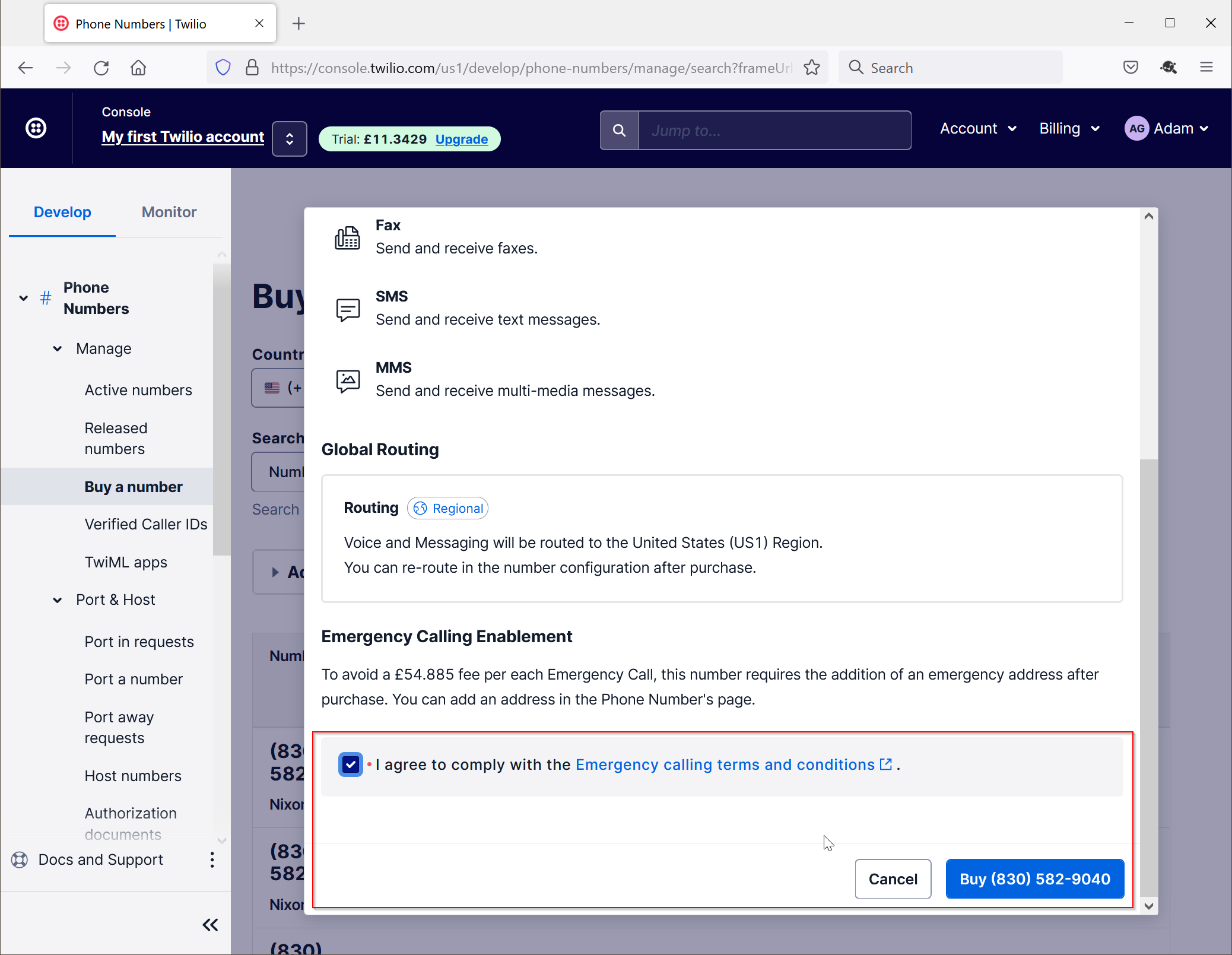
Click "Buy ..."
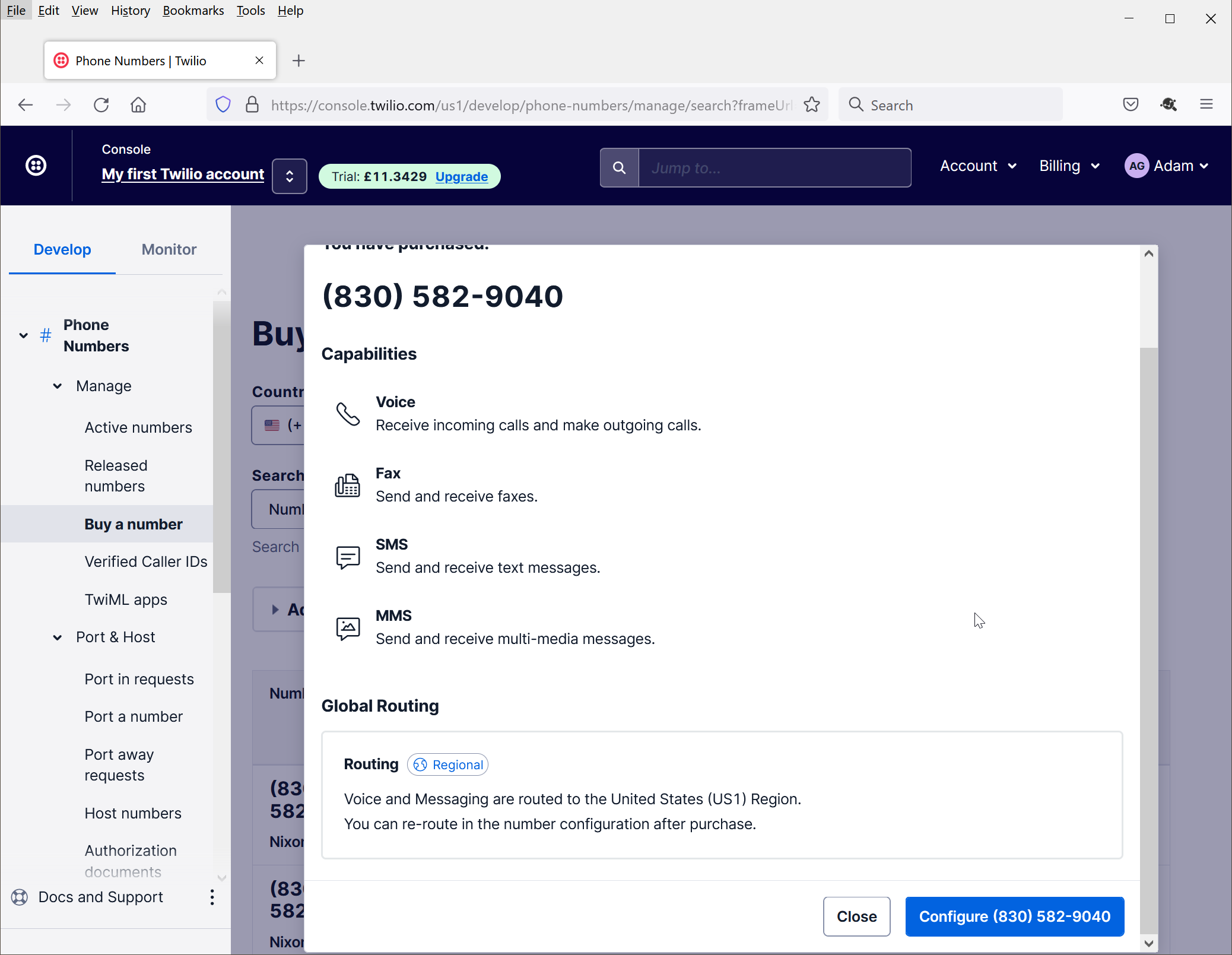
Click "Close"
If your Twilio account is a trial account, then you are allowed to send SMS messages to phone numbers that are registered in your Twilio account.
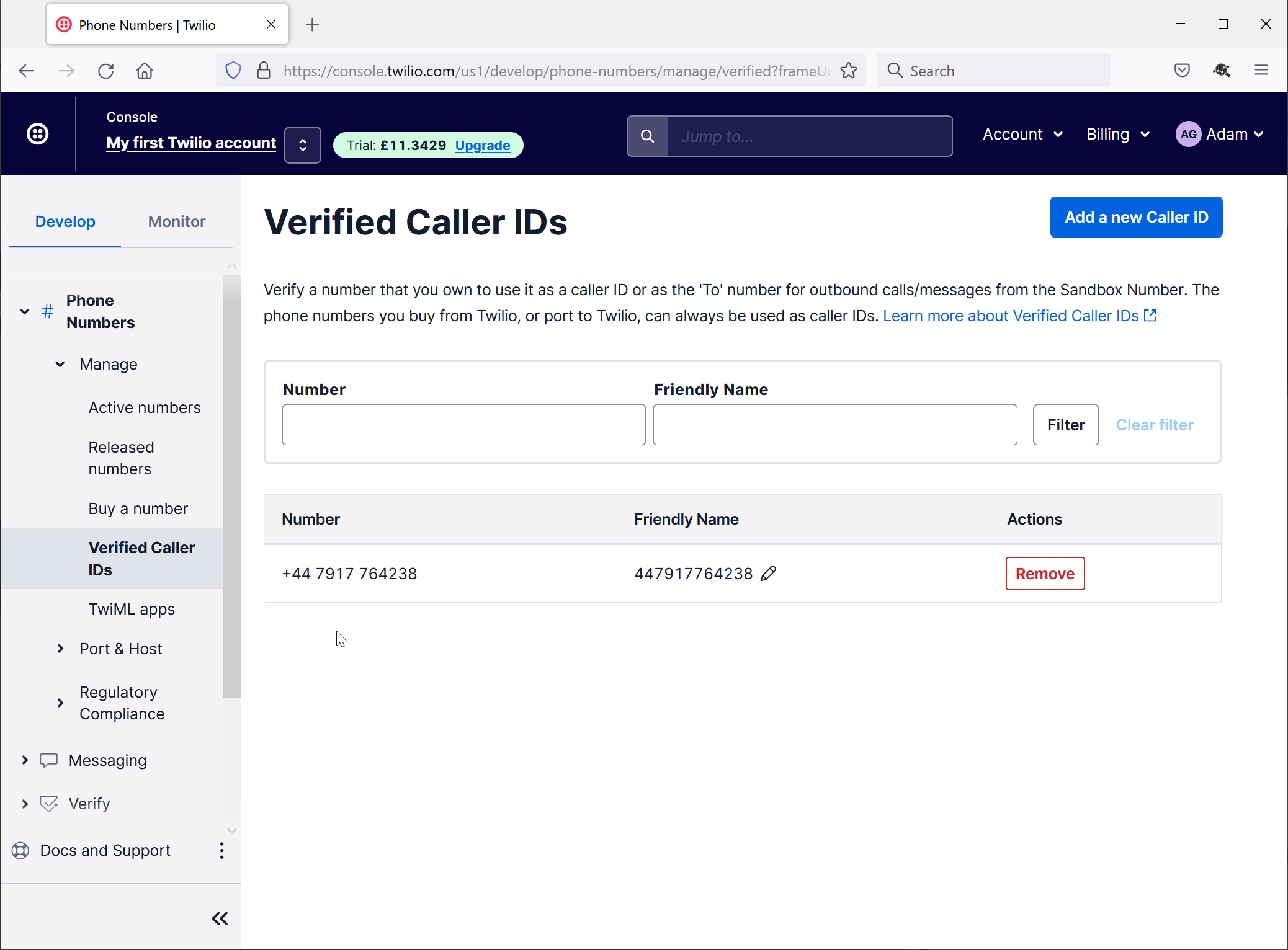
Navigate to "Phone Numbers\Verfied Called IDs"
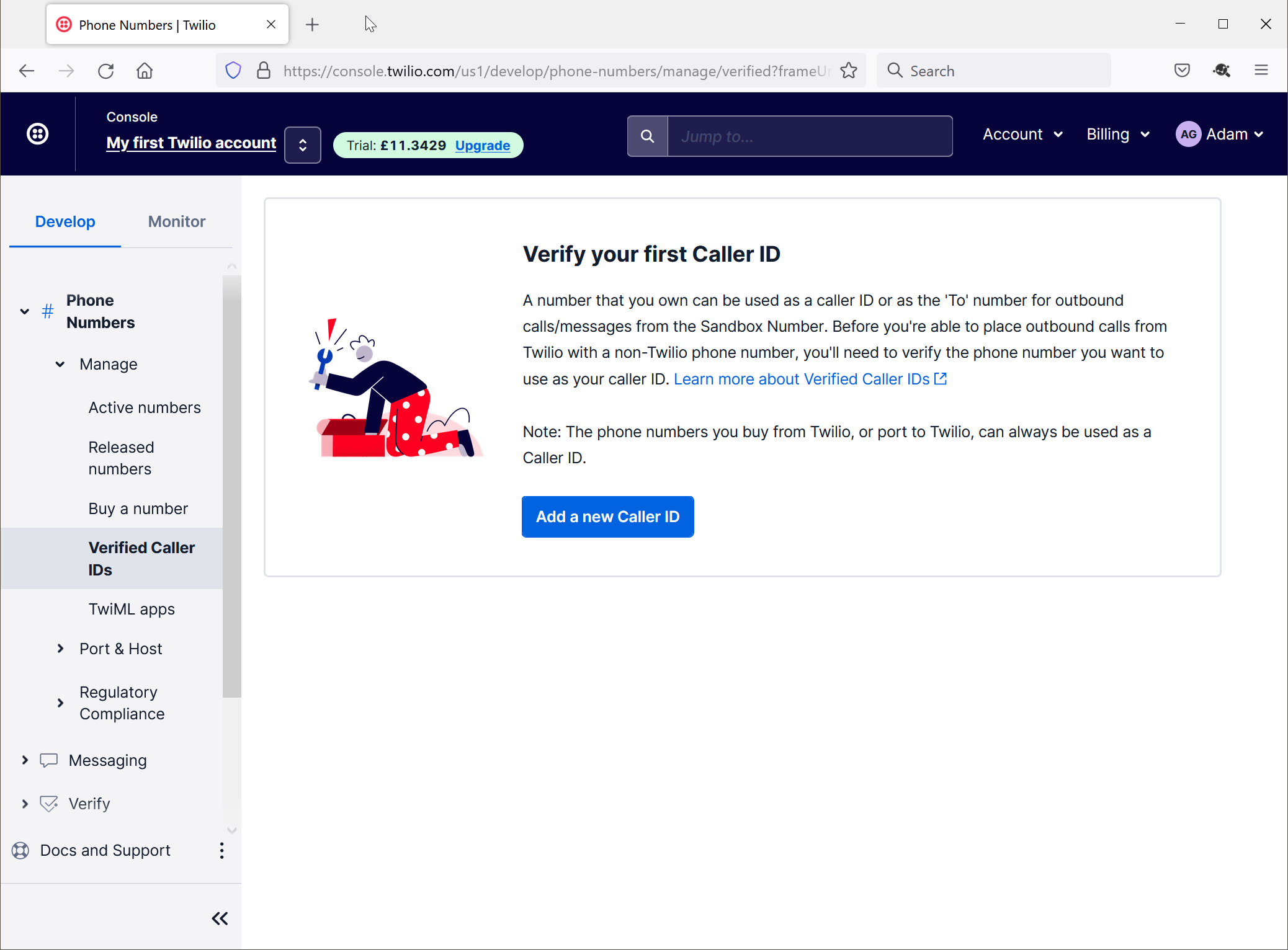
Click "Add a new Caller ID"
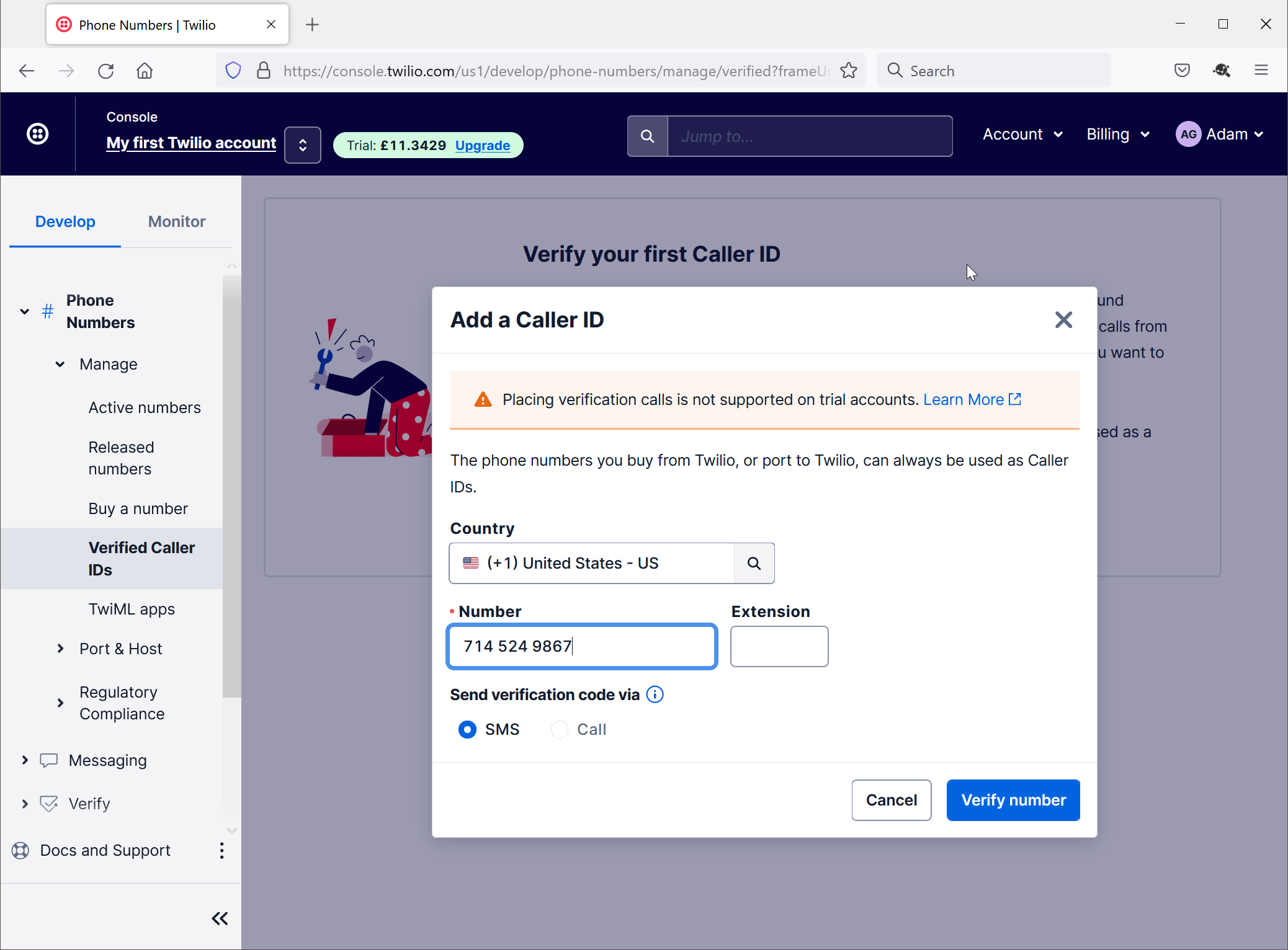
Enter the phone number that you want to use for testing
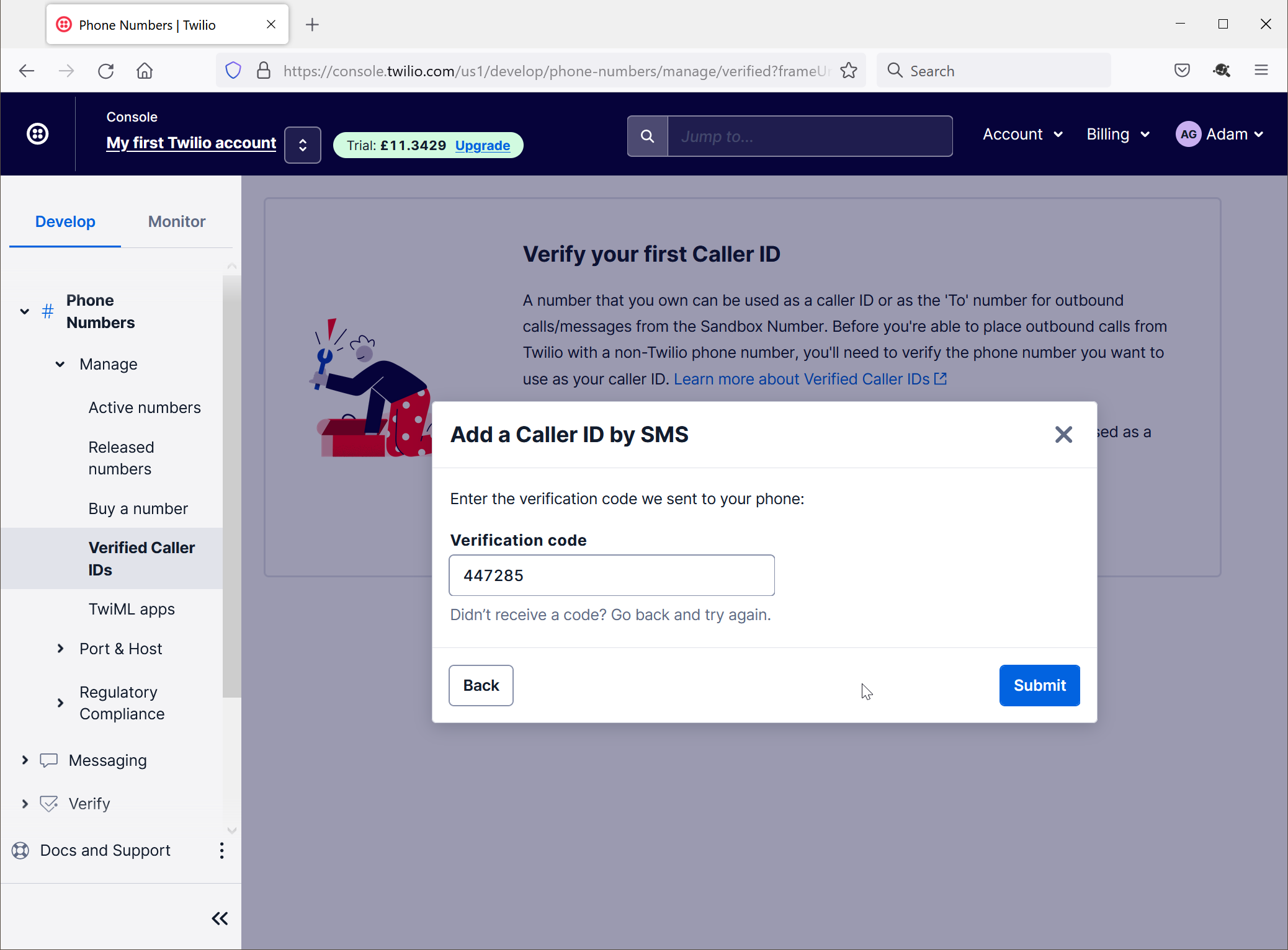
Click "Submit"
Finally, you need to create a messaging service
Navigate to "Phone Numbers\Verfied Called IDs"
Click "Add a new Caller ID"
Enter the phone number that you want to use for testing
Click "Submit"