You can set your DualShield IIS Agent to bypass MFA when your DualShield is offline
In the IIS Manager, select the MAPI application node (or EWS, RPC)
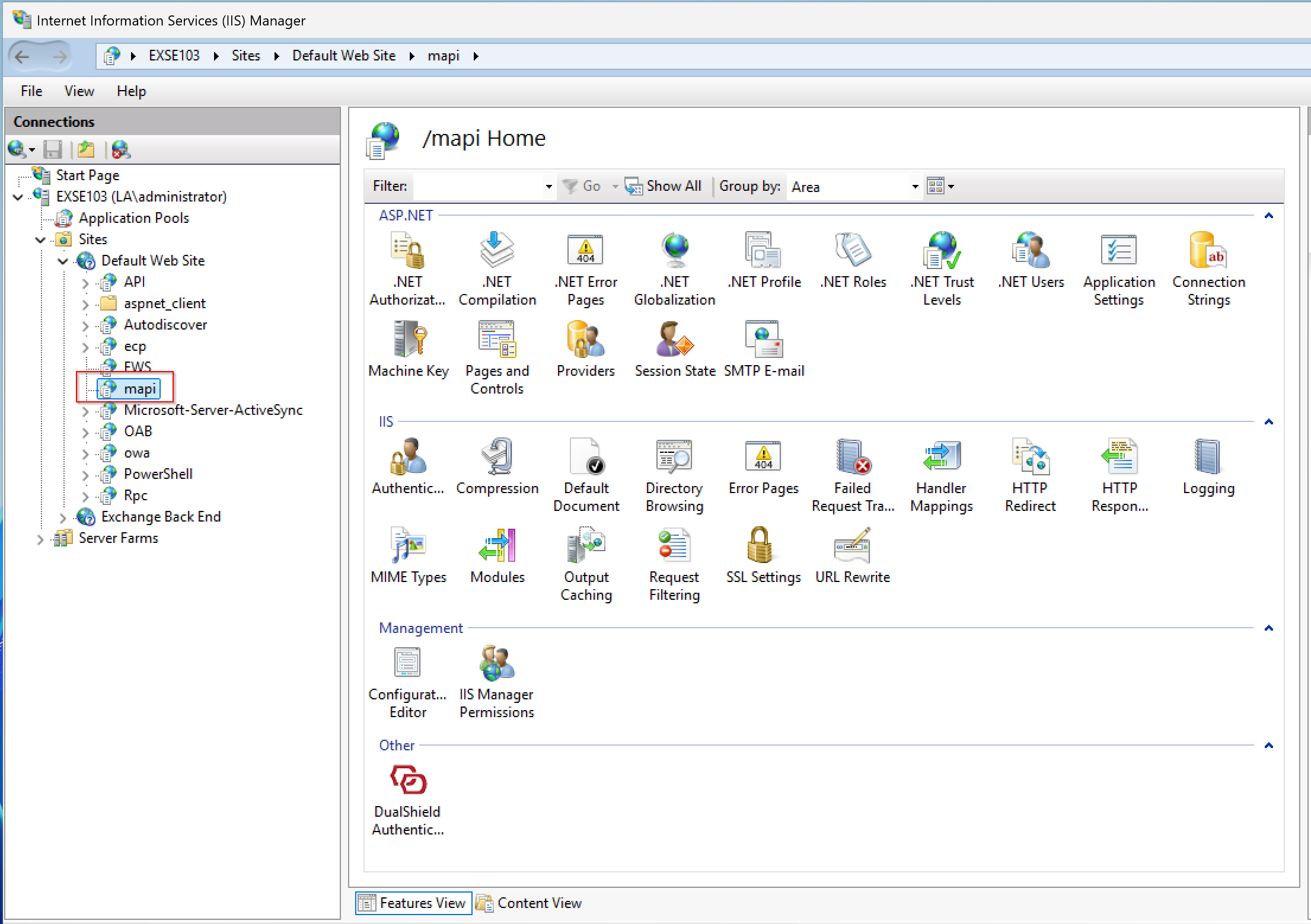
Click the DualShield Authentication icon to open the agent's control panel
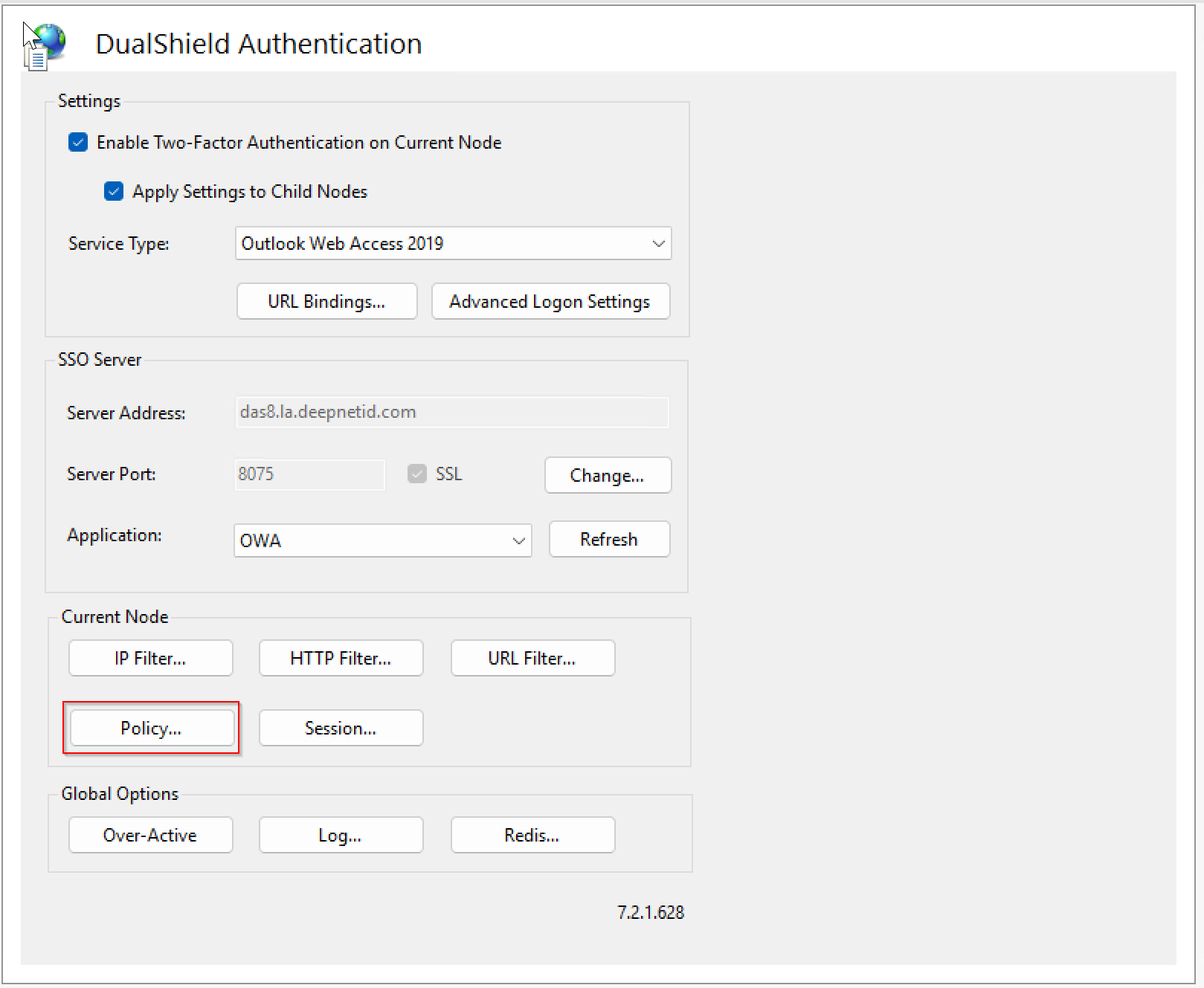
Click the "Policy...." button
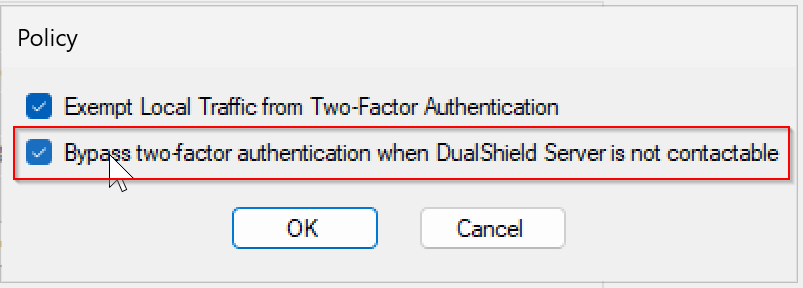
Enable the option “Bypass two-factor authentication when DualShield Server is not contactable”
Click the "OK" button
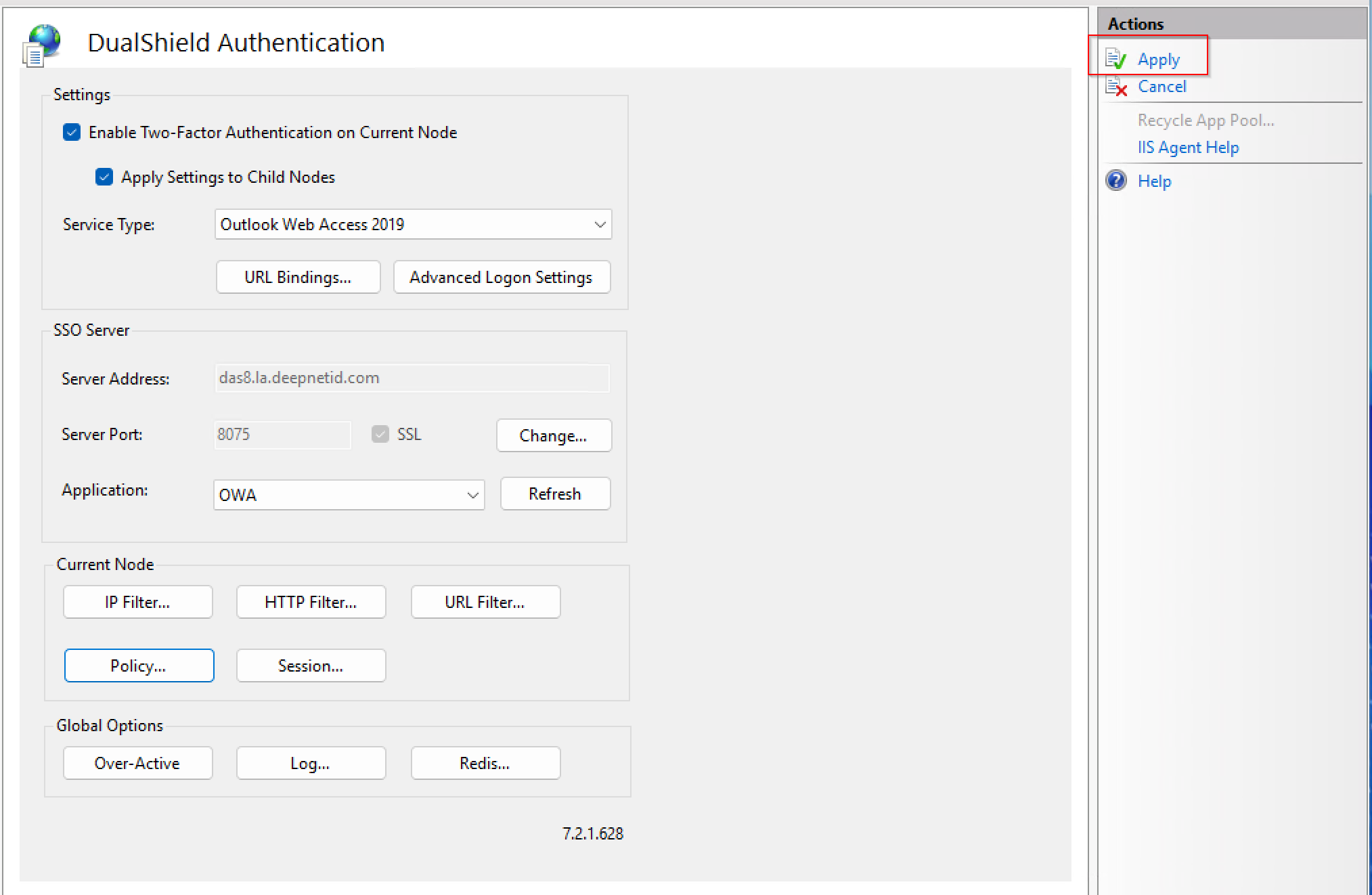
Click "Apply" to save the change