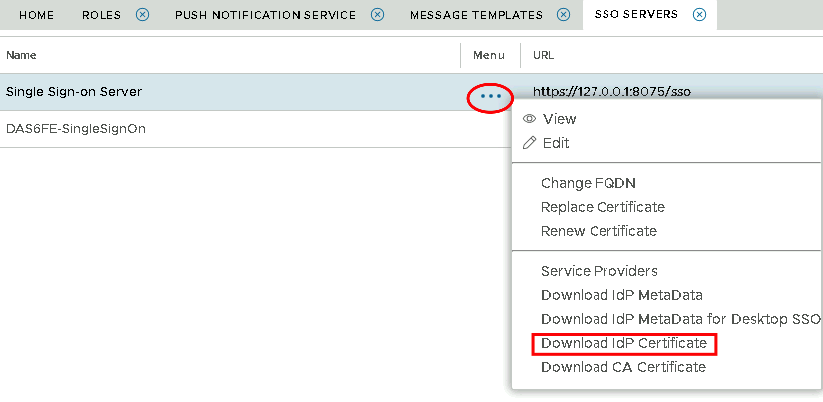
In order to configure Ctera for SAML2 authentication, you will need details of the Single Sign-on and Single Logout URL.
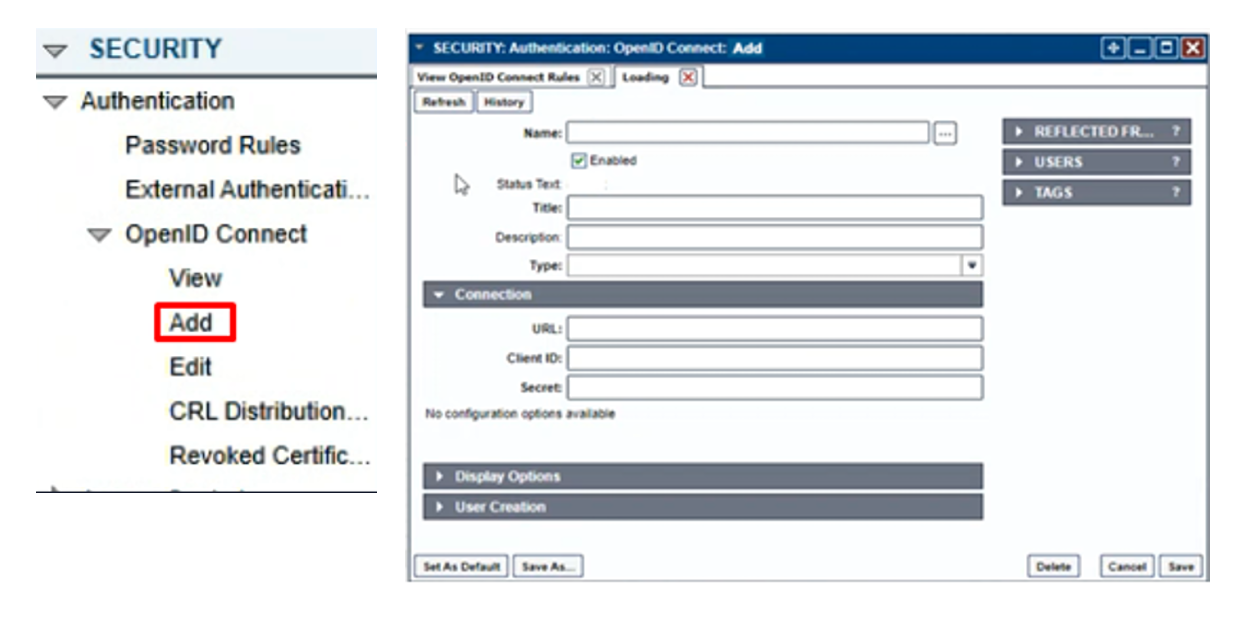
From the ConsoleWorks Navigation Window, select SECURITY > Authentication > OpenID Connect >
Add.
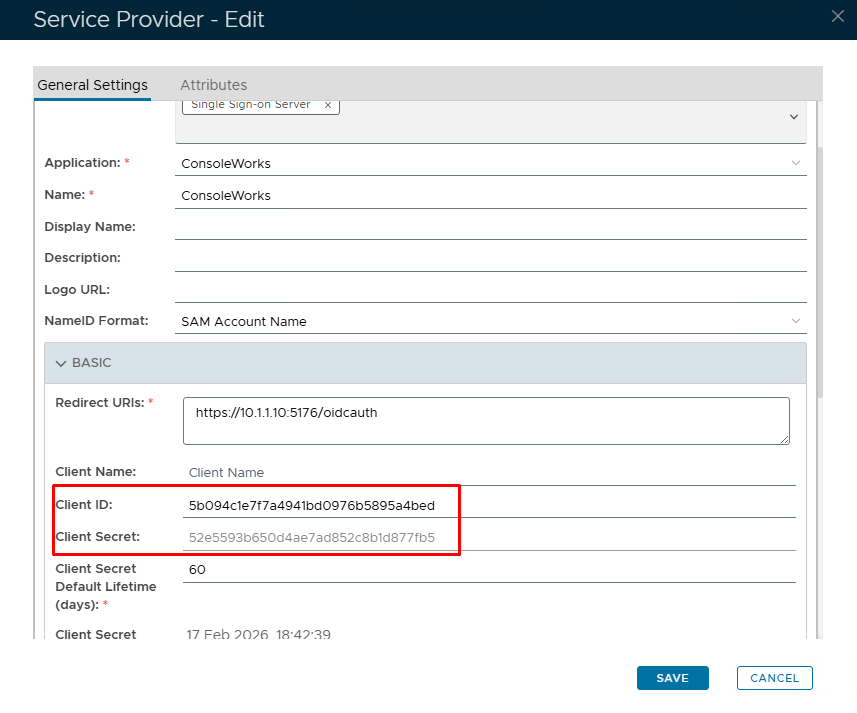
Go back to the DualShield Admin Console and go to SSO>Service providers. View or edit your OIDC service provider created in DualShield Configuration for ConsoleWorks
Expand the BASIC tab and copy out the Client ID and Client Secret
Add the following into ConsoleWorks.
| Option | Value |
|---|---|
| Name: | Enter a friendly name such as 'DualShield' |
| Title: | Enter a friendly name such as 'DualShield' |
| Type: | General |
| URL: | Paste in the Discovery URL you had Copied from SSO>SSO Servers (refer to DualShield Configuration for ConsoleWorks) |
| Client ID: | Paste in the Client ID you had copied from SSO>Service Providers (see above) |
| Client Secret | Paste in the Client Secret you had copied from SSO>Service Providers (see above) |
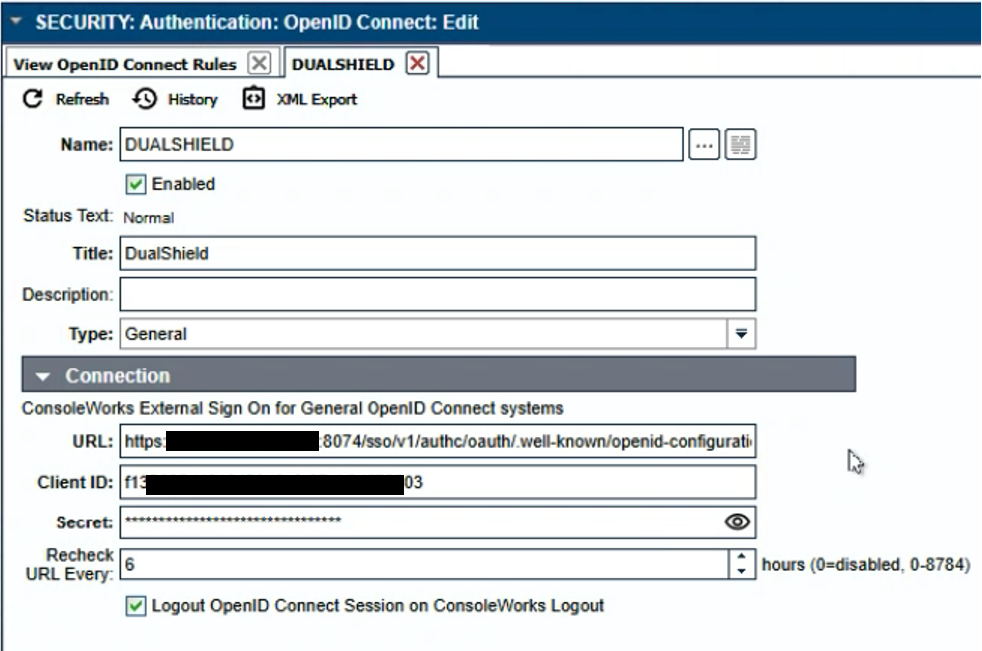
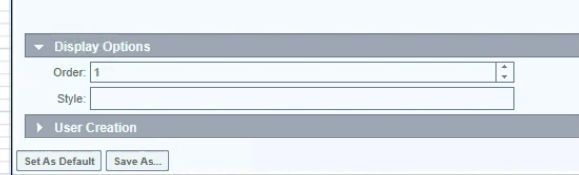
Expand Display Options and set the order to 1
You will also need to download the IdP Certificate
Select the drop down menu corresponding to the SSO server you will be using and click on Download IdP Certificate