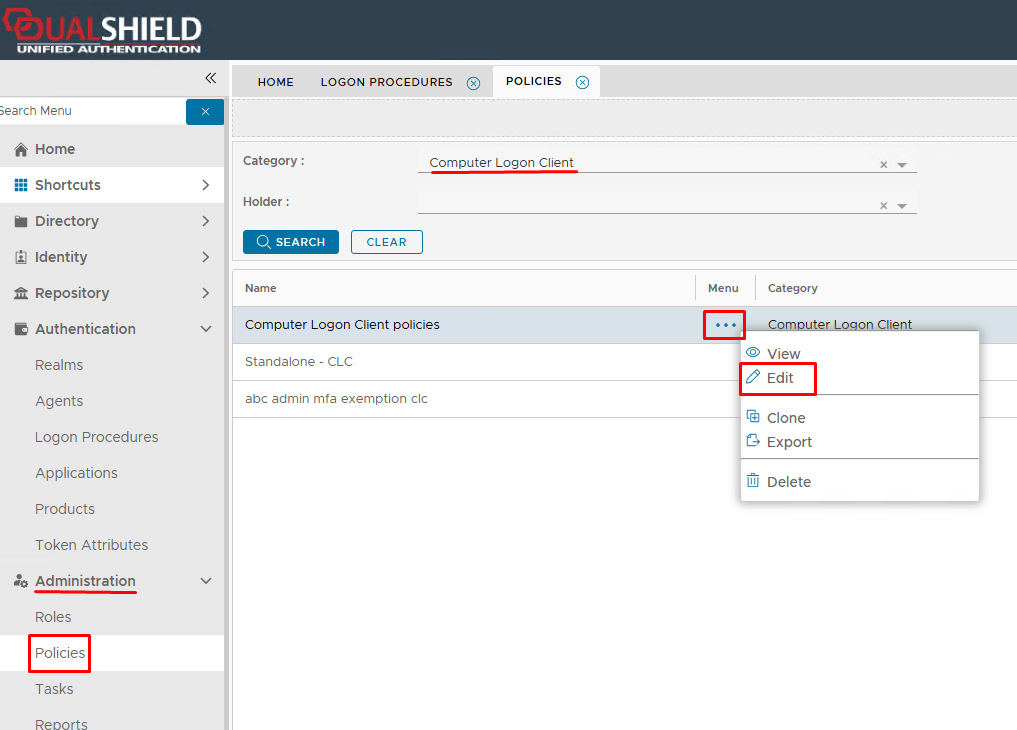
Log into the DualShield Admin Console and go to Administrator>Policies. In the policies page select Computer Logon Client from the Categories drop-down list, and then edit the relevant Computer Logon Client Policy.
Expand the UAC (User Access Control) tab on the Policy Edit screen.
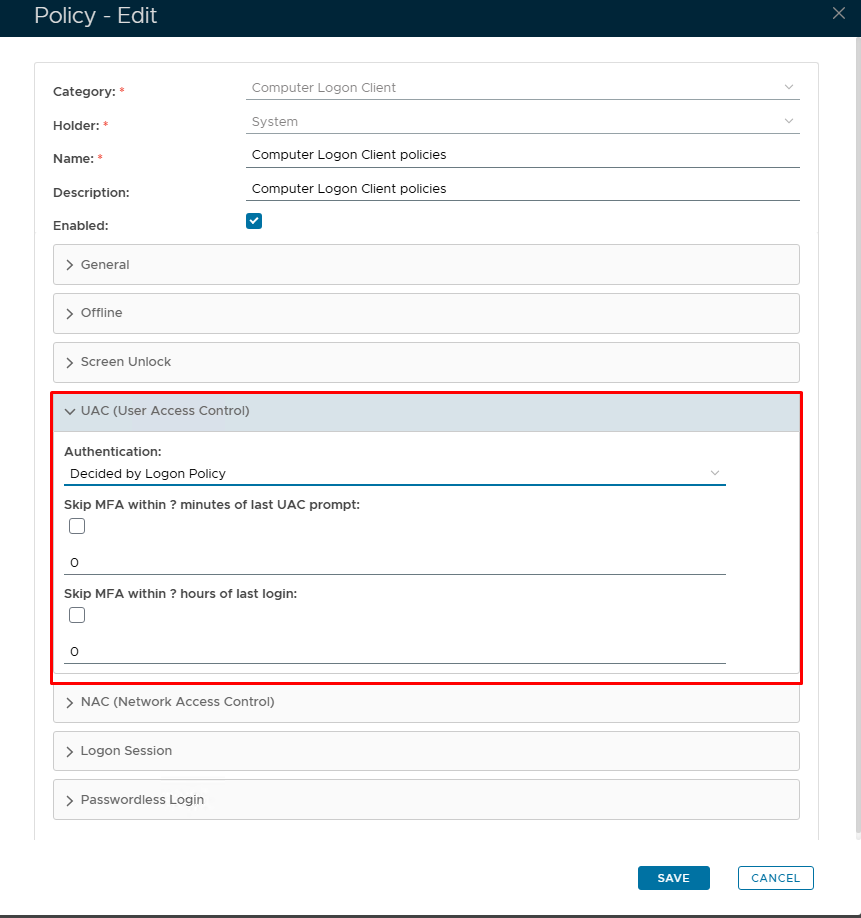
Click on the Authentication drop down list
