It is standard practice for the IT department of many medium to large-sized businesses to lock down the workstations to prevent end users from installing their own software, which could contain malware. This is usually done by enabling User Account Control (UAC), which will force a UAC notification Window to pop up, prompting for administrator credentials... e.g.
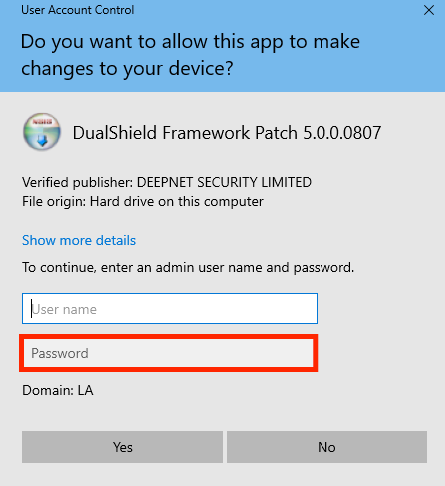
This, however, relies on the assumption that the end user does not know the administrator account credentials. If the user gains access to this information, it creates a significant security vulnerability within the network. Therefore, you can use DualShield to further protect the admin credentials by adding a second authentication step, just like you have for Computer Logon.
This guide assumes that the end user's computer is already protected by the Computer Logon Client. It also assumes that the appropriate token has been assigned to the admin user's account, and the local administrator account is also protected by MFA.