For extra security, you can force the device to have a limited lifetime. This is particularly useful if you have contractors who require temporary access to emails.
There are two parts to this:
Token Lifetime
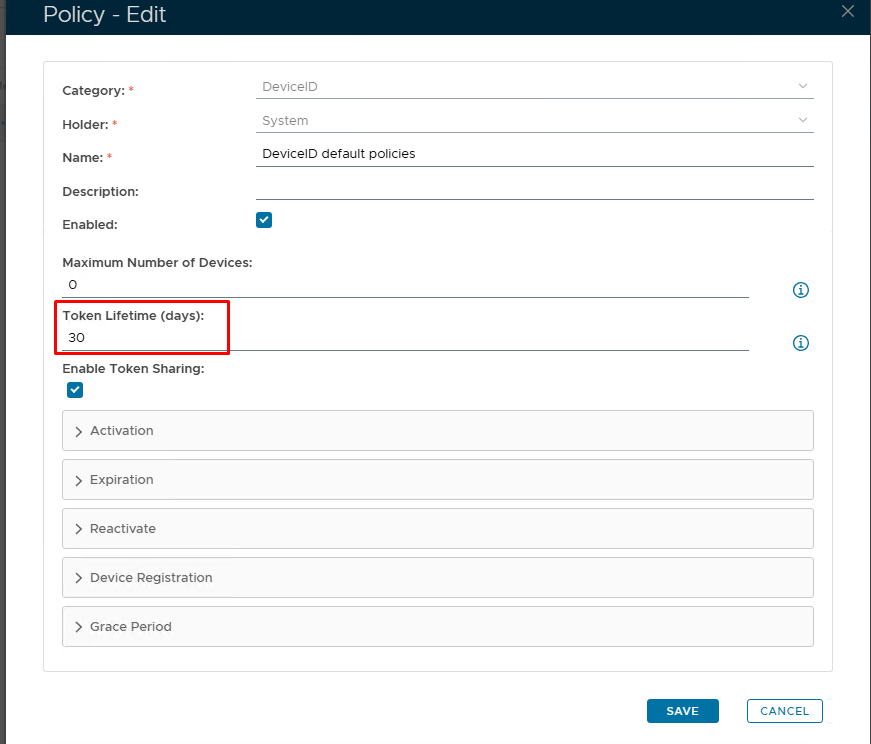
| Option | Value | Explanation |
|---|---|---|
| Token Lifetime (Days) | Set number of days you wish the token to be live for | The "Token Lifetime" option specifies the default lifespan in days of any newly created token. When a token has reached its lifespan, it is expired. (Please note: '0' = No expiration) |
Activation Code Policy
The activation code has it's own policy where you can set the format and length of the code as well as an expiry
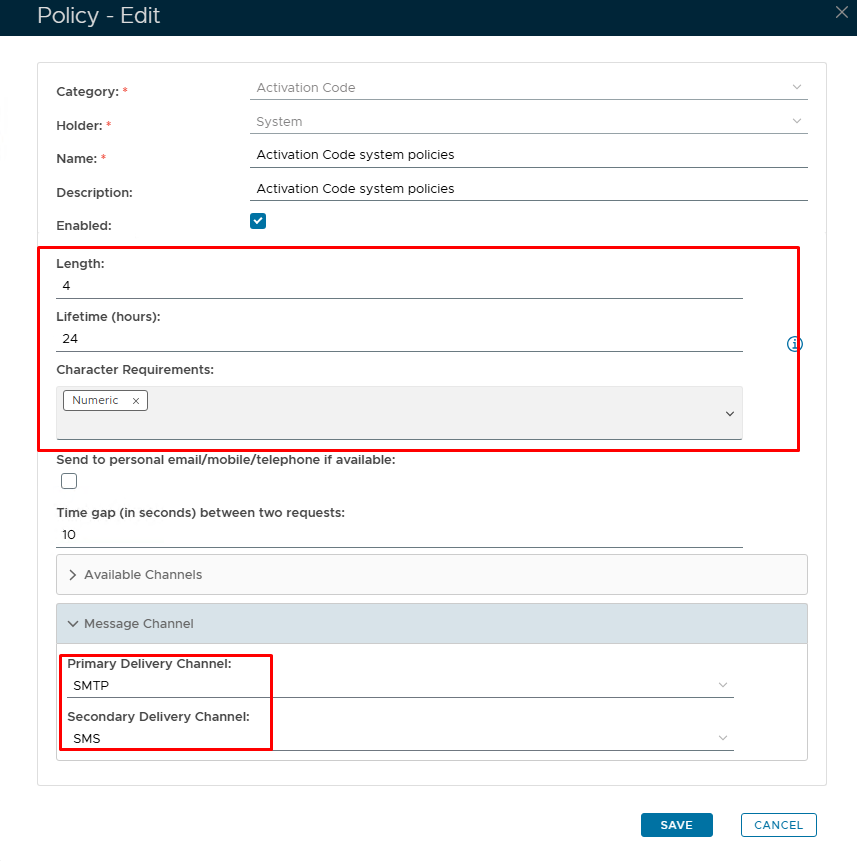
| Option | Value | Explanation |
|---|---|---|
| Length | Default = 4 characters | A length of 4 will be presented as 'xxxx'. You can increase or decrease the length however, 4 or 6 is the norm. |
| Lifetime | Set in hours | The number of hours before the Activation code expires. (0 = no expiry.) |
| Character Requirements | Numeric/Alphabetic/Both | Code format |
| Message delivery channels | SMTP/SMS | How would you like the end user to receive the Activation code? SMTP = email; SMS = text. |