If you want to make a quick test on OIDC integration, then you can use https://workos-openai-explore.vercel.app/
First, let's build an application called OIDC Test on your DualShield server.
You can Builld an application using the Wizard.
You should end up with this entry under Authentication>Applications
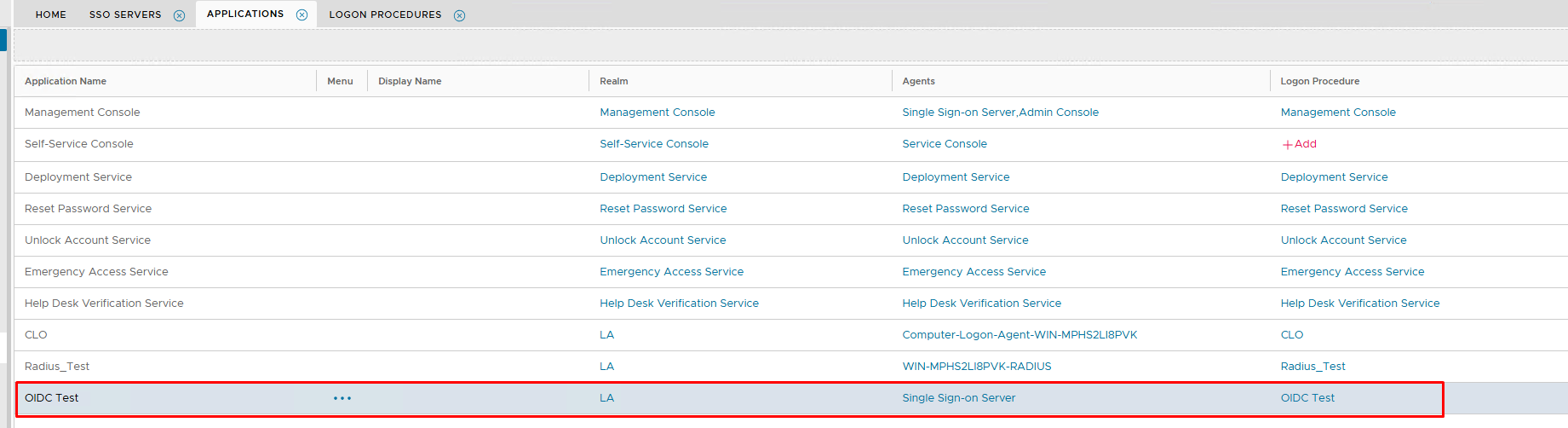
Follow the next step..
If you have already configured your DualShield SSO for OpenID Connect for other integtations, then you can skip this step.
In the DualShield Admin Console, navigate to "SSO | SSO Servers"
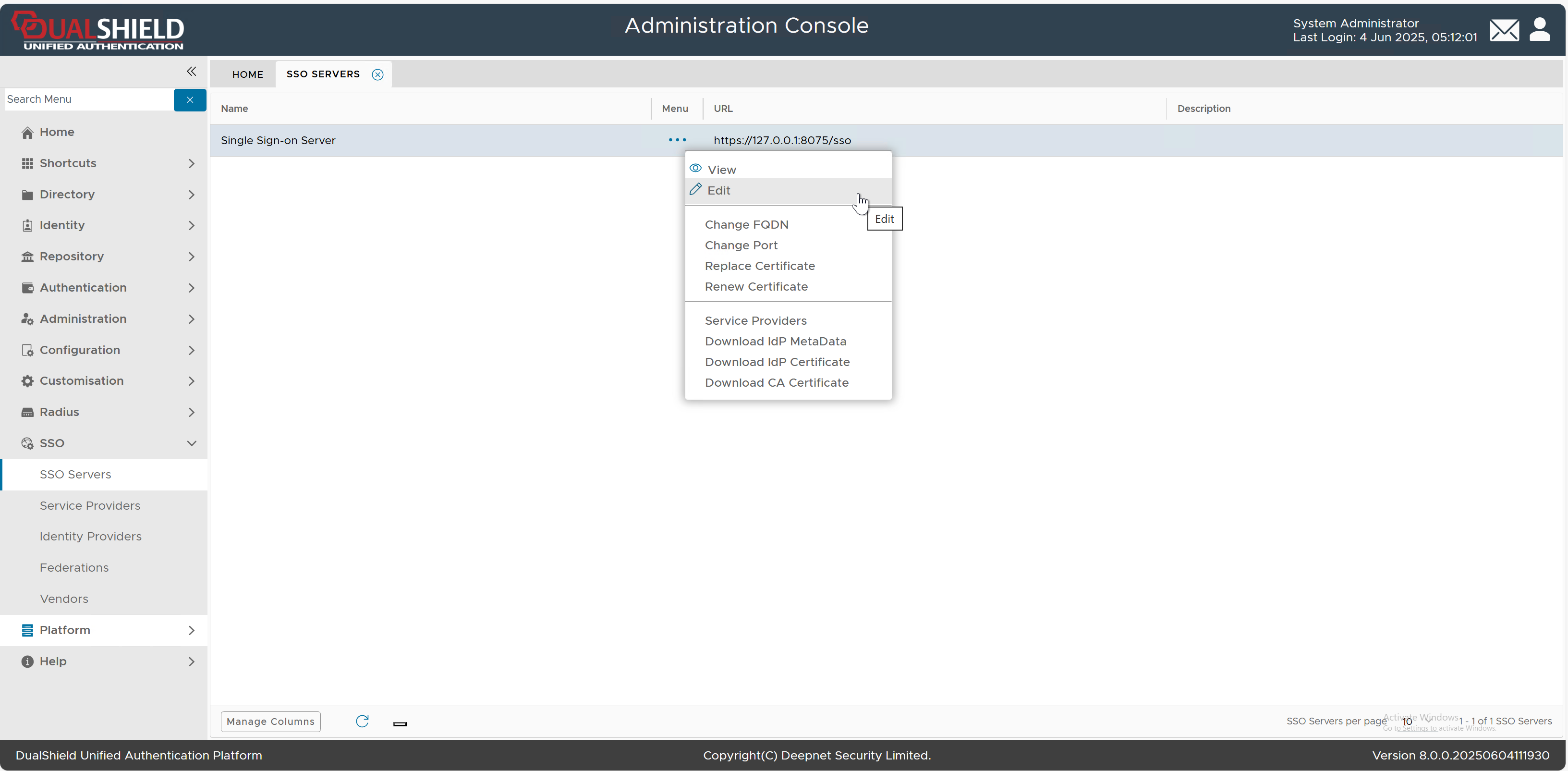
Select "Edit" from the context menu of "Single Sign-on Server"
The SSO Server editor will pop up. Select the "OpenID Connect" tab
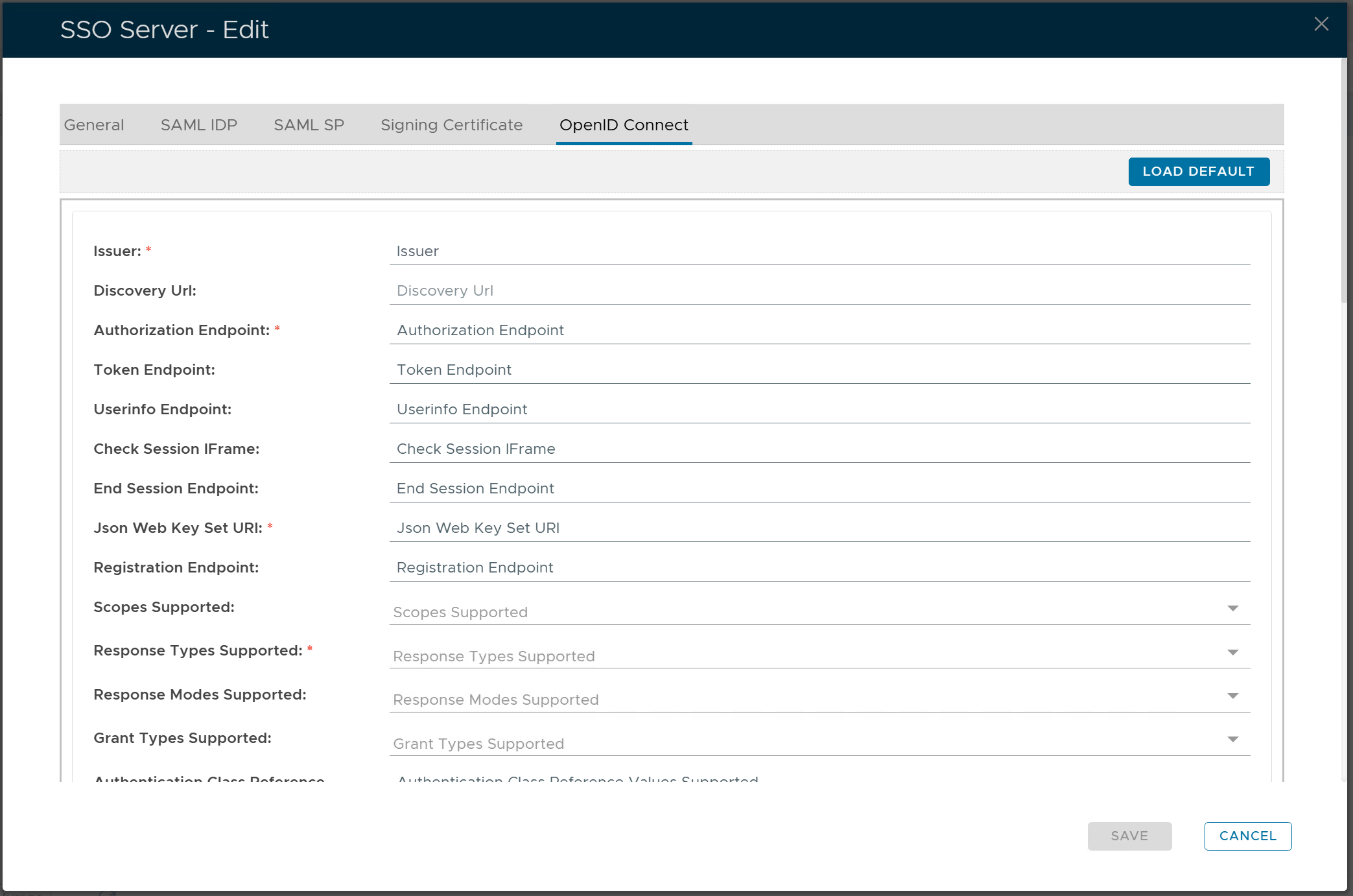
Click the "LOAD DEFAULT" button
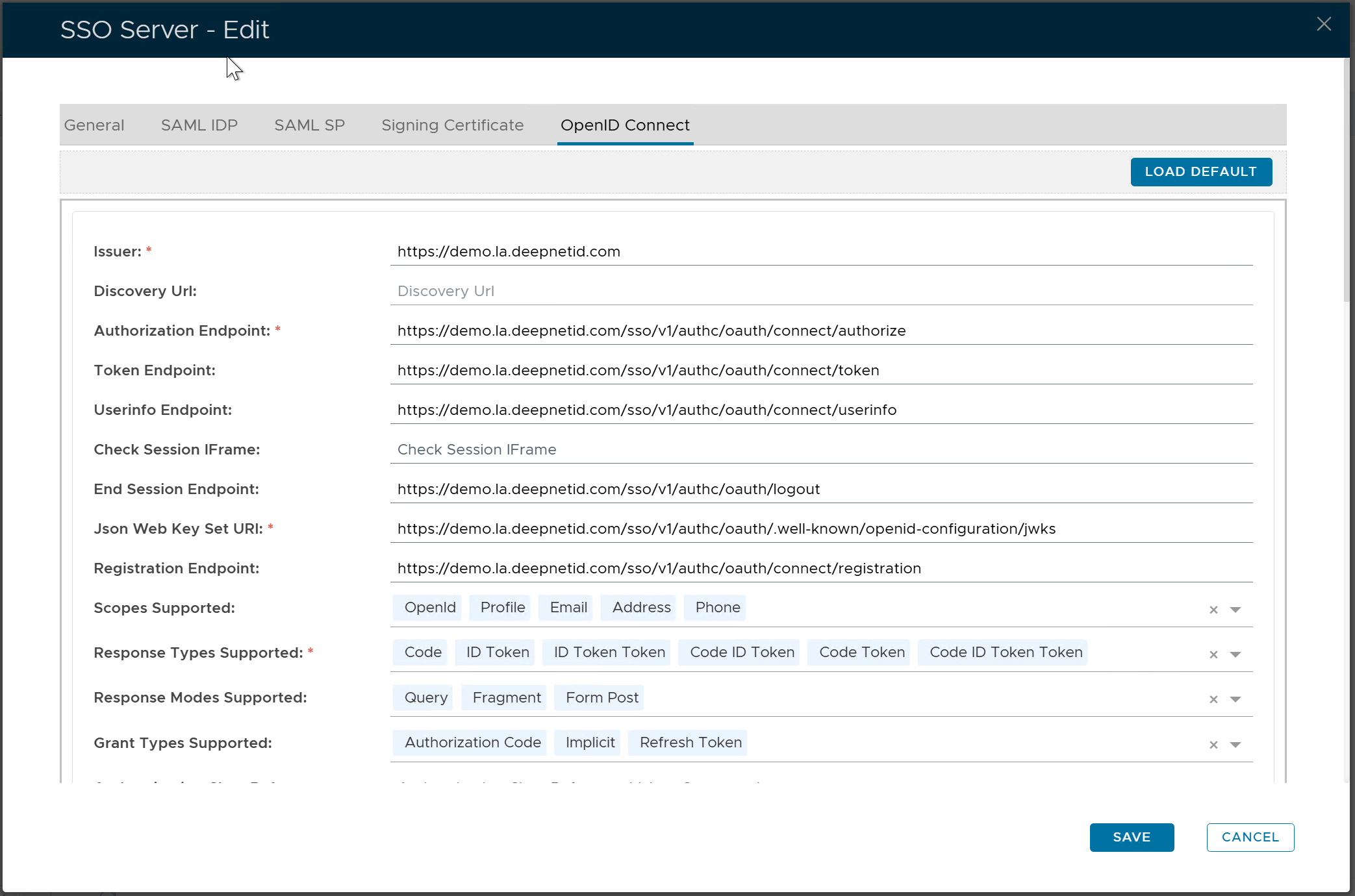
click the "SAVE" button
Make a note or copy out the Authorisation Endpoint as you will need it to input into the OpenAI setup.