In DualShield Admin Console, navigate to "SSO | Service Providers"
Click "Create" to create a new service provider
Filling the form as below:
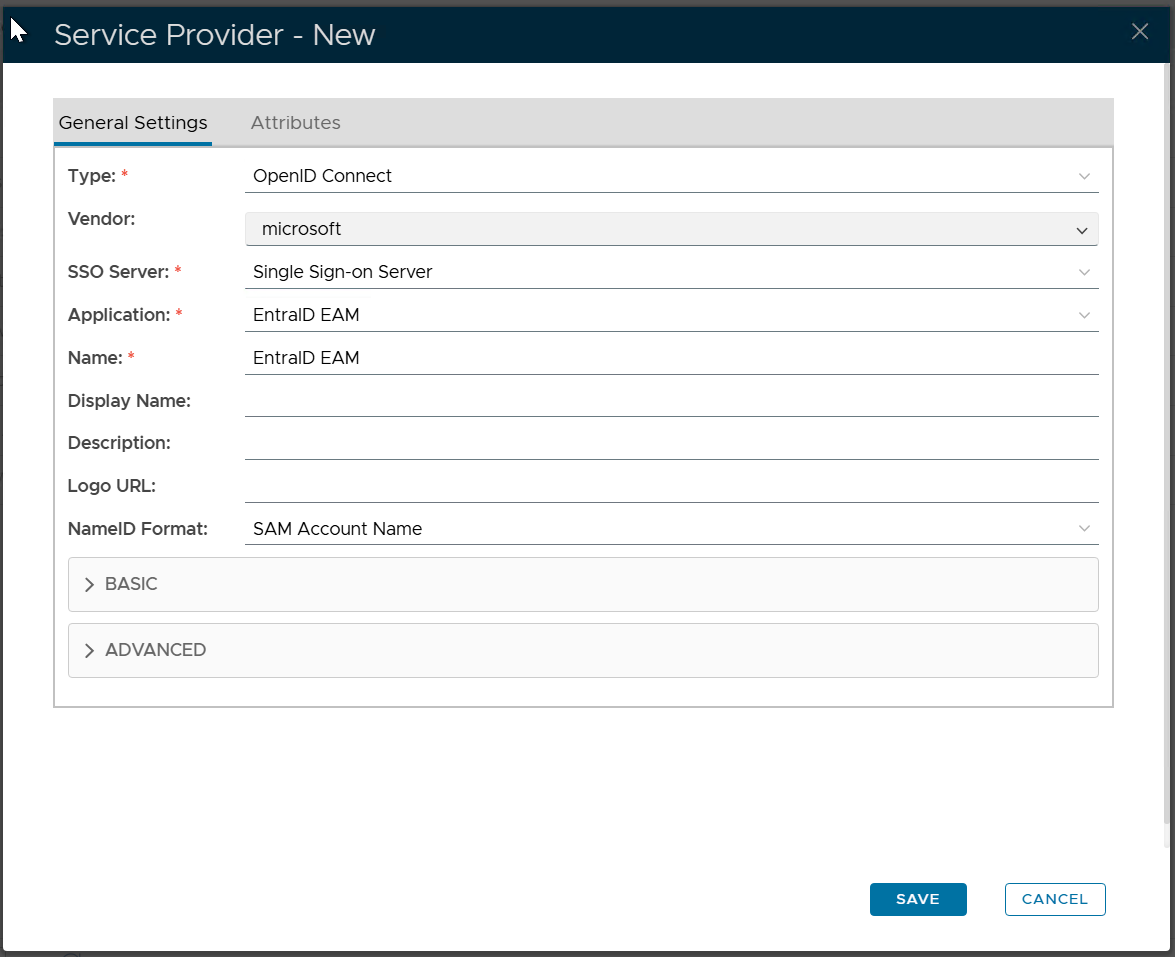
Click "SAVE"
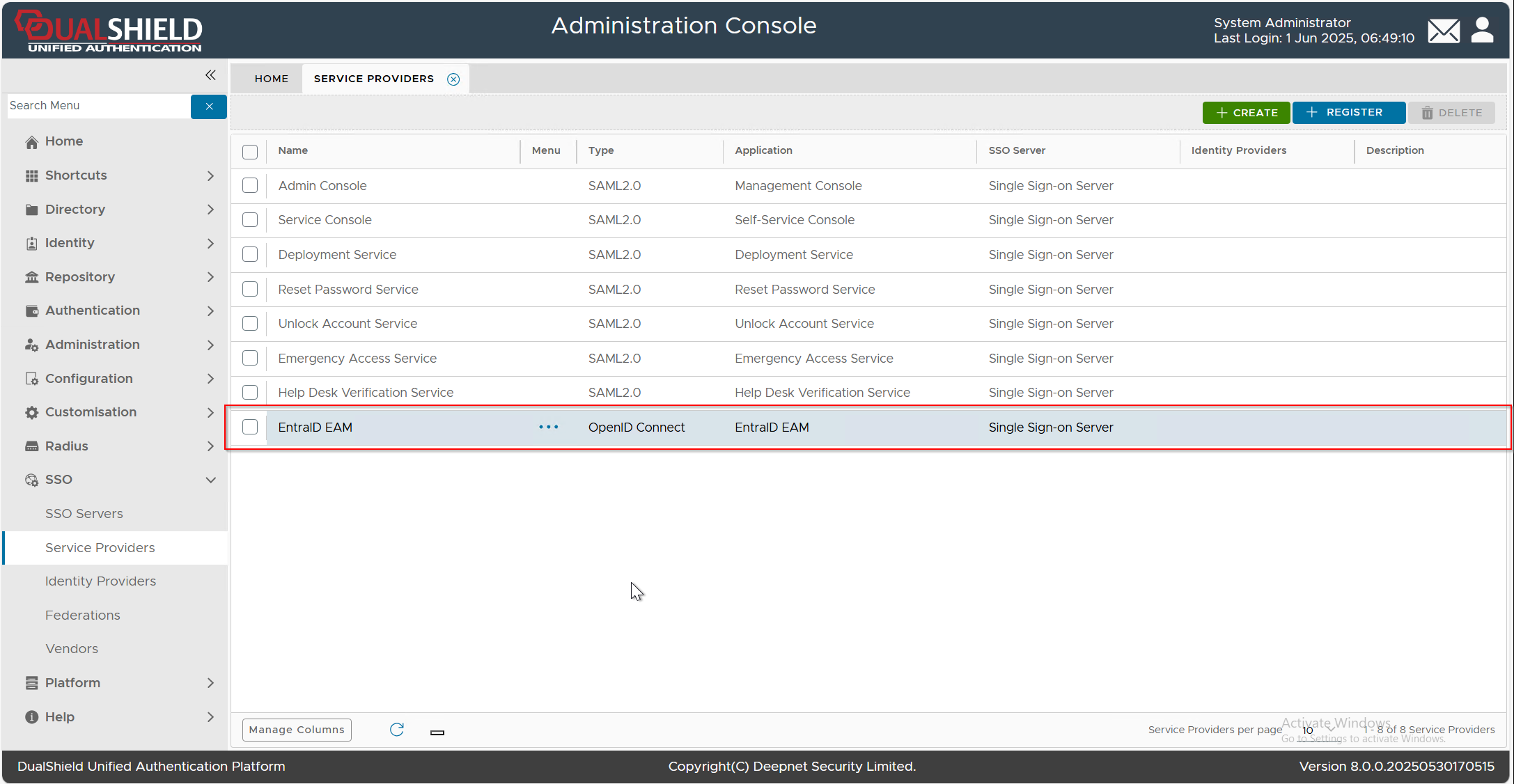
Add the attribute mapping for the "id_token_hint | iod" attribute
Click the context menu  of the newly created Service Provider, e.g. "EntraID EAM", select "Edit" from the menu, then select the "Attributes" tab
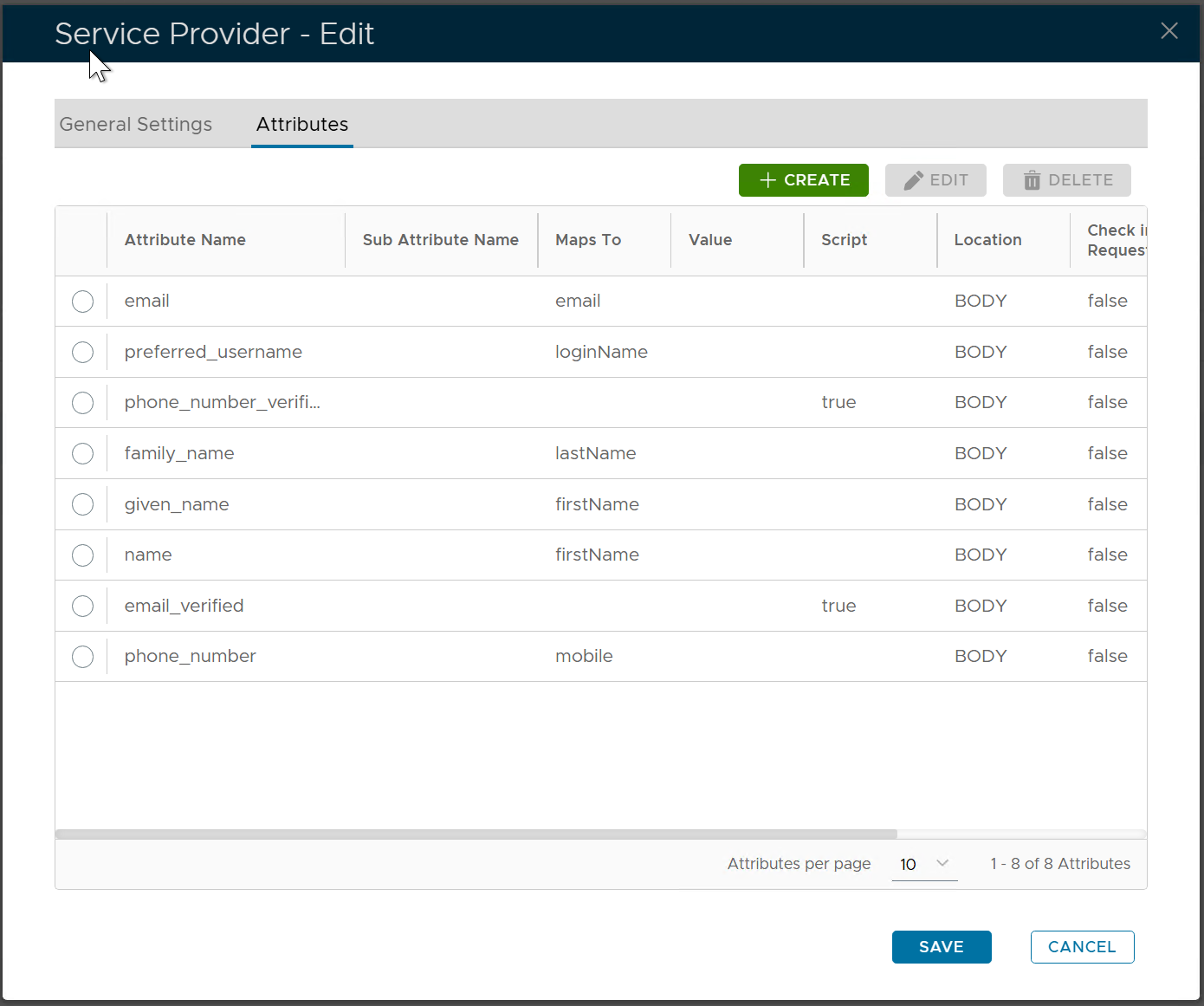
Click the "CREATE" button to create a new attribute
Fill in the following properties
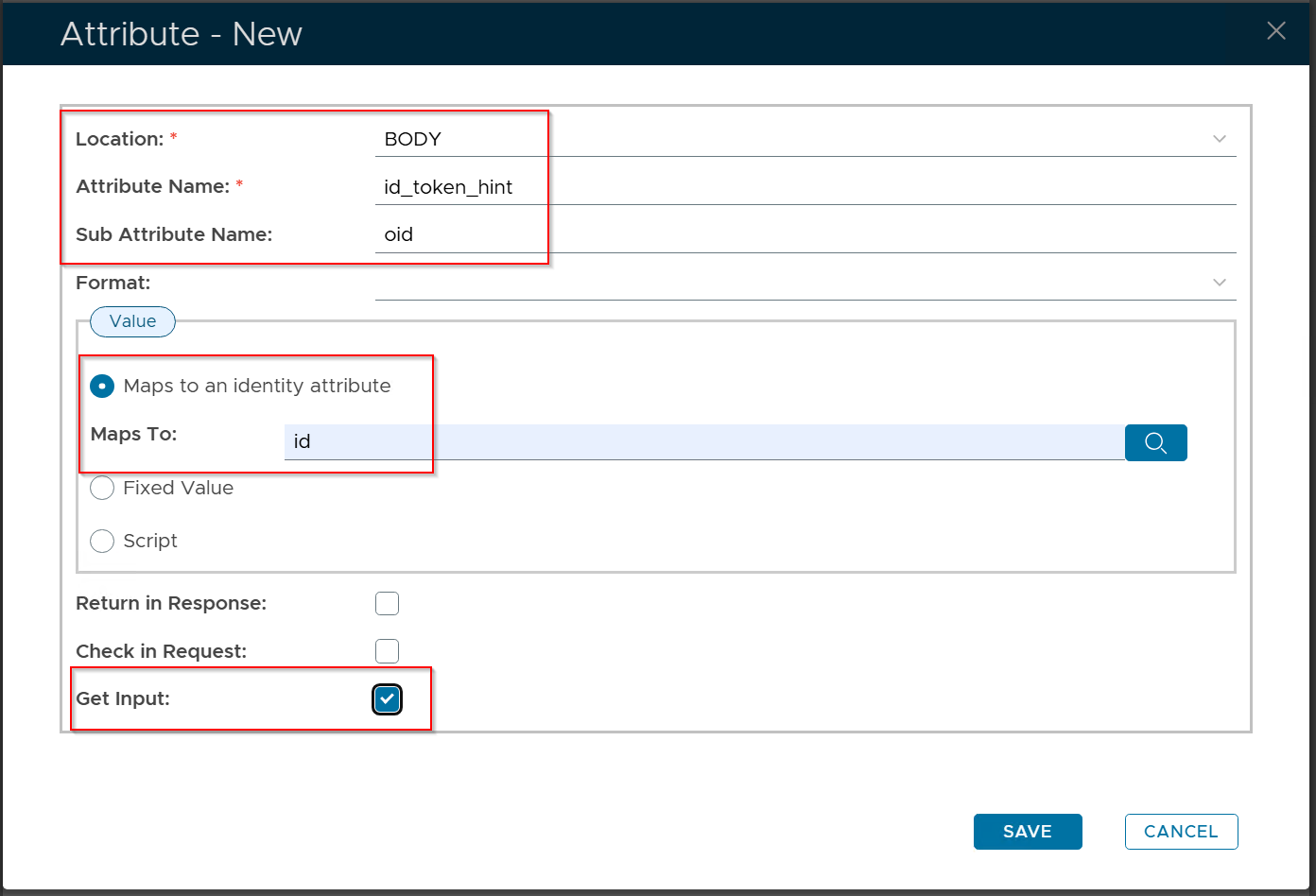
Click the "SAVE" button to save the new attribute
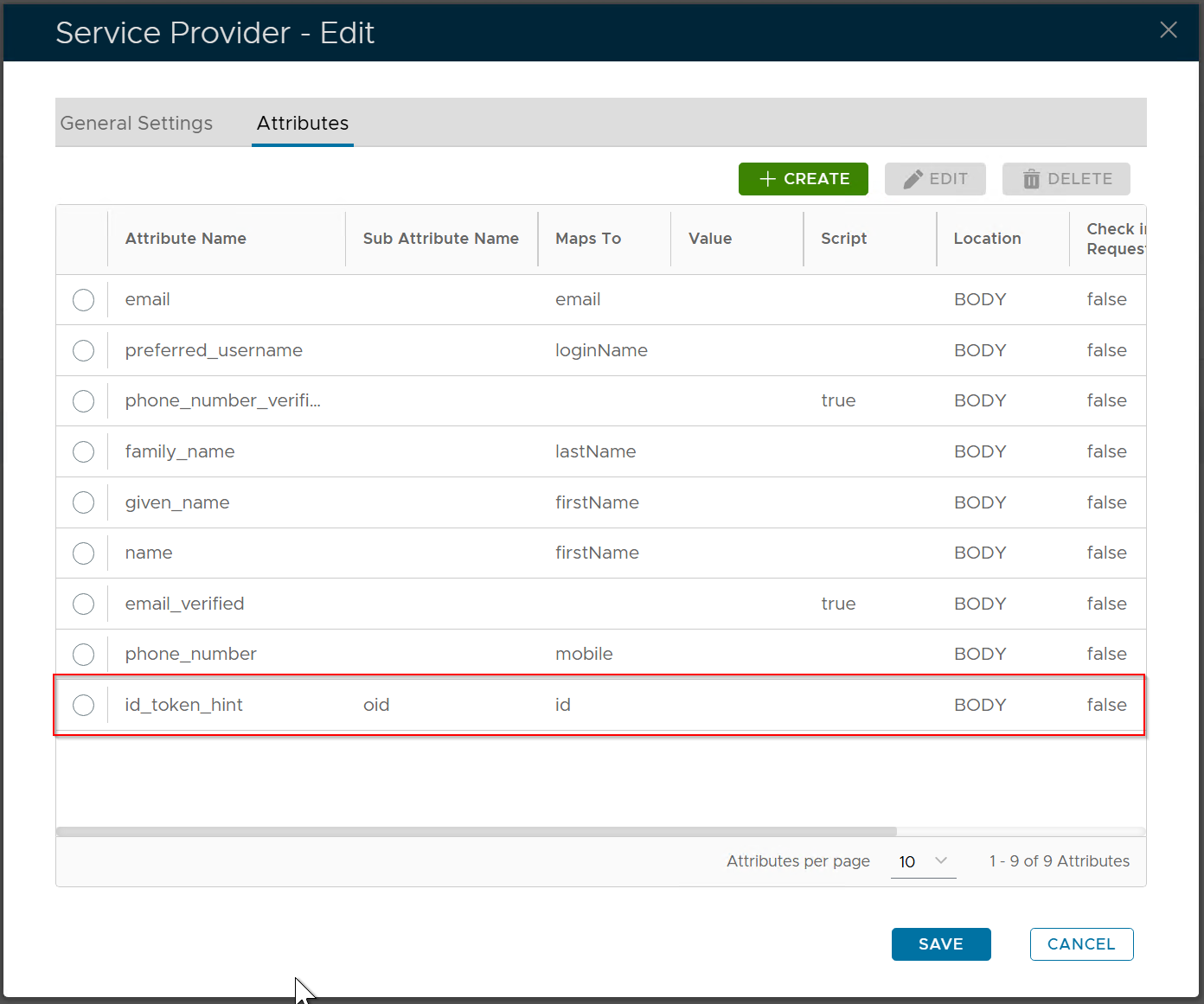
Click the "SAVE" button again to save the change in the attributes