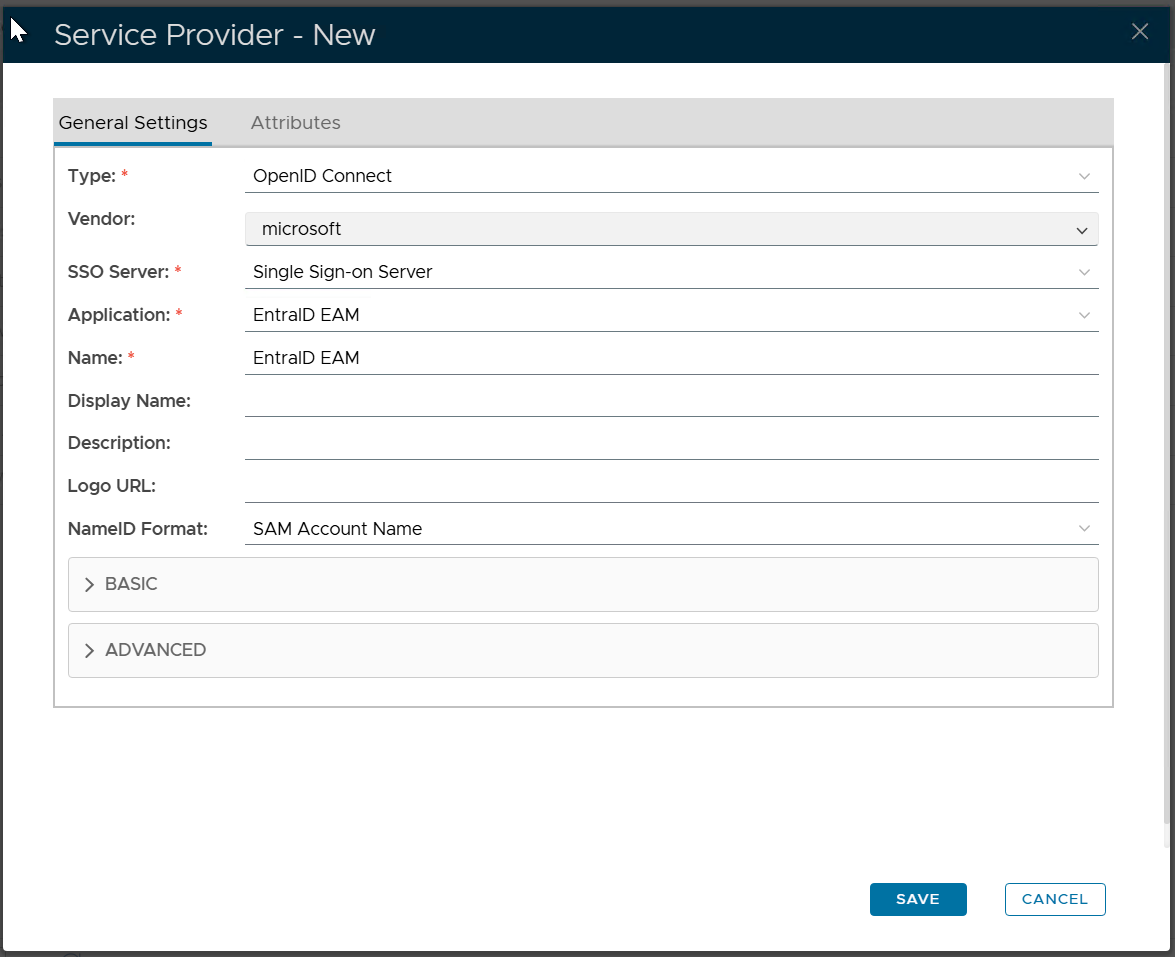
In DualShield Admin Console, navigate to "SSO | Service Providers"
Click "Create" to create a new service provider
Filling the form as below:
Click "SAVE"
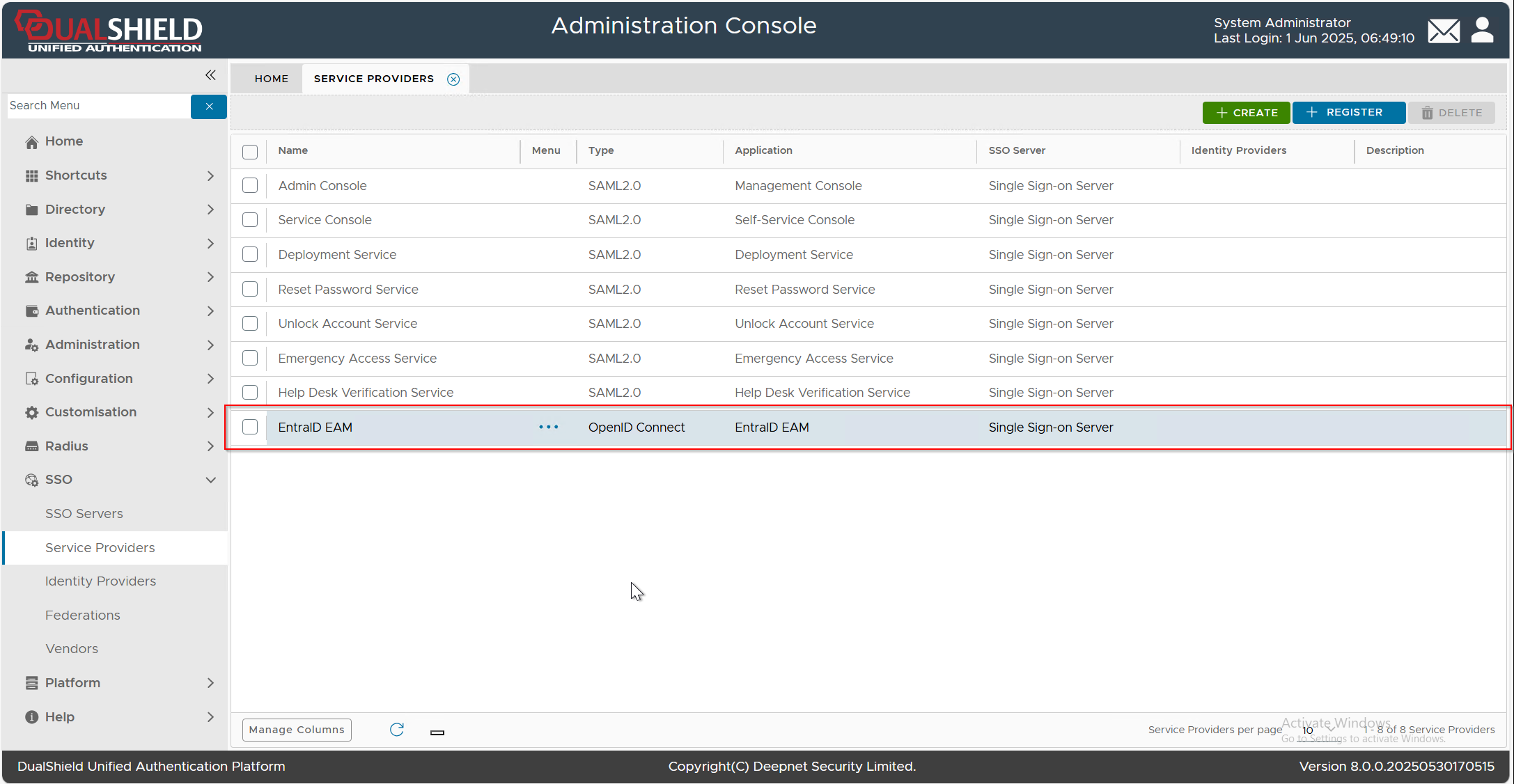
Click the context menu  of the newly created Service Provider, e.g. "EntraID EAM", select "Edit" from the menu, then select the "Attributes" tab
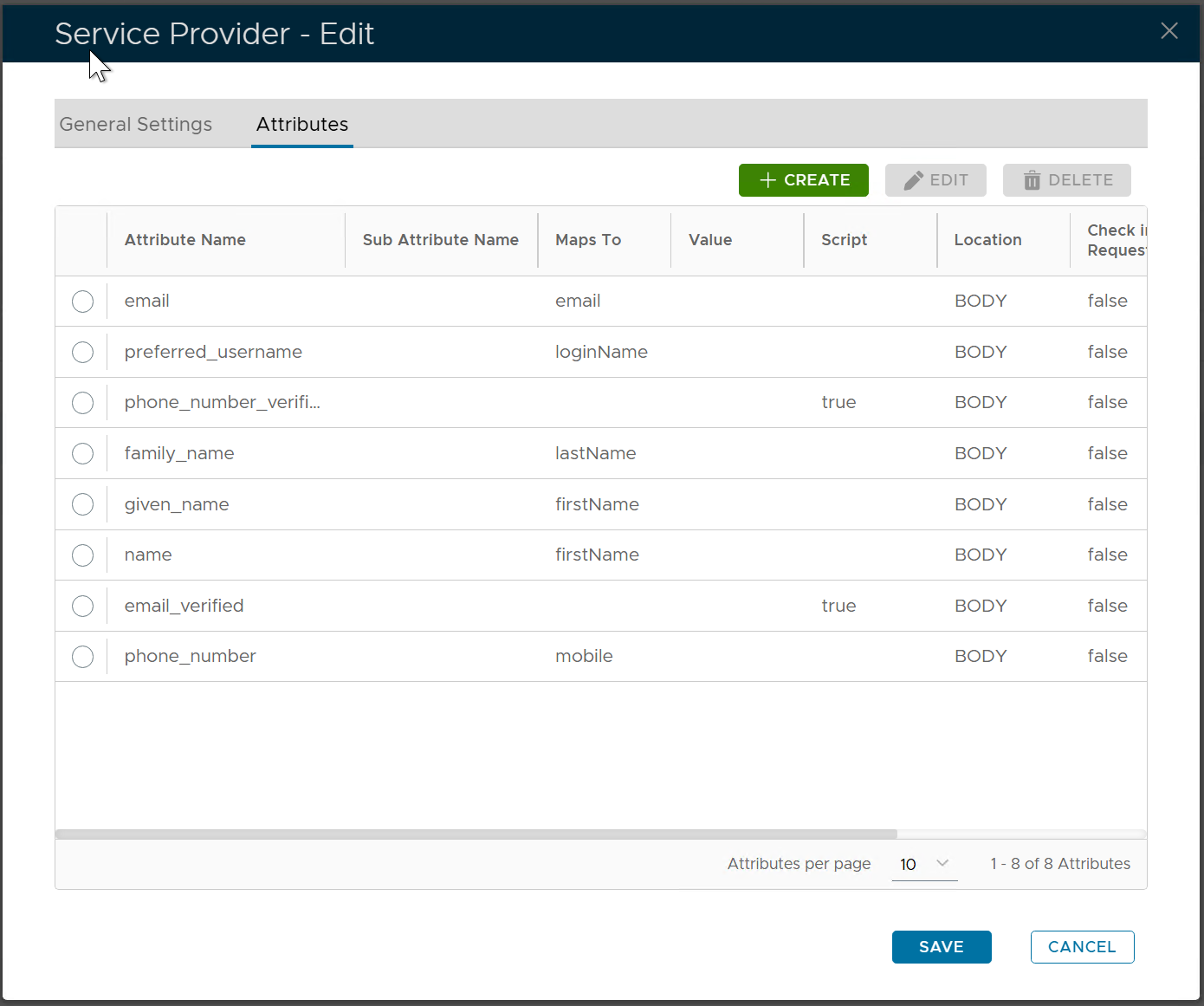
Click the "CREATE" button to create a new attribute
Fill in the following properties
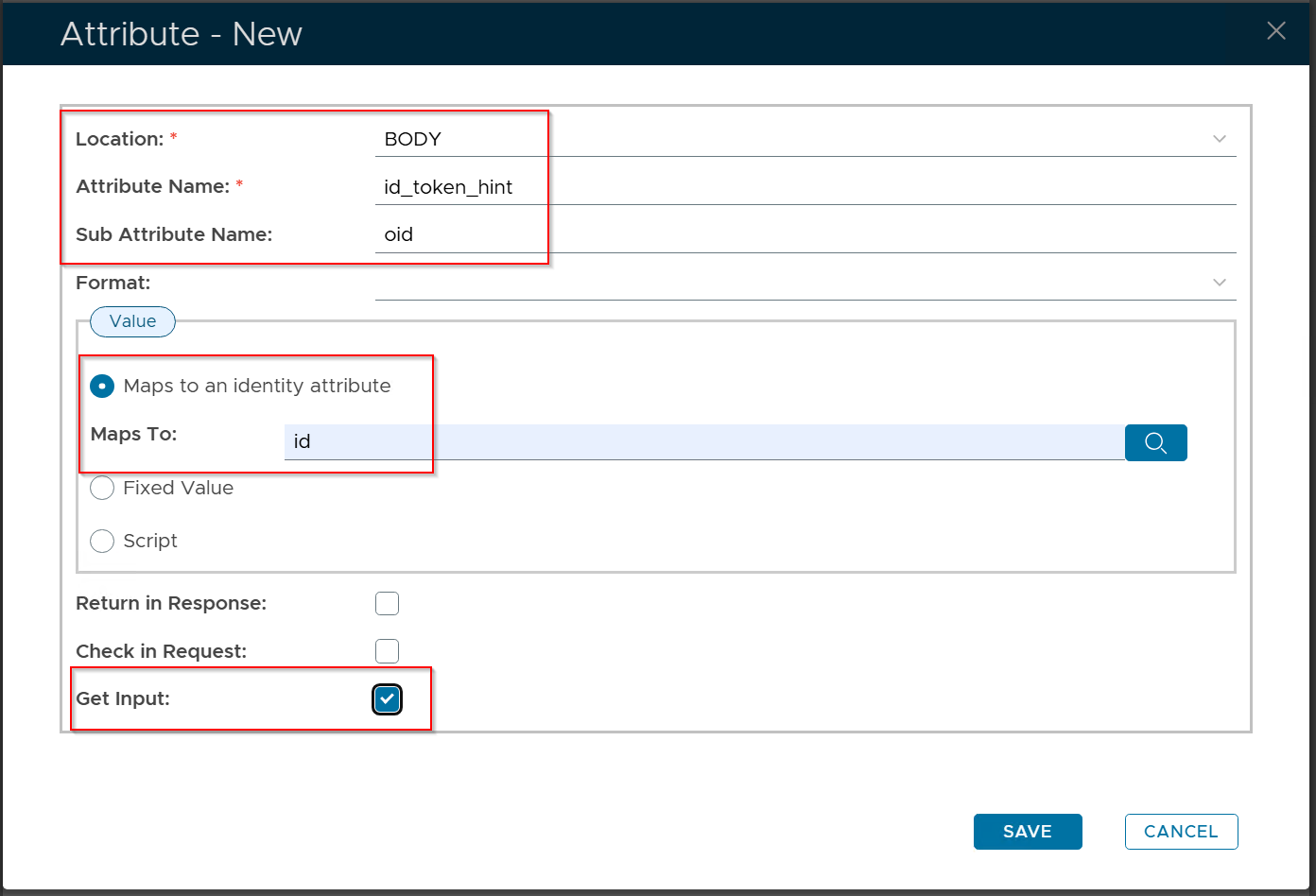
Click the "SAVE" button to save the new attribute
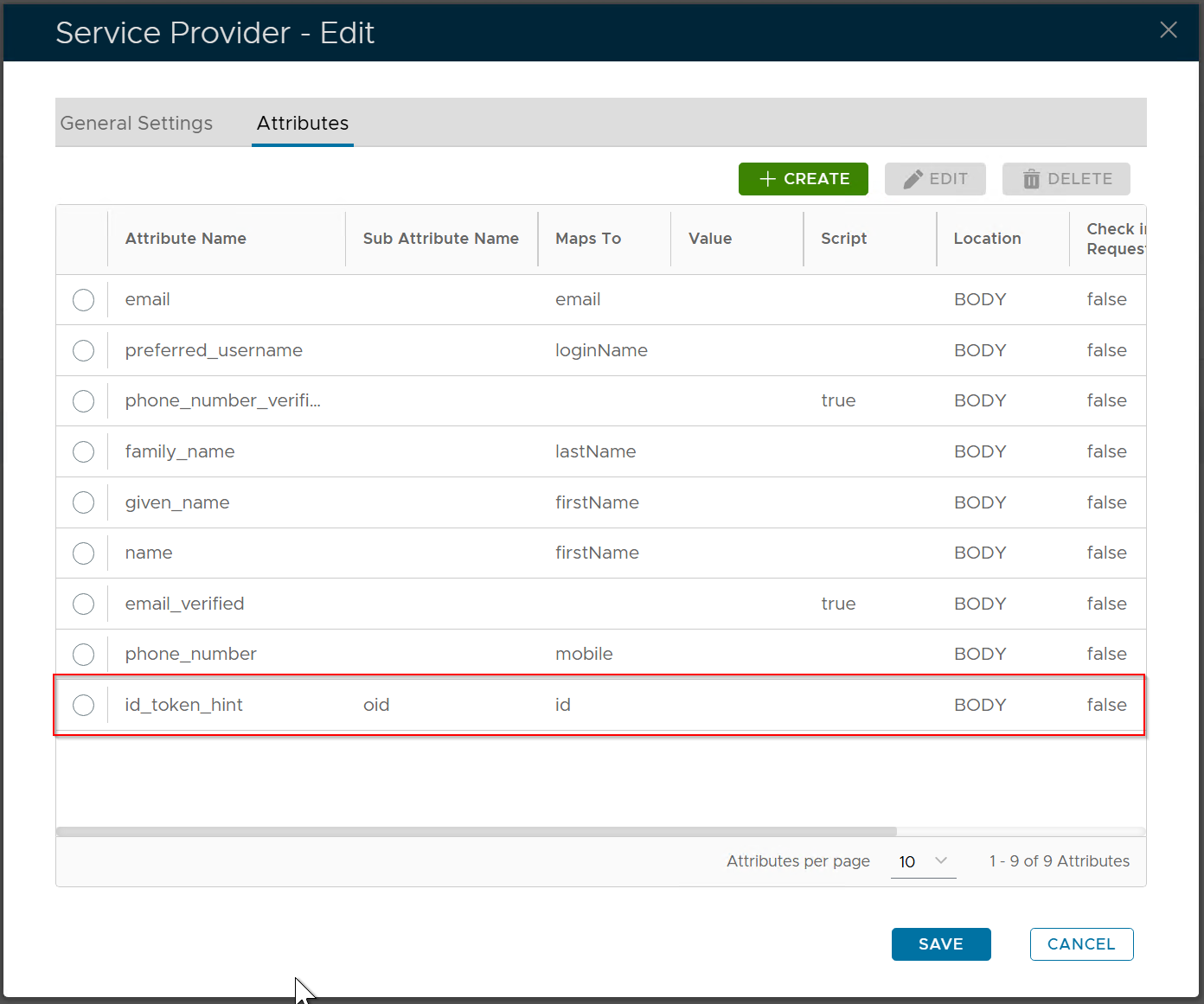
Click the "SAVE" button again to save the change in the attributes