When a web application is secured by the DualShield IIS Agent with MFA, the agent adds an extra layer of authentication process over the web applicationsapplication's own form-based authentication. Without the Single-Sign-On or Auto Logonenabled, users will be firstly first authenticated by both the DualShield SSO, then by the web application's orginal logon process which is original login process that's usually the user's AD credential verification.
...
- Configure DualShield SSO to verifiy verify the 2nd factor only, e.g. one-time-password etc, and keep the application's orginal logon original login process which will verify the user's AD credentialspassword. In this option. you do not need to enable Single Sign-On or Auto Logon.
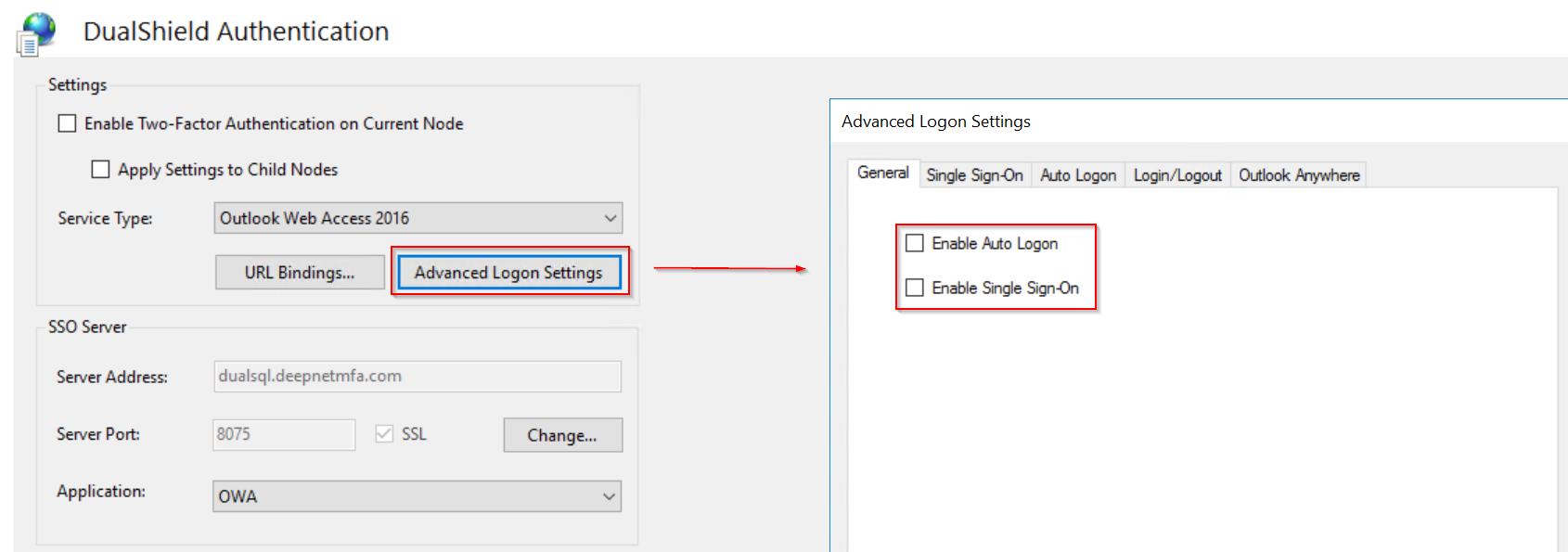
- Configure DualShield SSO to verifiy verify both the 2nd factor and the 1st factoruser's AD password. In this option. you will need to enable Single Sign-On or Auto Logon.
From the security point of view, both options have no difference. From However, from the user experience point of view. , option 2 will deliver a more coherent user experience.
...
Furthermore, DualShield IIS Agent provides 2 options for implementing Single Sign-On
- Single Sign-On by Auto-Filling
- Single Sign-On by Auto-Post
Between Auto-Filling and Auto Logon -Post options, Single SignAuto-On Post is preferred as it is easier to set up and quicker in performance. However, some IIS web servers have such restrictions so that it is not possible to enable Single Sign-On . by Auto-Post
Single Sign-On by Auto-Post
| Expand | ||||
|---|---|---|---|---|
|
...
|
...
|
Single Sign-On by Auto-Filling
| Expand | |
|---|---|
|
...
|
...