...
There are two parts to this:toc
- Token Lifetime
- Expiry Notifice
- Token Notification Service
Token Lifetime
| Section |
|---|
|
| Column |
|---|
| 
|
| Column |
|---|
| Option | Value | Explanation |
|---|
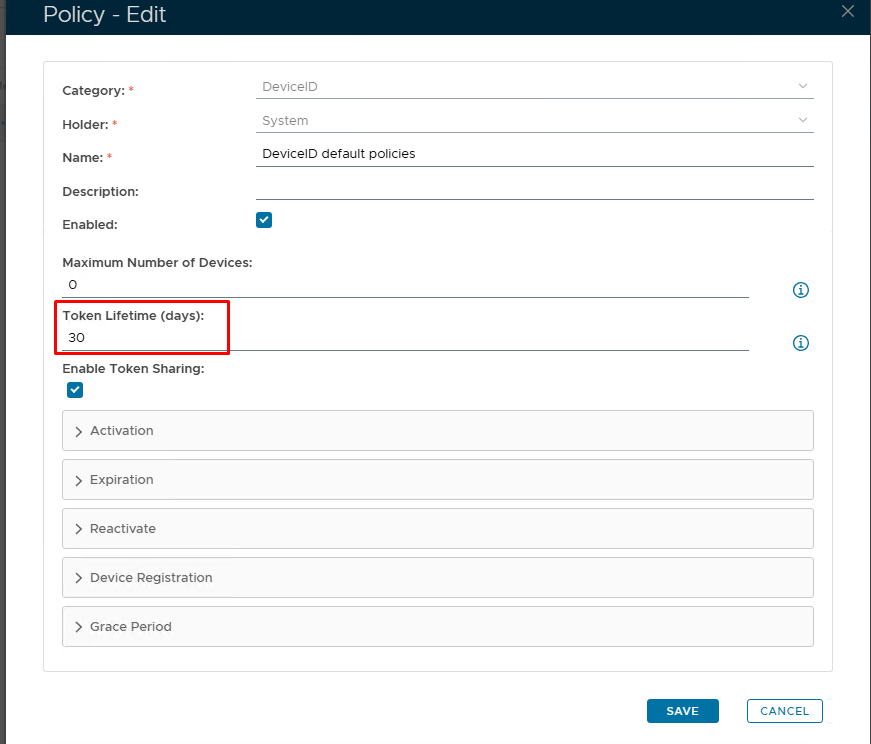
| Token Lifetime (Days) | Set number of days you wish the token to be live for | The "Token Lifetime" option specifies the default lifespan in days of any newly created token. When a token has reached its lifespan, it is expired. (Please note: '0' = No expiration) |
|
|
Expiration Notice
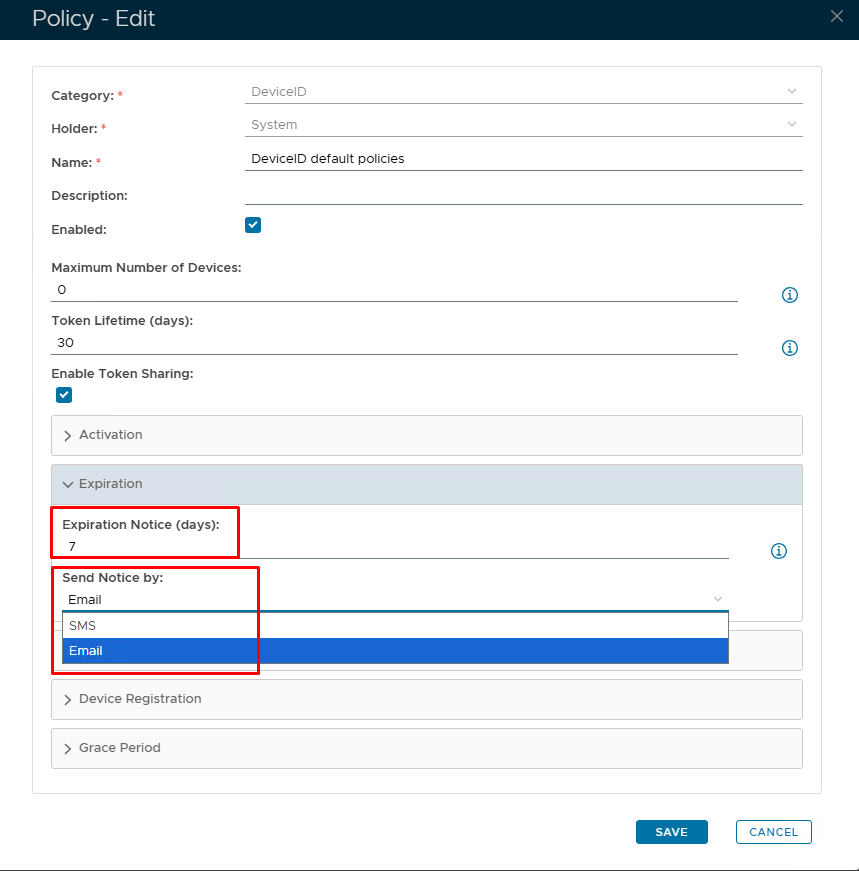
By default, token expiration is triggered reactively. The DualShield server will only check a device's expiration when the device is trying to access the Exchange server and the device has passed its lifespan time.
| Section |
|---|
|
| Column |
|---|
| 
|
| Column |
|---|
| Option | Value | Explanation |
|---|
| Expiration Notice (Days) | Set number of days before token is due to expire | If you want the expiry notification to be sent out proactively, then you need to set this option ('0' = Disabled) | | Send Notice by | SMS/Email | Set the method in which the expry notice will be delivered. |
|
|
Set up Token Notification Service
If you have enabled the token expiry notice option in the DeviceID policy, then you must also set up the task called "Token Notification Service"
...