...
Select both "Enable Two-Factor Authentication on Current Node" and "Apply Settings to Child Nodes"
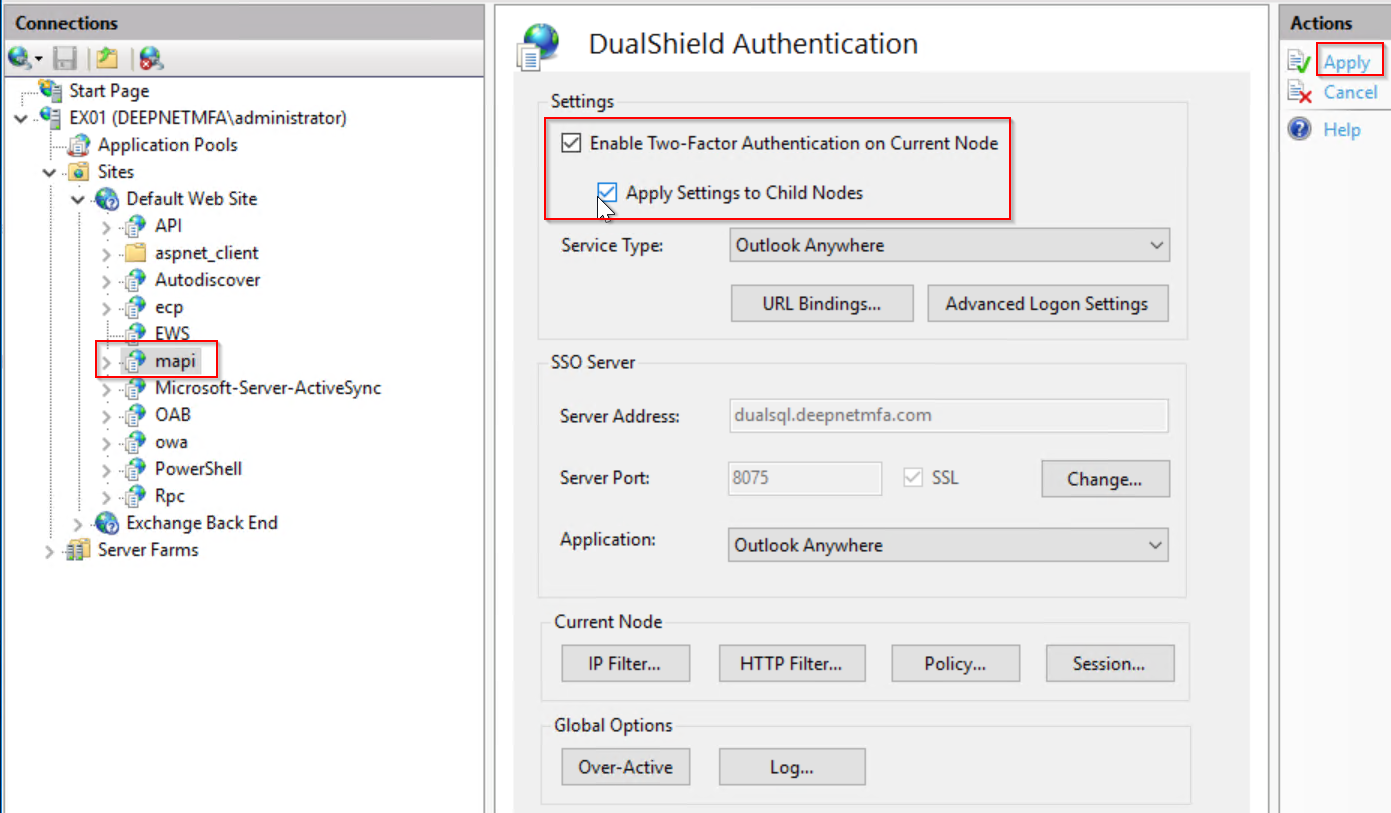
Click the "Advanced Logon Settings" button to bring up the advanced logon settings window.
In the Advanced Logon Settings window, click the "Outlook Anywhere" tab
Tick the option "Enable Agent-Less Outlook Anywhere"

Click OK to close the Advanced Logon Settings window
Click "Apply" to apply settings.
...
Select both "Enable Two-Factor Authentication on Current Node" and "Apply Settings to Child Nodes"

In the Advanced Logon Settings window, click the "Outlook Anywhere" tab
Tick the option "Enable Agent-Less Outlook Anywhere"
Click OK to close the Advanced Logon Settings window
Click "Apply" to apply settings.
...