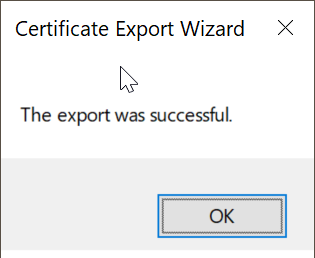
...
| Include Page | ||||
|---|---|---|---|---|
|
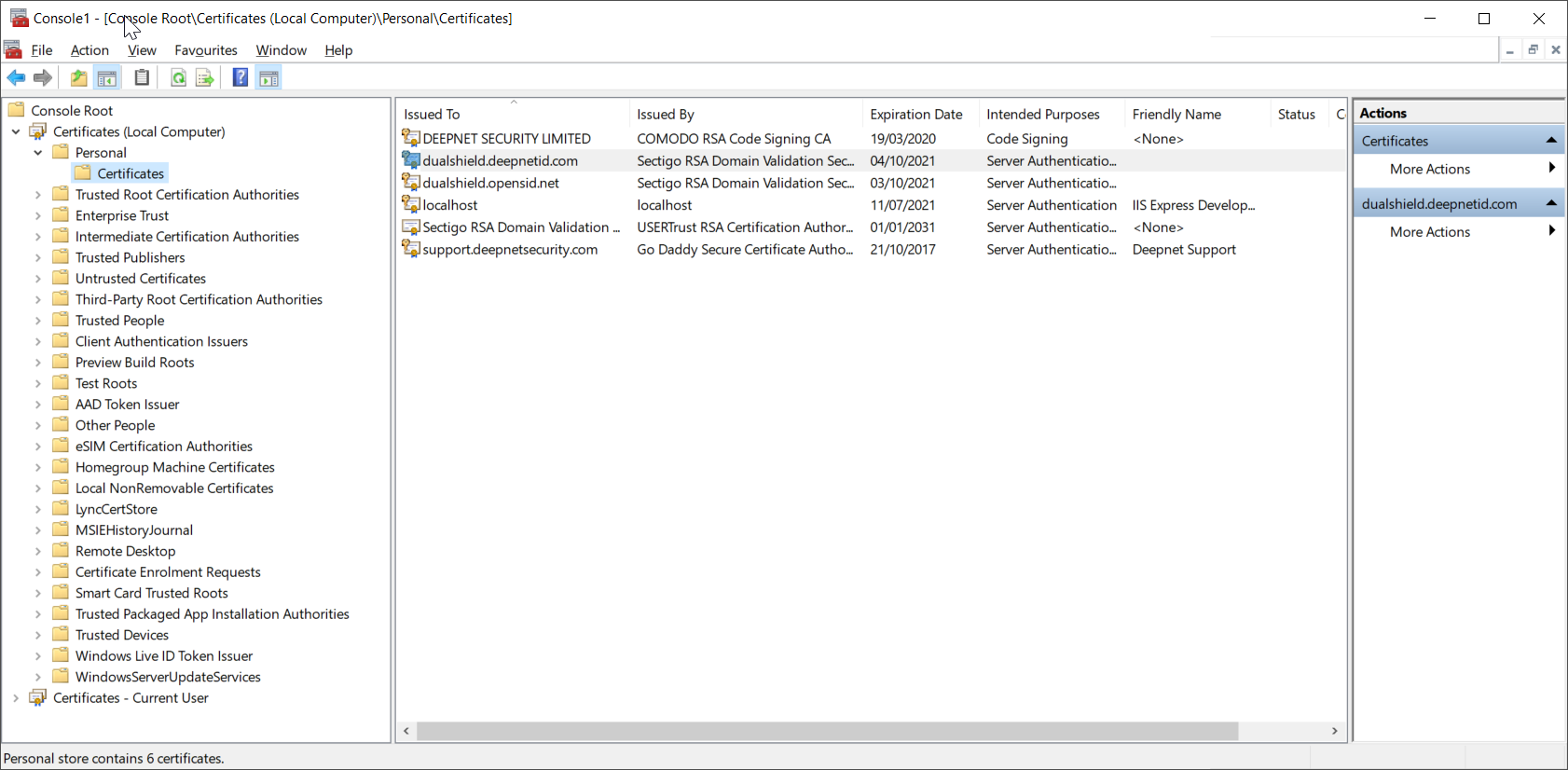
Right the certificate to be exported to bring up its context menu
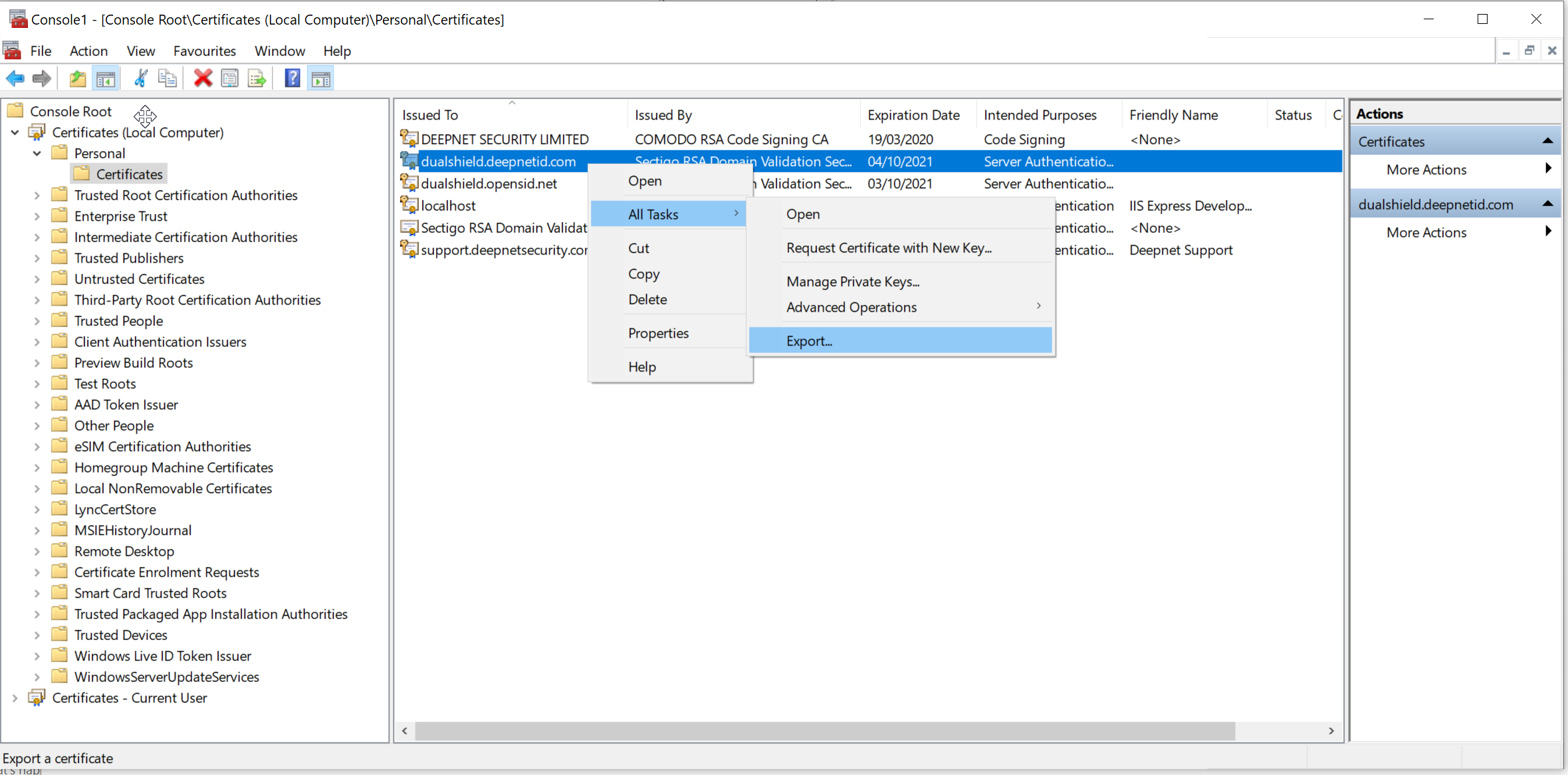
Select All Tasks | Export
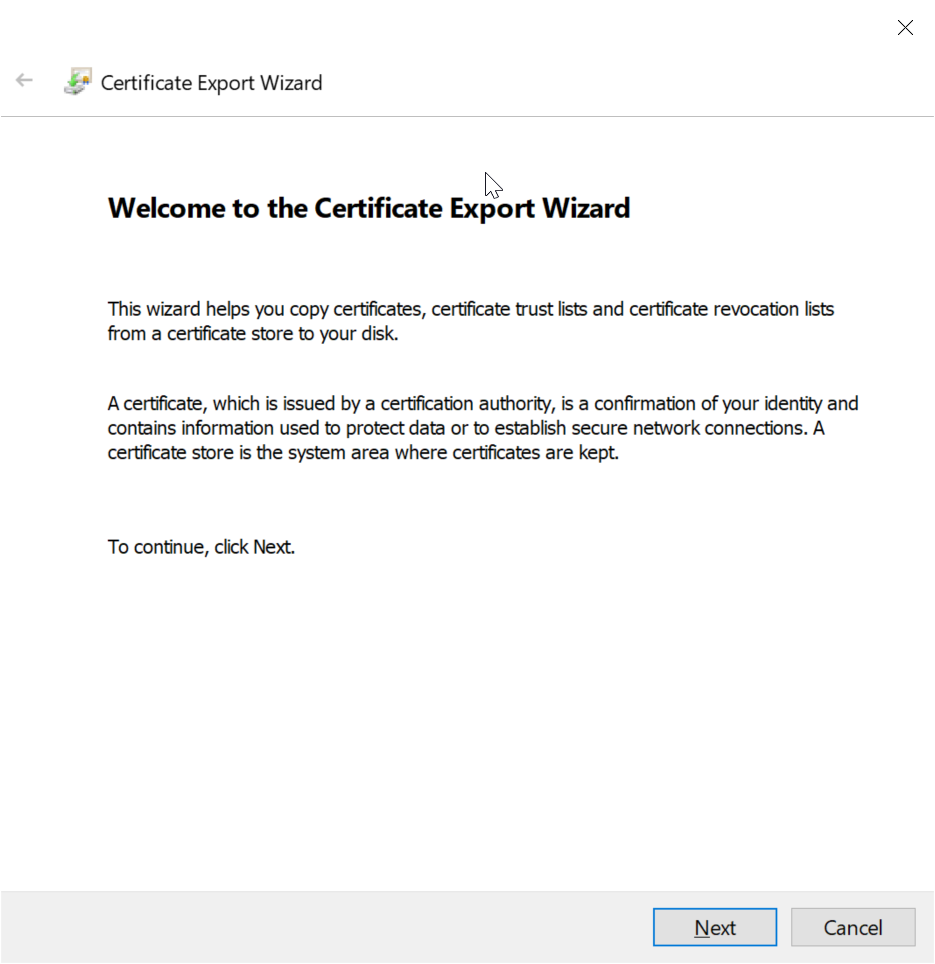
Click Next
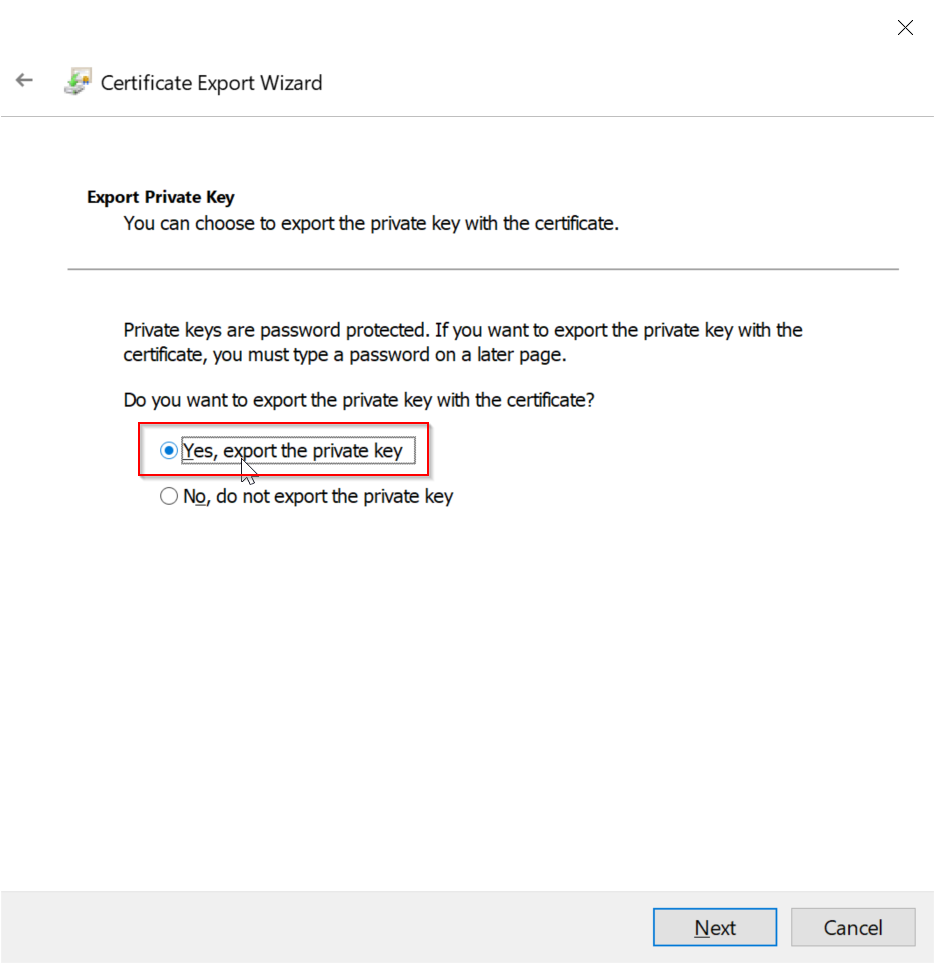
Select the option "Yes, export the private key"
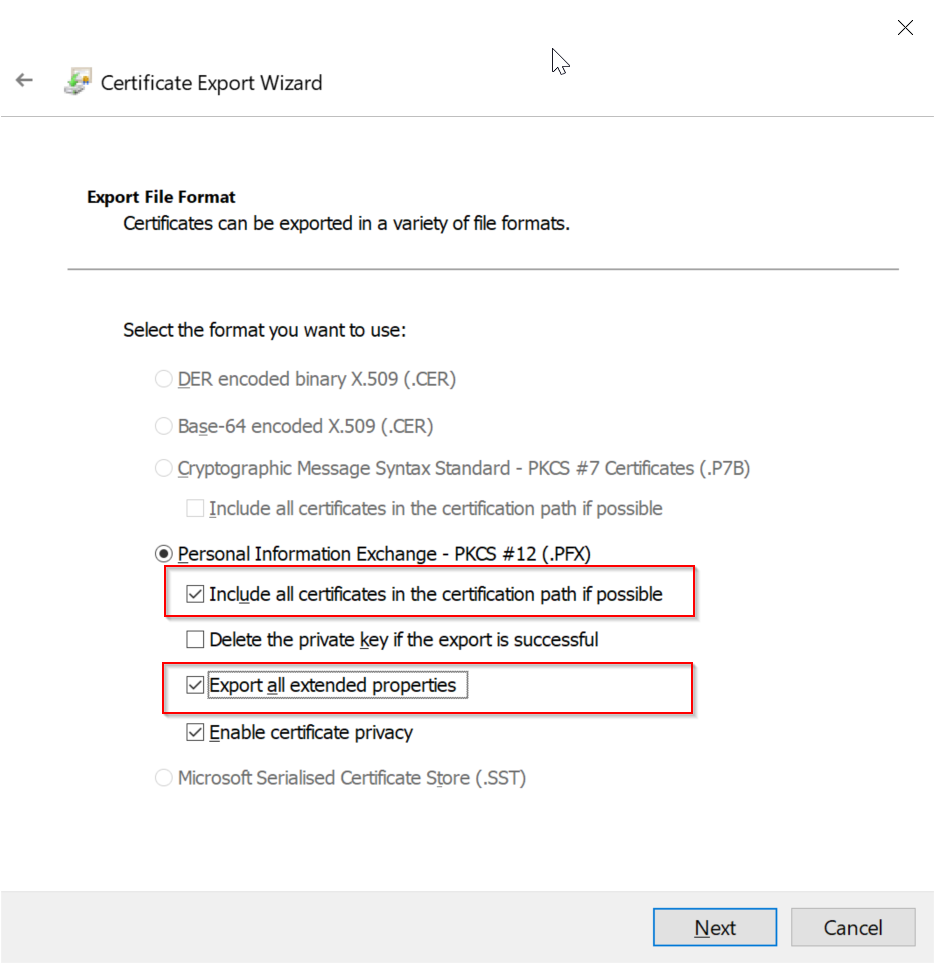
Make sure the options below are selected
- Include all certificates in the certification path if possible
- Export all extended properties
Click Next
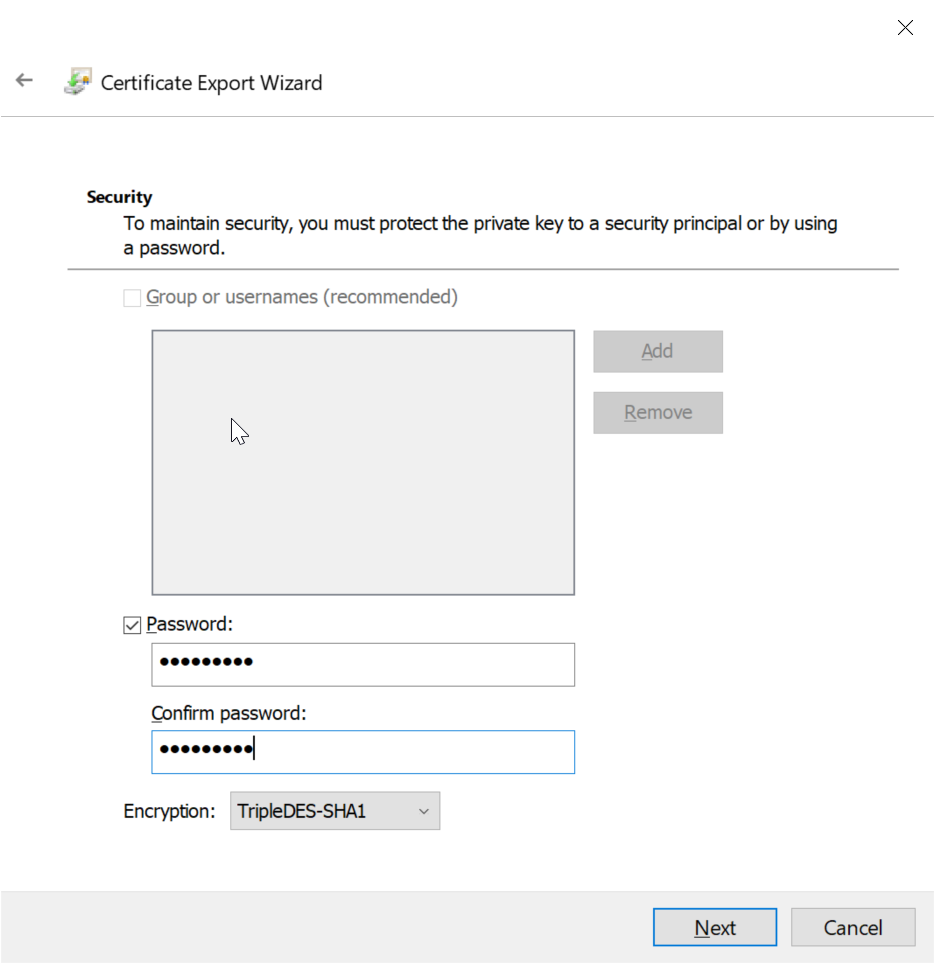
Select "Password" and enter a password
Click Next
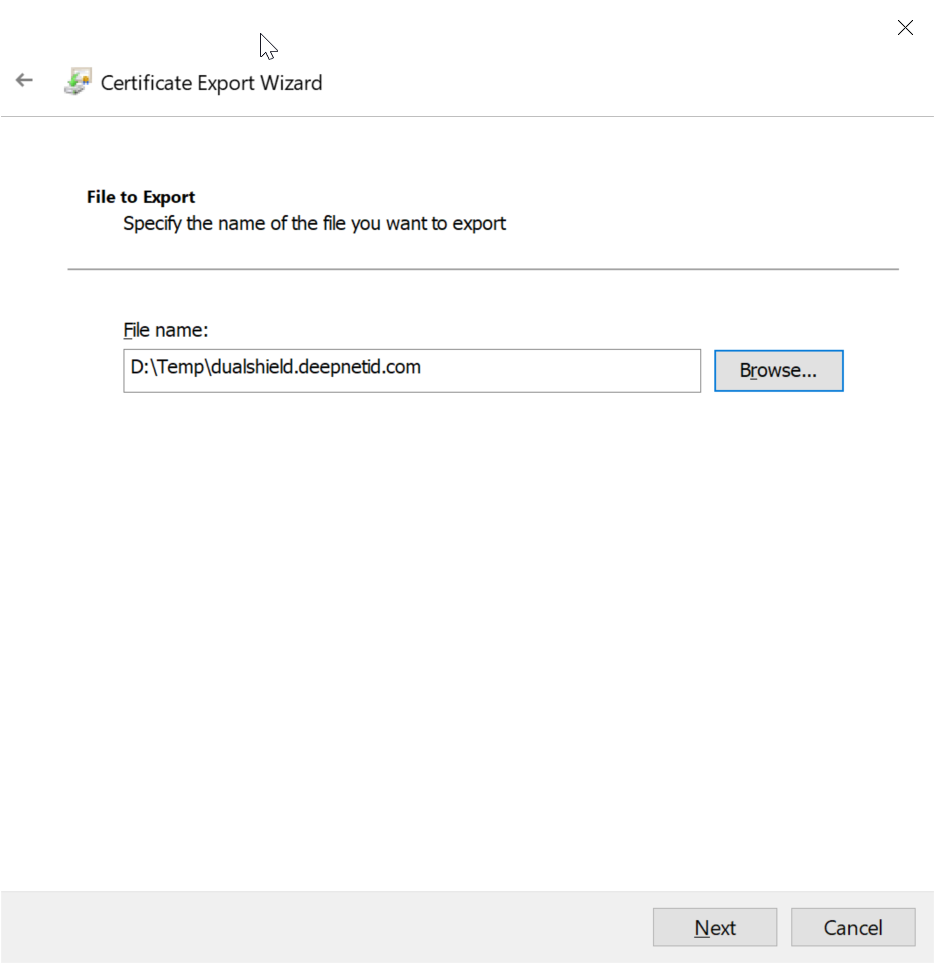
Enter a file name
Click Next
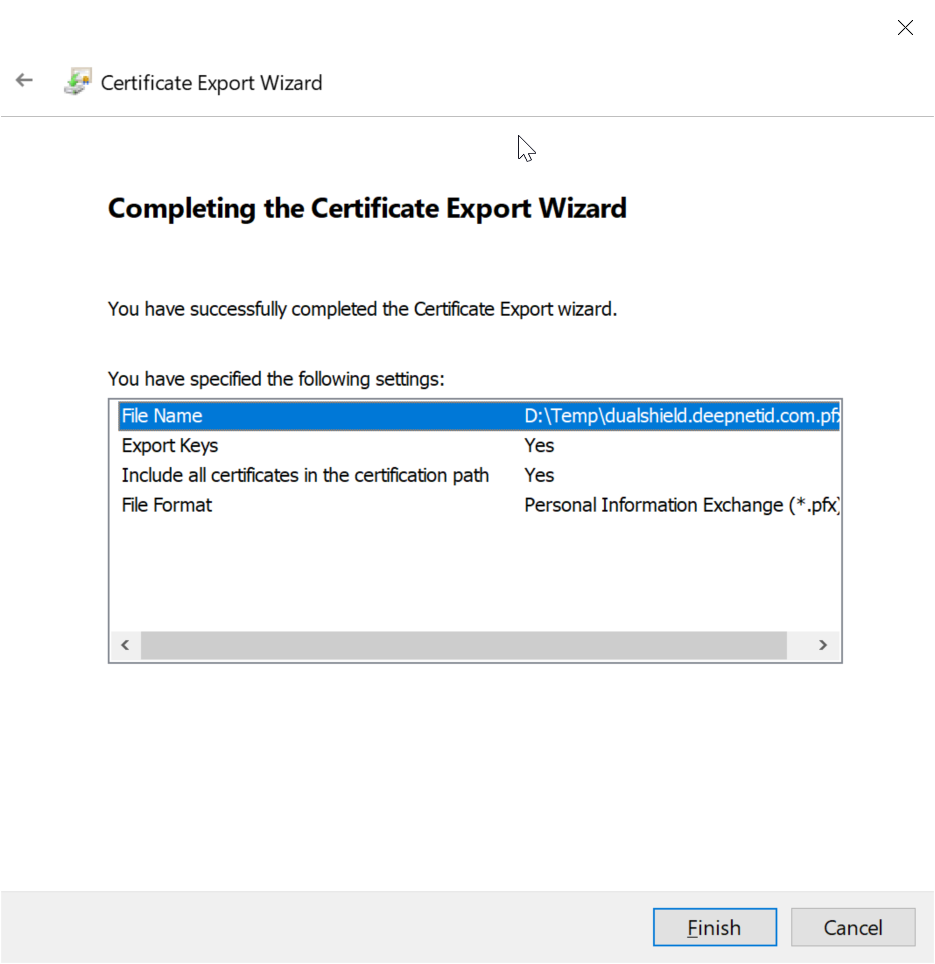
Click Finish