Hardware tokens must be assigned to users before they can be uploaded onto Entra ID. You can use a text editor to assign tokens to users.
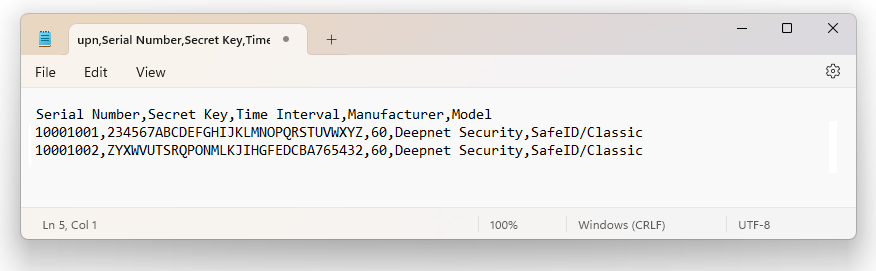
Deepnet SafeID or MobileID tokens are supplied with a token file in the CSV format. The token file includes serial number, secret key, time interval, manufacturer, and model as the example below shows.
Token Secret File
|
*Please note that the above token secret file is only an example. If you have not received the seed file of your tokens then you can request the seed file by filling in our online seed request form, or
...
contacting your reseller or Deepnet Security.
To assign tokens to users, you need to add User Principal Names (UPN) to the token file. Follow the steps below.
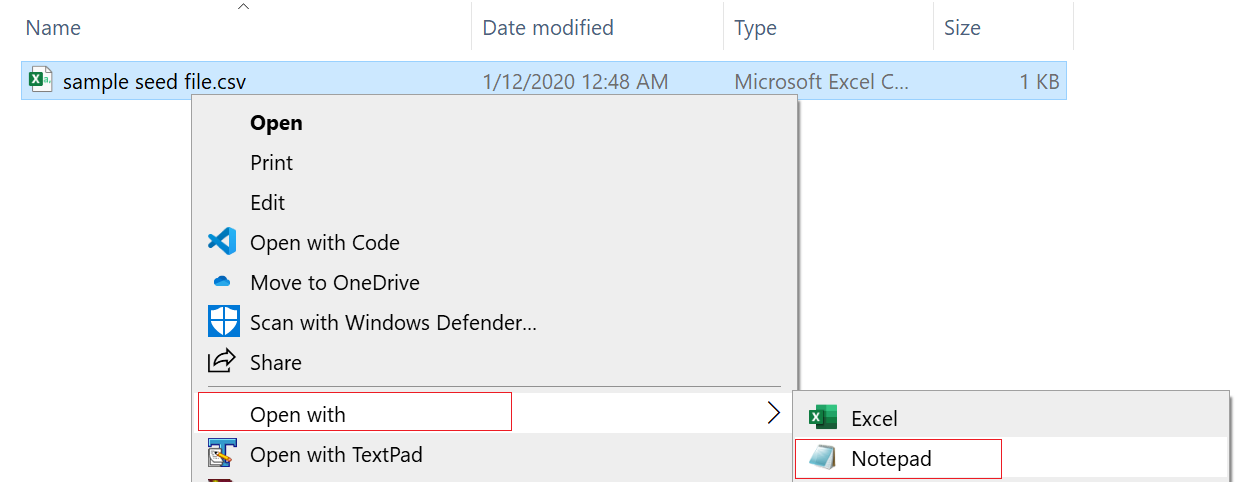
1 - Open the token file in a text editor, such as Notepad (Please do NOT edit the token CSV file using Excel).
Below is an example:.
2 - Add 'upn' to the header row, so that the header reads:
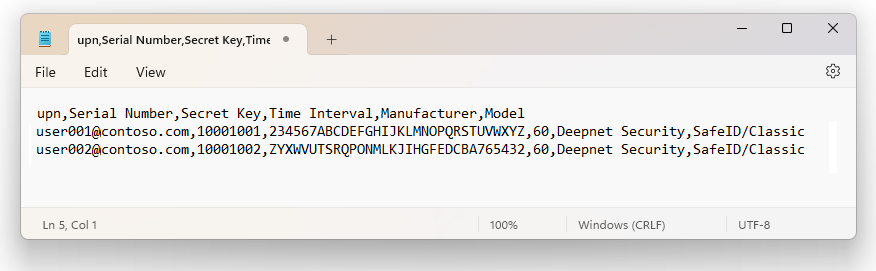
upn,serial number,secret key,timeinterval,manufacturer,model
3 - Add a UPN in every row, e.g.
user001@contoso.com,1234567,234567ABCDEFGHIJKLMNOPQRSTUVWXYZ,60,Deepnet Security,SafeID/Classic

The revised content looks like below:
Save the file.