...
| Section |
|---|
|
| Column |
|---|
| 
|
| Column |
|---|
| Option | Value | Explanation |
|---|
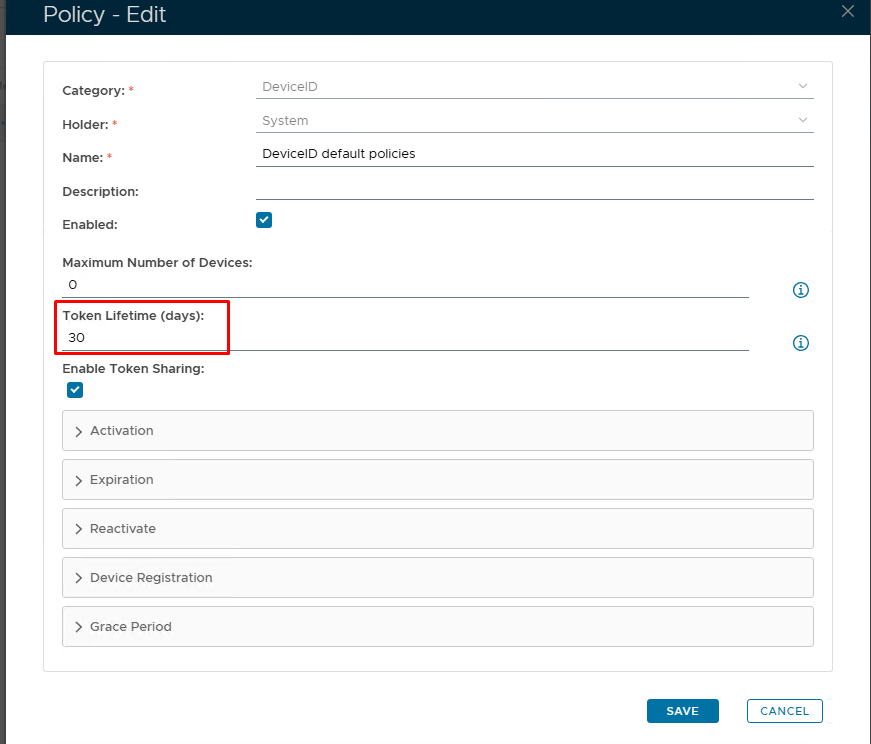
| Token Lifetime (Days) | Set number of days you wish the token to be live for | The "Token Lifetime" option specifies the default lifespan in days of any newly created token. When a token has reached its lifespan, it is expired. (Please note: '0' = No expiration) |
|
|
Activation Code Policy
Expiration Notice
By default, token expiration is triggered reactively. The DualShield server will only check a device's expiration when the device is trying to access the Exchange server and the device has passed its lifespan time.The activation code has it's own policy where you can set the format and length of the code as well as an expiry
| Section |
|---|
|
| Column |
|---|
| 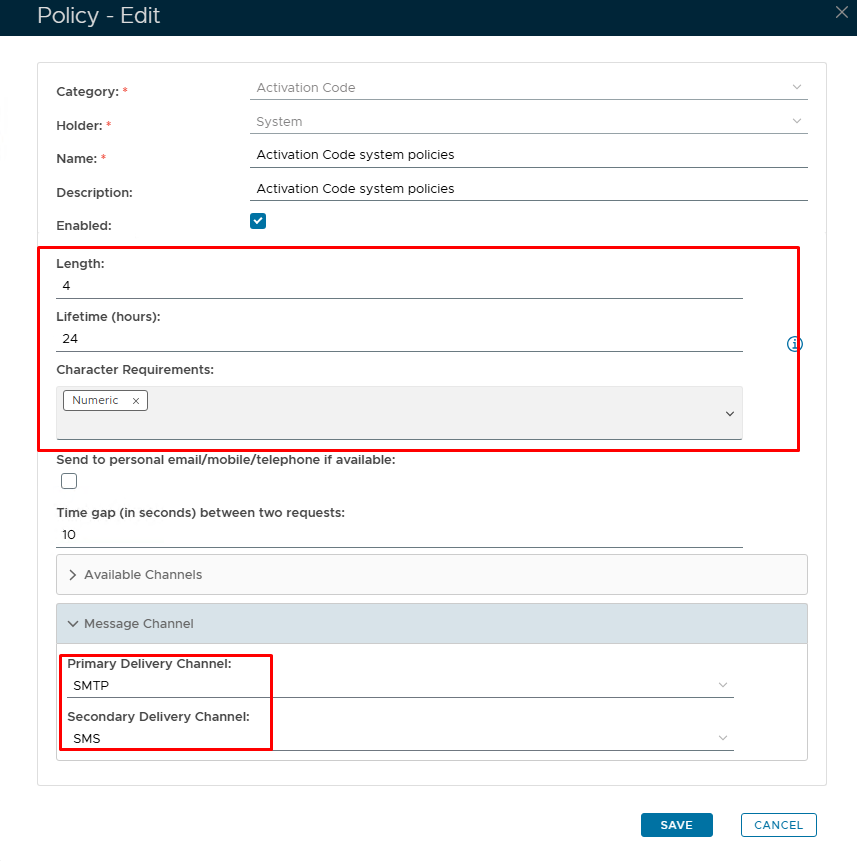 Image Removed Image Removed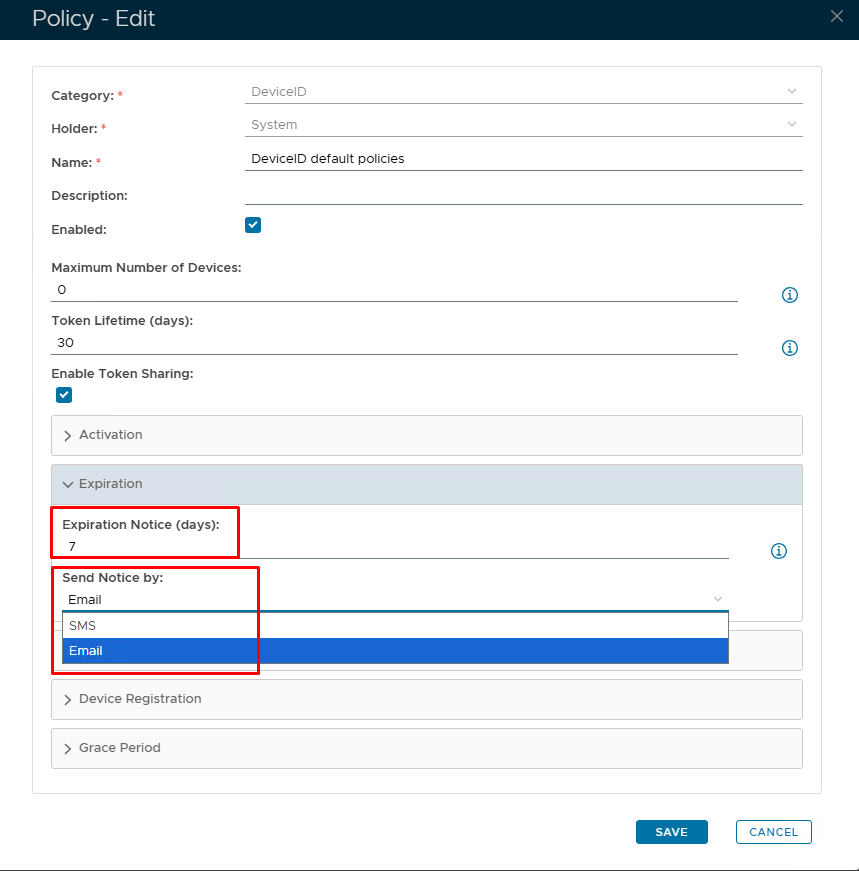 Image Added Image Added
|
| Column |
|---|
| Option | Value | Explanation |
|---|
| Length | Default = 4 characters | A length of 4 will be presented as 'xxxx'. You can increase or decrease the length however, 4 or 6 is the norm. | | Lifetime | Set in hours | The number of hours before the Activation code expires. (0 = no expiry.) | | Character Requirements | Numeric/Alphabetic/Both | Code format | | Expiration Notice (Days) | Set number of days before token is due to expire | If you want the expiry notification to be sent out proactively, then you need to set this option ('0' = Disabled) | | Send Notice by | SMS/Email | Set the method in which the expry notice will be delivered | Message delivery channels | SMTP/SMS | How would you like the end user to receive the Activation code? SMTP = email; SMS = text. |
|
|