Create Service Provider in DualShield
- Login to the DualShield Management Administration Console, navigate . Navigate to "SSO | Service ProviderProviders"
- Click the "Create+ CREATE" button
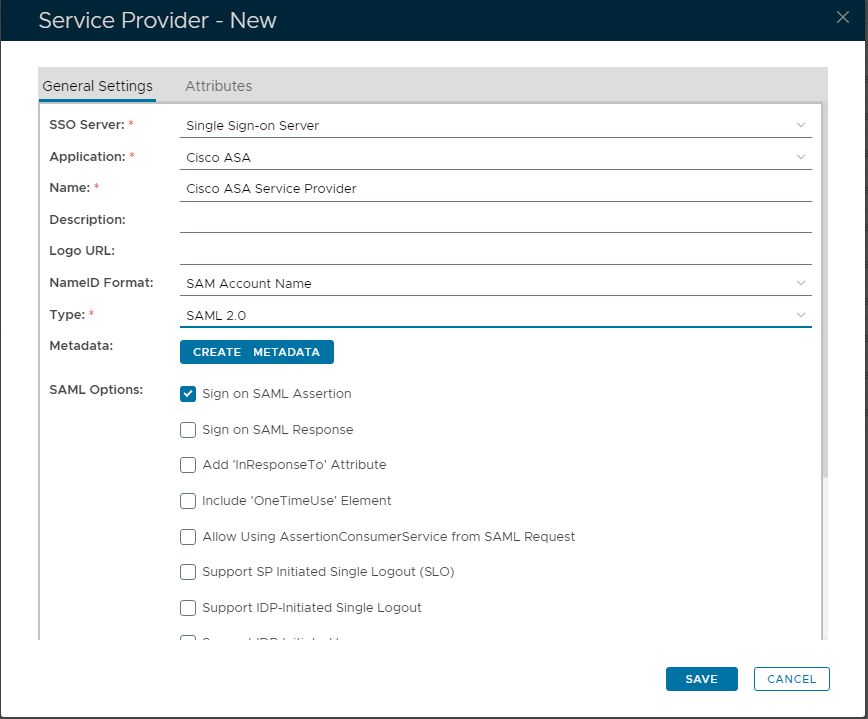
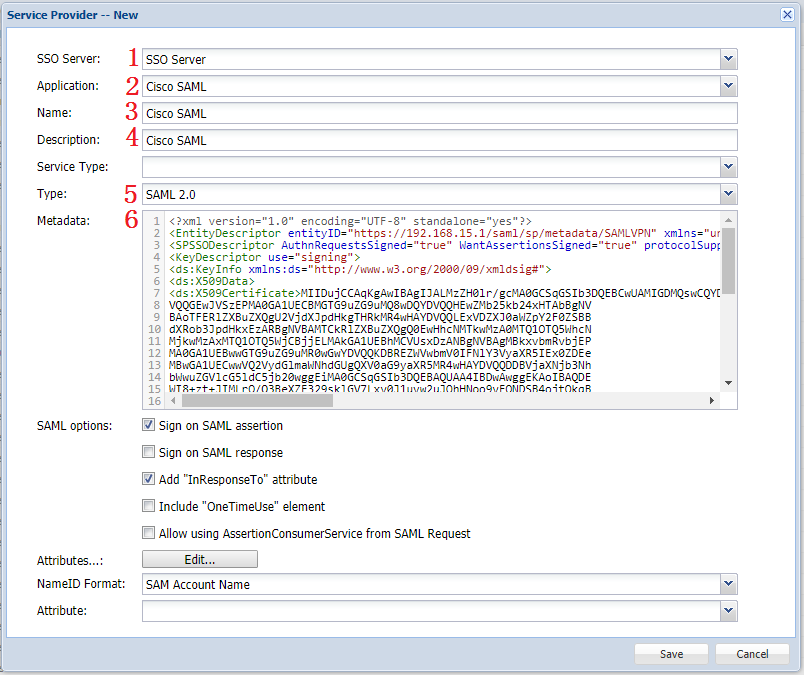
- Select "SSO Server" & "Application": Select integrated "Single Sign-on Server"
- Application: Select the Application created in the previous Step
- Name: Enter an appropriate friendly Enter "Name"
- Select Type: Select "SAML 2.0" from the drop-down list.in "Type" dropdown list
- Copy and paste the Cisco ASA's SP metadata into exported Metadata in to the "Metadata" fieldCREATE METADATA" box that appears, clicking this button.
- Click "Save"SAVE" to complete creation of the Service Provider.