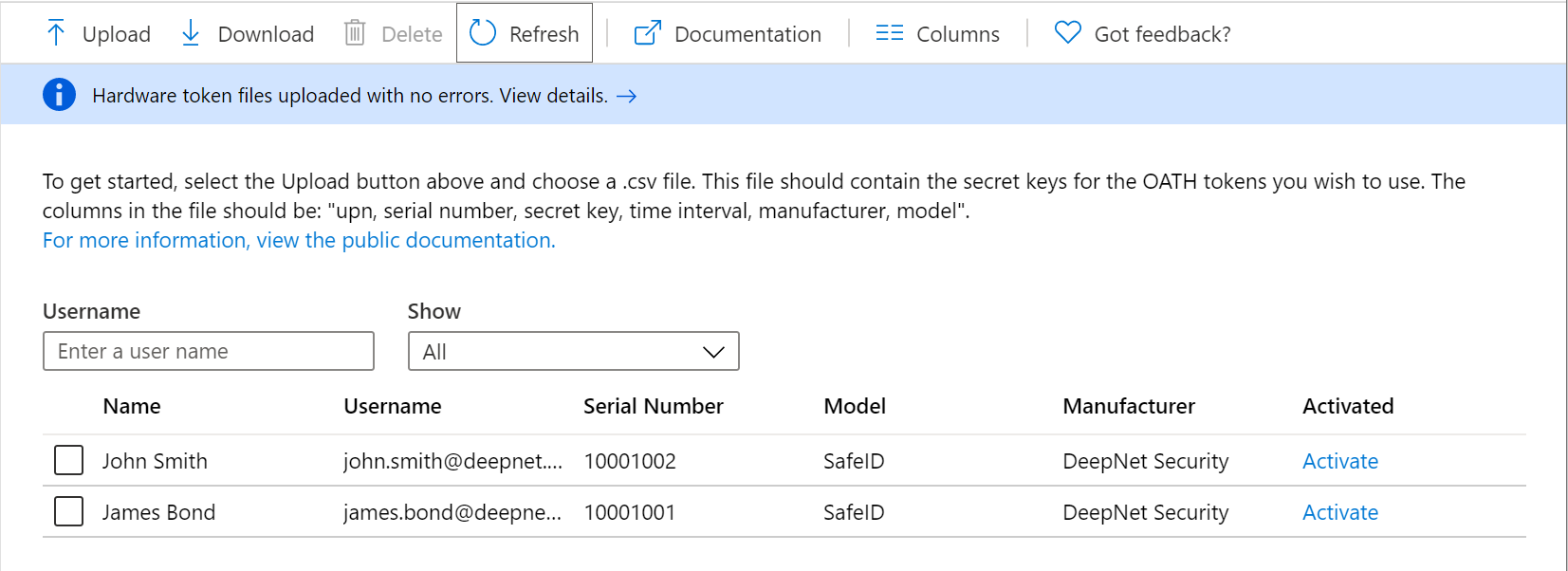
To upload tokens onto Entra ID, follow steps below:
Sign in to Entra ID admin console on https://entra.microsoft.com
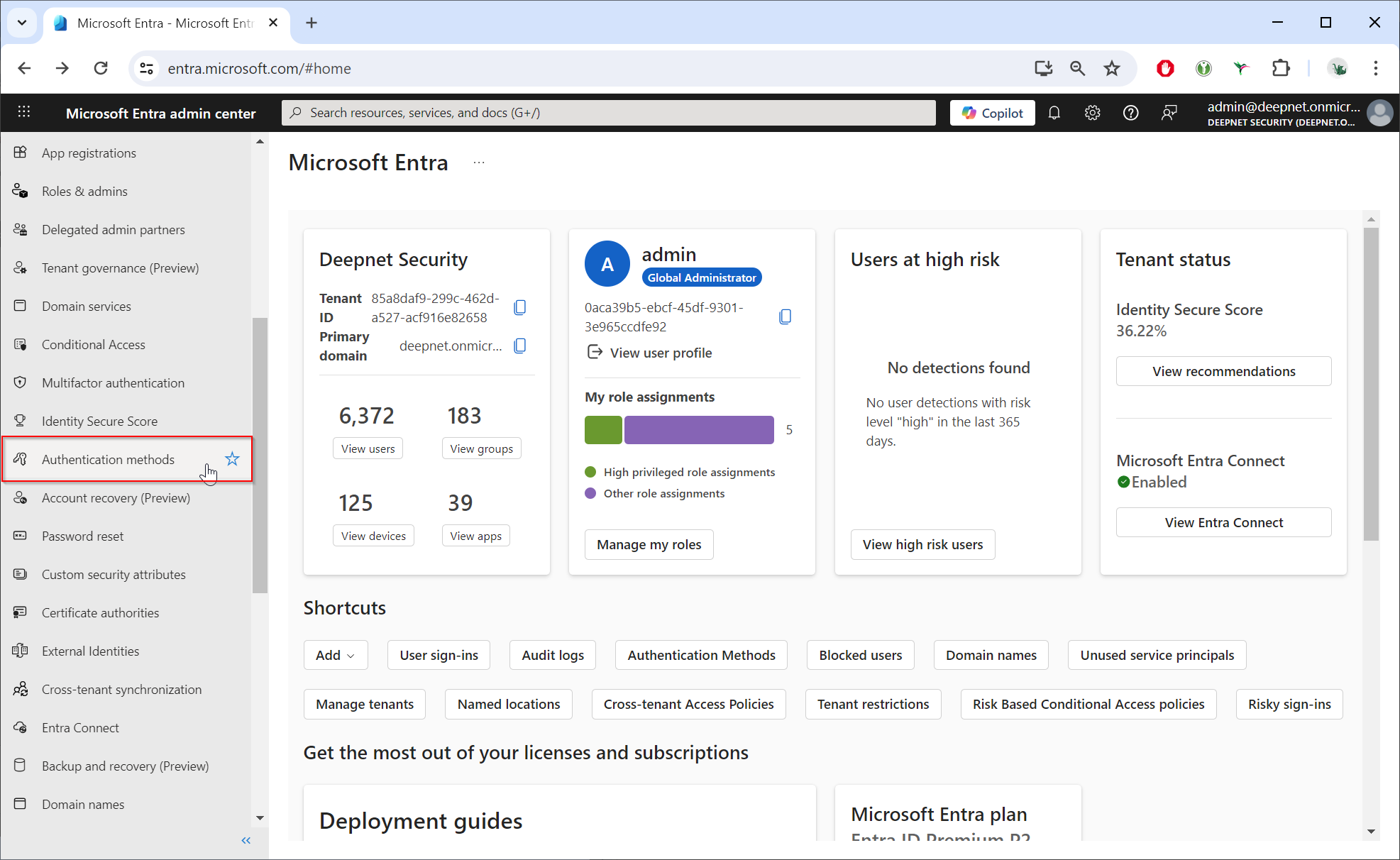
Select "Multifactor authentication"
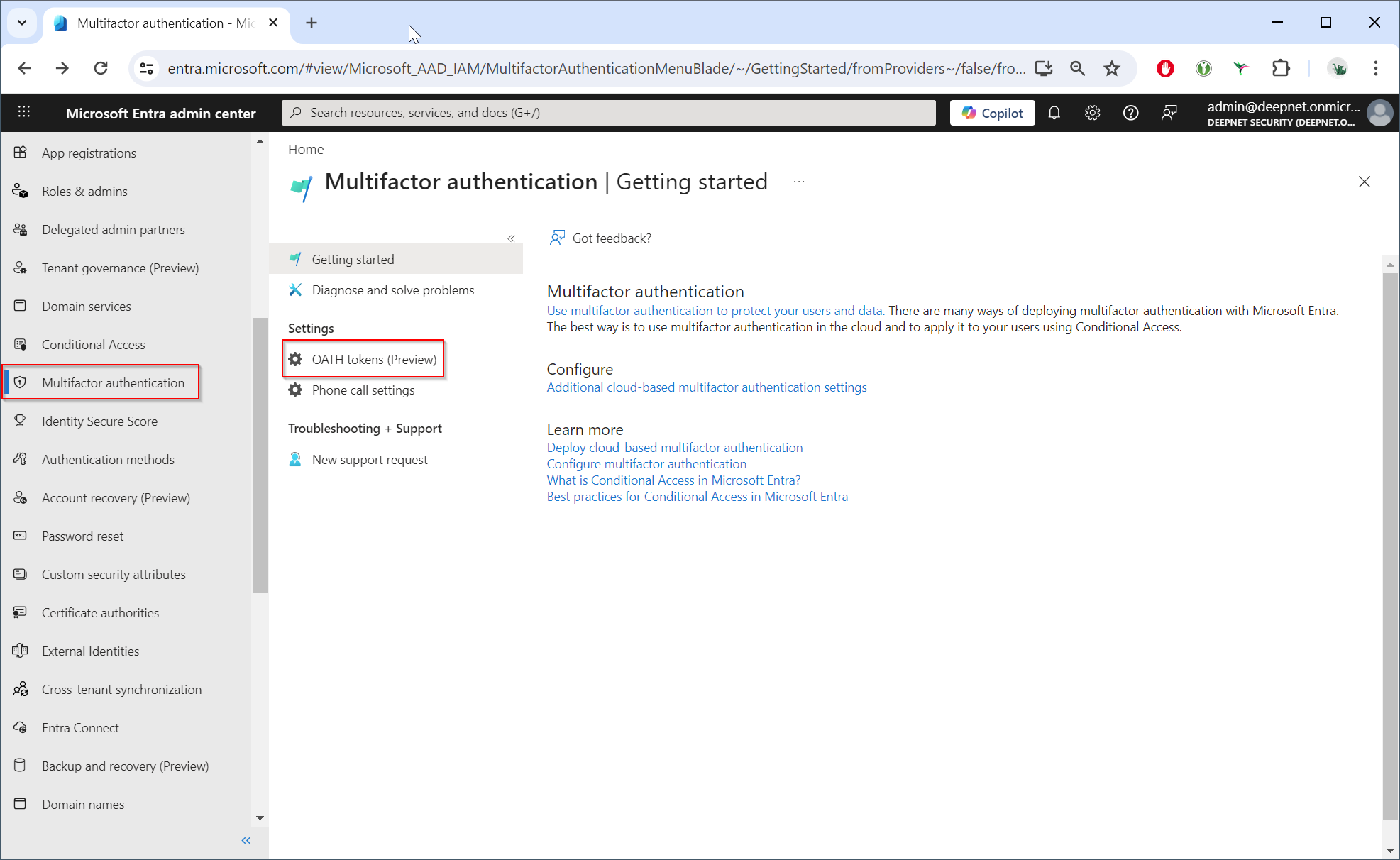
Select "OATH tokens (Preview)"
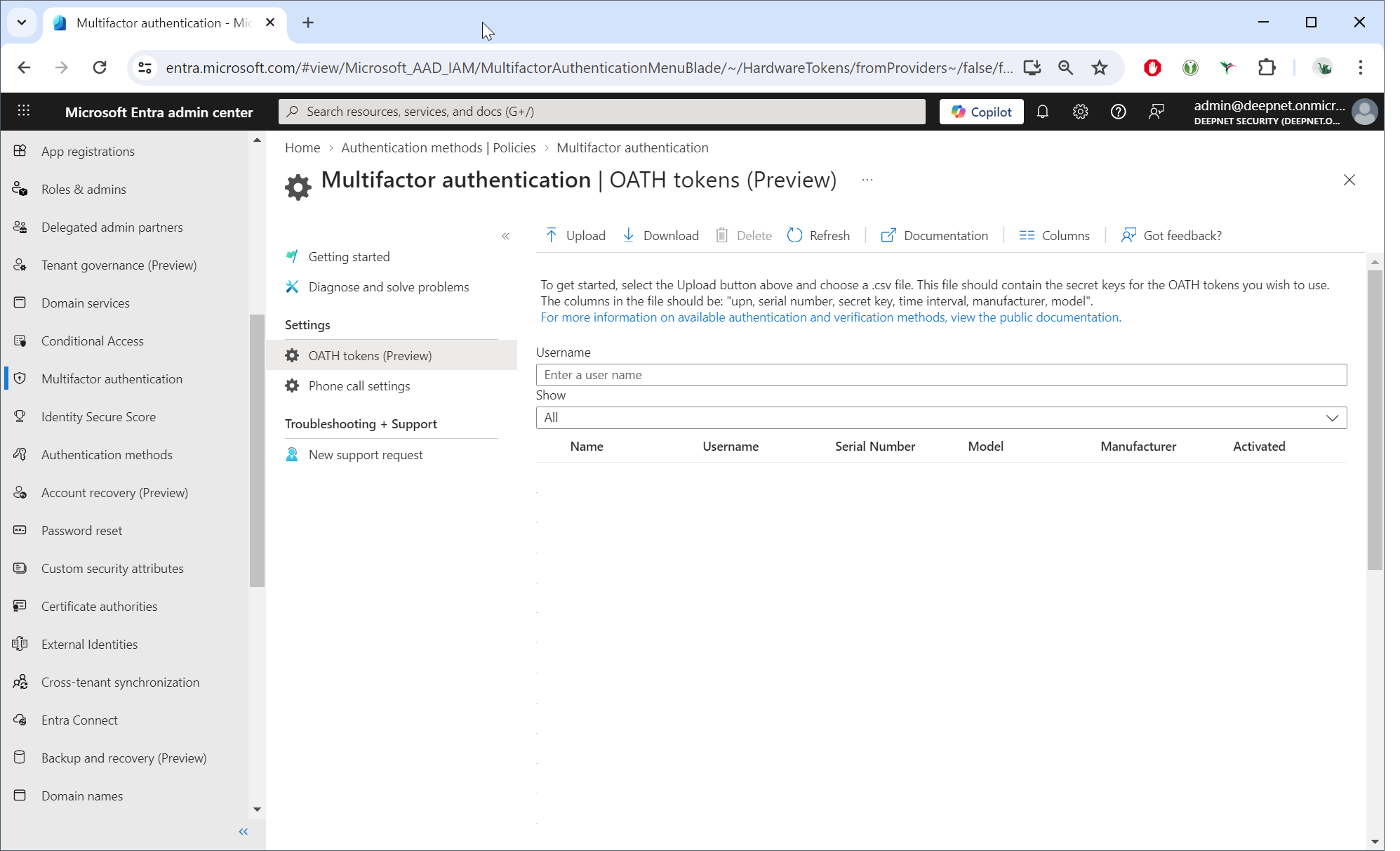
Click the “Upload” button.
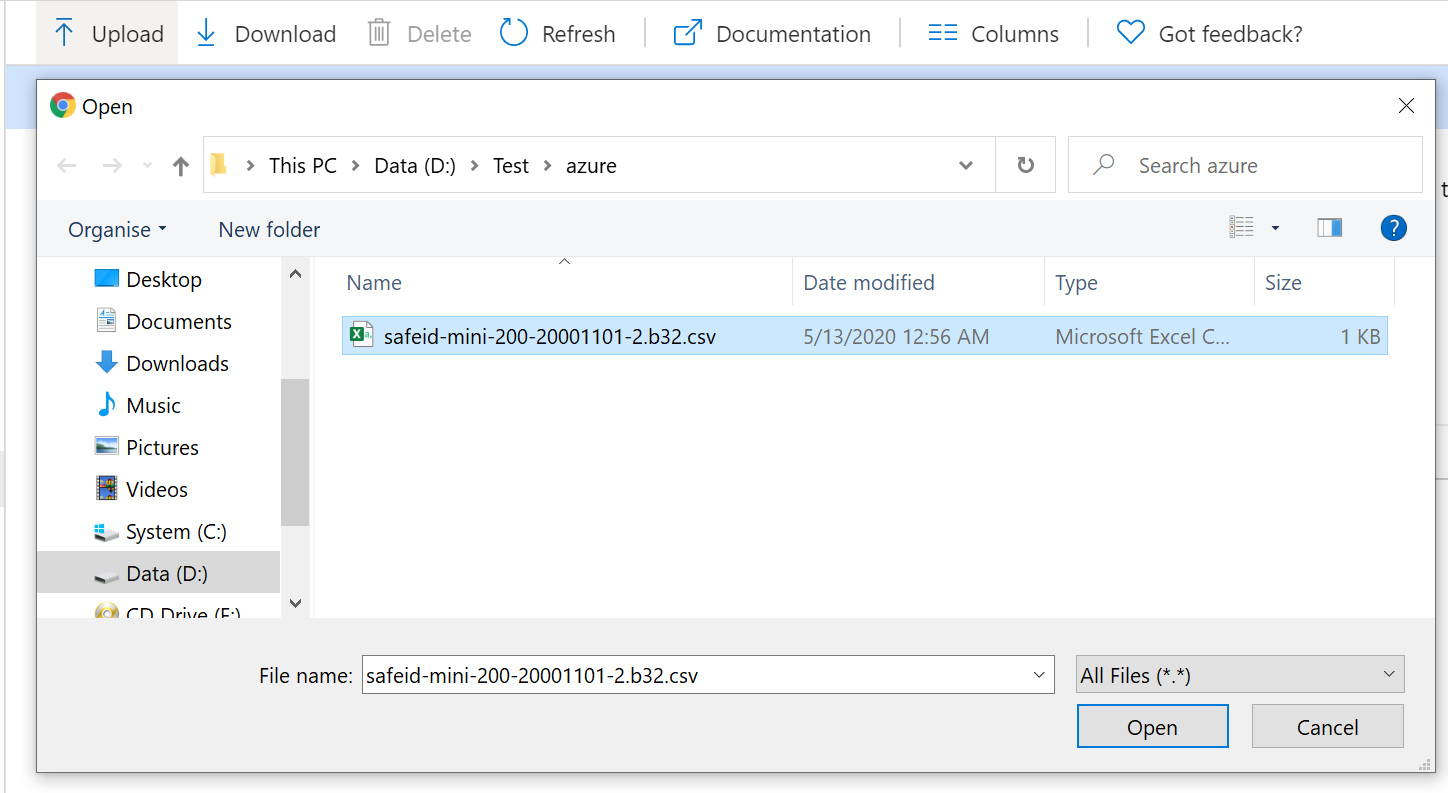
Select the CSV file to be uploaded, then click the Open button.
Depending on the size of the CSV file, it may take a few minutes to process.
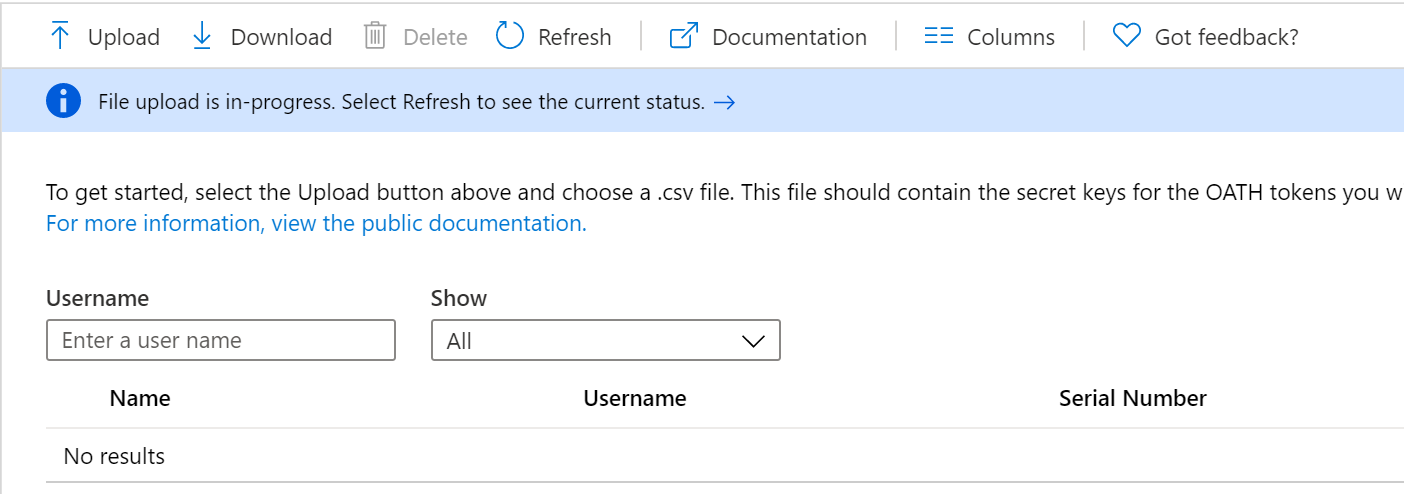
Click the Refresh button to get the current status. If there are any errors in the file, you will have the option to download a CSV file listing any errors for you to resolve.
Once the uploading process has been completed, the list of tokens will be displayed.