Introduction
The "Token Notification Service" task periodically checks if tokens are about to reach their expiration time, and sends out notification messages to the users.
A token expiry notification may be sent based on the date of token creation and the value specified in the DeviceID policy setting "Expiration Notice (days):" (see below);
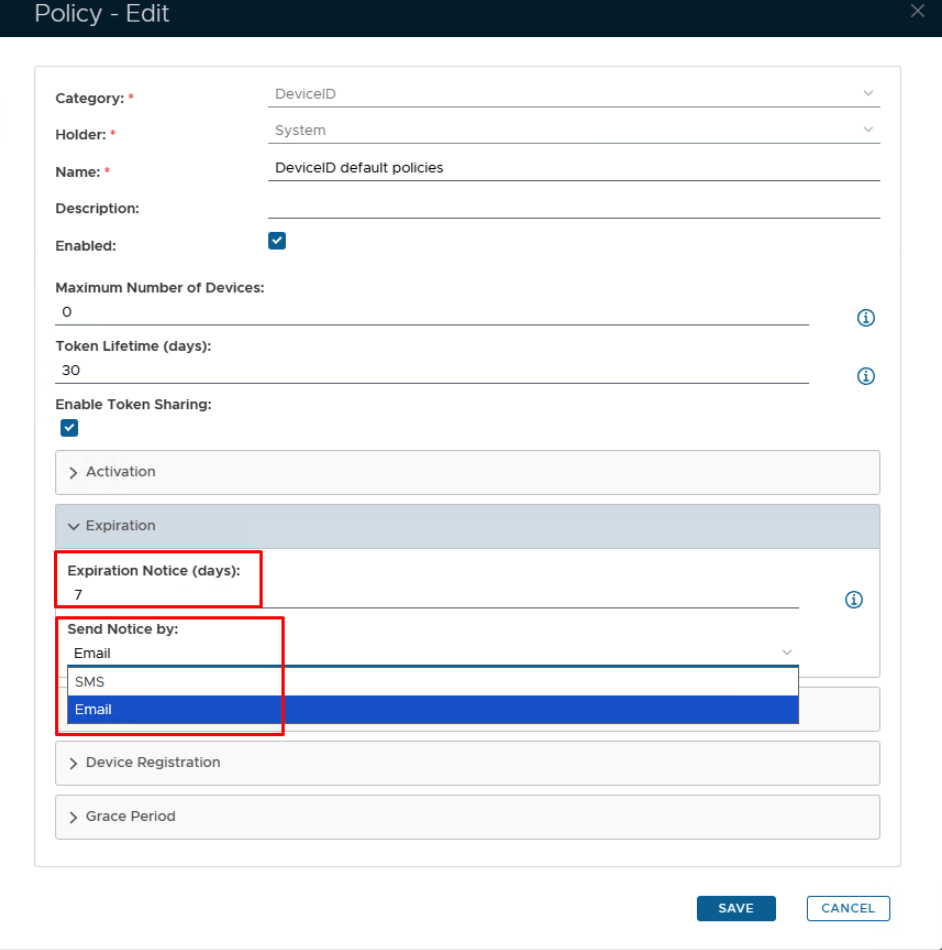
The task can be found by navigating to "Administration | Tasks", then scrolling down to the task "Token Notification Service";

Editing and Scheduling the Task
Viewing and Editing the task
By default, the Token Notification task is not enabled, but may be enabled by left clicking on the context menu of the task and selecting "Edit";

A new window will now open titled "Task - Edit";

Scheduling the Task
Select the "Enable Schedule" checkbox to ensure the task schedule is activated, then use the pencil icon (" ") to specify the time and frequency settings for automated task execution.

- Tasks can be scheduled for automatic execution by selecting the "Schedule Enable" option then clicking on the
 icon;
icon;
When the
is pressed a window will open titled "Schedule" that can be used to specify the when the report is scheduled to run; 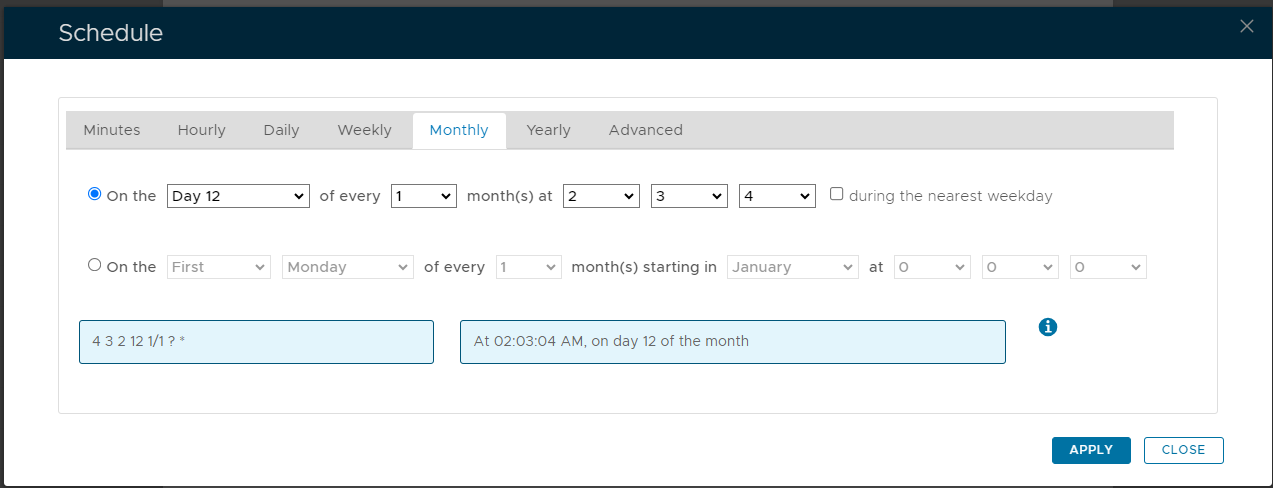
As an example, we can schedule the report to run at 1am every weekday using the following settings;
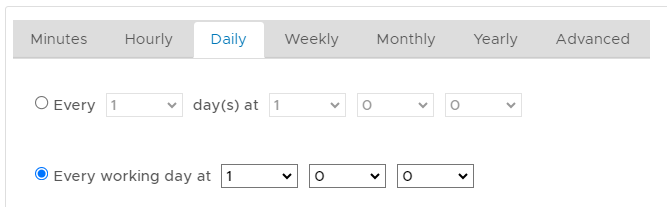
After clicking on
 the schedule details will be converted into text form and added against the report parameter "Schedule";
In addition to scheduling when the task is to be run you may need to Edit the task parameters and ensure that all required parameters have been supplied (some tasks have parameters with no default value and until a value is supplied the task will fail if run manually or automatically scheduled).
Related Articles
Manual Task Execution
The task can be run manually from the management console by left click on the context menu of the task, then selecting "Run";

A new window will open titled "Execute Task" will then open;

You can add a description, however, this is optional. Click the  button.