The task "Export token Assignments by Domain", is a task script that allows the export of a CSV file containing all of all token assignments for a specified Domain of a specified product type.
Exporting token Assignments by Domain
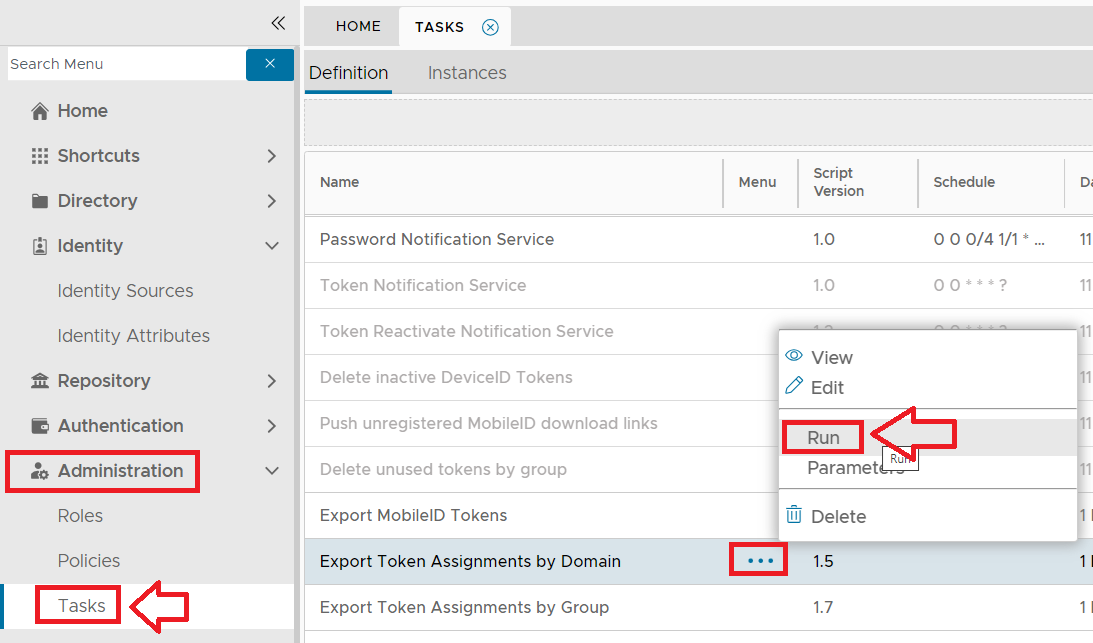
In order to export token assignments for a specified product and domain you will first need to navigate to "Administration | Tasks", left click of the context menu for the task "Export Token Assignments by Domain", and selecting the context menu option "Run";
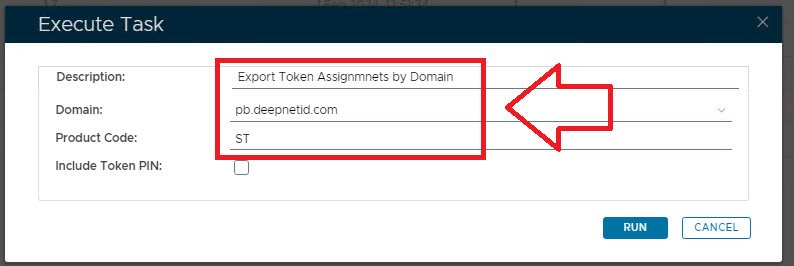
A new window titled "Execute Task" will now open.
- At the prompt "Description", you may optionally provide a description of what tokens are about to be exported.
- At the prompt "Domain", specify the domain to be searched for tokens assignments.
- At the prompt "Product Code", specify the product code of token assignments to be exported (in this example we select "ST" for SafeID Time based tokens);
You can select the product code from the following list of codes;
| Code | Product |
|---|---|
| AC | Access Card |
| ASDID | ActiveSync DeviceID |
| CK | CryptKey |
| DP | DevicePass |
| FS | Face Sense |
| FT | FailThru |
| U2F | FIDO U2F |
| FP | FlashPass |
| GV | GridGo |
| GP | GridID |
| SE | SafeID/Event Based |
| ST | SafeID/Time Based |
| MT | MobileD/Time Based |
| GT | GoogleAuthenticator/Time Based |
| GE | GoogleAuthenticator/Event Based |
| PC | Proximity Card |
| SID | RSA/SecurID |
| TP | T-Pass |
| TF | TypeSense/FreeText |
| TS | TypeSense/Password |
| DIGIPASS | Vasco/DigiPass |
| VS | VoiceSense |
| YK | YubiKey |
If you want to include details of the token PIN details, then you will need to tick the checkbox "Include Token PIN:".
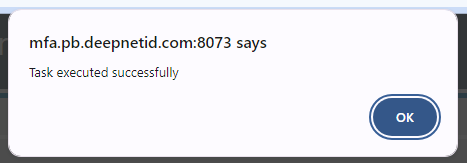
Once the parameters have been entered we start the task by clicking on  , and we will be notified that the task assignments have been exported;
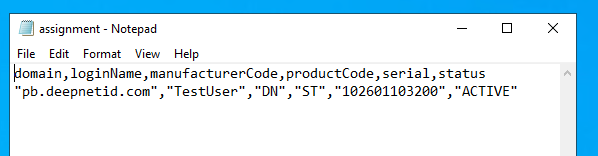
A subfolder of the DualShield installation folder (named "\export") will now contain a CSV file called "assignment", that will contain the details from our exported token assignments;
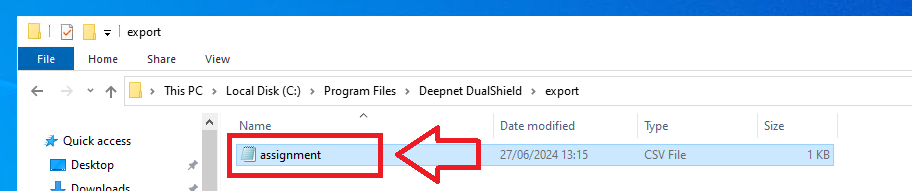
The extracted token assignments CSV file will contain details that specify which users the tokens were assigned to;
In addition to scheduling when the task is to be run you may need to Edit the task parameters to ensure that all the parameters for this task have been supplied as running the task without all the required parameters will cause the task to fail.