To download offline tokens from the DualShield MFA server, follow the steps below:
Configure the Computer MFA Logon Agent
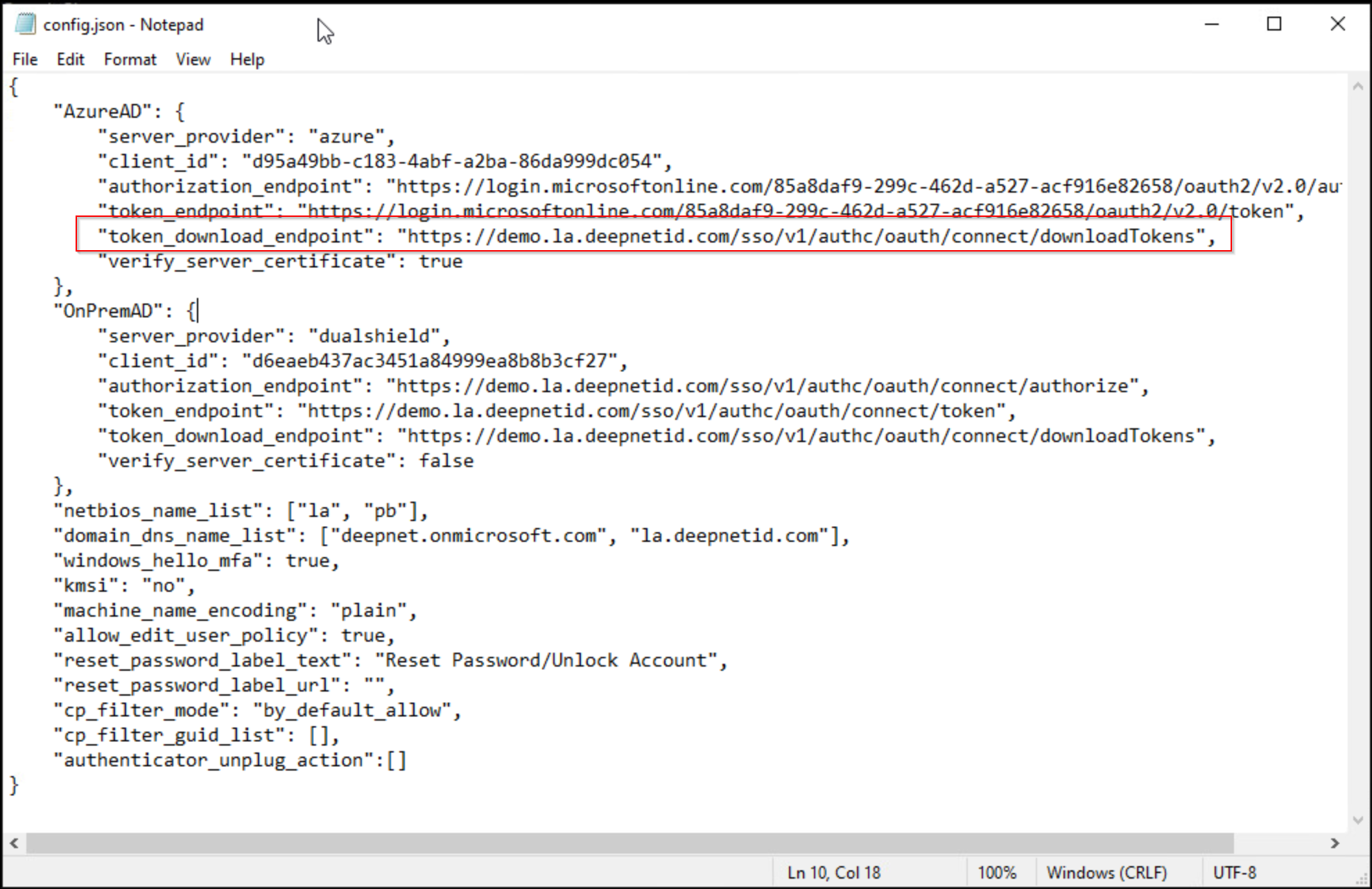
In the "config.json" file that is to be distributed with the Computer MFA Logon Agent to the users' PCs, add the value below to the "token_download_endpoint" key:
"token_download_endpoint": "https://your-dualshield-fqdn/sso/v1/authc/oauth/connect/downloadTokens"
You must replace "your-dualshield-fqdn" with the actual FQDN of your DualShield MFA server, e.g. "demo.la.deepnetid.com"
Below is an example:
Configure the DualShield MFA Server
In your DualShield MFA server, you need to configure the following policies:
- Computer Logon Client Policy
- Token Policy