If your AD domain is visible in the public network and has a public DNS server, then follow the guide below to set up offline logon
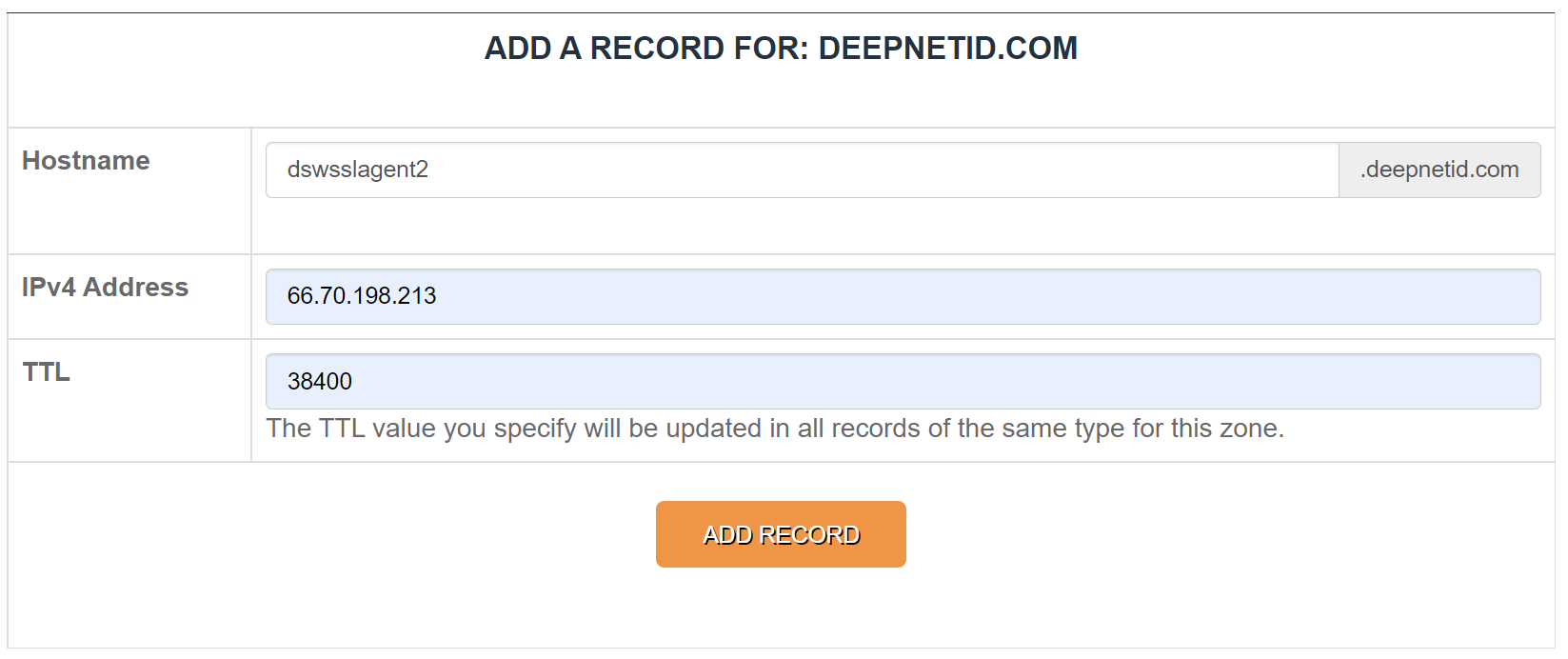
Add the A record below to your public DNS server
hostname | dswsslagent2 |
|---|---|
domain name | your AD domain |
ip address | the public IP of your Windows Logon Agent |
Example:
Otherwise, follow the guide below to set up offline logon
In the DualShield Admin Console, find the Windows Logon Agent in Authentication | Agents

Click its context menu
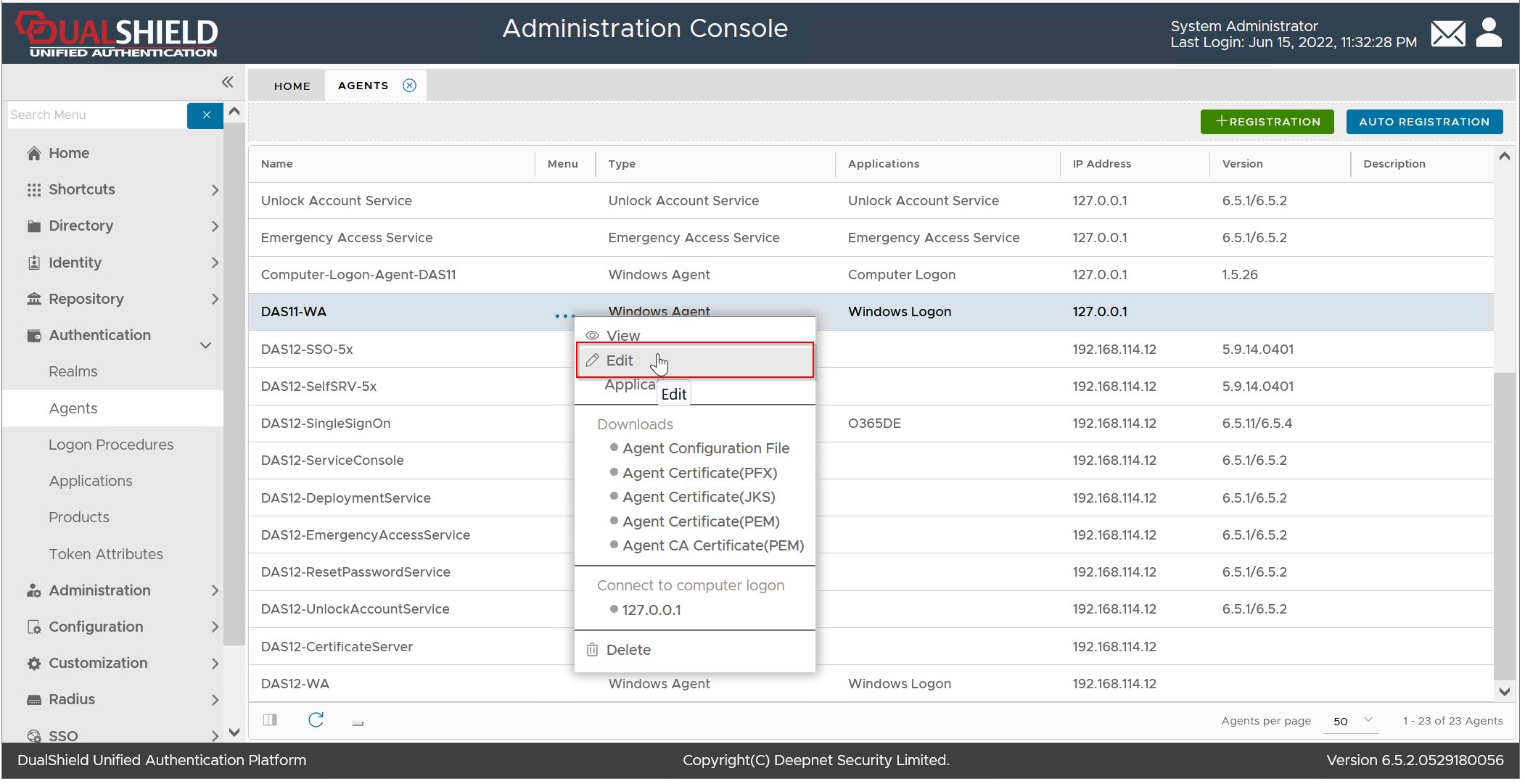
Select "Edit"
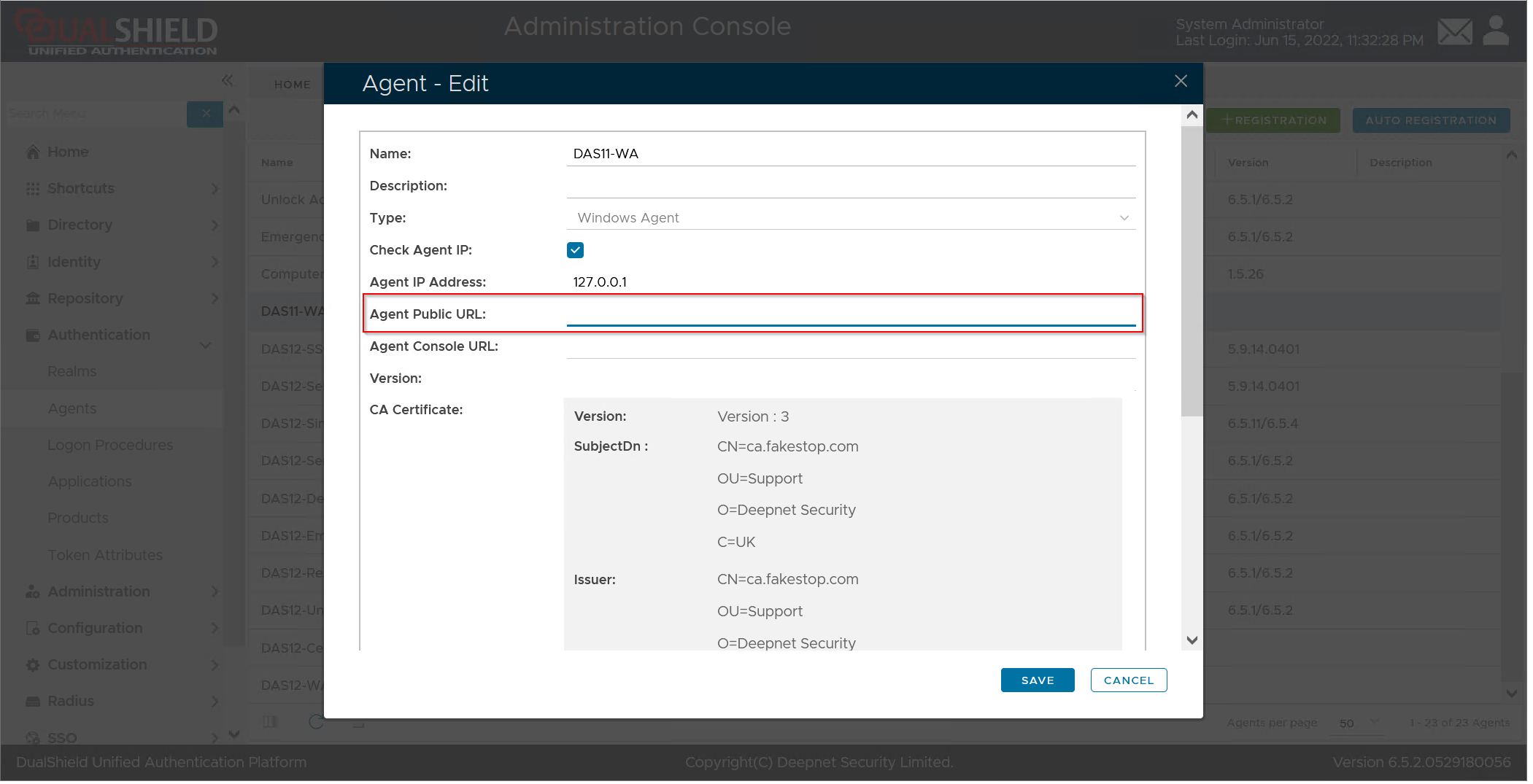
Enter the Agent's Public URL in the format "https://fqdn:14294/xmlrpc", e.g. https://mfa.fakestop.com:14294/xmlrpc
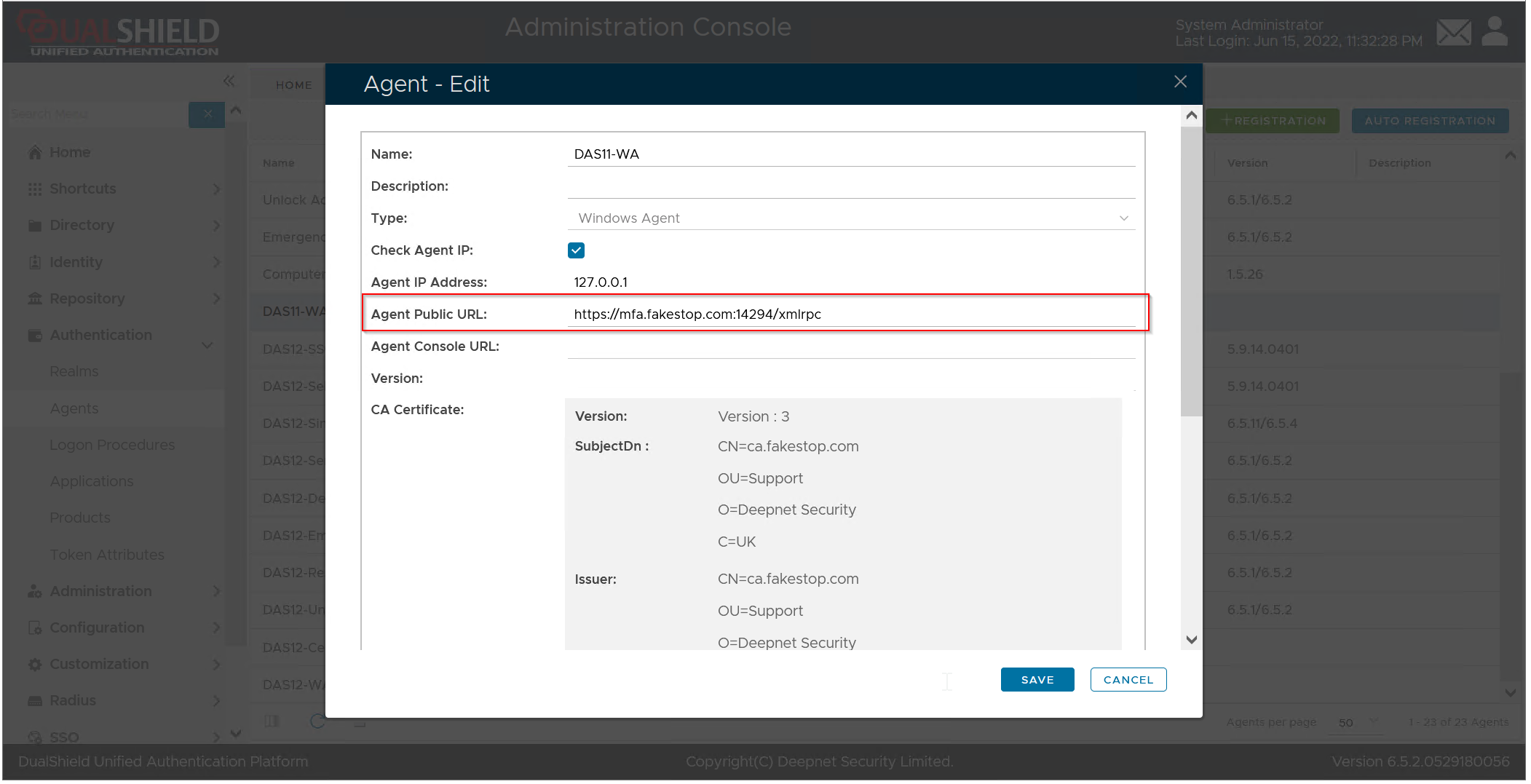
Click Save.
Important: if you have multiple Windows Logon Agents, then repeat the steps above on every Windows Logon Agent.