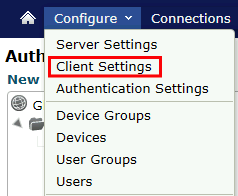
Click on Configure>Client Settings
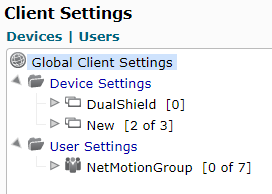
Option - You may apply the following settings to device or user groups or just apply globally.
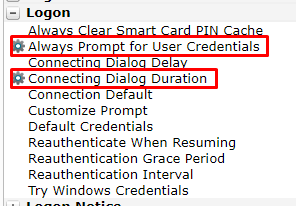
There are two settings that need to be applied. The settings are found in the middle pane under Logon
| Section | Option |
|---|---|
| Logon | Always Prompt for User Credentials |
| Logon | Connecting Dialog Duration |
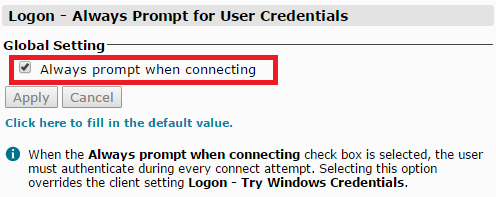
Select the option Always Prompt for User Credentials
Enable Always prompt when connecting
Click Apply
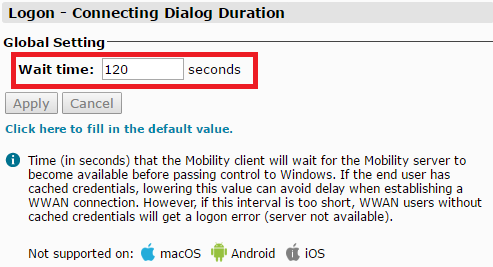
Select the option Connecting Dialog Duration
Change Wait time to 120 seconds
Click Apply