Here we assume you have already set the appropriate Fabric Connector configurations. This guide will only explain how to configure the SP and IDP settings.
Log in to the root FortiGate.
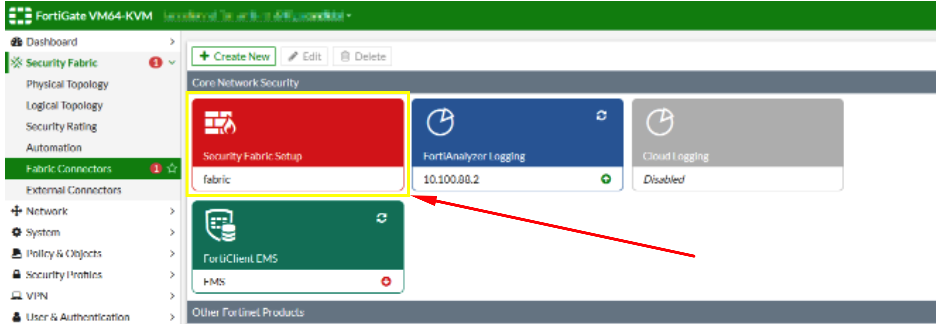
Go to Security Fabric > Fabric Connectors and double-click the Security Fabric Setup card.
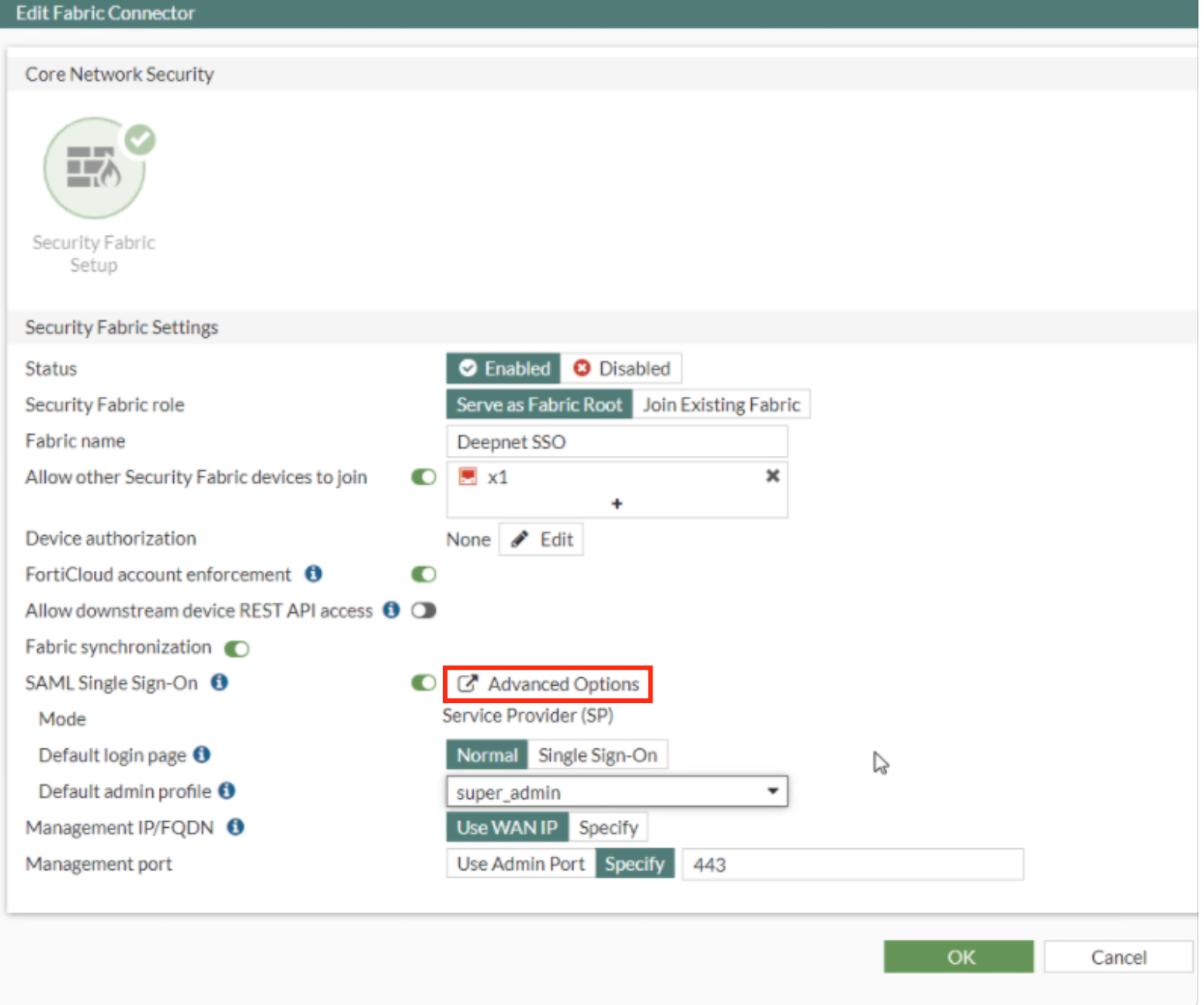
In the Fabric Connector Edit screen go down to where it says SAL Single Sign-On and click Advance Options
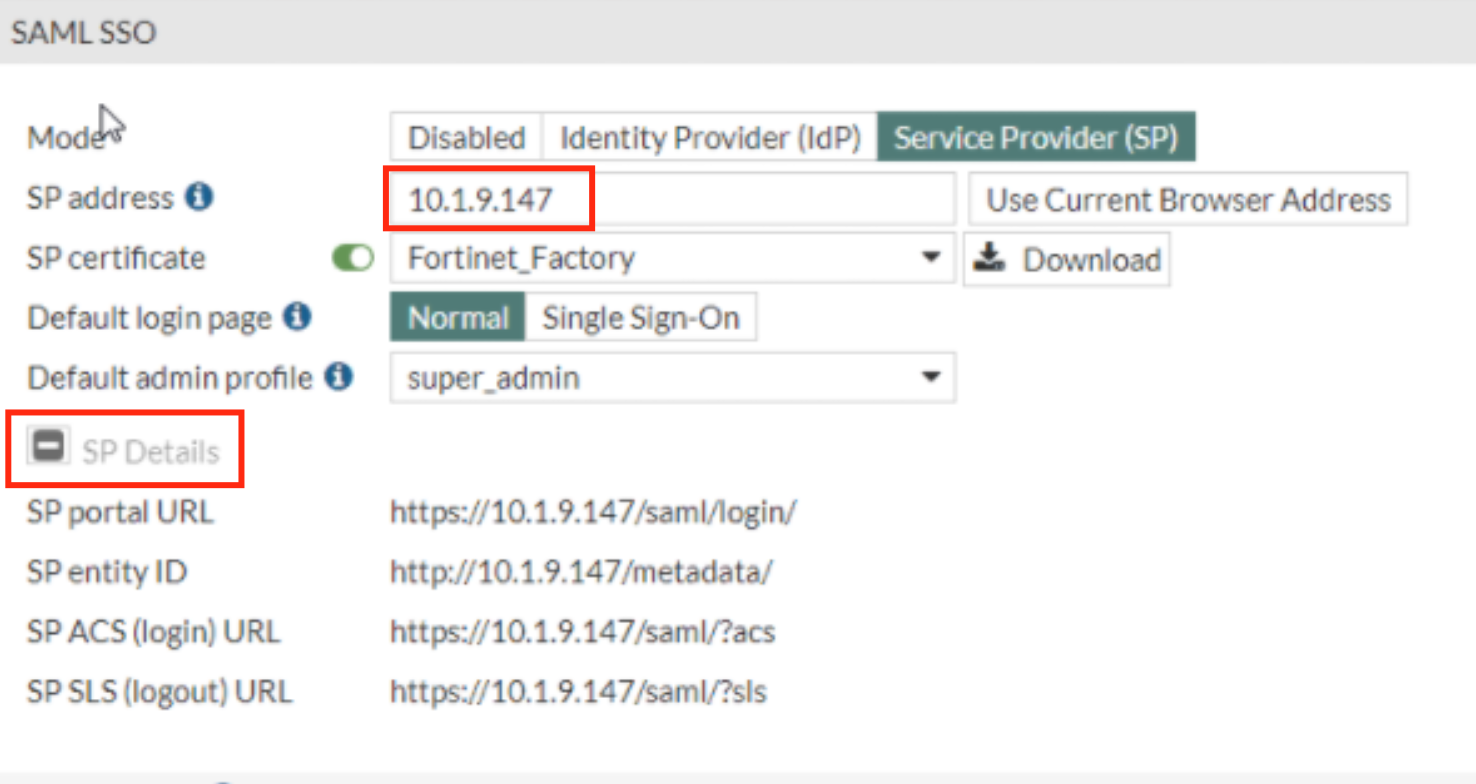
In the SAML SSO Window Specify the SP address. This is essentially the URL or the IP address of the Fortinet UI you wish to log onto.
Expand SP details
Log back in. to the DualShield Admin Console
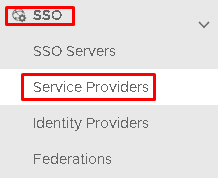
Go to SSO>Service Providers
Click on  on the top right.
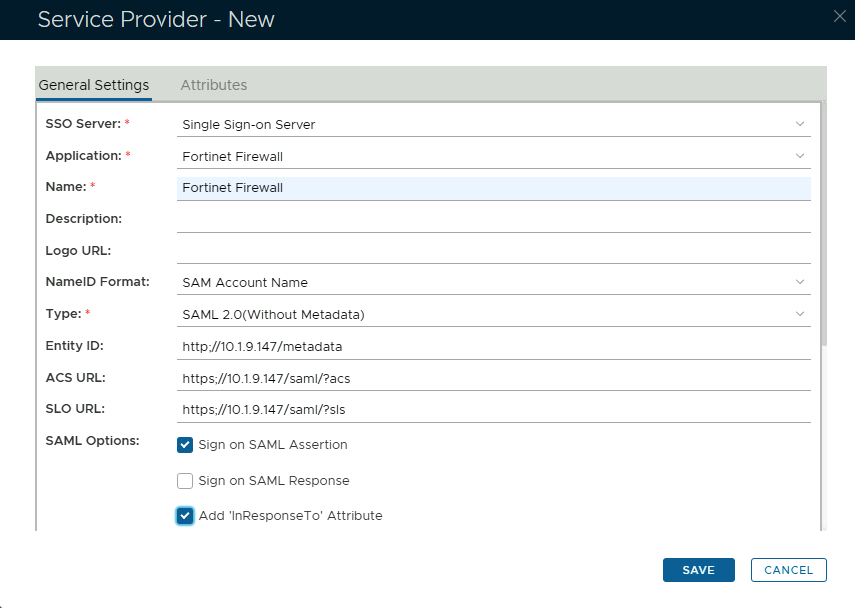
Fill in the details as per screenshot on right and make sure you select SAML 2.0(Without Metadata) as Type.

Copy and Paste the Entity ID, ACS and Logout URL from the SP details on the Fortinet UI (see above)

The completed Service Provider dialogue box will look like this:
Click Save.