MFA can only be enabled on an IIS application. By default, RD Web Client is a folder under the RDWeb application named "webclient". We need to convert the "webclient" folder to an IIS application.
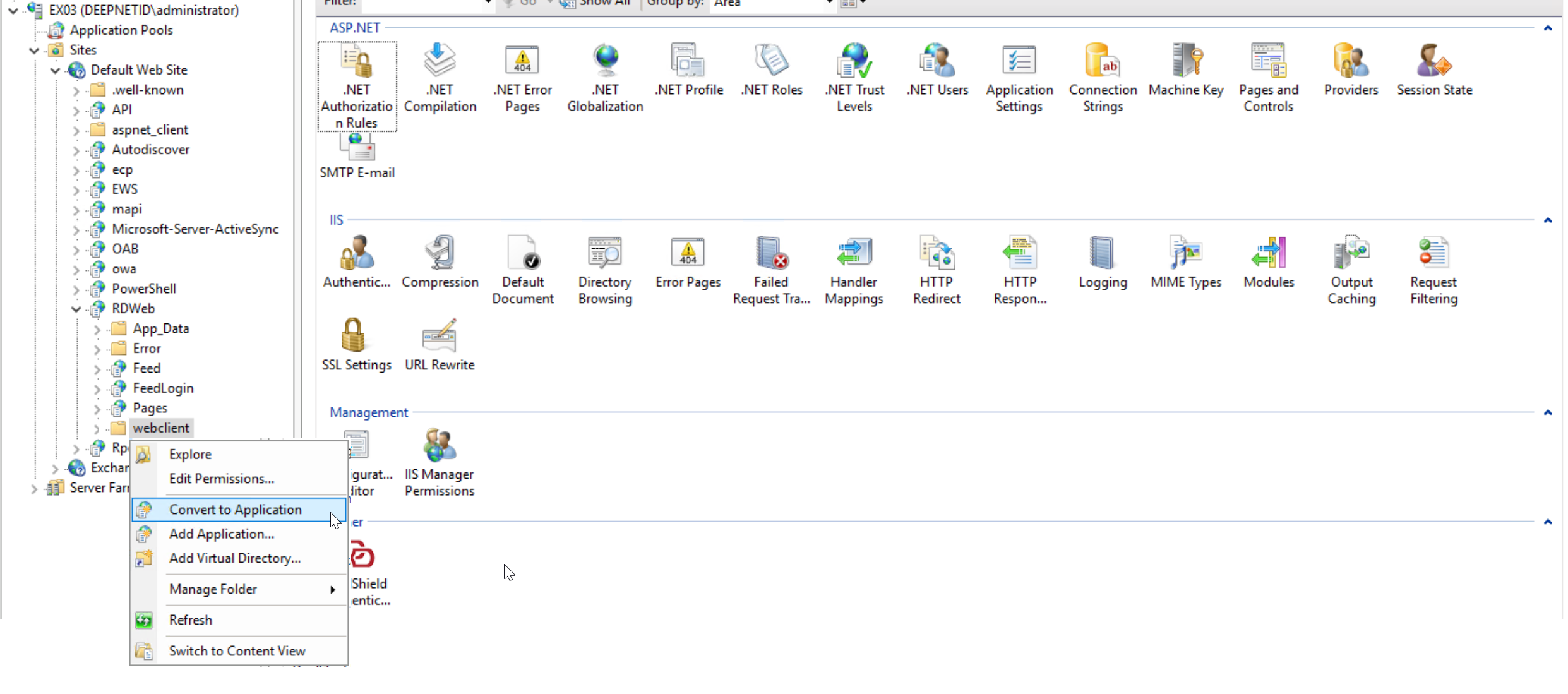
Right the "webclient" folder name, then select "Convert to Application"
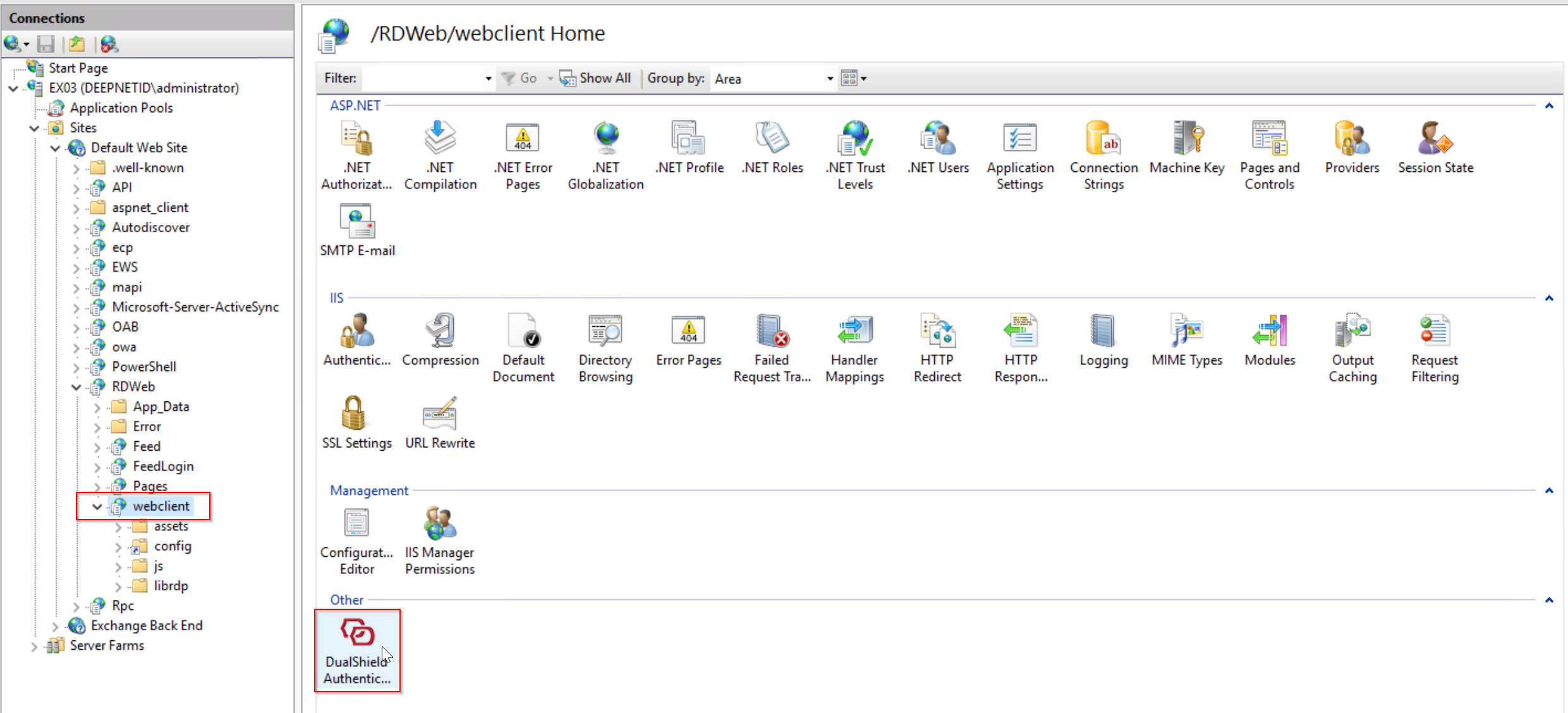
Now, select the "webclient " application node.
Then in the Features View pane, double click the "DualShield Authentication" icon to launch the DualShield IIS Agent Console.
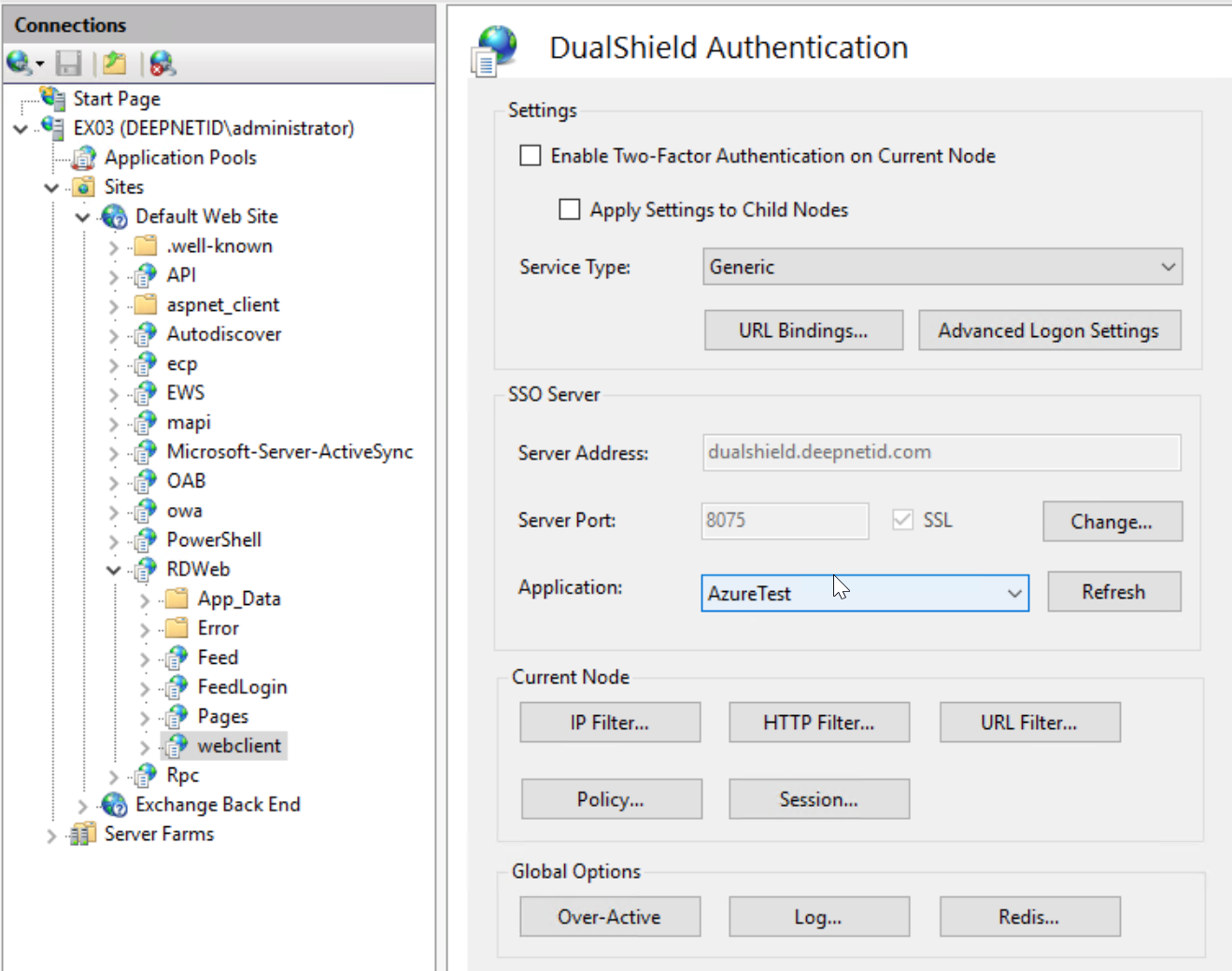
We will go through the steps below to complete the setup