Some customers put the users or devices into different groups on NetMotion Server. They also may apply different authentication profiles
This section only explains the basics of setting up and moving devices and users into groups. We will assume you have prior knowledge of using NetMotion
For this to work the devices must have been connected at least once so they are listed under Connected Devices

Authentication Profile
You can configure a user authentication protocol to be global, or have individual devices or device groups use a different authentication profile.
Creating an Authentication Profile is already explained at the beginning of the section titled Mobility Server
To add a device into a specific authentication profile to Configure>Client settings
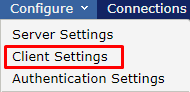
Highlight the device or device group on the left that you wish to change the authentication protocol

In Client Settings go to Authentication>Settings Profile Click on the Device Setting Override the select the Authentification Profile you wish to use for this device.
Click Apply

To move a device into a specific authentication group go to Connections>Connected Devices
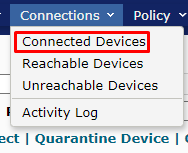
Select the Device you wish to move and click on Configure Device

For this to work the devices must have been connected at least once so they are listed under Connected Devices
Authentication Profile
Creating an Authentication Profile is already explained at the beginning of the section titled Mobility Server
To move a device into a specific authentication group go to Connections>Connected Devices
Select the Device you wish to move and click on Configure Device