Depending on how the SAML Service Provider imports IdP metadata, there are 3 ways that you can acquire the IdP metadata from the DualShield server.
Download metadata by URL
SAML service providers can download the IdP metadata from a DualShield server by the URL below:
https://your-dualshield-fqdn/sso/saml2metadata
Replace "your-dualshield-fqdn" with the fully qualified domain name of your DualShield server, e.g.
https://dualshield.deepnetid.com/sso/saml2metadata
Download metadata from the Admin Console
To download the IdP Metadata of DualShield SSO, select "Platform | SSO Server" in the Admin Console
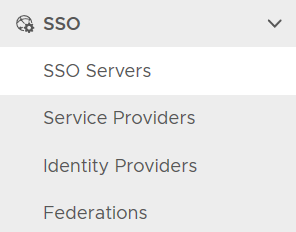
click the context menu of the SSO server

select "Download IdP MetaData". It will be saved in the local drive as "SSO Server.xml"
