Login to Micrososft My Signins Portal, select "Security Info"
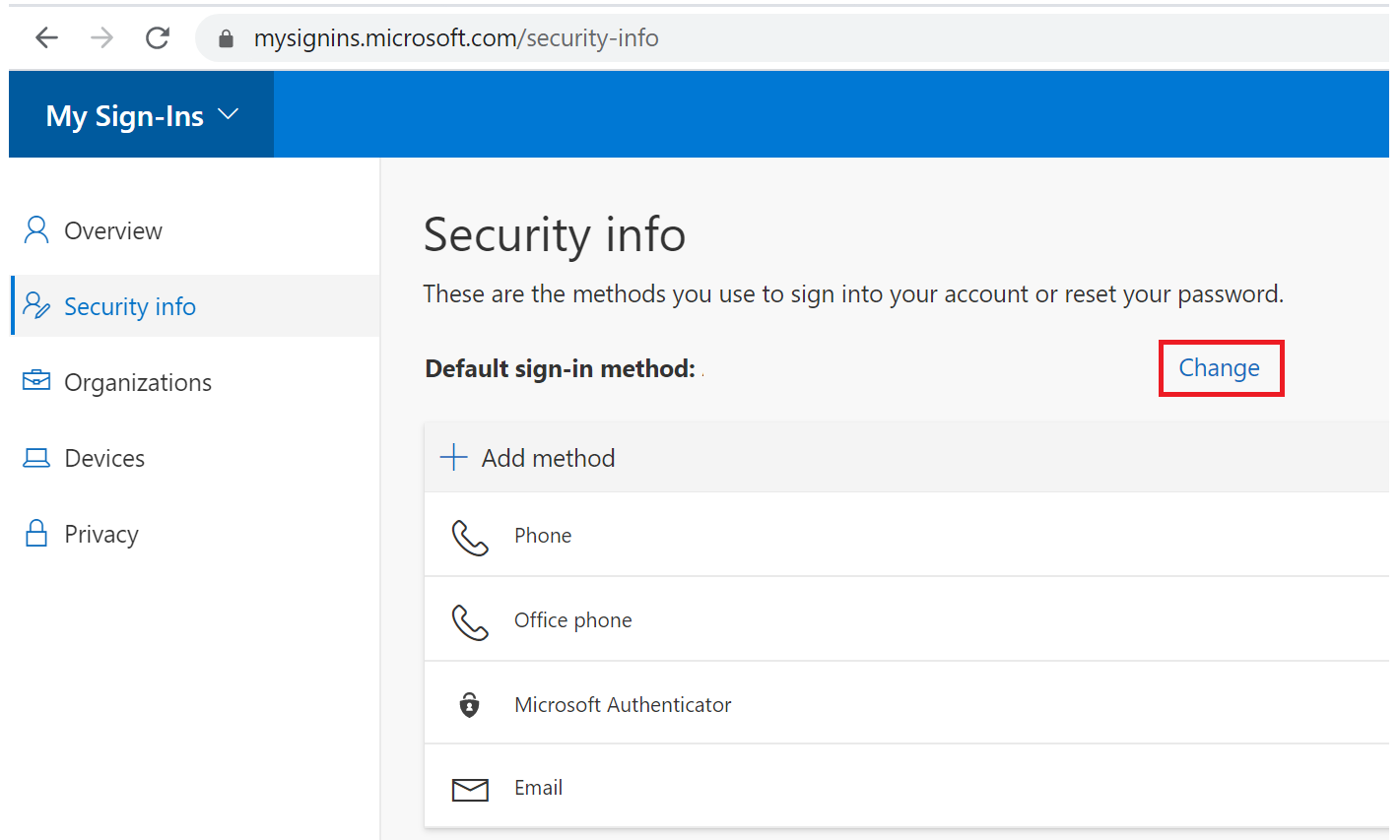
Click "Change" to the right og "Default sign-in method"
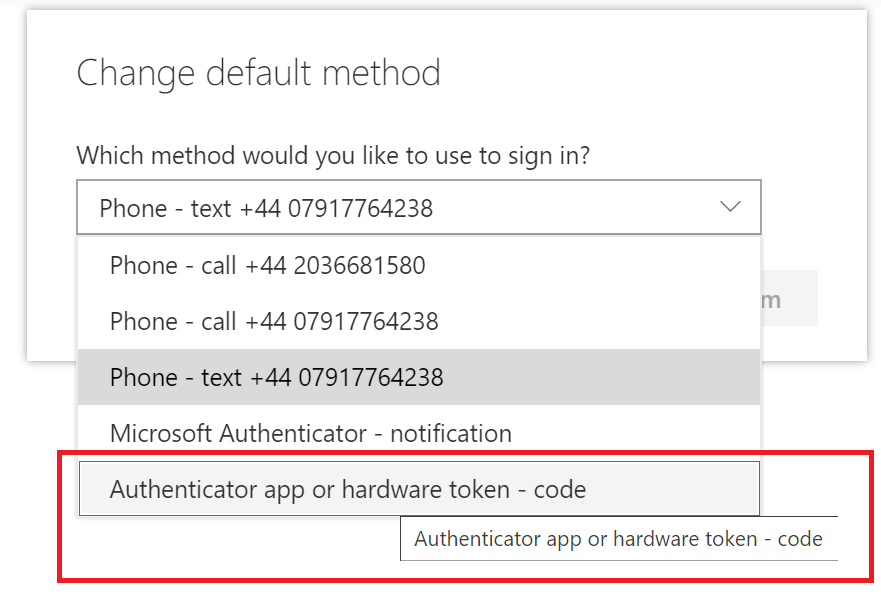
Select "Authenticator app or hardware token - code"
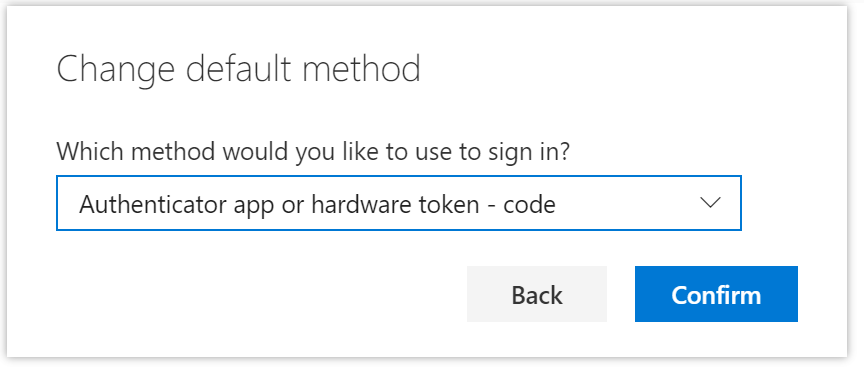
Click "Confirm"
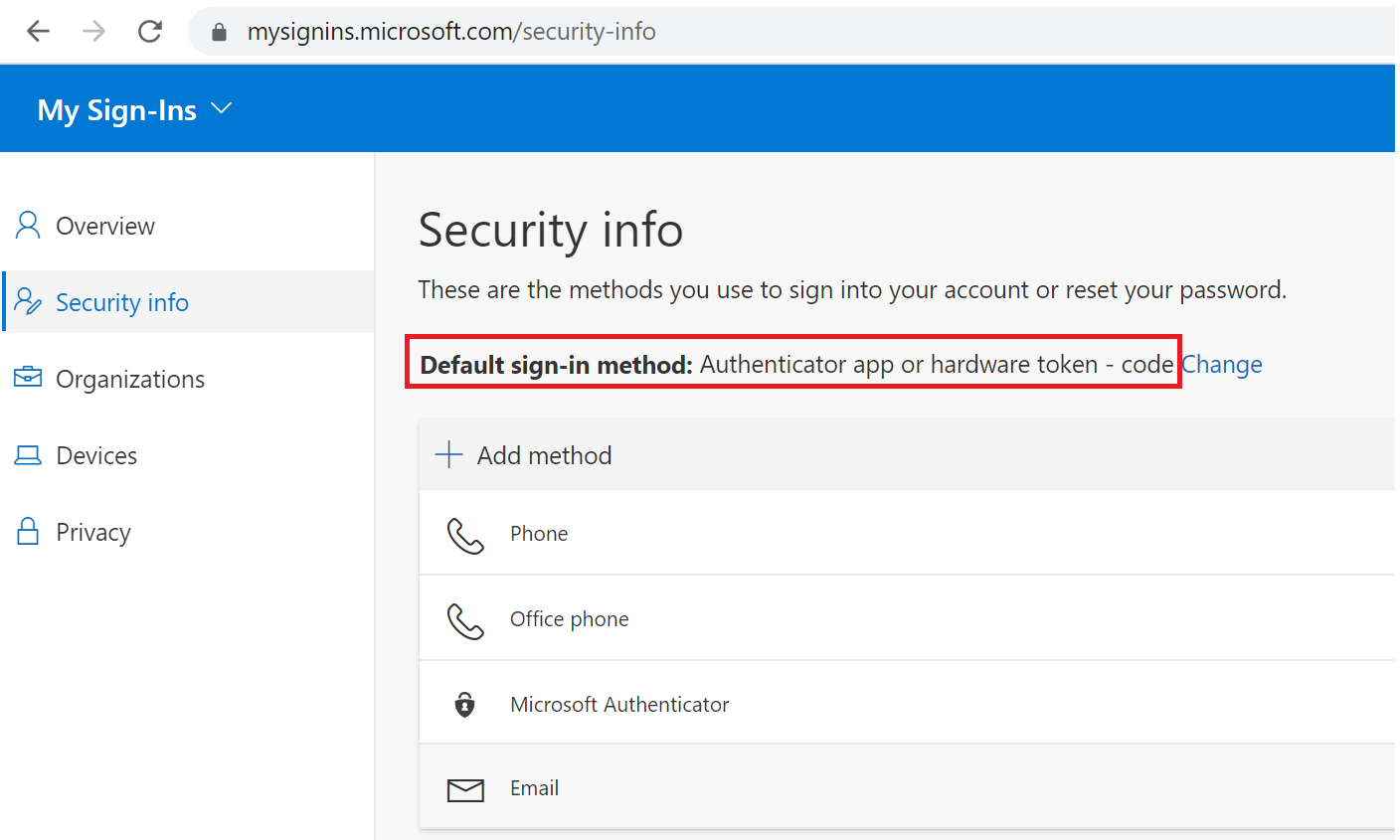
Login to Micrososft My Signins Portal, select "Security Info"
Click "Change" to the right og "Default sign-in method"
Select "Authenticator app or hardware token - code"
Click "Confirm"