In the User Access page, each row has:
- An Edit button (to see their current roles and add more)
- A Delete button (to remove all of their access at once).
- Groups have an additional Info button to show the members of the group.
ℹ️ Can only grant or remove a role with Role Administrator. Can only be done to a user with matching Policy and Token management roles already held by the access granting/removing user.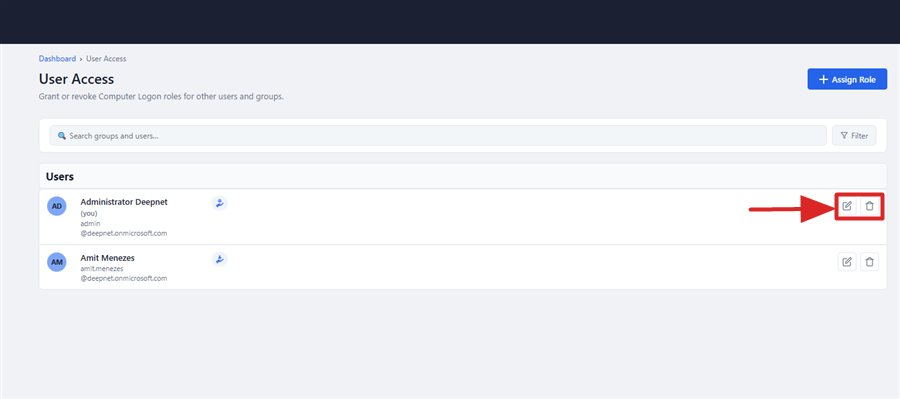
The Edit access and Delete icons on each row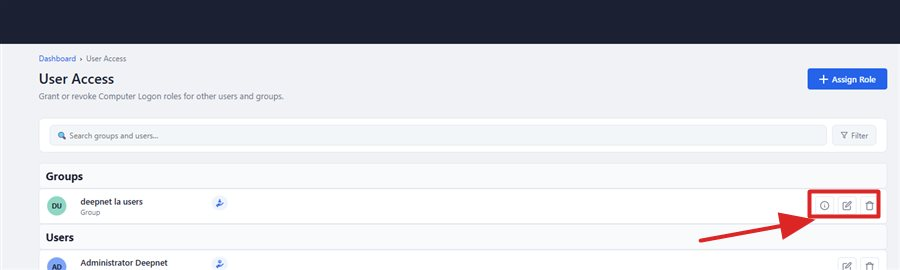
Groups and users are listed in their own sections, each with matching row actions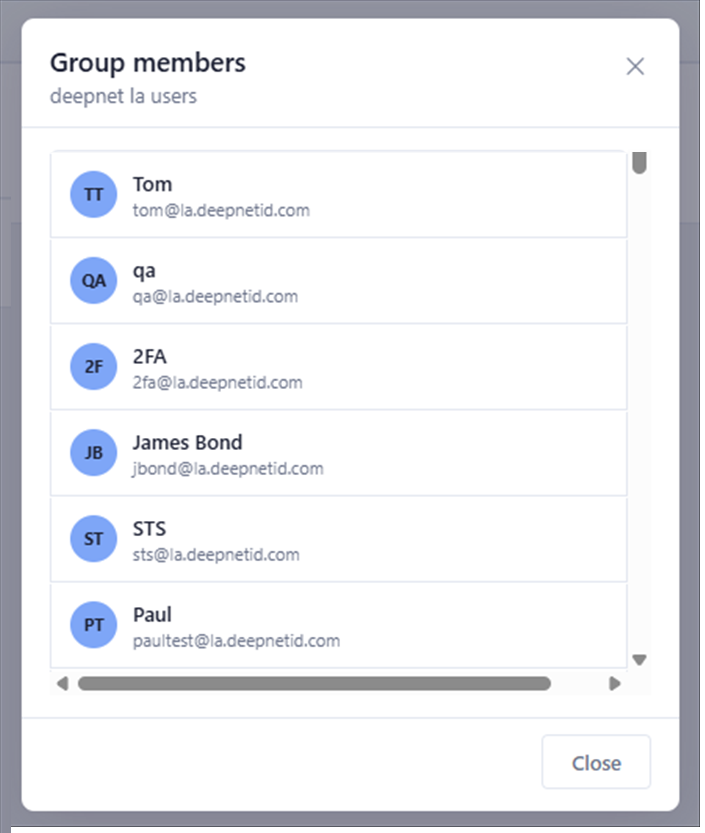
Clicking Info shows the group's real members