You can set your DualShield IIS Agent to bypass MFA when your DualShield is offline
In the IIS Manager, select the Microsoft-Server-ActiveSync application node
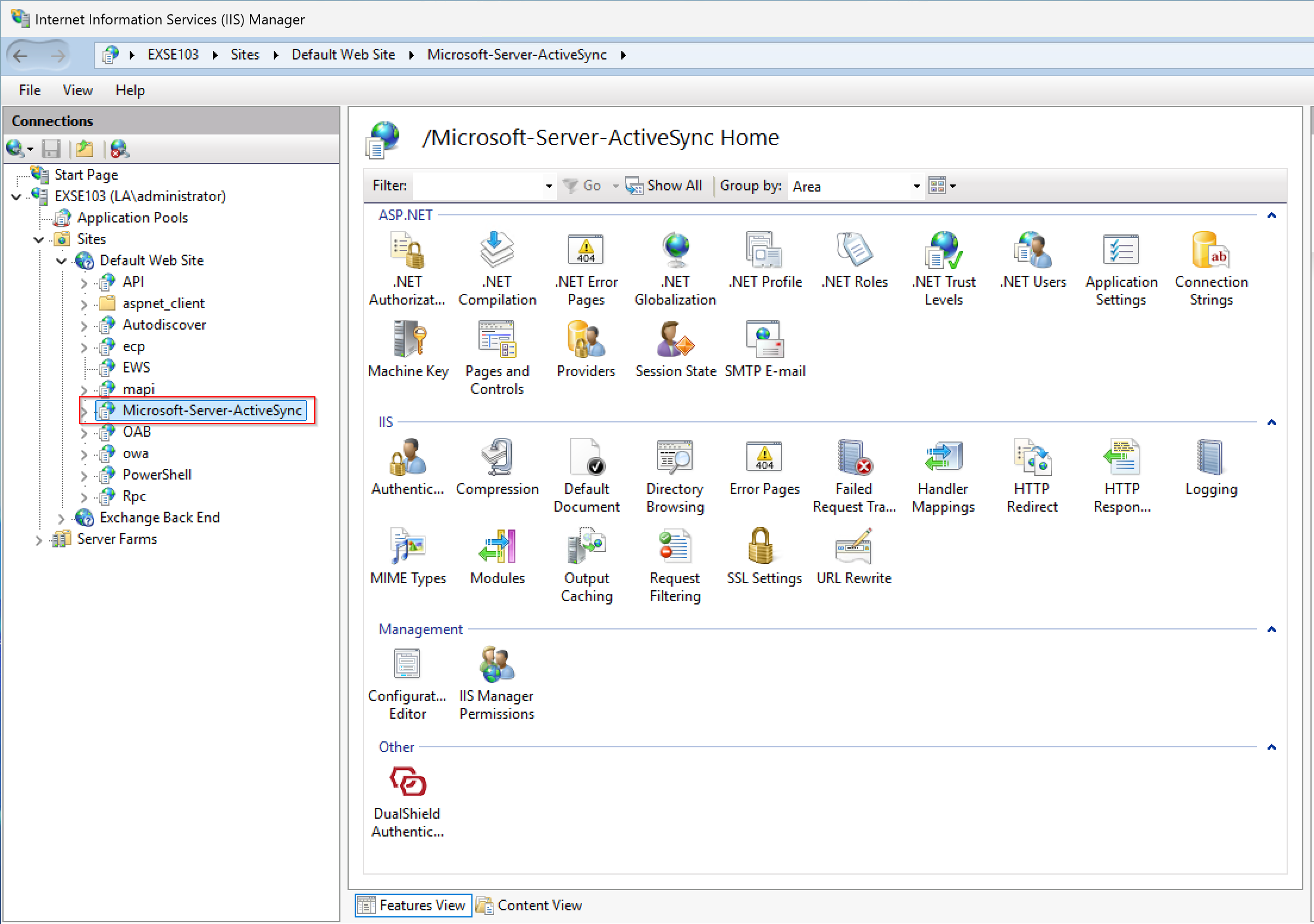
Click the DualShield Authentication icon to open the agent's control panel
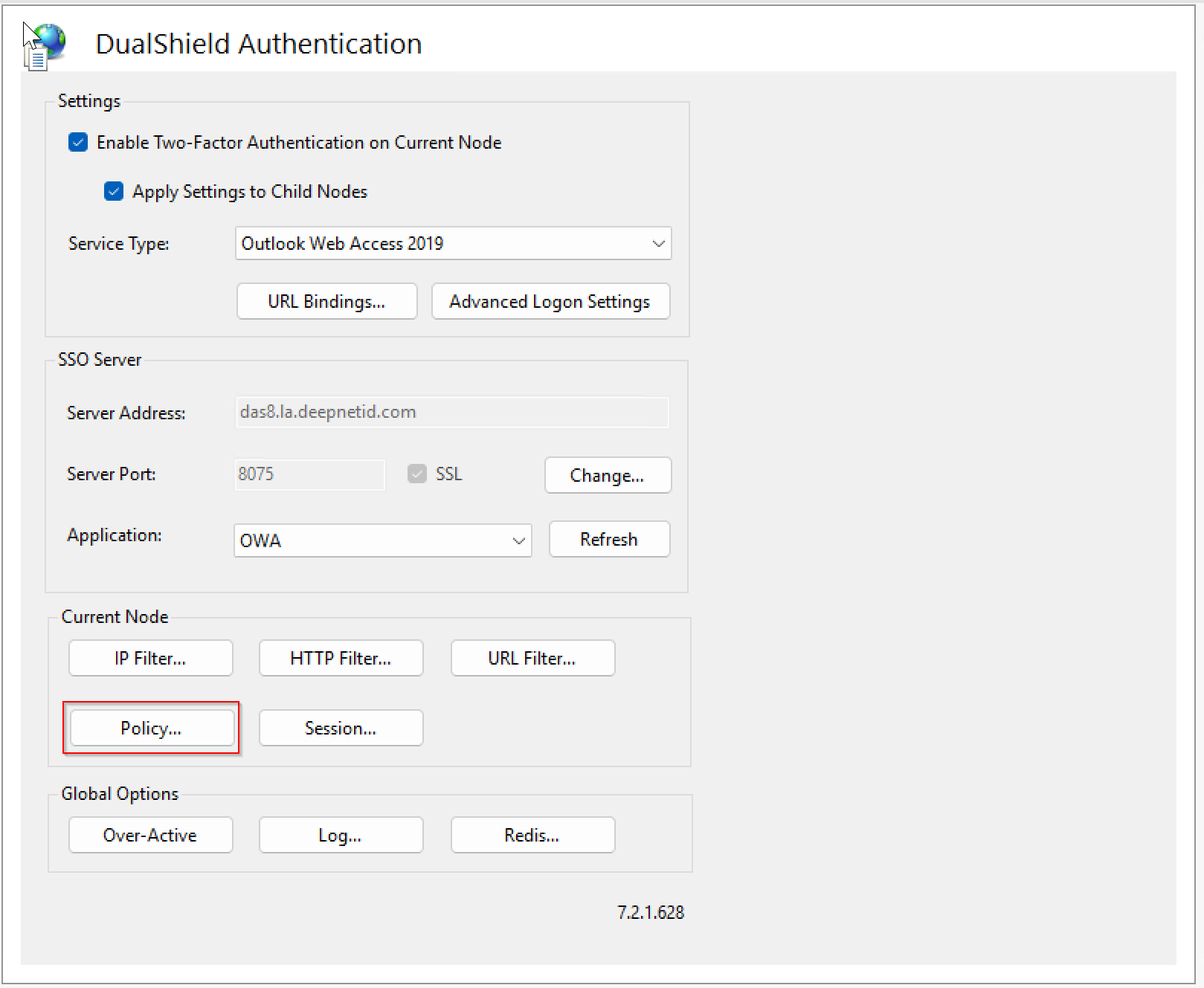
Click the "Policy...." button
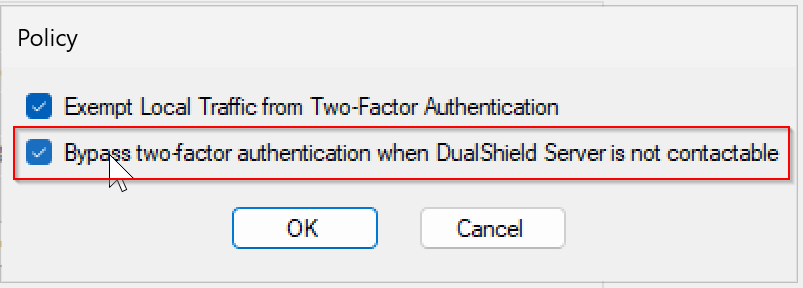
Enable the option “Bypass two-factor authentication when DualShield Server is not contactable”
Click the "OK" button
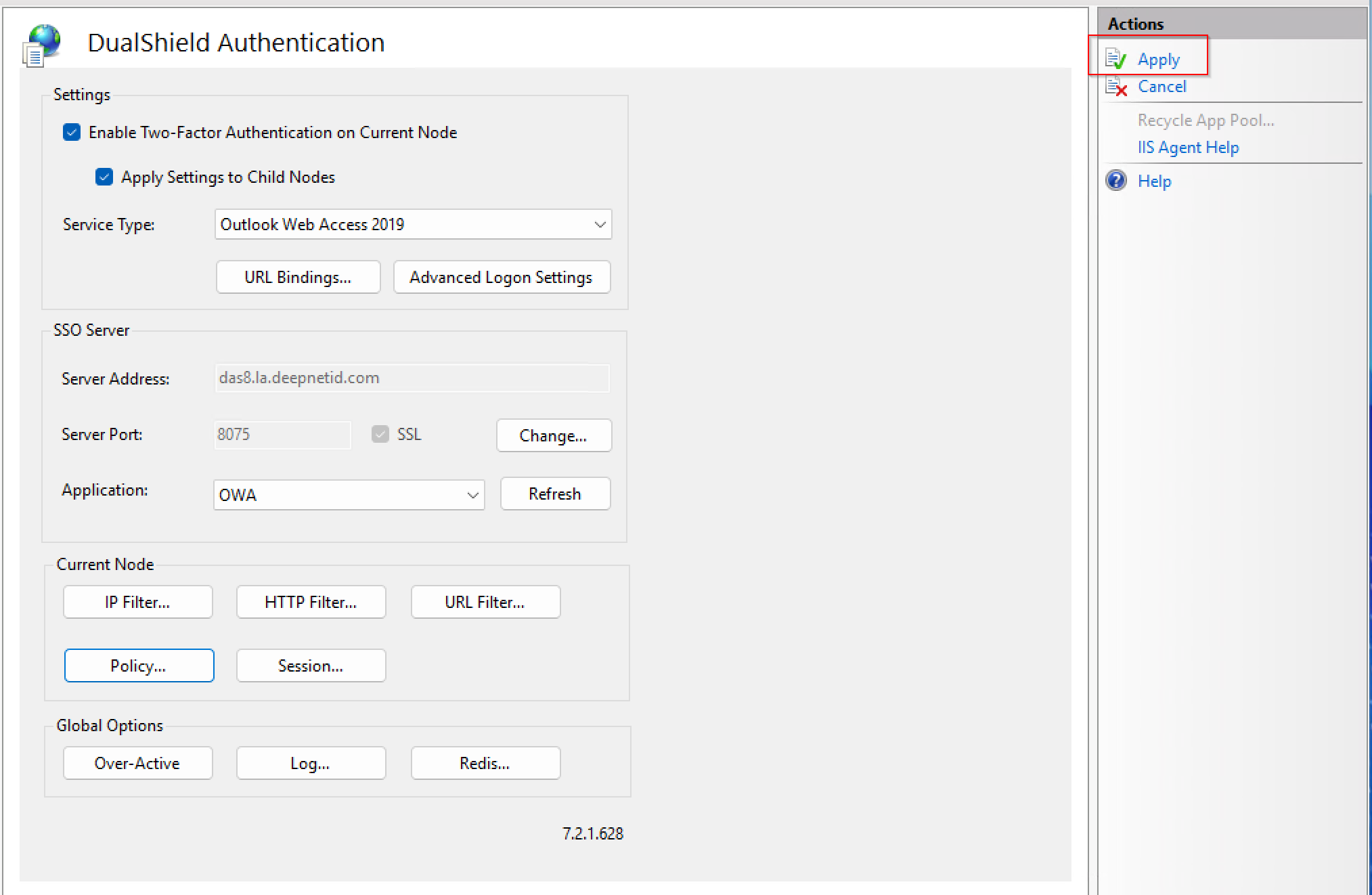
Click "Apply" to save the change