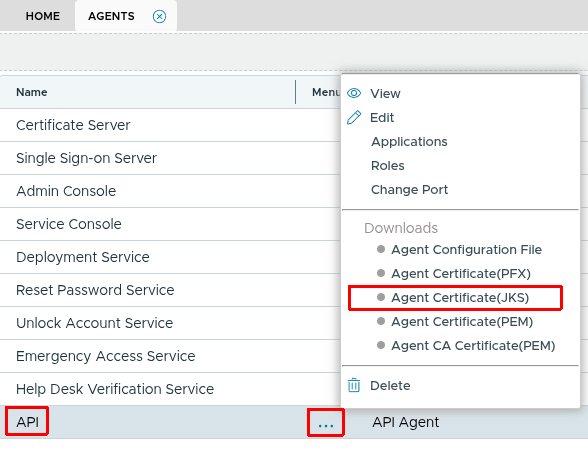
To use client certificate authorisation, you have to:
PEM Format Certificate
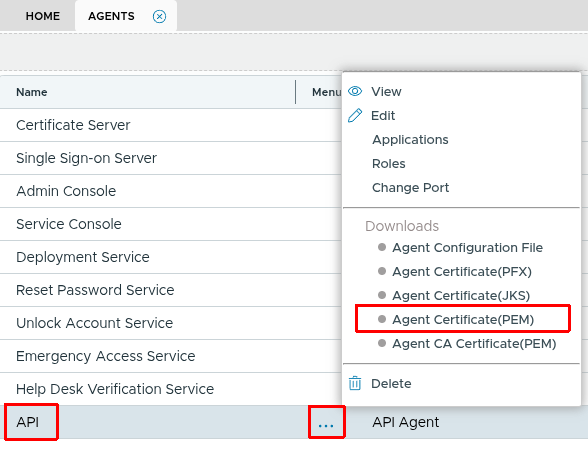
To download a PEM format certificate, in the Agents list, click the context menu of your agent and select "Downloads | Agent Certificate (PEM)". The certificate will be saved as "API.pem". This PEM certificate contains both the certificate and the private key.
If you are using some programming language, like python, you might want to extract the private key separately. You can use the OpenSSL tool:
openssl rsa -in API.pem -out apikey.pem
apikey.pem is the certificate's unencrypted private key.
PFX Format Certificate
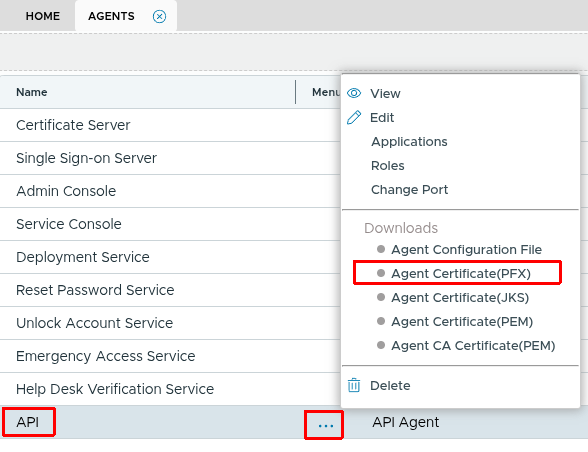
To download a PKCS12 format certificate, select "Downloads | Agent Certificate (PFX)". The certificate will be saved as "API.pfx". The agent password will be used to protect the pfx certificate.
JKS Format Certificate
if your application code is in JAVA, you can download a JKS store directly by selecting "Downloads | Agent SSL Certificate (JKS)". The certificate will be saved as "API.jks".