OOBA (Out-of-Band Authentication) is performed through a separate channel. DualShield follows RFC 8176 and includes mca in the amr claim of the id_token. However, Entra ID currently accepts only otp, so the following customization is required. Otherwise, it may report the error: Failed to validate external id_token: 'amr' claim has unexpected value.
If you plan to authenticate using Out Of Band Push Authentication, then please configure AMR as follows..
In DualShield Admin Console, navigate to SSO > Vendor
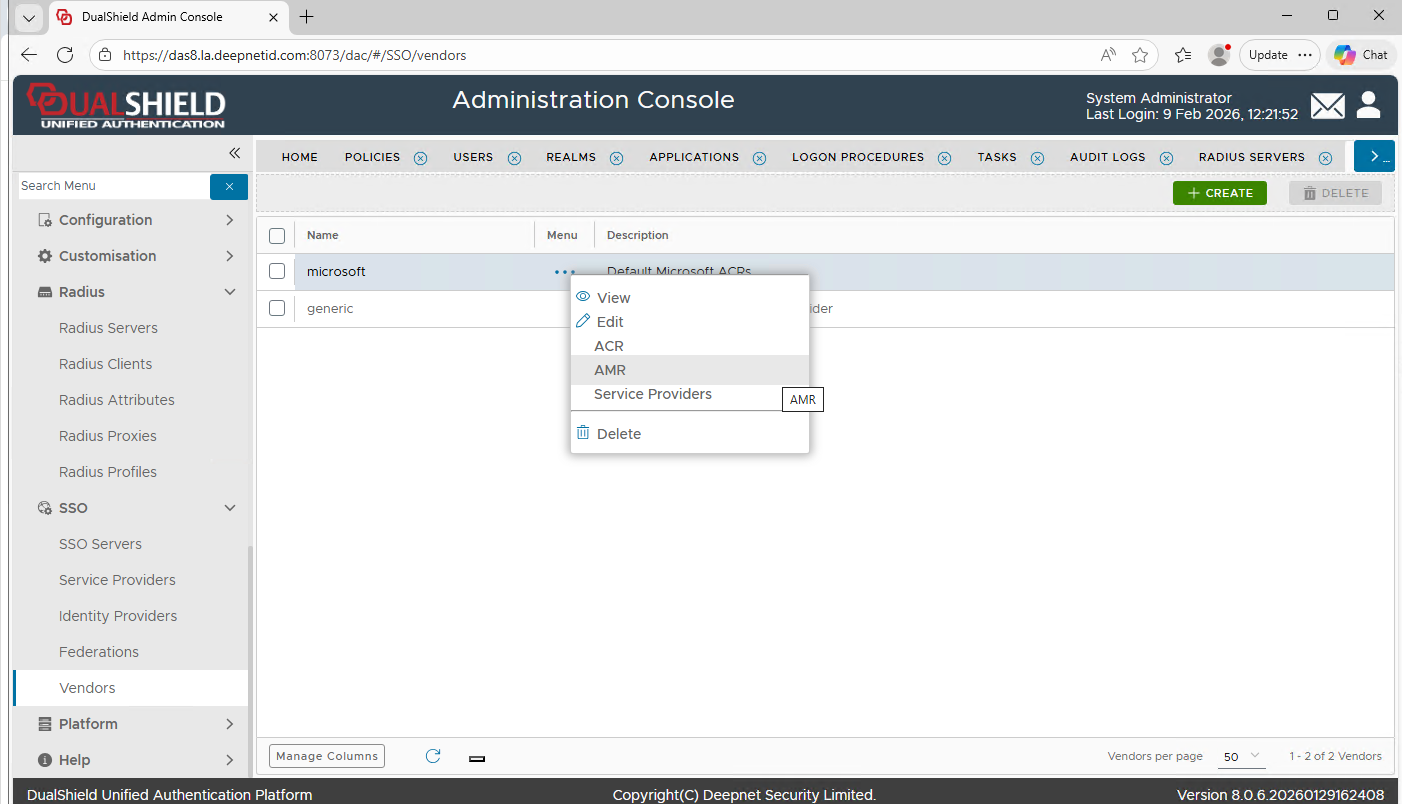
Click the context menu of "Microsoft" and select "AMR"
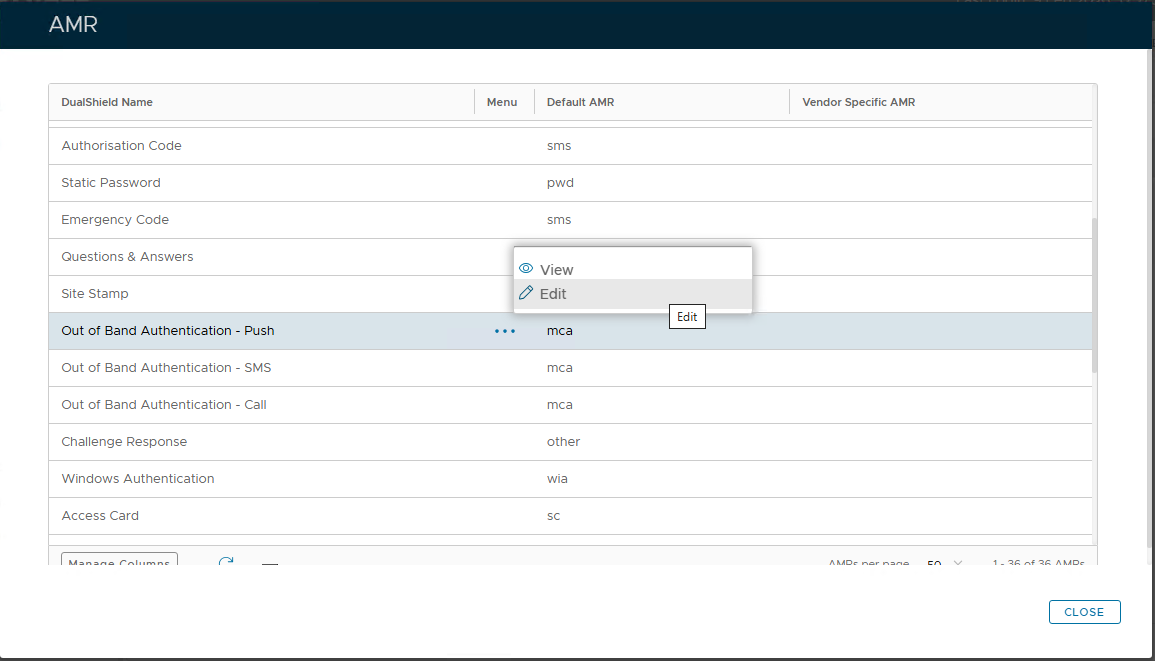
Click the context menu of "Out of Band Authentication - Push" and select "Edit"
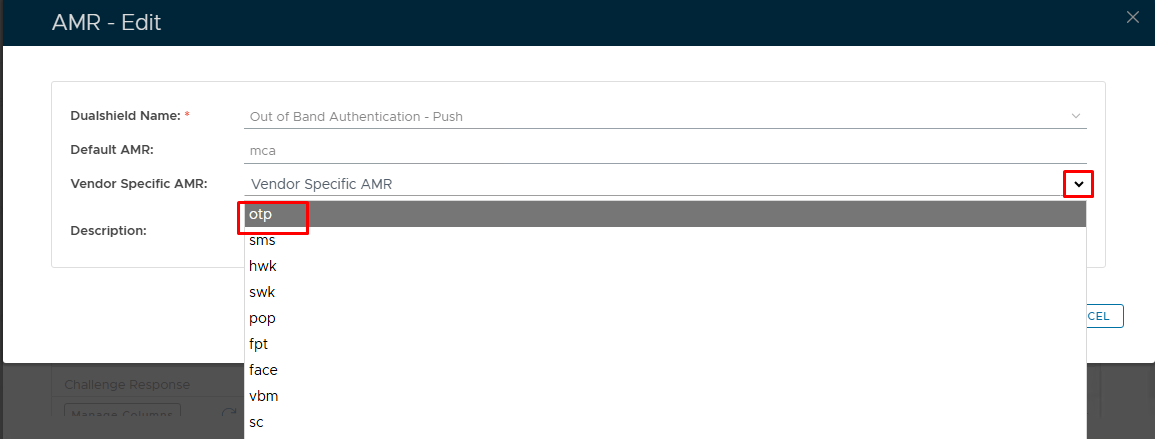
Click the down arrow to the right of the "Vendor Specific AMR" list and select "otp" from the list
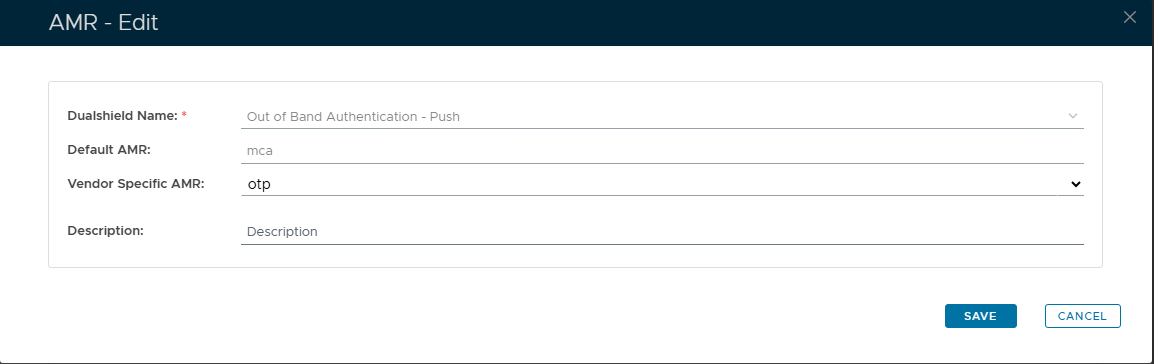
Click "SAVE"