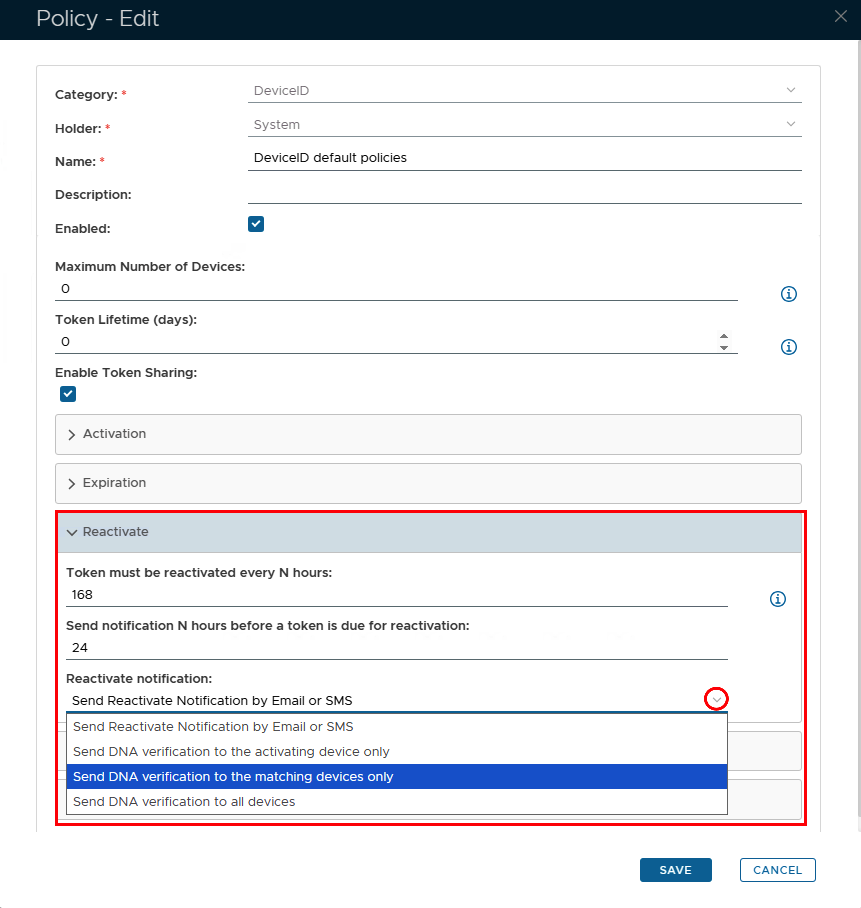
During a device's lifetime, for extra security, you can set the policy so that the token will need to be periodically reactivated by the user.
There are 3 options related to device renewal.
DeviceID Policy
| Option | Value | Explanation |
|---|---|---|
| Token must be reactivated every N hours: | Any number | This option specifies the time period (in hours) that a token should be reactivated (0 = reactivation is not required) |
| Send notification N hours before a token is due for reactivation | A number lower than the value above | The end user will receive a notification at the number of hours specified, before the DeviceID token is due to expire |
| Reactivation notification | Select Option via the dropdown arrow | The methods of how the DeviceID reactivation notification will be delivered to the user |
Activation Code Policy
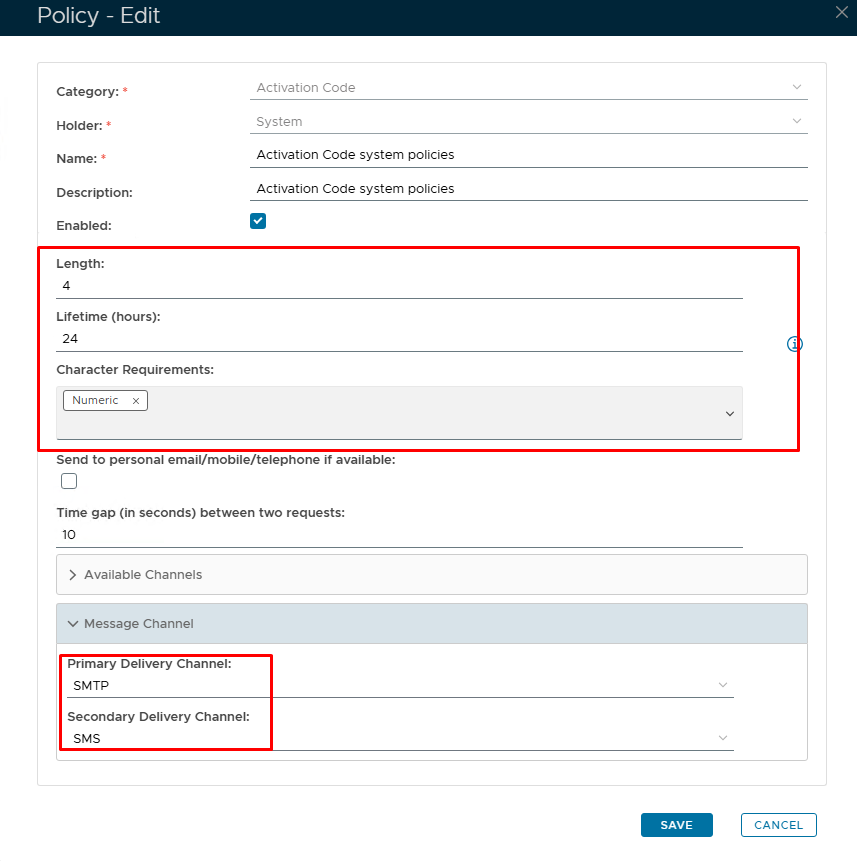
The activation code has it's own policy where you can set the format and length of the code as well as an expiry
| Option | Value | Explanation |
|---|---|---|
| Length | Default = 4 characters | A length of 4 will be presented as 'xxxx'. You can increase or decrease the length however, 4 or 6 is the norm. |
| Lifetime | Set in hours | The number of hours before the Activation code expires. (0 = no expiry.) |
| Character Requirements | Numeric/Alphabetic/Both | Code format |
| Message delivery channels | SMTP/SMS | How would you like the end user to receive the Activation code? SMTP = email; SMS = text. |