In Entra ID, navigate to "Authentication methods | Policies
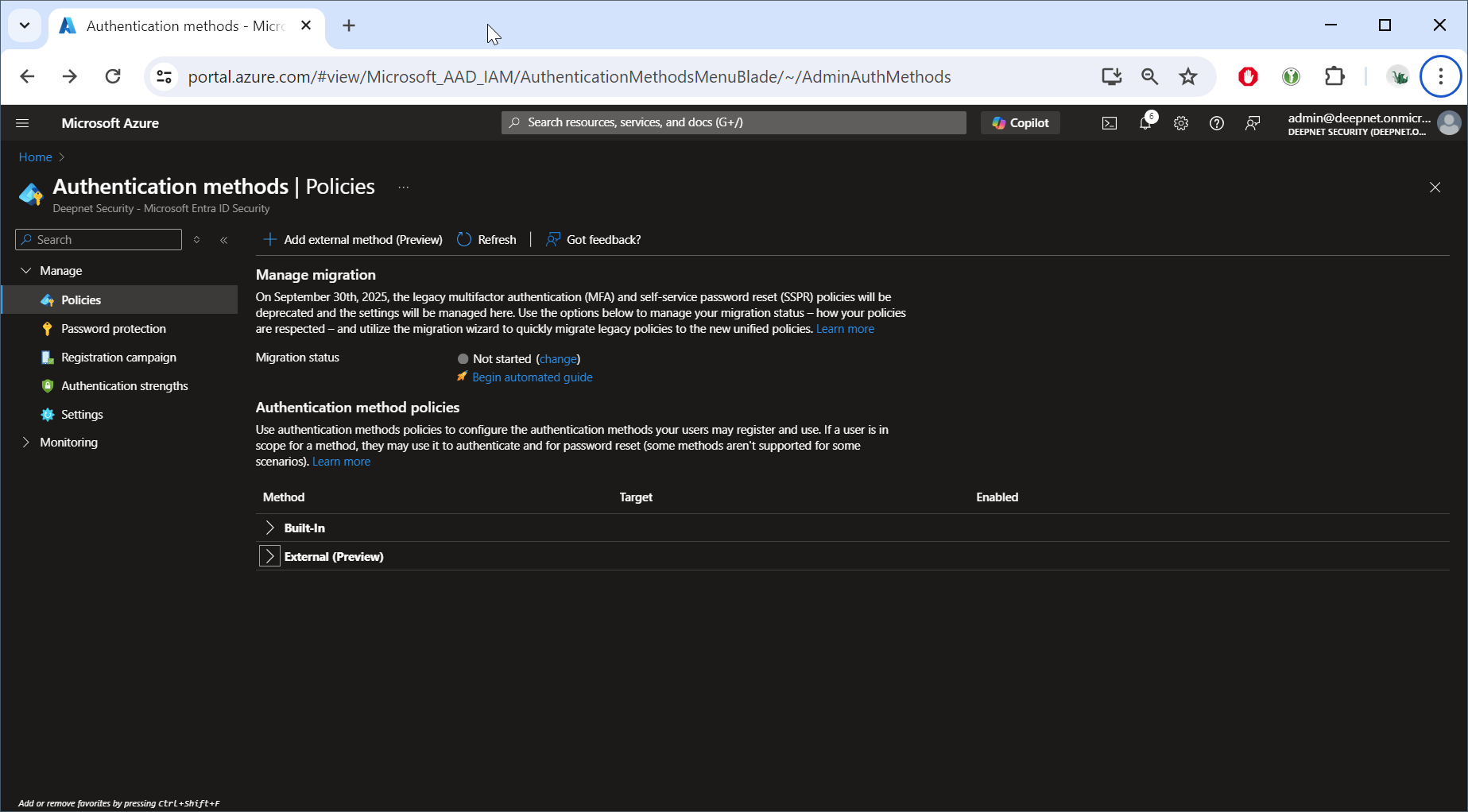
Click "Add external method (Preview)"
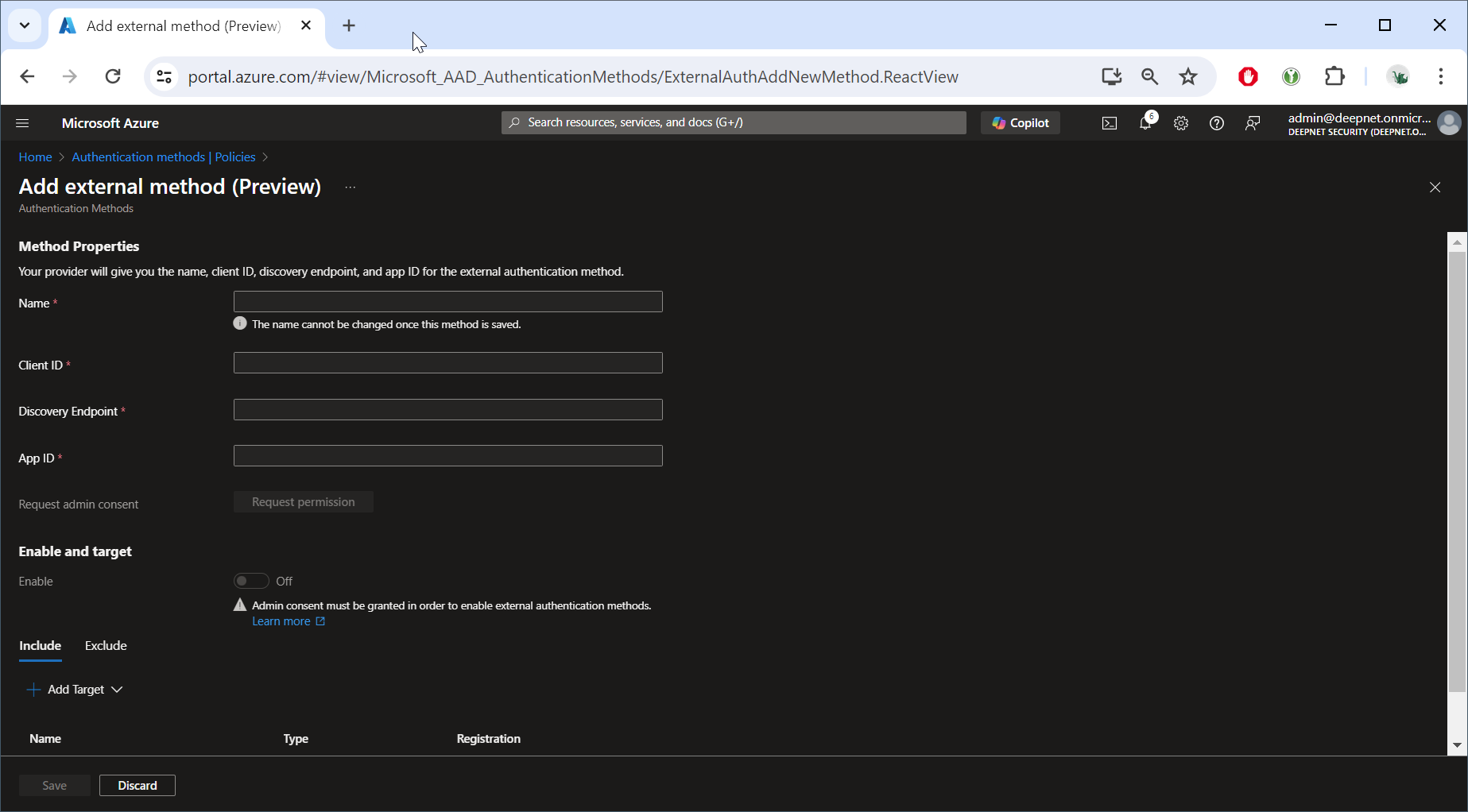
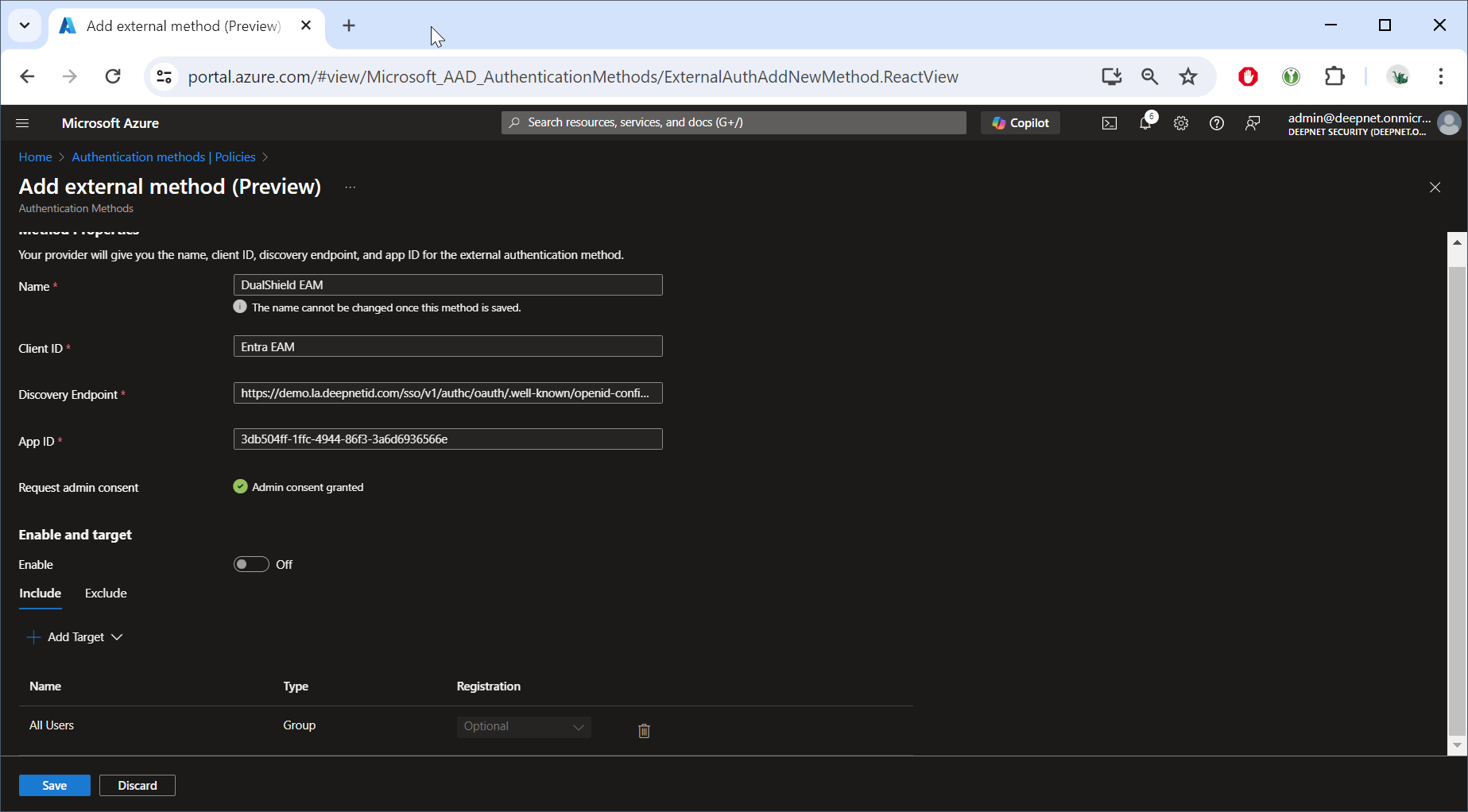
Enable the option: "Enable and target"
Click "Add Target"
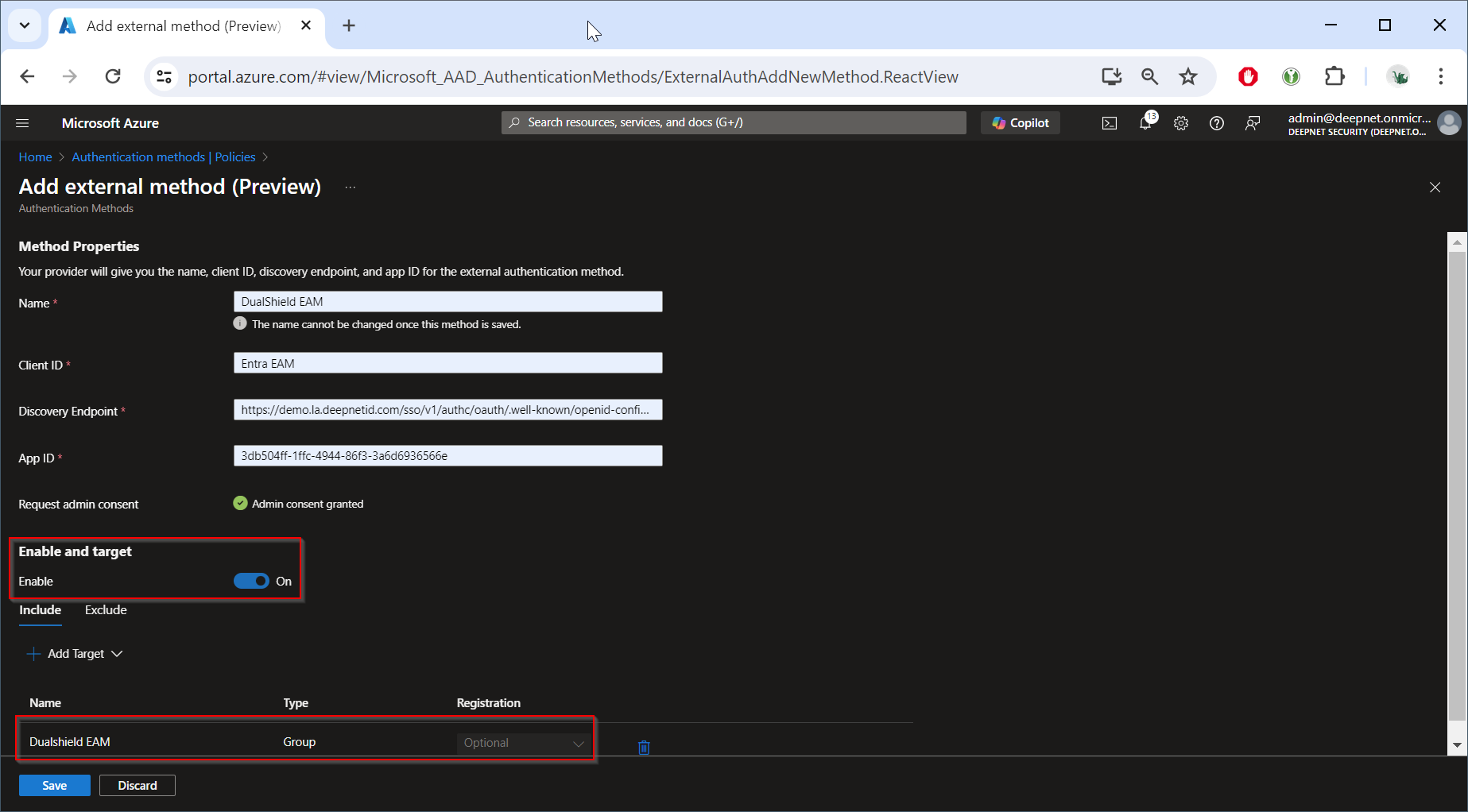
Add the group that you have created for EAM, e.g. "DualShsield EAM"
Click "SAVE"
In Entra ID, navigate to "Authentication methods | Policies
Click "Add external method (Preview)"
Enable the option: "Enable and target"
Click "Add Target"
Add the group that you have created for EAM, e.g. "DualShsield EAM"
Click "SAVE"