Generate OAuth 2.0 Credentials on the Agent
To use OAuth 2.0 for agent authentication, you will need to generate a client ID and secret for each corresponding internal agent.
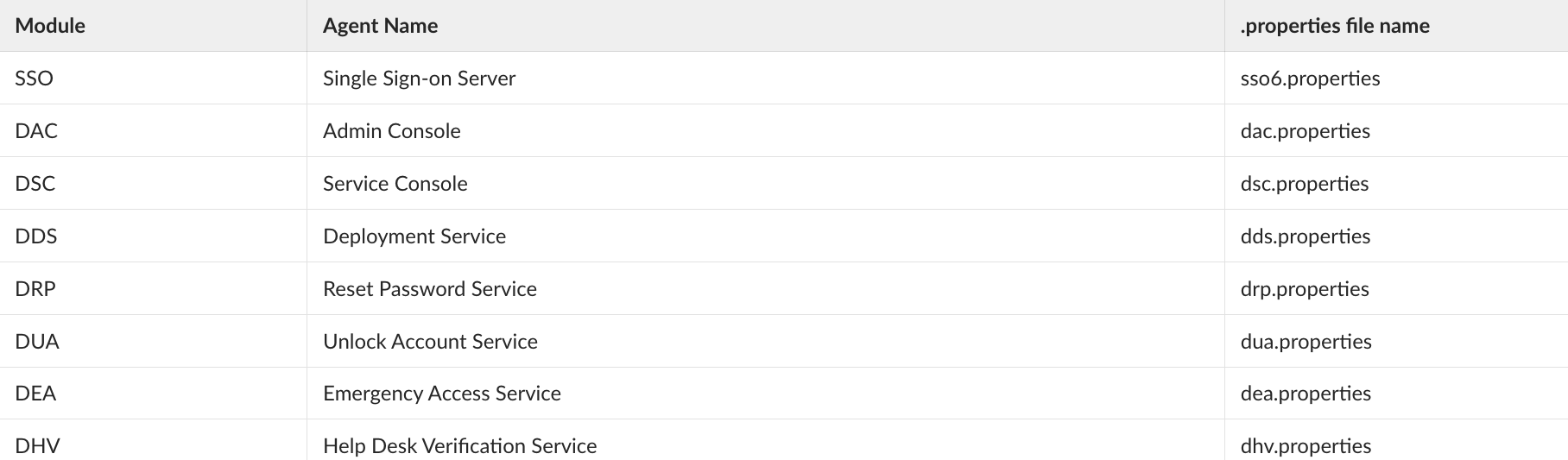
The internal agent list and their property files are as follows.
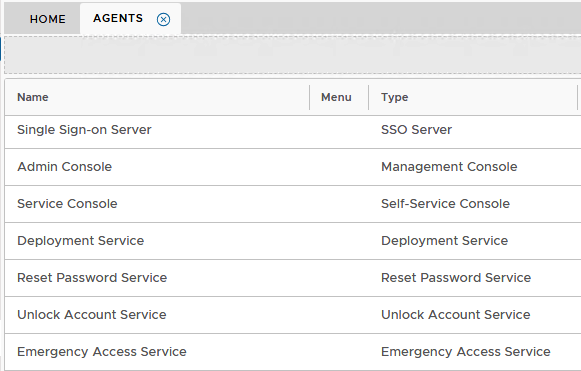
A list of the agents can be found in the Admin Console under Authentication>Agents
Typically:
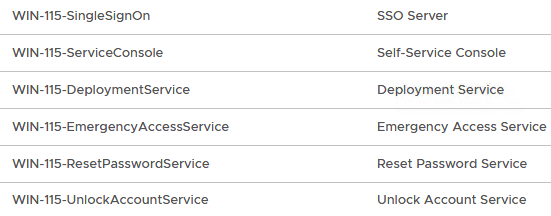
Or if you have you have installed a separate Front end server, they will be listed with the names prefixed by with the host name of the Front end...
eg
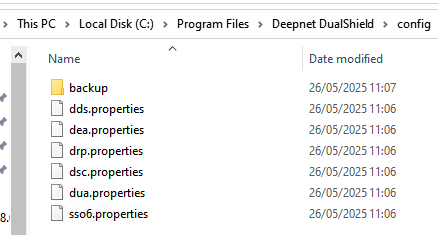
The corresponding property files are found under C:\Program Files\Deepnet DualShield\config on the DualShield hosting server. (If you are using a separate front end machine, you will be editing the property files, in the same location, on that server)
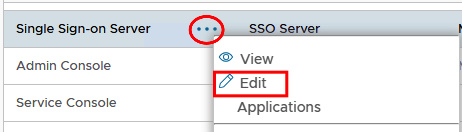
Edit each agent on the console.
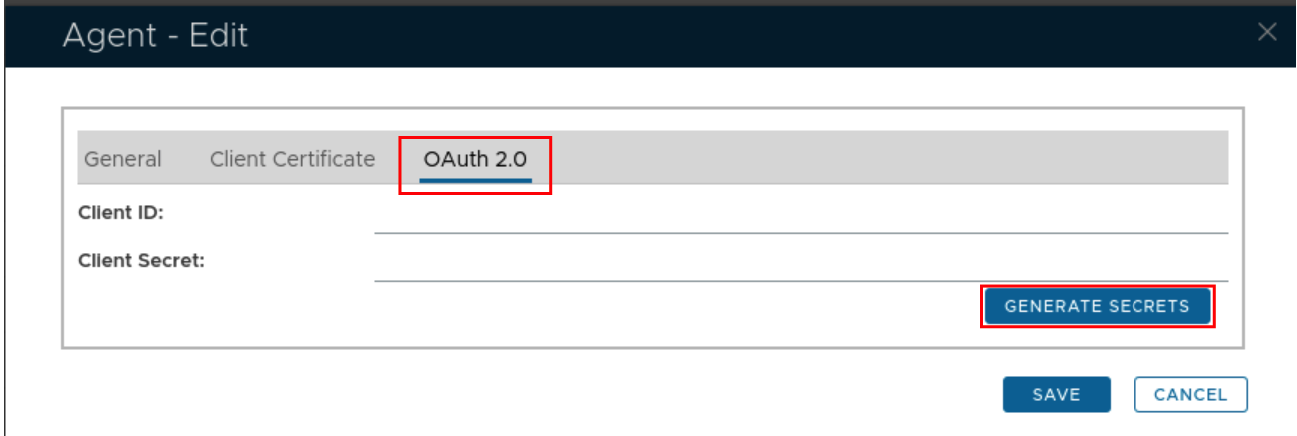
In the edit screen select the OAUTH2.0 tab and click Generate Secrets
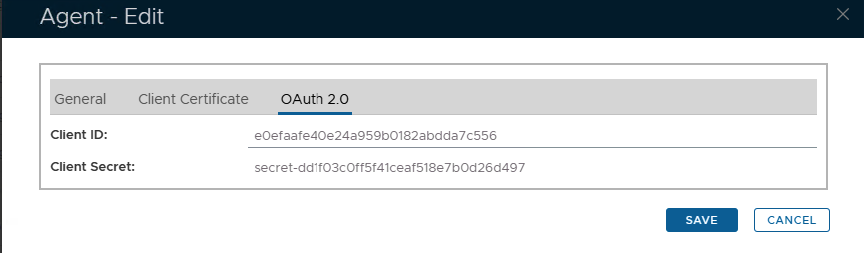
Keep this window open and open the corresponding agent properties file (see table above). In this case it will be sso6.log as it is the Single Sign-On agent that is being edited.
For best results use notepad++ to edit the properties file.
For SSO6.Properties use the following template...
useOAuth=true
oauthClientId=#########################
oauthClientSecret=secret-##########################
oauthTokenUri=https://YourDualShieldFQDN:8071/das5/rest/oauth/token