Windows OS
Open Windows Command Prompt, navigate to the subfolder "tomcat\bin" in the DualShield installation directory, e.g. c:\program files\deepnet dualshield\tomcat\bin
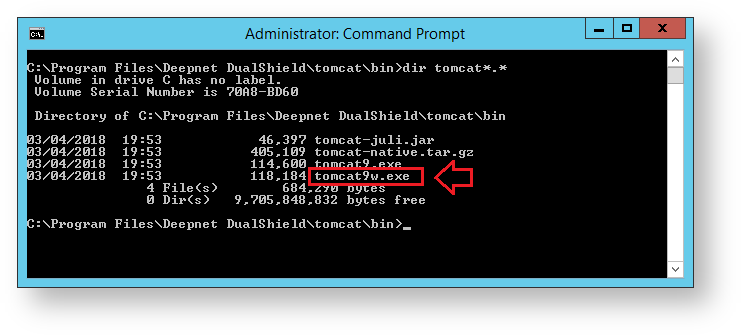
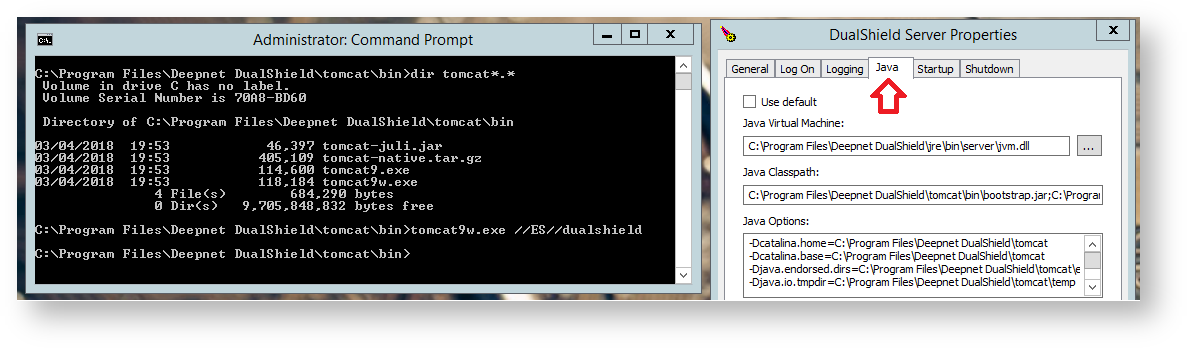
run the command "tomcat9w.exe //ES//dualshield " (replacing tomcat9w with the version found in your directory),
A new window will open titled "DualShield Server Properties", select the "Java" tab.
Linux OS
If you have DualShield Linux version installed, you should edit the file "/usr/lib/systemd/system/dualshield.service" to achieve the same effect as in Windows
sudo su -
systemctl stop dualshield
nano /usr/lib/systemd/system/dualshield.service
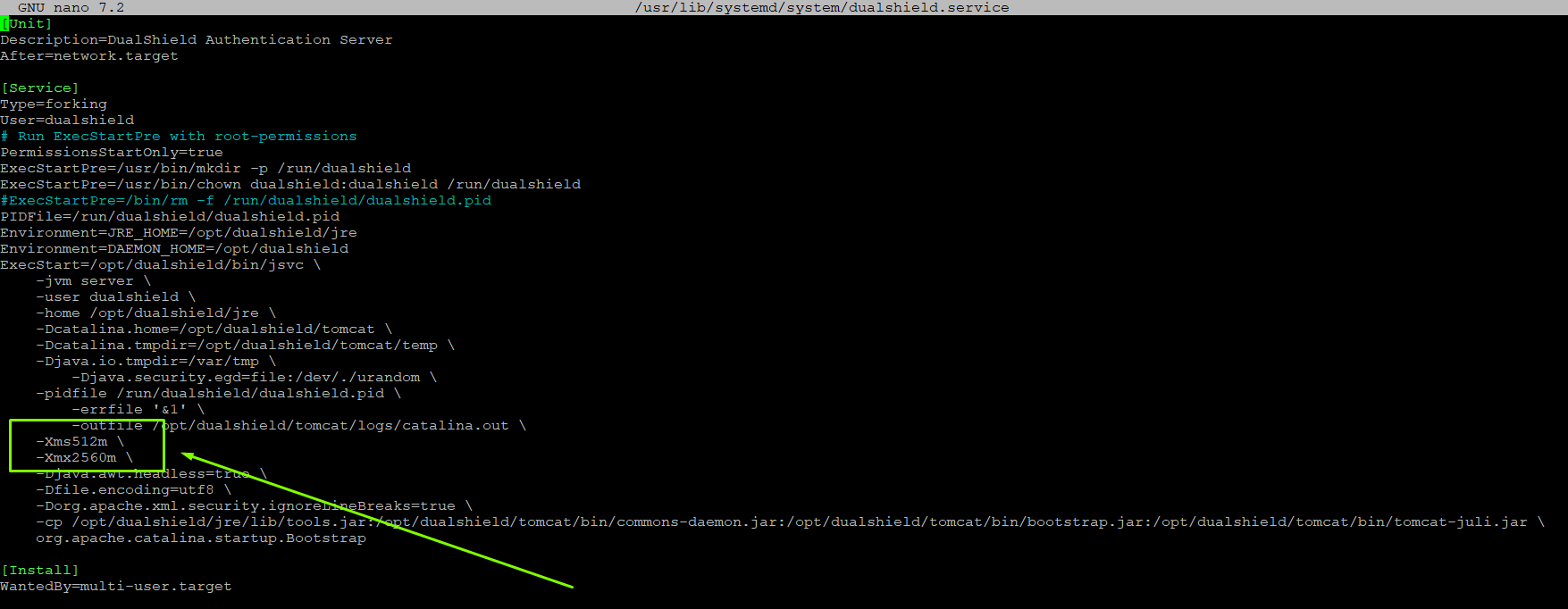
You must restart the DualShield service after any modification.