Some of our customers have reported the following error appearing when trying to update the SSL Web certificate

To rectify the issue go to Platform>Database Server and click on the SQL Console button on the top right
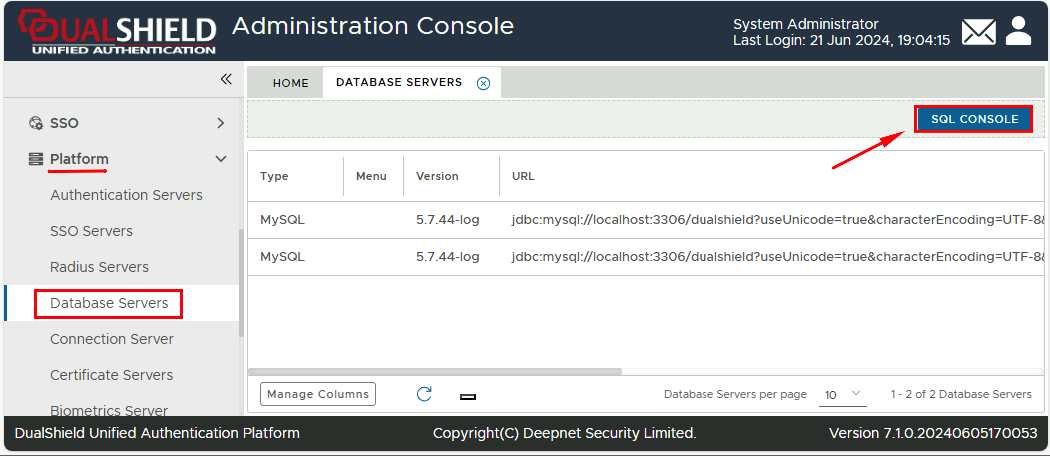
In the text field at the top please run following command
select id, job_name, done from system_job
Click Execute
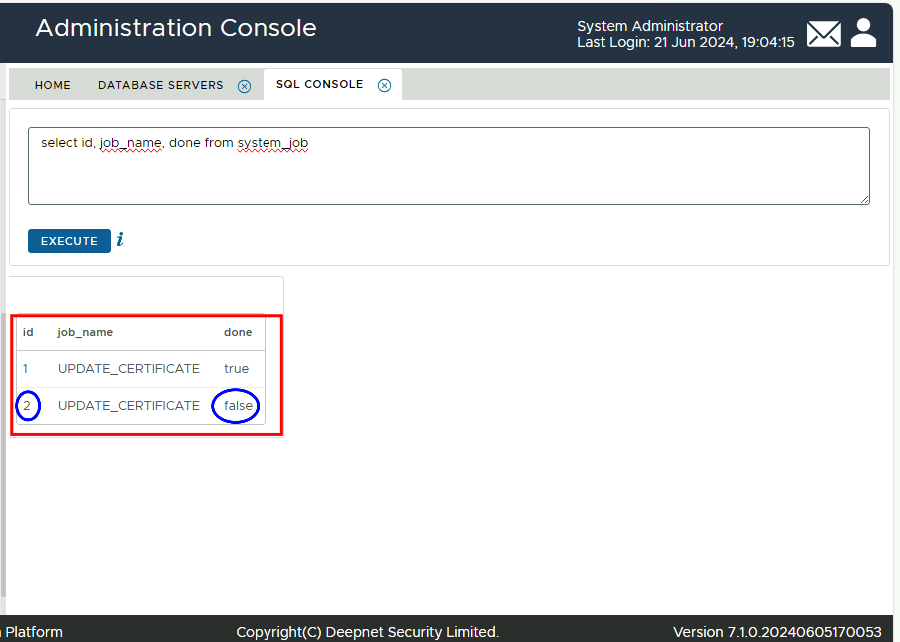
Check the results for any jobs where done is either False or '0' (depending on what version of DualShield you are using.
Make a note of the ID number next to the job that is False or '0'
In the text field at the top please run the following command
Update system_job SET done=1 WHERE id=n
(n = the corresponding id to the unfinished job, therefore in this example as per the screenshot above, n = 2)
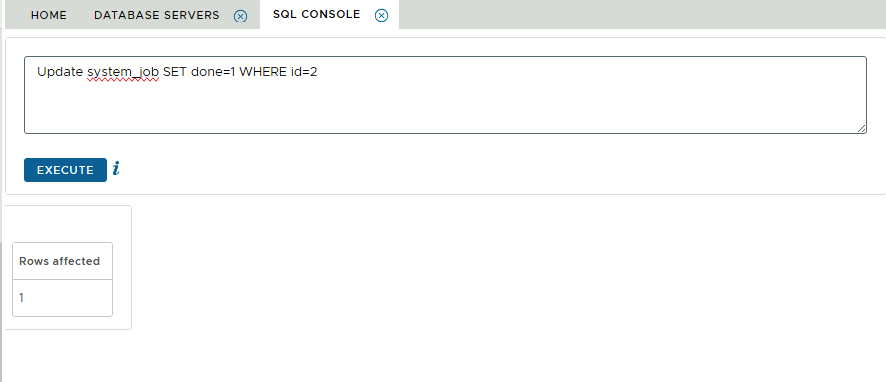
If successful you should now be able to replace the Web Certificate