Once you have completed the configuration of MFA settings for Outlook Anywhere application, you are ready to turn on MFA on the application.
Select both "Enable Two-Factor Authentication on Current Node" and "Apply Settings to Child Nodes"
| Outlook Anywhere for Windows | Outlook Anywhere for Mac |
|---|---|
|
|
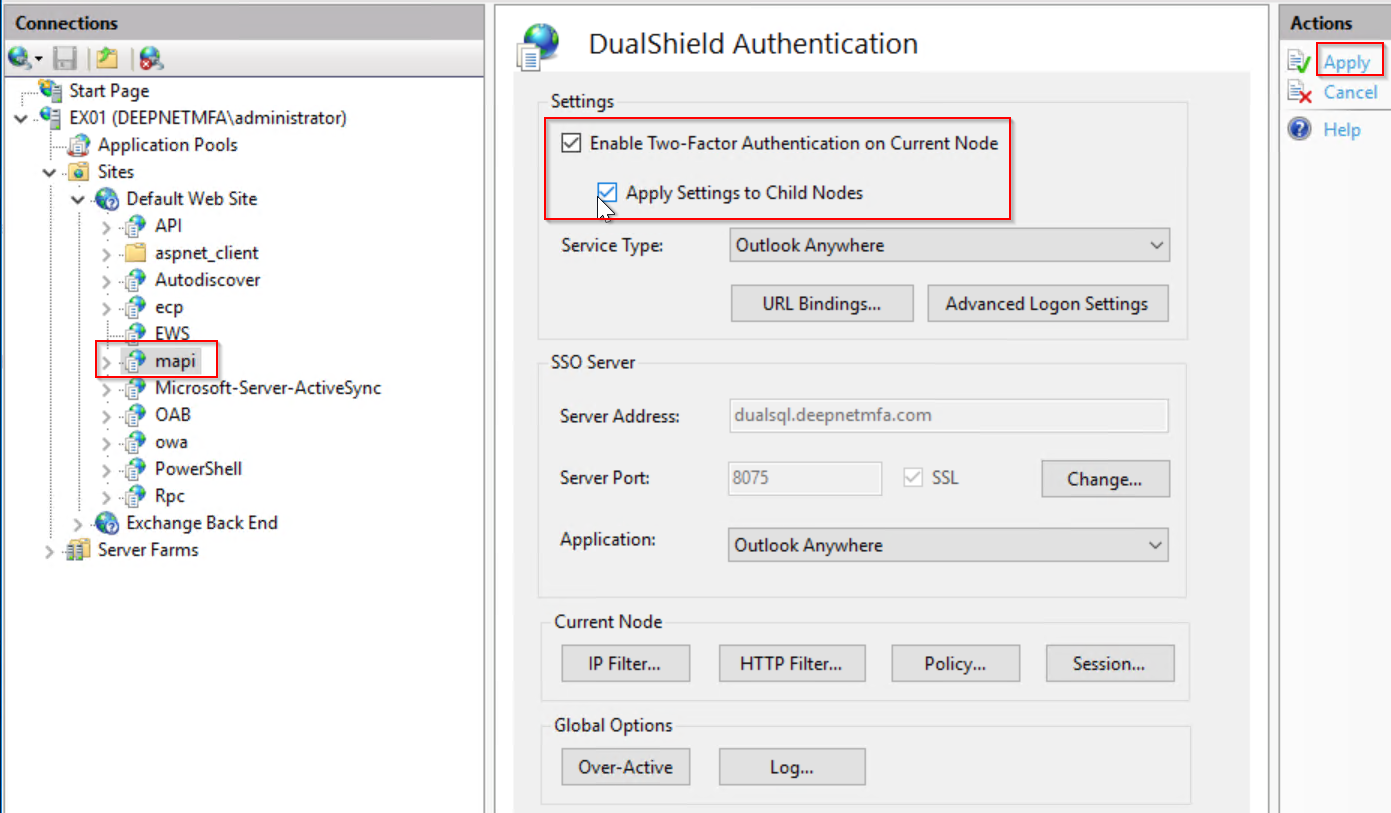

Click "Apply" to apply settings.
Outlook Anywhere is now enabled with MFA.