The application details can be customised by navigating to "Authentication | Applications", then left clicking on the context menu of the application to be customised, then selecting "Edit";
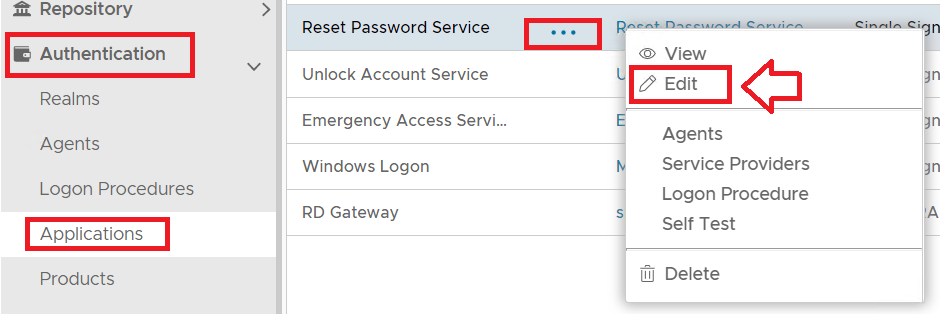
A new window titled "Application - Edit" will now open which can then be used to customise the application specific aspects of the logon portals;
...
As can be seen from the screenshot above the description and application messages can also be customised using the fields as indicated in the screenshot.
Changing the Logo Background
The parameter "Background Image (URL):" does not function on the SSO logon screen, however it can be used when customising the background for the computer logon user interface (see link in related articles below).