...
| Section |
|---|
|
| Section |
|---|
|
| Column |
|---|
Copy and paste the edited file into the Service Provider Metadata Windows and click Save
|
| Column |
|---|
|
| Panel |
|---|
| borderColor | #9EBEE5 |
|---|
| bgColor | #f0f0f0 |
|---|
| borderWidth | 1px |
|---|
| 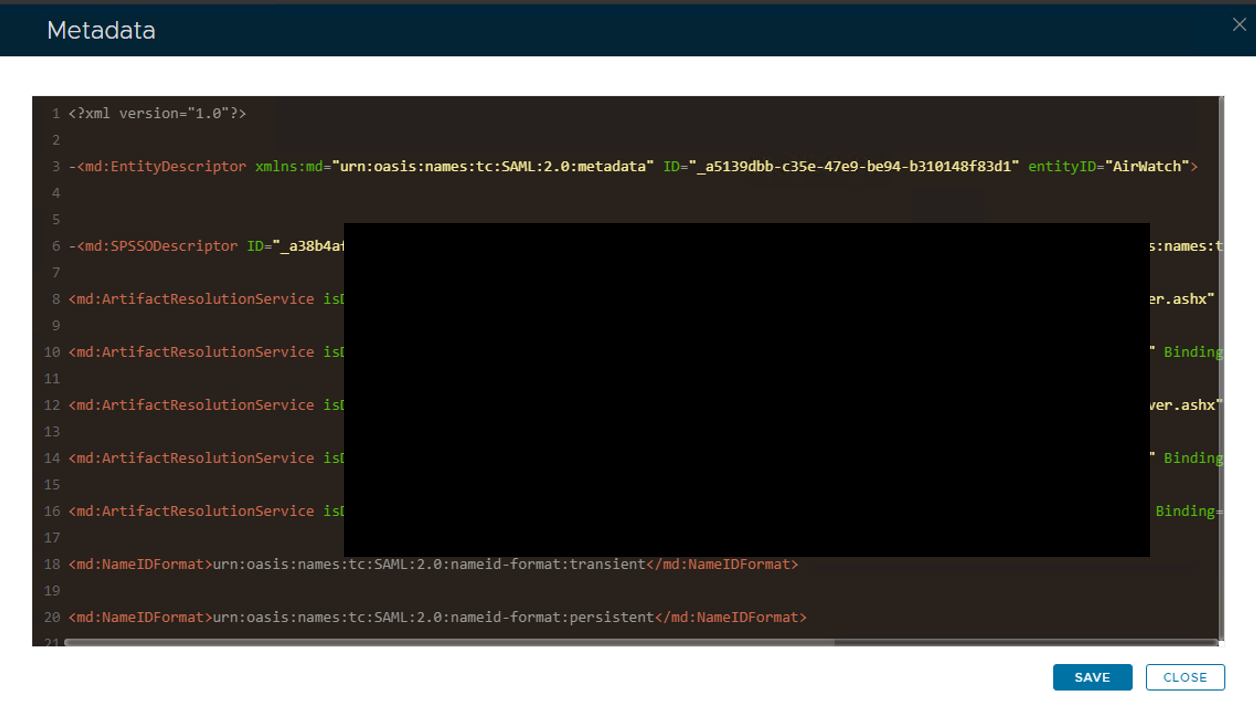 Image Modified Image Modified
|
|
|
|
| Section |
|---|
|
| Column |
|---|
Please set the SAML Options as below. |
| Column |
|---|
|
| Panel |
|---|
| borderColor | #9EBEE5 |
|---|
| bgColor | #f0f0f0 |
|---|
| borderWidth | 1px |
|---|
| 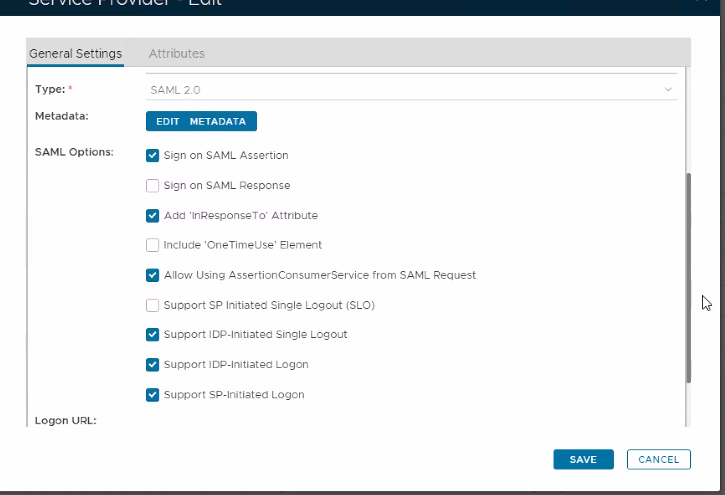 Image Added Image Added
|
|
|
| Section |
|---|
|
| Column |
|---|
Select Attributes at the top and then click Create |
| Column |
|---|
|
| Panel |
|---|
| borderColor | #9EBEE5 |
|---|
| bgColor | #f0f0f0 |
|---|
| borderWidth | 1px |
|---|
|  Image Added Image Added
|
|
|
| Section |
|---|
|
| Column |
|---|
You have to create three attributes. The first one is as follows:
| Option | Value |
|---|
| Location: | HTTP Body | | Name: | objectGUID | | Format: | basic | | Script: | userID.decodeHex().encodeBase64().toString() | | Return in Response: | Enabled |
|
| Column |
|---|
|
| Panel |
|---|
| borderColor | #9EBEE5 |
|---|
| bgColor | #f0f0f0 |
|---|
| borderWidth | 1px |
|---|
|  Image Added Image Added
|
|
|
Click Save.
| Section |
|---|
|
| Section |
|---|
|
| Column |
|---|
Click Create to create the second attribute...
| Option | Value |
|---|
| Location: | HTTP Body | | Name: | mail | | Format: | unspecified | | Maps To: | email | | Return in Response: | Enabled |
|
| Column |
|---|
|
| Panel |
|---|
| borderColor | #9EBEE5 |
|---|
| bgColor | #f0f0f0 |
|---|
| borderWidth | 1px |
|---|
| 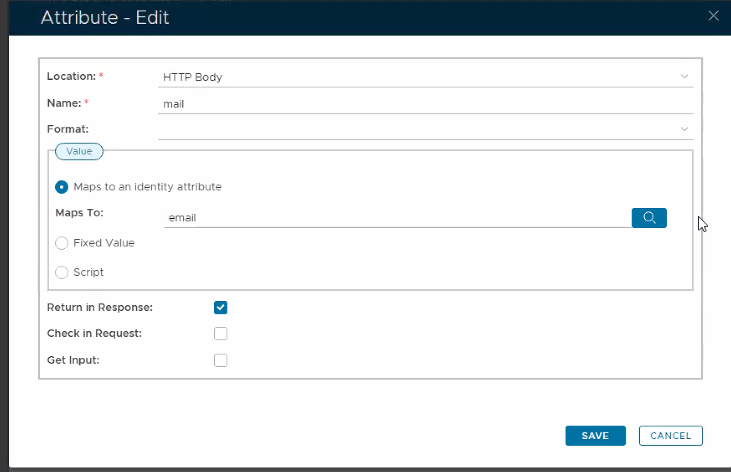 Image Added Image Added
|
|
|
|
Click Save.
| Section |
|---|
|
| Section |
|---|
|
| Column |
|---|
Click Create to create the third attribute...
| Option | Value |
|---|
| Location: | HTTP Body | | Name: | sAMAccountName | | Format: | unspecified | | Maps To: | loginName | | Return in Response: | Enabled |
|
| Column |
|---|
|
| Panel |
|---|
| borderColor | #9EBEE5 |
|---|
| bgColor | #f0f0f0 |
|---|
| borderWidth | 1px |
|---|
|  Image Added Image Added
|
|
|
|
Click Save.
| Section |
|---|
|
| Section |
|---|
|
| Column |
|---|
|
| Panel |
|---|
| borderColor | #9EBEE5 |
|---|
| bgColor | #f0f0f0 |
|---|
| borderWidth | 1px |
|---|
|  Image Added Image Added
|
|
|
|
Click Save and Save again.