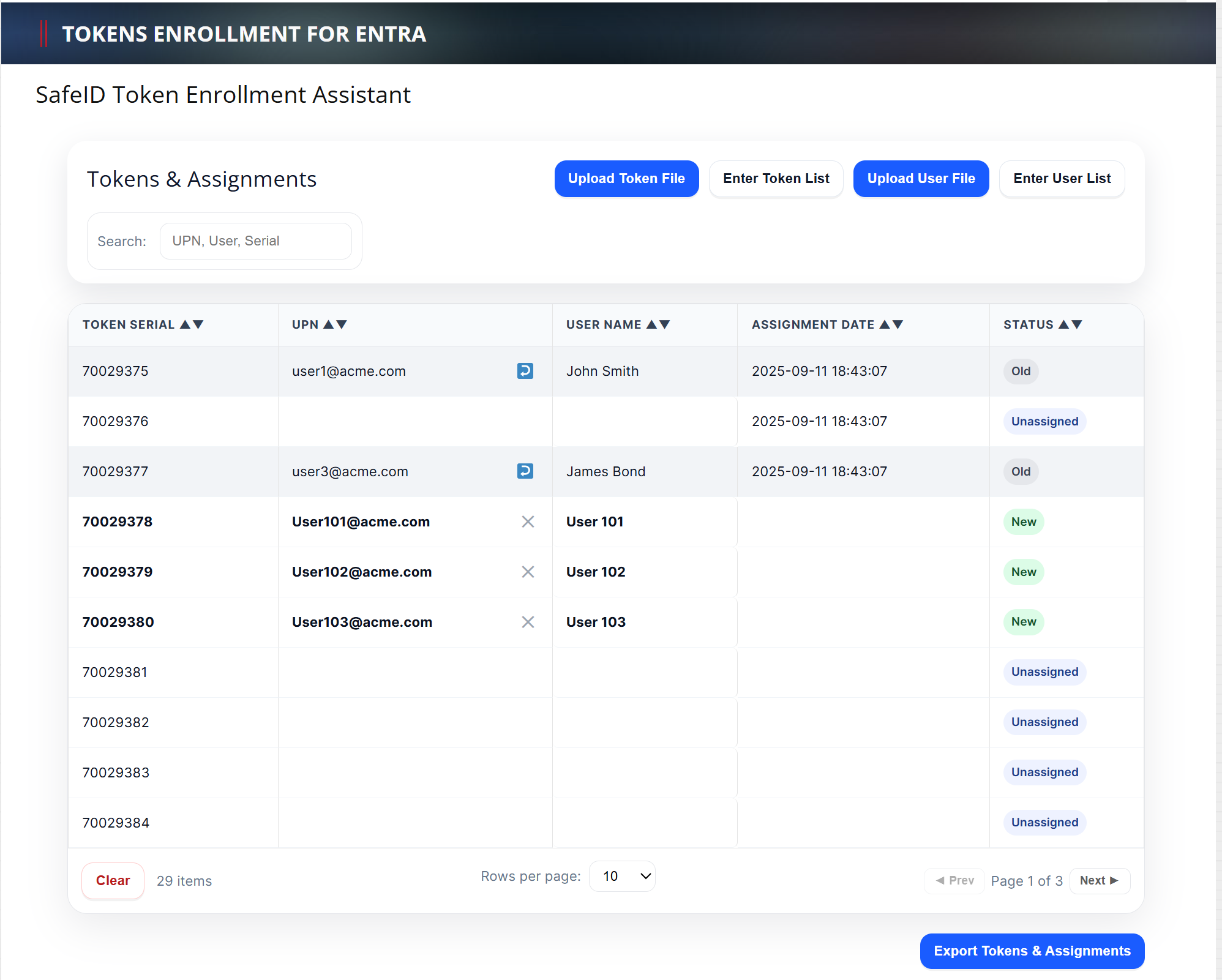
...
The "CustomerTokens_YYYYMMDD.csv" is the token inventory file for you to keep and to use in the future if you need to add more assignments or make changes to the assignments.
4 - Add or Change Assignments
To add more assignments or change some existing assignments, upload your latest token inventory file (i.e, the "CustomerTokens_YYYYMMDD.csv" file)
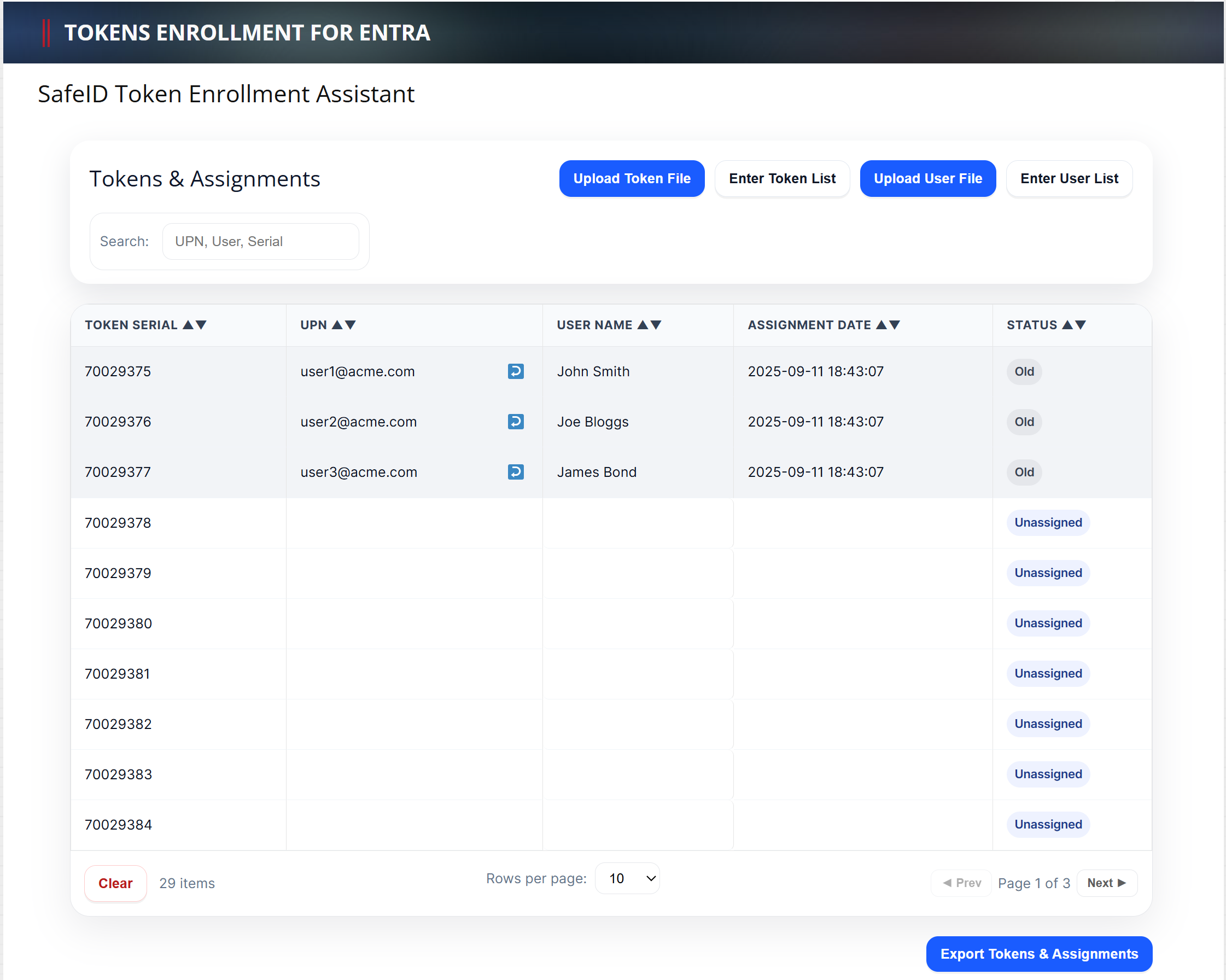
You will see the list of current token assignments marked as "Old" in the Status column.
To add new assignments, simply upload a new user file or enter a new user list
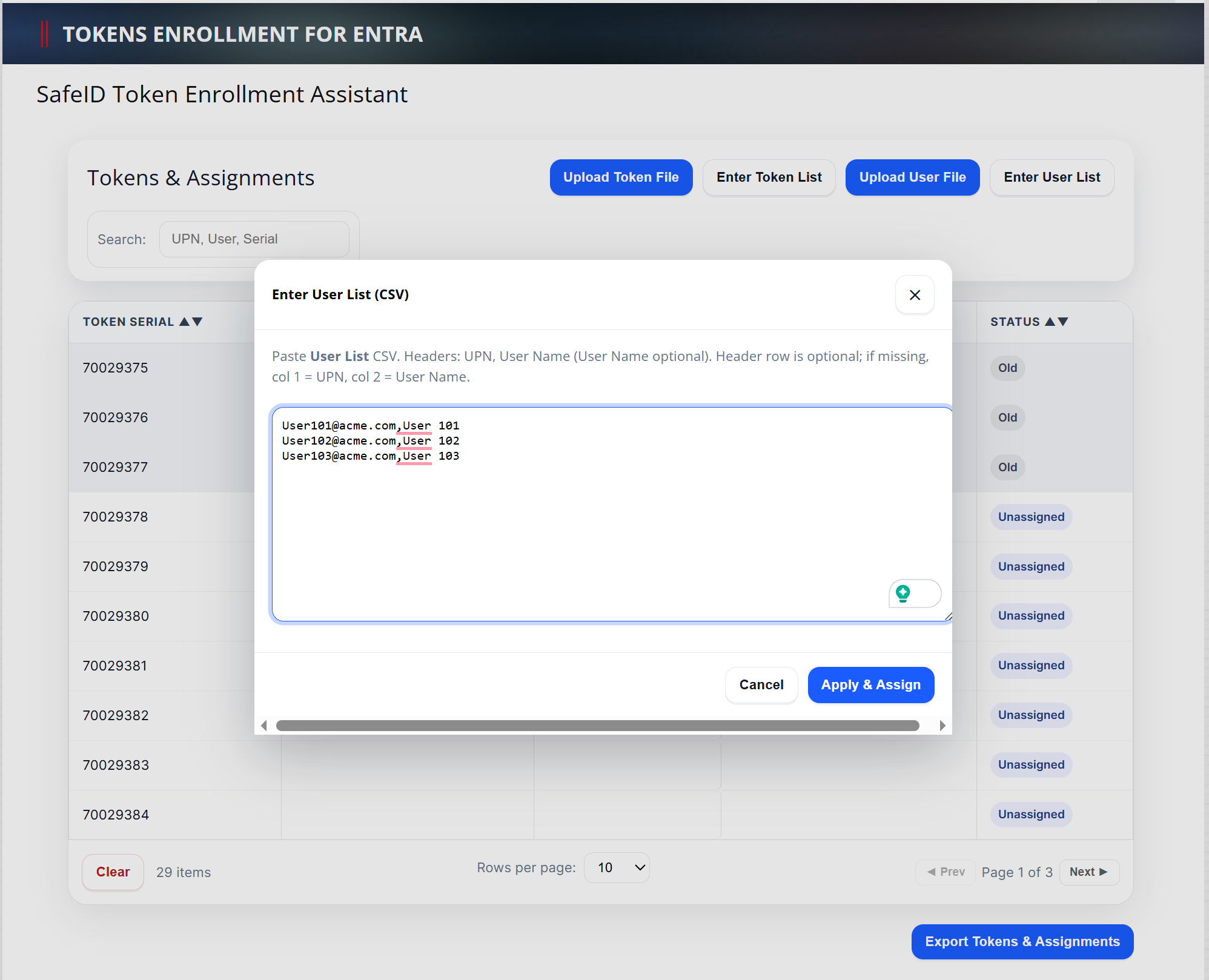
Click "Apply & Assign"
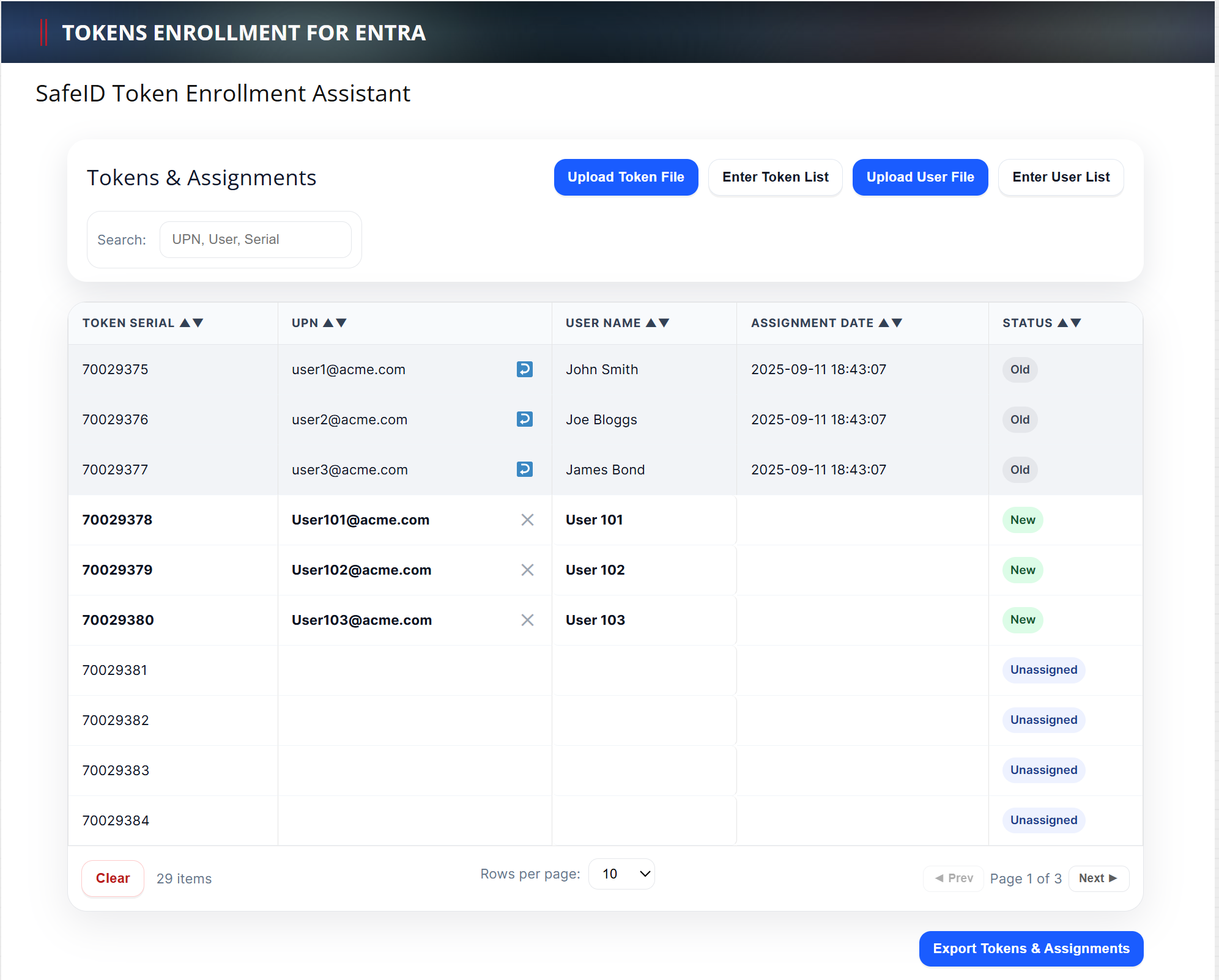
New token assignments are automatically carried out and marked as "New" in the Status column.
If you want to unassign an old token, then click the "Unassign" icon  next to the UPN, e.g. user2@acme.com