...
| Expand | ||||||
|---|---|---|---|---|---|---|
|
...
Change the Database Connection of
...
the Secondary DualShield Server
On The last step is to change the database connection in the secondary DualShield server, open the file below in a text editor such as Notepad++
C:\Program Files\Deepnet DualShield\tomcat\conf\server.xml
Find the XML element block that contains "jdbc.SQLServerDriver"
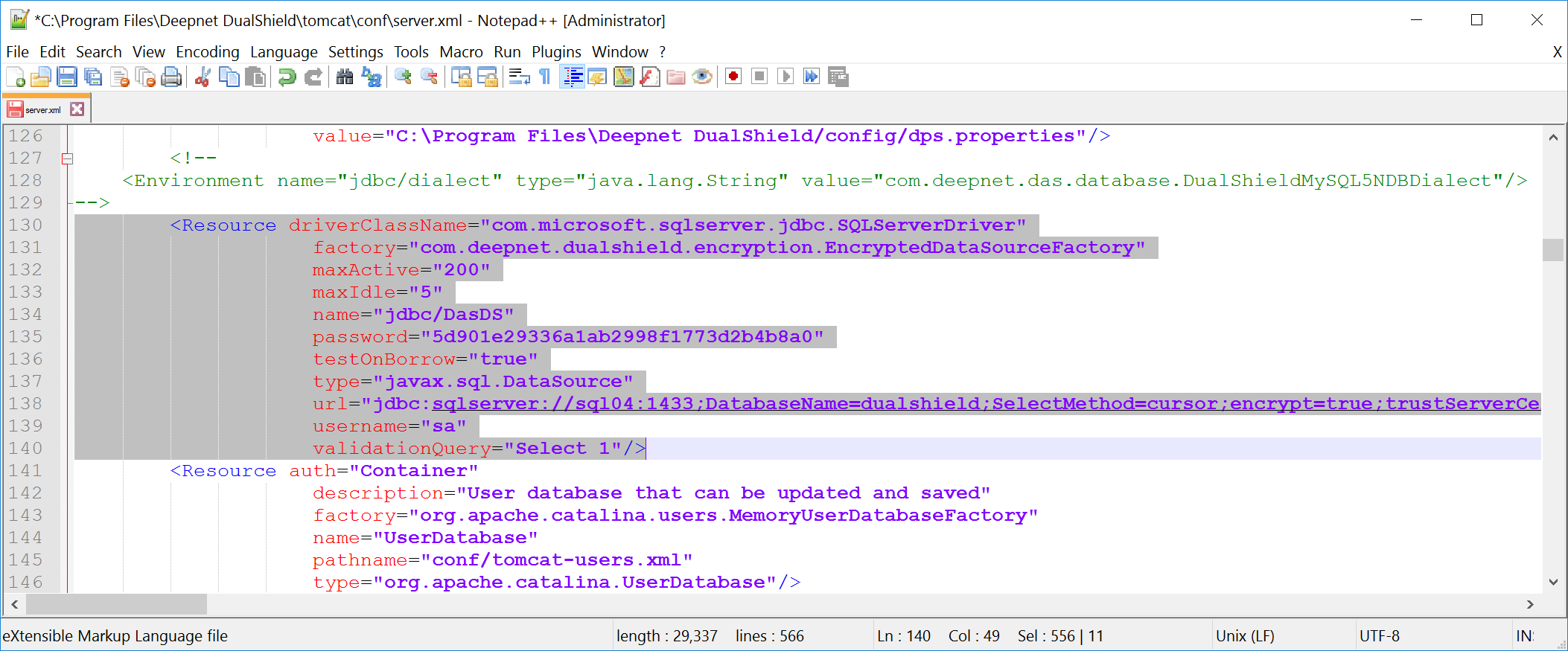
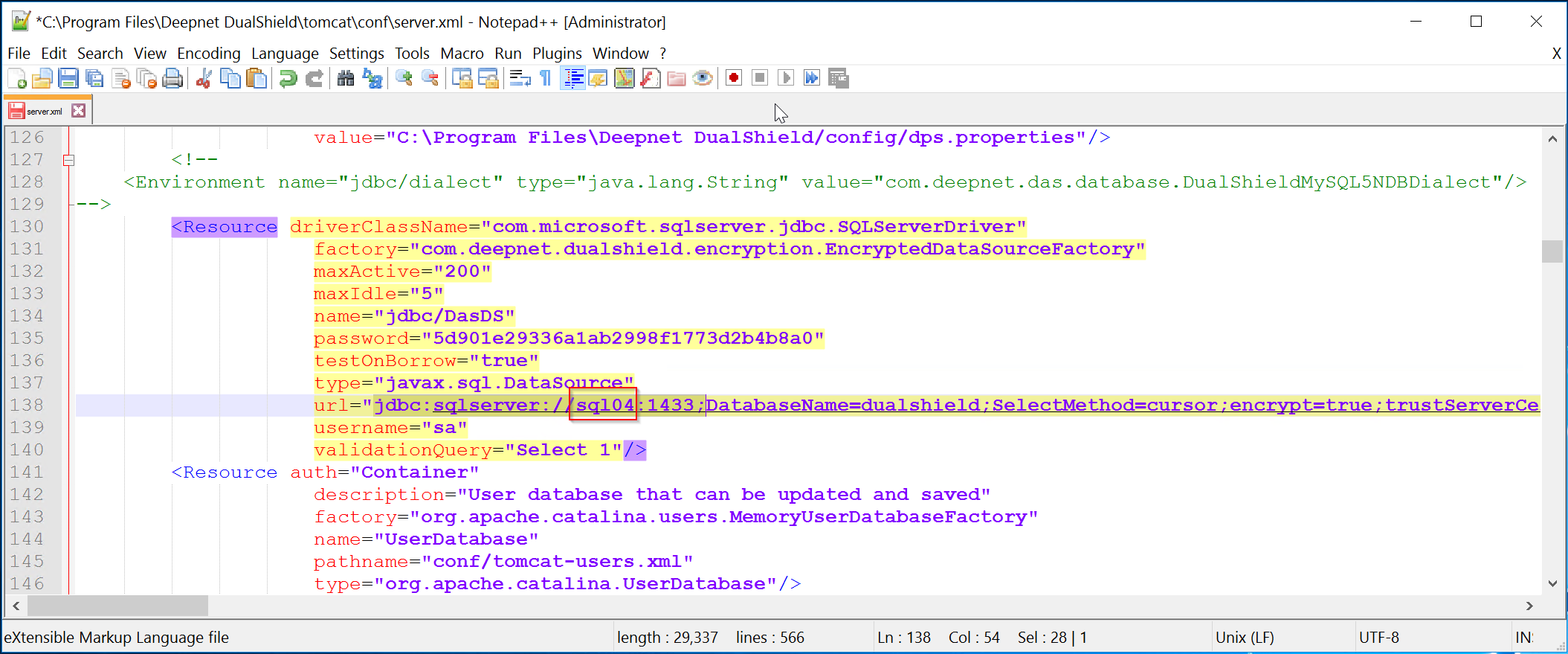
In the value of the "url" attribute, change the SQL server address to the address of the secondary SQL database Dualshield server, so that the secondary Dualshield server is connected to the secondary SQL server, aka the subscriber . In the example above, replace "sql104" with the address of the secondary SQL database server, e.g. "sql105"
...
.
| Expand | ||||||
|---|---|---|---|---|---|---|
|