...
| Section |
|---|
|
| Column |
|---|
Fill in the details as per screenshot on right and make sure NameID Format is set to User Principle Name and you sure you select SAML 2.0 as Type.
Click on Create Metadata |
| Column |
|---|
|
| Panel |
|---|
| borderColor | #9EBEE5 |
|---|
| bgColor | #f0f0f0 |
|---|
| borderWidth | 1px |
|---|
| 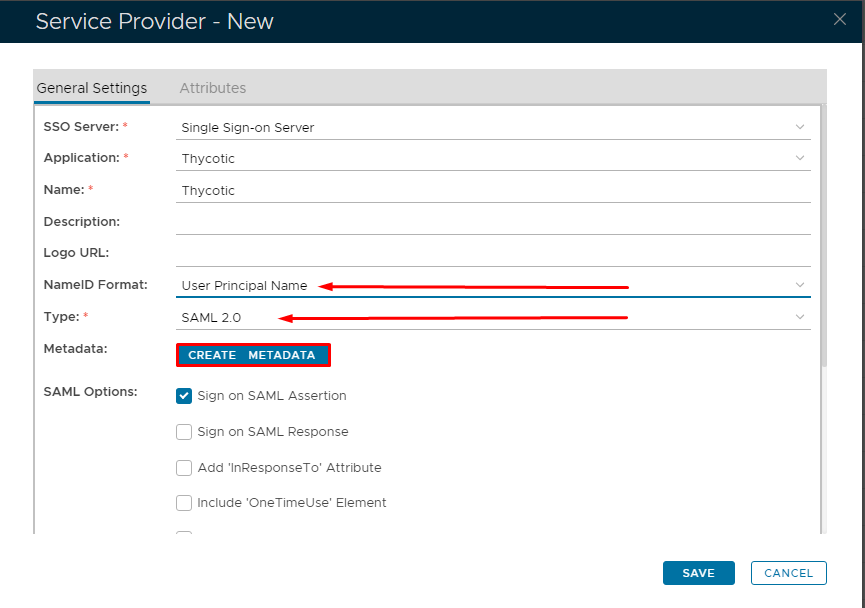 Image Removed Image Removed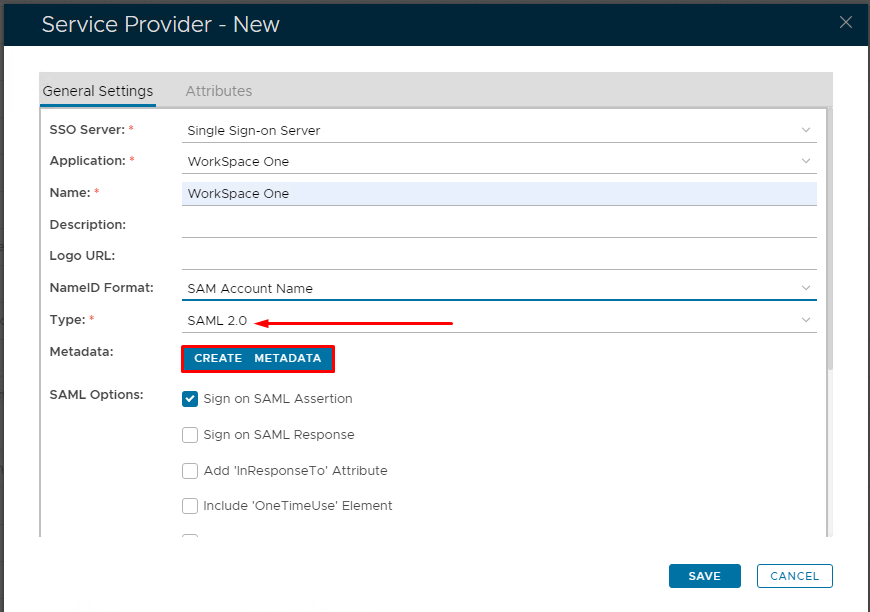 Image Added Image Added
|
|
|
| Section |
|---|
|
| Column |
|---|
Open the Service Provider Metadata file you obtained in Workspace One Configuration. Copy and past the metadata into Notepad or Notepad ++. Remove the last three ACS locations and edit the file so it looks as follows.
|
| Column |
|---|
|
| Panel |
|---|
| borderColor | #9EBEE5 |
|---|
| bgColor | #f0f0f0 |
|---|
| borderWidth | 1px |
|---|
| 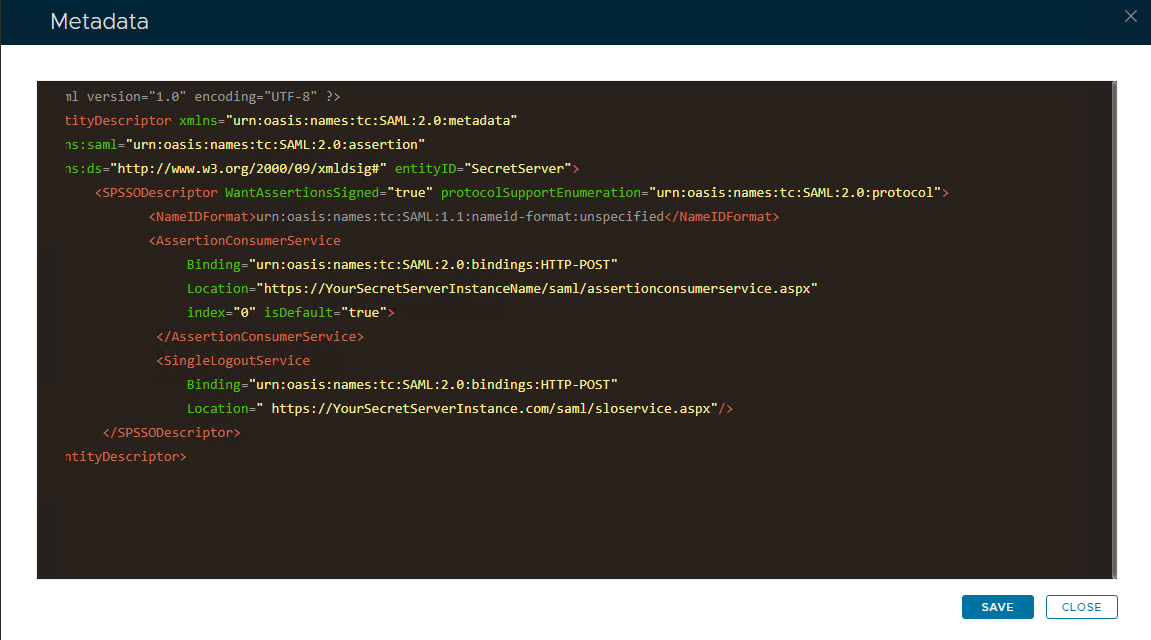 Image Removed Image Removed Image Added Image Added
|
|
|
| Section |
|---|
|
| Section |
|---|
|
| Column |
|---|
Copy and paste the edited file into the Service Provider Metadata Windows and click Save
|
| Column |
|---|
|
| Panel |
|---|
| borderColor | #9EBEE5 |
|---|
| bgColor | #f0f0f0 |
|---|
| borderWidth | 1px |
|---|
| 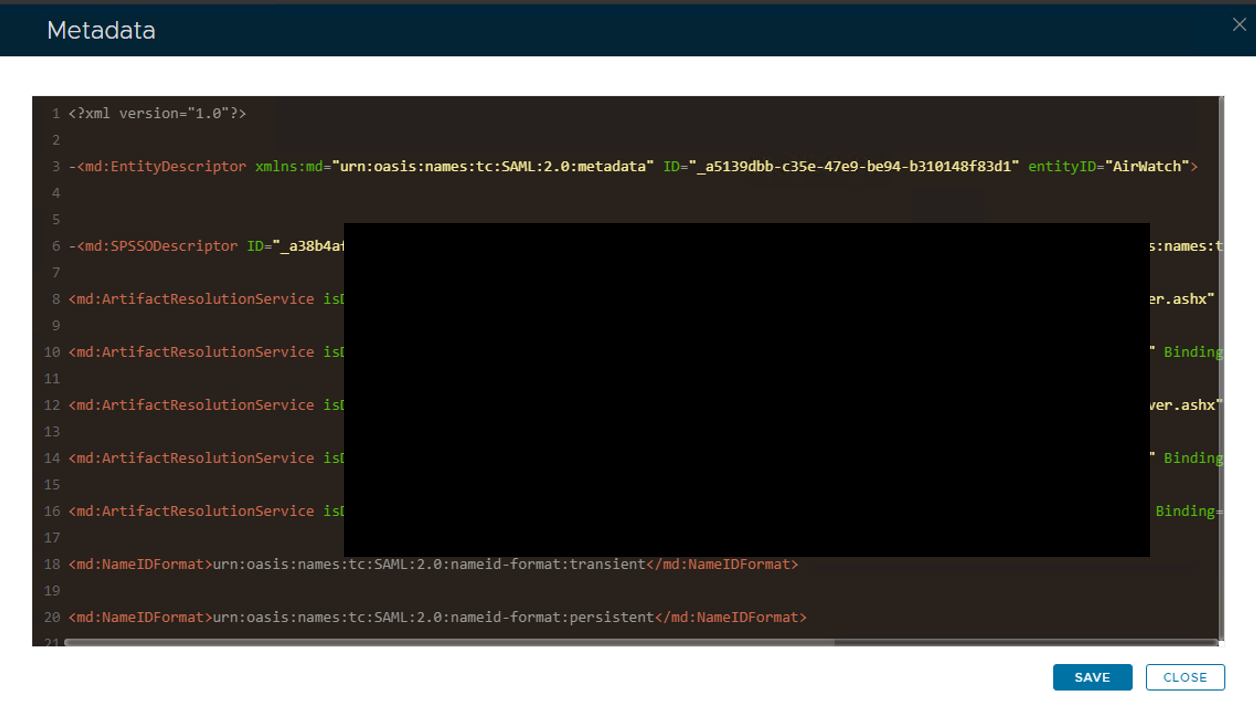 Image Added Image Added
|
|
|
|
| Section |
|---|
|
| Column |
|---|
Please set the SAML Options as below. |
| Column |
|---|
|
| Panel |
|---|
| borderColor | #9EBEE5 |
|---|
| bgColor | #f0f0f0 |
|---|
| borderWidth | 1px |
|---|
| 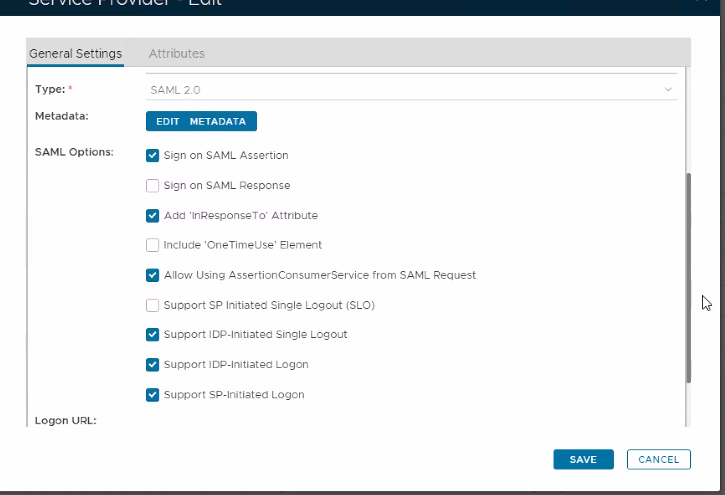 Image Added Image Added
|
|
|
| Section |
|---|
|
| Column |
|---|
Select Attributes at the top and then click Create |
| Column |
|---|
|
| Panel |
|---|
| borderColor | #9EBEE5 |
|---|
| bgColor | #f0f0f0 |
|---|
| borderWidth | 1px |
|---|
|  Image Added Image Added
|
|
|
| Section |
|---|
|
| Column |
|---|
You have to create three attributes. The first one is as follows:
| Option | Value |
|---|
| Location: | HTTP Body | | Name: | objectGUID | | Format: | basic | | Script: | userID.decodeHex().encodeBase64().toString() | | Return in Response: | Enabled |
|
| Column |
|---|
|
| Panel |
|---|
| borderColor | #9EBEE5 |
|---|
| bgColor | #f0f0f0 |
|---|
| borderWidth | 1px |
|---|
| Image Removed  Image Added Image Added
|
|
|
Click Save.
| Section |
|---|
|
| Section |
|---|
|
| Column |
|---|
Click Create to create the second attribute...
| Option | Value |
|---|
| Location: | HTTP Body | | Name: | mail | | Format: | unspecified | | Maps To: | email | | Return in Response: | Enabled |
|
| Column |
|---|
|
| Panel |
|---|
| borderColor | #9EBEE5 |
|---|
| bgColor | #f0f0f0 |
|---|
| borderWidth | 1px |
|---|
| 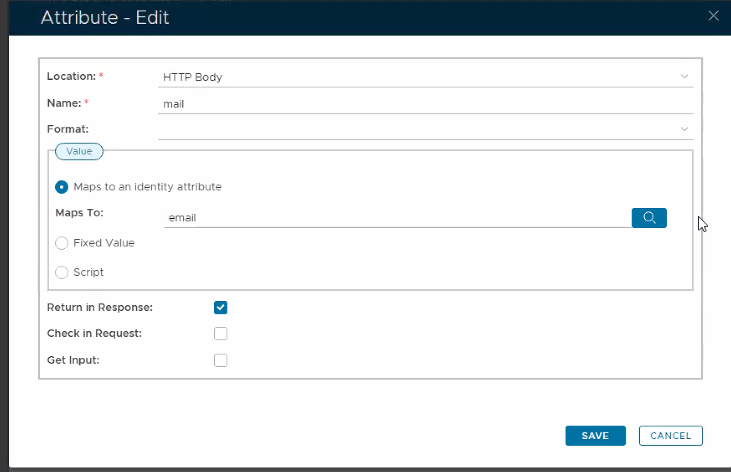 Image Added Image Added
|
|
|
|
Click Save.
| Section |
|---|
|
| Section |
|---|
|
| Column |
|---|
Click Create to create the third attribute...
| Option | Value |
|---|
| Location: | HTTP Body | | Name: | sAMAccountName | | Format: | unspecified | | Maps To: | loginName | | Return in Response: | Enabled |
|
| Column |
|---|
|
| Panel |
|---|
| borderColor | #9EBEE5 |
|---|
| bgColor | #f0f0f0 |
|---|
| borderWidth | 1px |
|---|
|  Image Added Image Added
|
|
|
|
Click Save.
| Section |
|---|
|
| Section |
|---|
|
| Column |
|---|
|
| Panel |
|---|
| borderColor | #9EBEE5 |
|---|
| bgColor | #f0f0f0 |
|---|
| borderWidth | 1px |
|---|
|  Image Added Image Added
|
|
|
|
Click Save and Save again.