...
| Section |
|---|
|
| Column |
|---|
Specify the following Values: | Option | Value |
|---|
| Name | Specify a user-friendly name | | Description | (Optional) | | Radius Servers | Select the Radius Server(s) you have bound the application to. (See earlier step) * | | Application | Specify the name of the Authentication Application | | IP Address | Specify the IP address of your NetMotion appliance. * | | Shared Secret | Create a shared secret password | | Authentication Protocols | PAP; CHAP & MSCHAP2 |
|
| Column |
|---|
|
| Panel |
|---|
| borderColor | #9EBEE5 |
|---|
| bgColor | #FFFFFF |
|---|
| borderWidth | 1px |
|---|
| 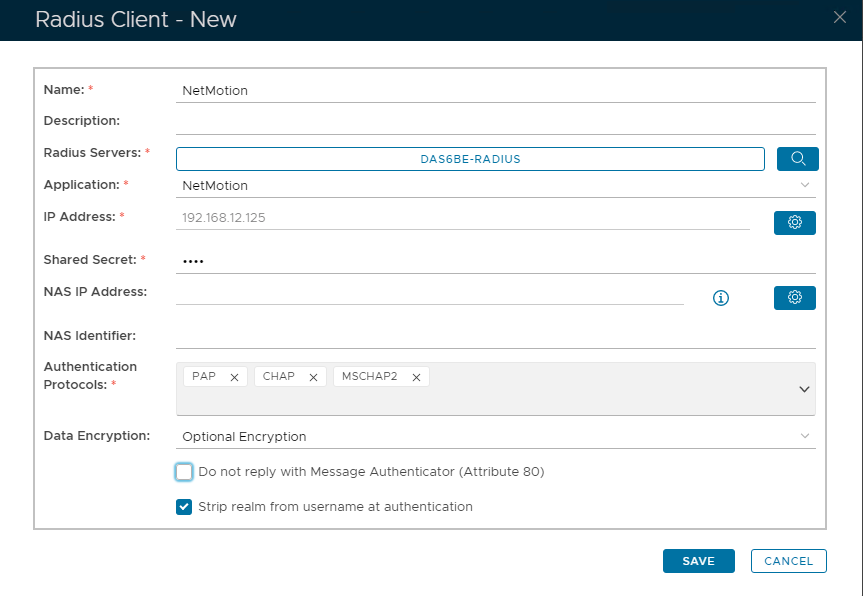 Image Added Image Added
|
|
|
*Use the buttons on the right to enter the value.
| Section |
|---|
|
| Column |
|---|
To eg to specify Radius Servers click on  and then select from and then select from  Image Removed Image Removed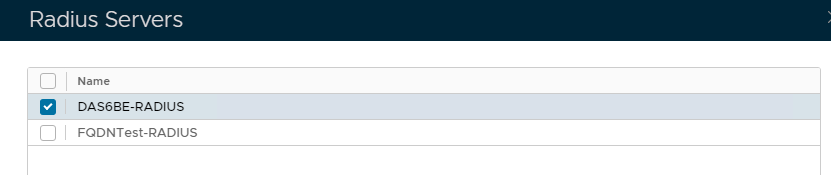 Image Added Image Added Click Save
|
| Column |
|---|
| To Specify IP Address click on  Then type the IP address here Then type the IP address here
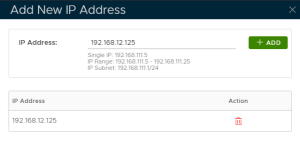 Image Removed Image Removed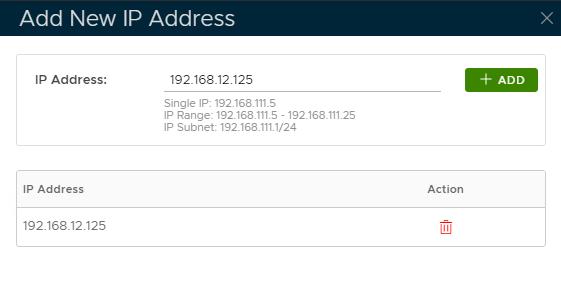 Image Added Image Added and clicking the Add button | | Column |
|---|
| | Panel |
|---|
| borderColor | #9EBEE5 |
|---|
| bgColor | #FFFFFF |
|---|
| borderWidth | 1px |
|---|
| Image Removed |
|
| Section |
|---|
|
| Column |
|---|
Specify the following values in the EAP Options | | Options | Value |
|---|
| Enabled | Make sure this is checked! | | Default EAP Type: | Tunnel Based(PEAP) | | Server Certificate | Select the SSL Certificate you imported in the previous section, from the drop-down | | Inner EAP Type | GTC | | Challenge String | Password: | | Max Session: | 4096 | | Max Time To Live(seconds): | 1200 | | Max Time To Idle: | 60 | Click Save | Column |
|---|
| | Panel |
|---|
| | borderColor | #9EBEE5 |
|---|
| bgColor | #FFFFFF |
|---|
| borderWidth | 1px |
|---|
| 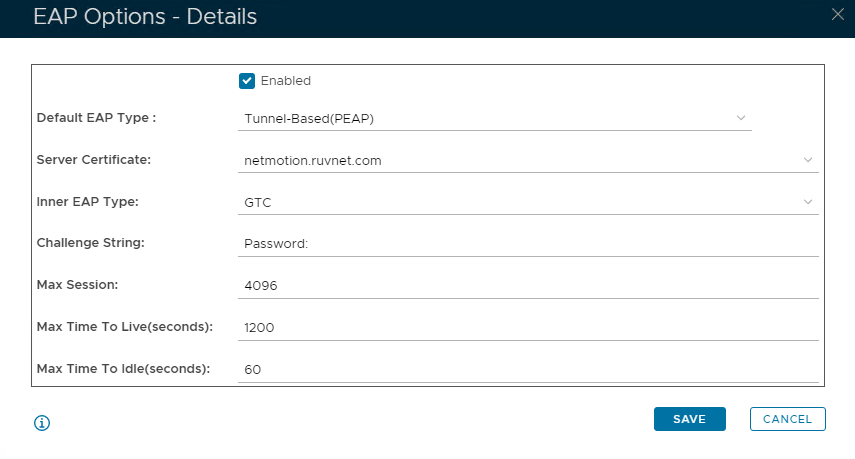 Image Removed Image Removed
|