To download offline tokens from the DualShield MFA server, follow the steps below:
| Table of Contents |
|---|
Configure the
...
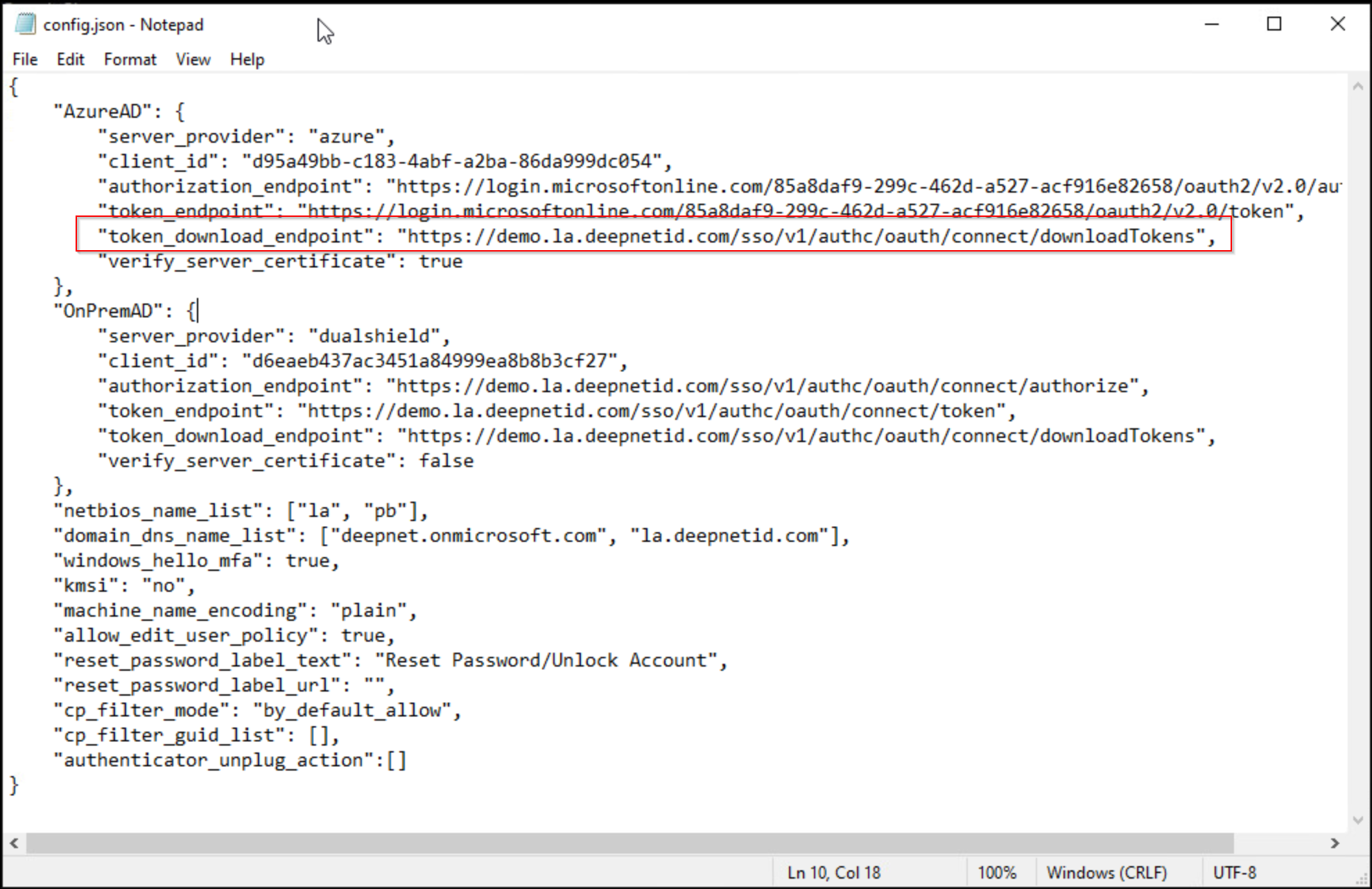
In the "config.json" file that is to be distributed with the Computer MFA Logon Agent to the users' PCs, add the value below to the "token_download_endpoint" key:
| Code Block |
|---|
"token_download_endpoint": "https://your-dualshield-fqdn/sso/v1/authc/oauth/connect/downloadTokens" |
You must replace "your-dualshield-fqdn" with the actual FQDN of your DualShield MFA server, e.g. "demo.la.deepnetid.com"
Below is an example:
Configure the DualShield MFA Server
In your DualShield MFA server, you need to configure the following policies:
- Computer Logon Client Policy
- Token Policy
Computer Logon Client Policy
offline Token Download Endpoint
| Include Page | ||||
|---|---|---|---|---|
|
Configure the DualShield MFA Server
In your DualShield MFA server, you need to configure the following policies & settings:
- Computer Logon Client Policy
- Token Policy
- SSO Service Provider for EAM
Computer Logon Client Policy
Edit the Computer Logon Client policy and enable the option "Download Offline Tokens automatically"
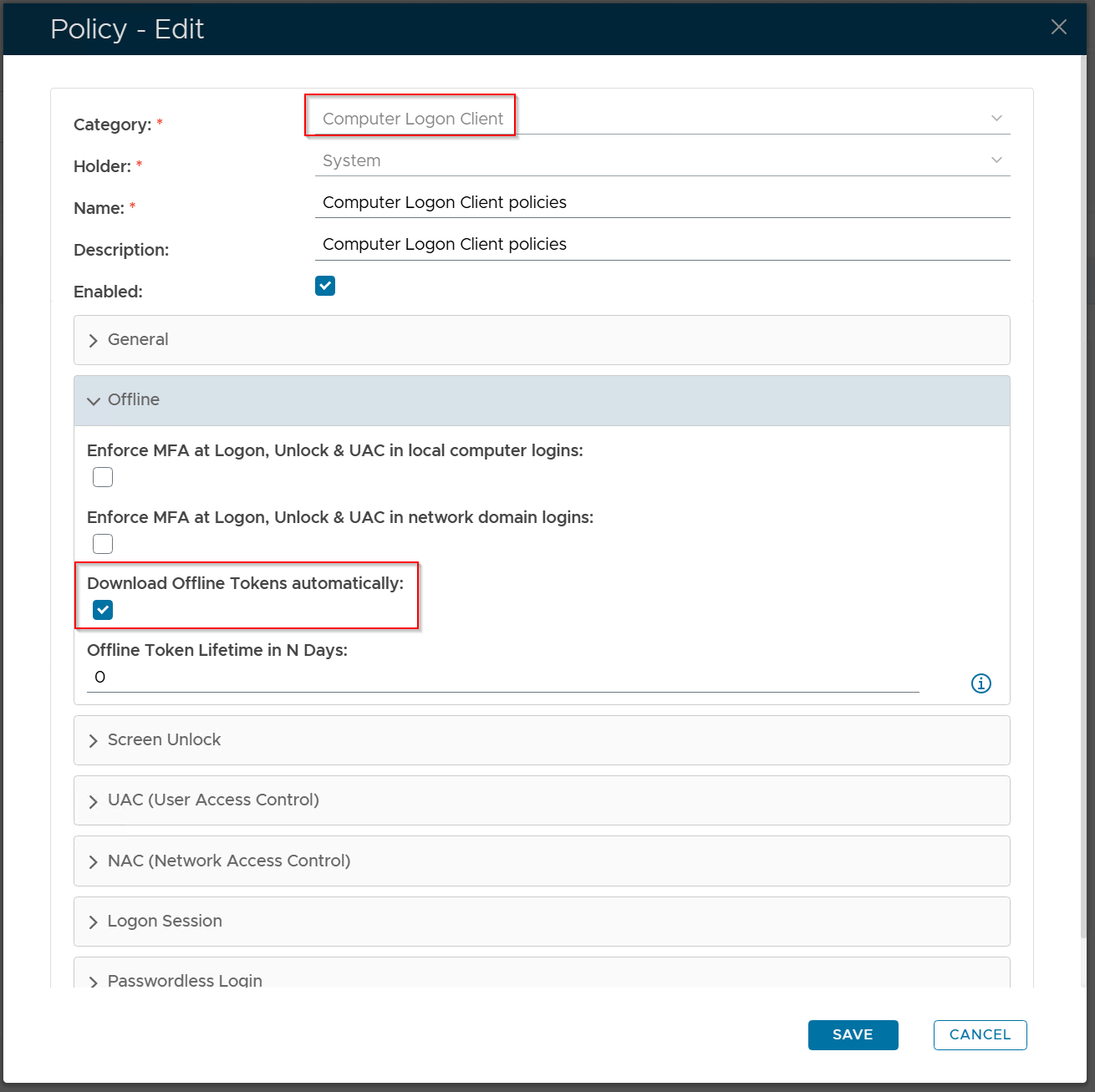
Optionally, you can also set the lifetime of offline tokens by editing the option "Offline Token Lifetime in N Days"
Token Policy
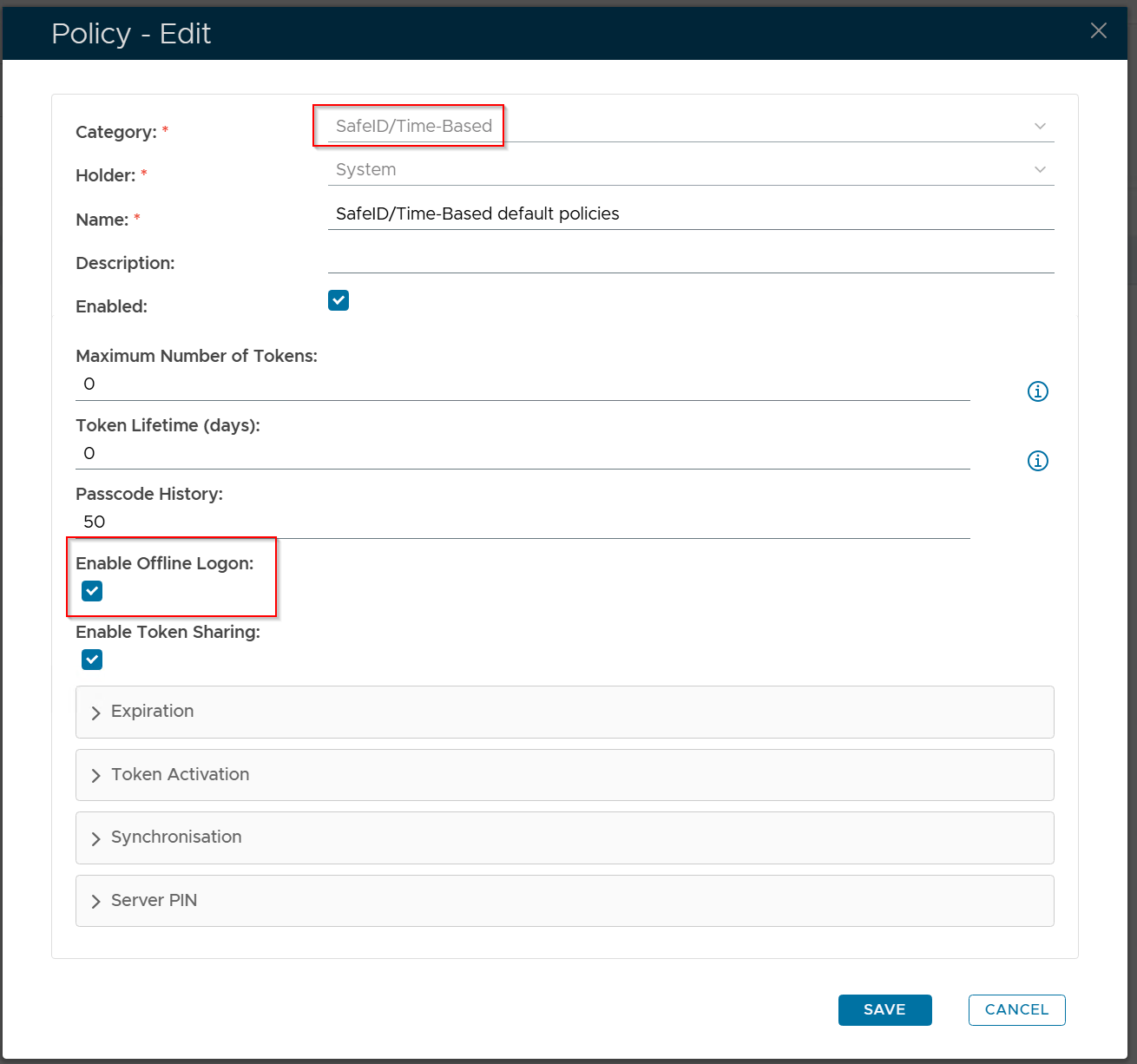
Currently, only OTP tokens can be downloaded automatically and used for offline logins.
Depending on the types of OTP tokens used by your users, edit the token policy, e.g. SafeID/Time-Based, and enable the option "Enable Offline Logon"
SSO Service Provider for EAM
This step is only required if the MFA server used for the Entra-joined PC is Entra rather than DualShield, i.e. Architecture D1 & E1. Otherwise, skip this step.
| Expand | ||||||
|---|---|---|---|---|---|---|
| ||||||
|
You have already set up an enterprise application in your Entra ID tenant for Computer Logon MA:
(Set up an enterprise application in Entra ID for Computer Logon MA)
Also, you have already created an SSO service provider in DualShield for EAM integration:
(Create an SSO service provider in DualShield for EAM integration)
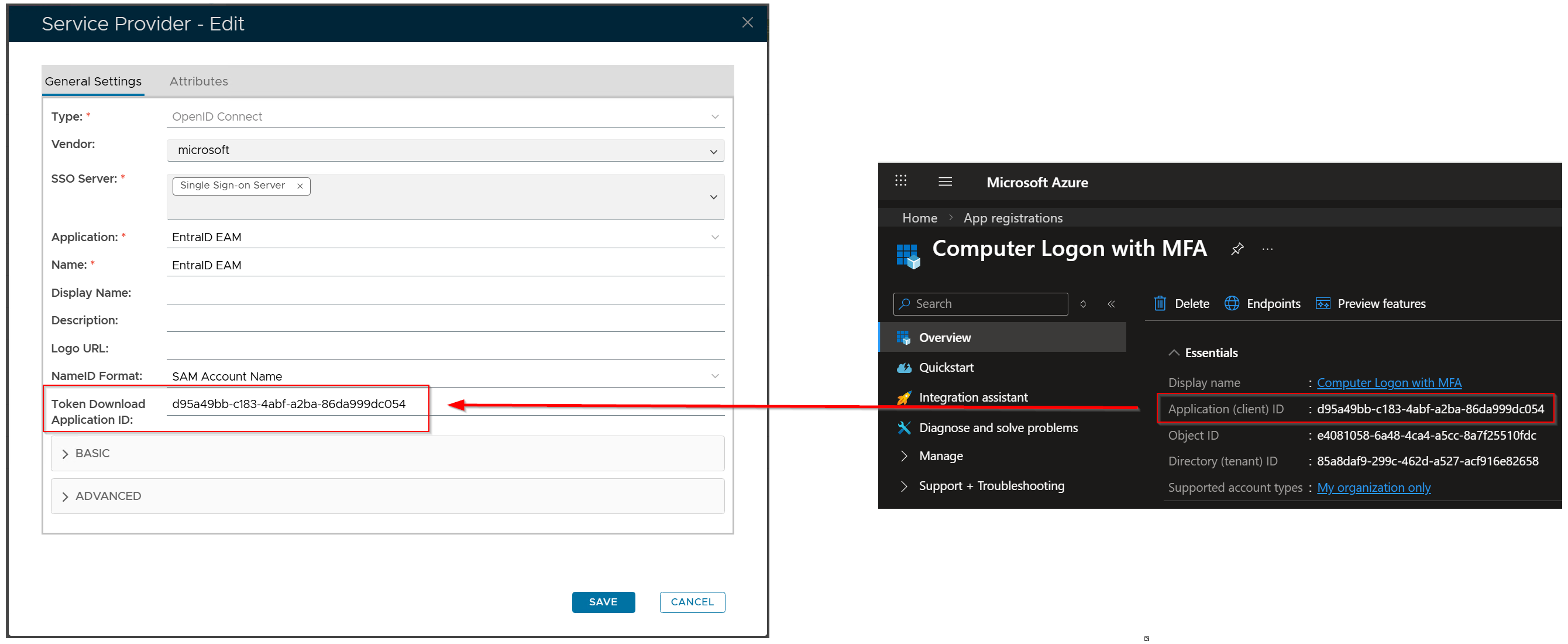
Now, in your DualShield Admin Console, edit the SSO service provider for EAM and add value of the "Token Download Application ID" option:
...