This option allows the administrator to manage the facility that exports system logs to an external, third-party syslog server that is compliant with RFC-5424 compliant syslog applications.
In computing, "Syslog" is a standard for system message logging. It allows the separation of the software that generates messages, the system that stores them, and the software that reports and analyses them. Each message is labelled labeled with a facility code, indicating the software type generating the message, and assigned a severity label.
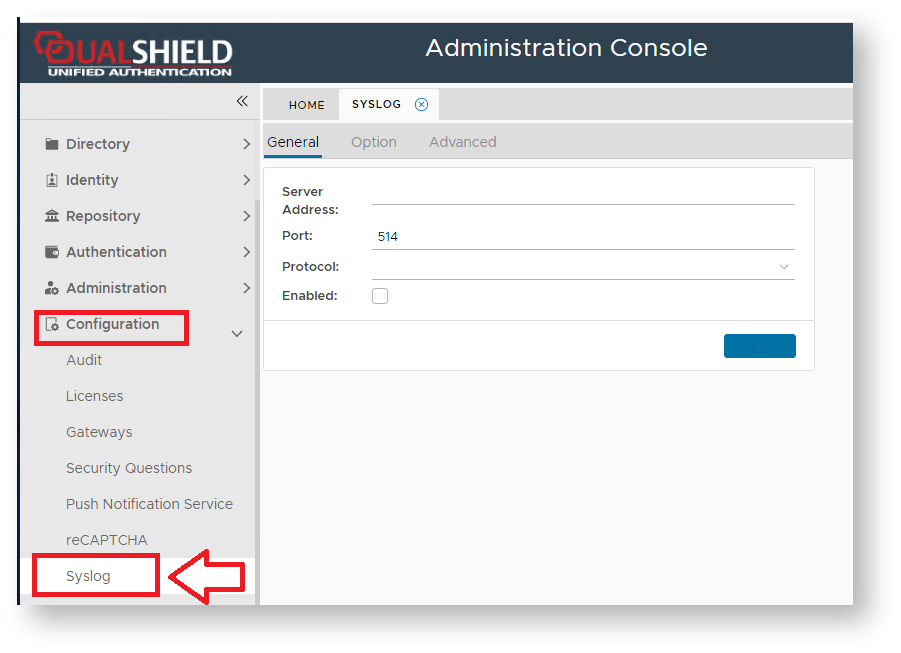
After selecting "Configuration | Syslog" from the Management Admin Console a new window tab titled "Syslog ServerSYSLOG" is opened;
| Expand |
|---|
| title | The General Tab Settings |
|---|
|
| Panel |
|---|
| borderColor | grey |
|---|
| bgColor | #F8F8F8 |
|---|
| borderStyle | dashed |
|---|
| The General TabThe tab "General" allows the System Administrator to configure the connection details of the server (it also includes an option to disable the server); 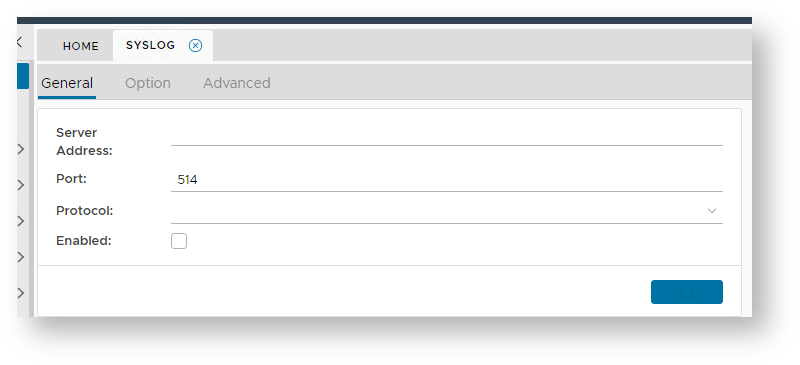
At the prompt "Server Address:", enter the address of the third party supplied syslog client application. At the prompt "Port:", enter the port address of the syslog client application. At the prompt "Protocol:", select the communication protocol ("TCP", "UDP", "UNIX SYSLOG" or "UNIX SOCKET") . The checkbox "Enabled" allows the system administrator to either enable or disable the syslog server. |
|
The default settings for the tabs "Option" and "Advanced" are as follows;
...
...
| Expand |
|---|
| title | The Option Tab Settings |
|---|
|
| Panel |
|---|
| borderColor | grey |
|---|
| bgColor | #F8F8F8 |
|---|
| borderStyle | dashed |
|---|
| The Option TabThe tab "Option" is used to determine which log fields are sent to the client syslog application, and if the system's own internal log is to be sent; 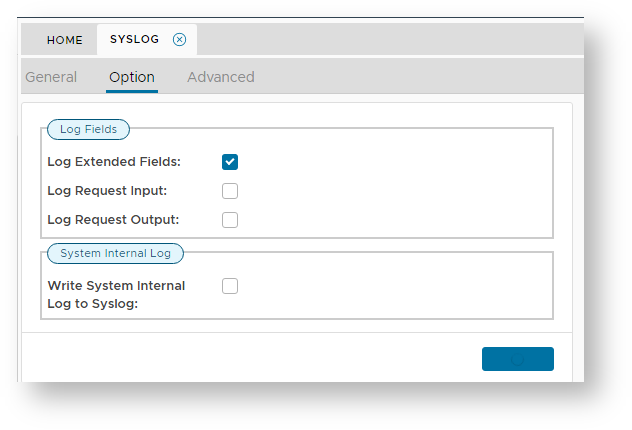
The Checkbox "Log Extended Fields" enables log extended fields messages to be sent to the client syslog application. The Checkbox "Log Request Input" enables log request input messages to be sent to the client syslog application. The Checkbox "Log Request Output" enables if log request output messages to be sent to the client syslog application. The Checkbox "Write System Internal Log to Syslog" enables internal log messages to be sent to the client syslog application. |
|
...