...
2. Create a logon procedure
In DualShield Administration Console, navigate to "Authentication | Logon Procedures"
Click the "+ CREATE" button, to setup a new Logon Procedure
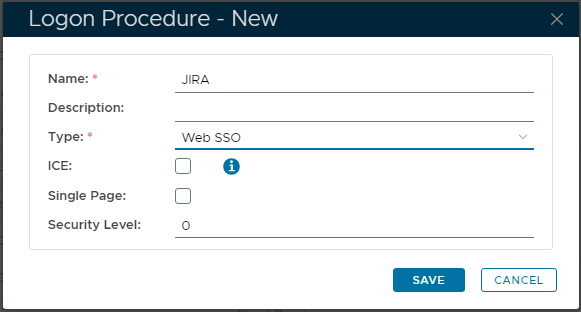
Enter an appropriate "Name", plus set the 'Type' as "Web SSO":
3. Create Logon Steps
Click the context "..." menu on the new Logon Procedure, then select "Logon Steps".
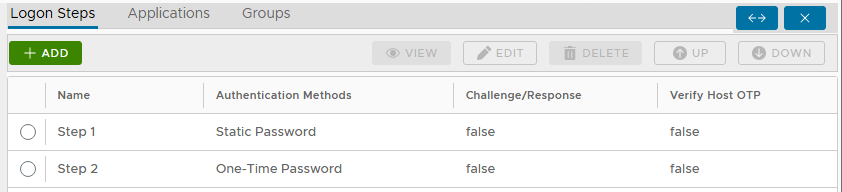
On the right, click the "+ ADD" button to add a new authentication method. Repeat for each Step.
For example, for this Web SSO Application, this could be "Static Password" (AD Password) and "One-Time Password":
4. Create the Application
...