| Info |
|---|
This feature is available in DualShield v6.8 or later |
Devices can be manually enrolled by the administrators using the Admin Console.
In the Admin Console, find the user account
| Expand | ||||||
|---|---|---|---|---|---|---|
|
Open the user's token management panel by selecting "Tokens" from the user's context menu

Click the CREATE button on the toolbar in the token management panel
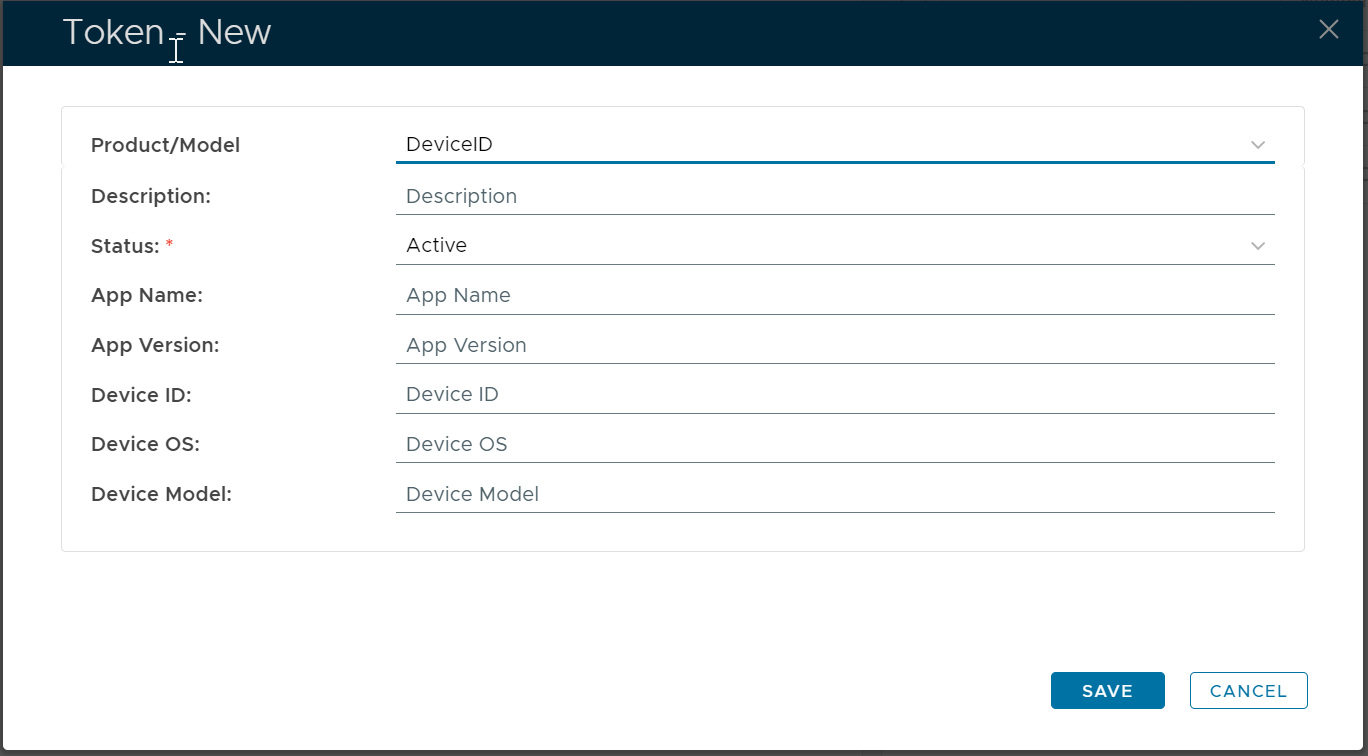
Enter the details of the mobile device to be enrolled

The most important property to be entered correctly & precisely is the "Device ID".
| Expand | ||||||
|---|---|---|---|---|---|---|
| ||||||
|
Click the "SAVE" button
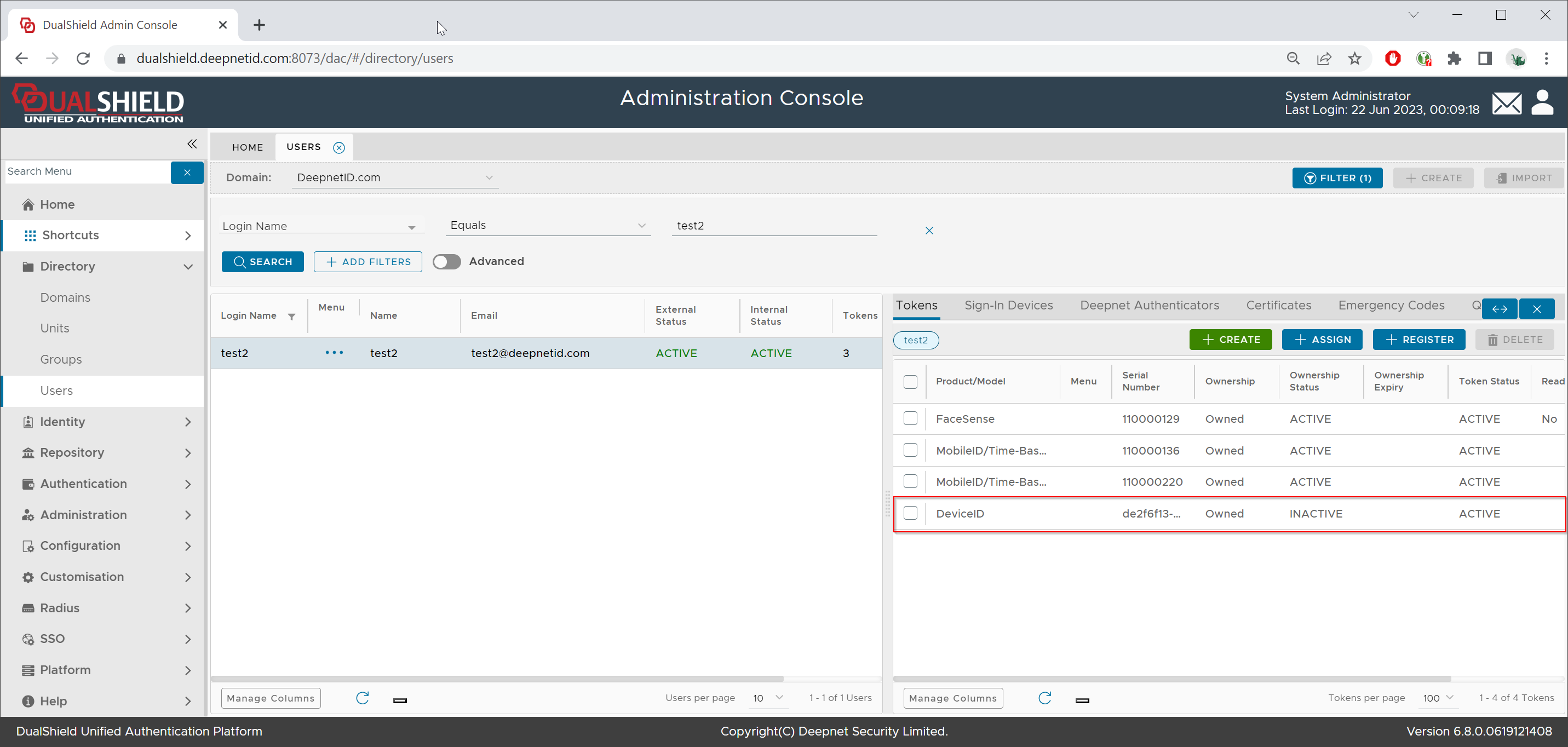
Click the context menu of the newly created DeviceID token, and select "Activate" to activate the token ownership
