Configure SAML Role Permission
| Section |
|---|
|
| Column |
|---|
Navigate to Groups & Settings > All Settings > System > Enterprise Integration > Directory Services. Under Advance Enable 'Use SAML for Authentication |
| Column |
|---|
|
| Panel |
|---|
| borderColor | #9EBEE5 |
|---|
| bgColor | #f0f0f0 |
|---|
| borderWidth | 1px |
|---|
|  Image Added Image Added
|
|
|
| Section |
|---|
|
| Column |
|---|
|
| Panel |
|---|
| borderColor | #9EBEE5 |
|---|
| bgColor | #f0f0f0 |
|---|
| borderWidth | 1px |
|---|
|  Image Added Image Added
|
|
|
| Section |
|---|
|
| Column |
|---|
The fields regarding IDP Single Sign-On URL; SP Assertion and Certificate will auto populate. Leave other settings such as NameID Format as default. |
| Column |
|---|
|
| Panel |
|---|
| borderColor | #9EBEE5 |
|---|
| bgColor | #f0f0f0 |
|---|
| borderWidth | 1px |
|---|
| 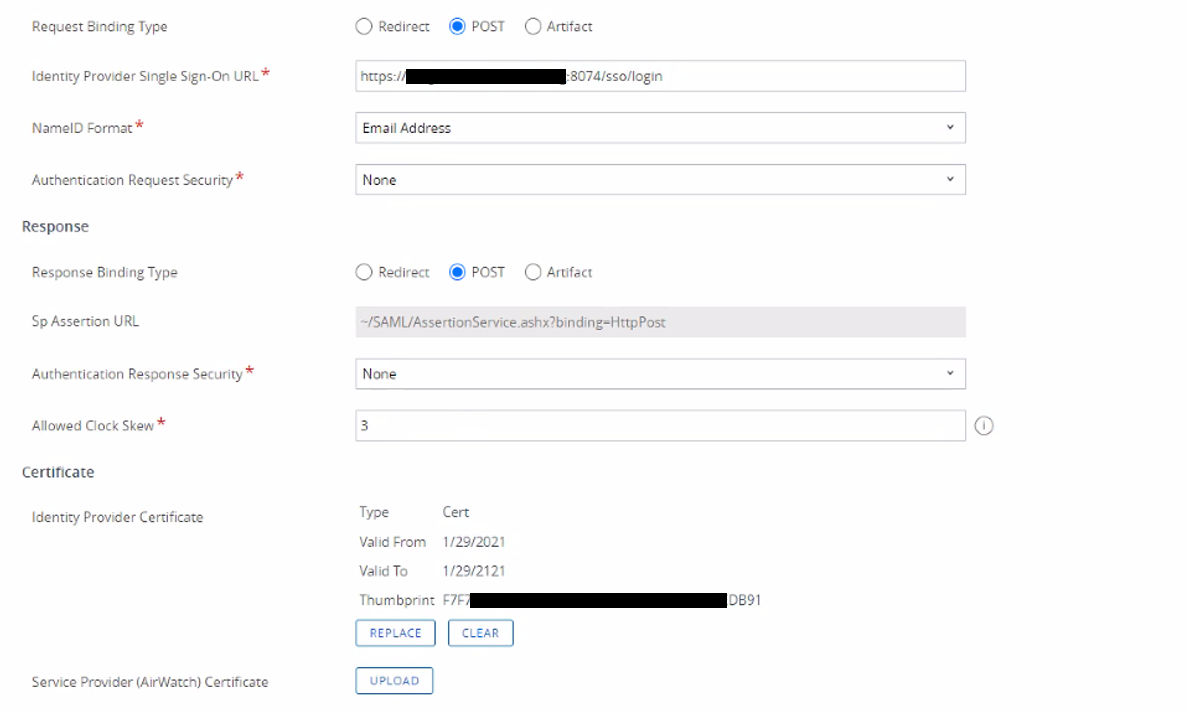 Image Added Image Added |
|
|
Configure SAML SSO:
| Section |
|---|
|
| Column |
|---|
Click on Export Service Provider Settings to download the SP metadata that you will edit and copy into DualShield. |
| Column |
|---|
|
| Panel |
|---|
| borderColor | #9EBEE5 |
|---|
| bgColor | #f0f0f0 |
|---|
| borderWidth | 1px |
|---|
|  Image Added Image Added |
|
|