...
Filling the form as below:
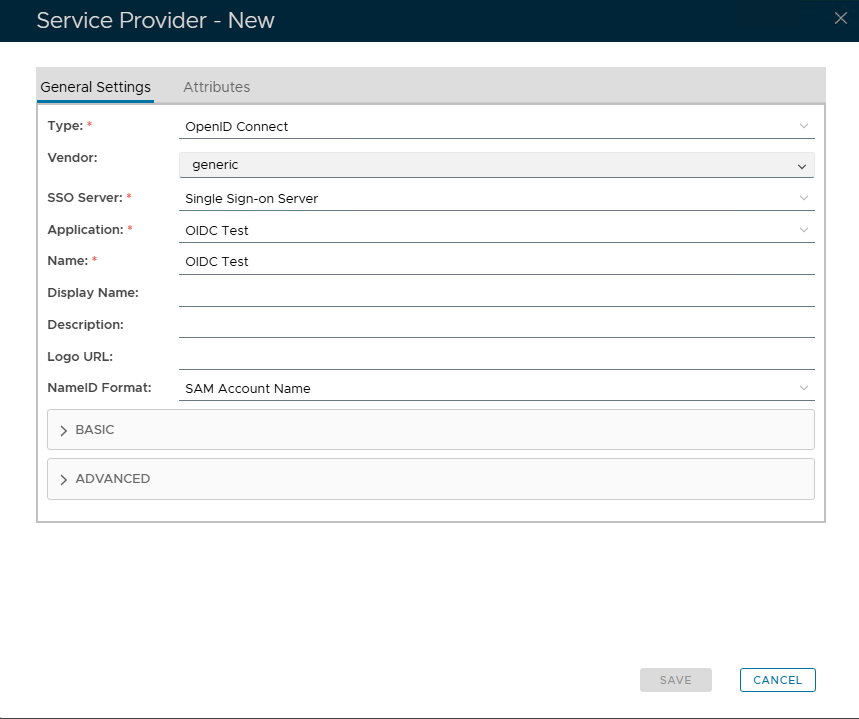
Expand Basic
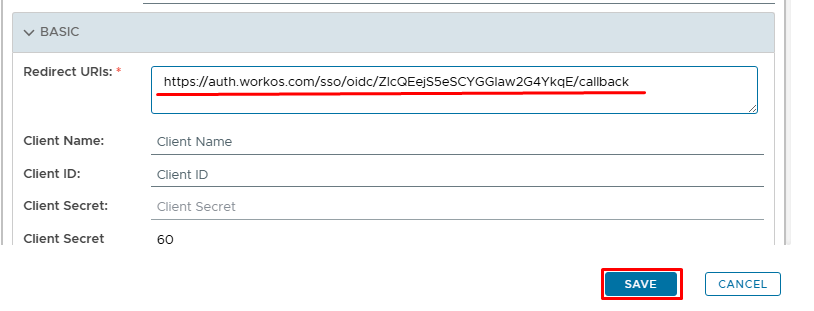
Paste in the Redirect URI that you copied from the OpenAI setup (see Prepare OpenAI for OIDC test connection)
Click Save
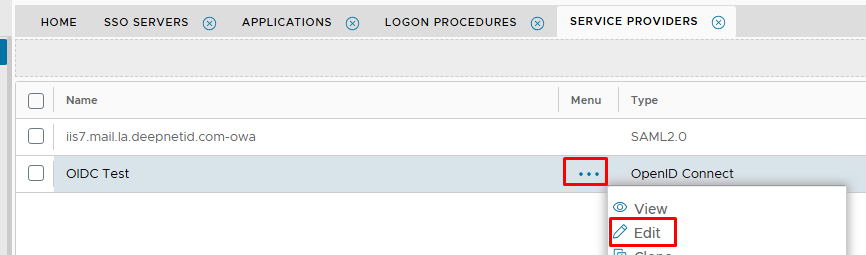
Edit the newly created Service Provider and expand the Basic tab again...
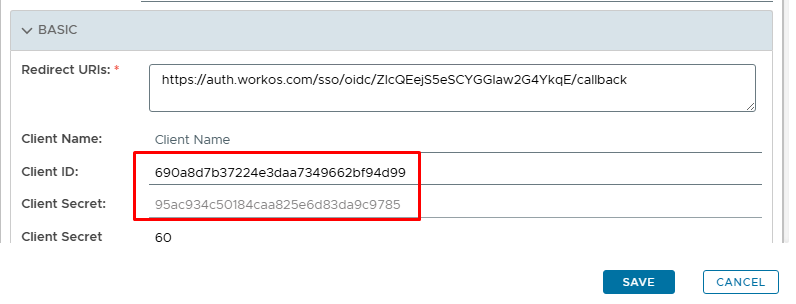
Notice that the Client ID and Client Secret are now populated. Copies these values out as they will need to be added to the OpenAI setup.
Scroll down slightly...
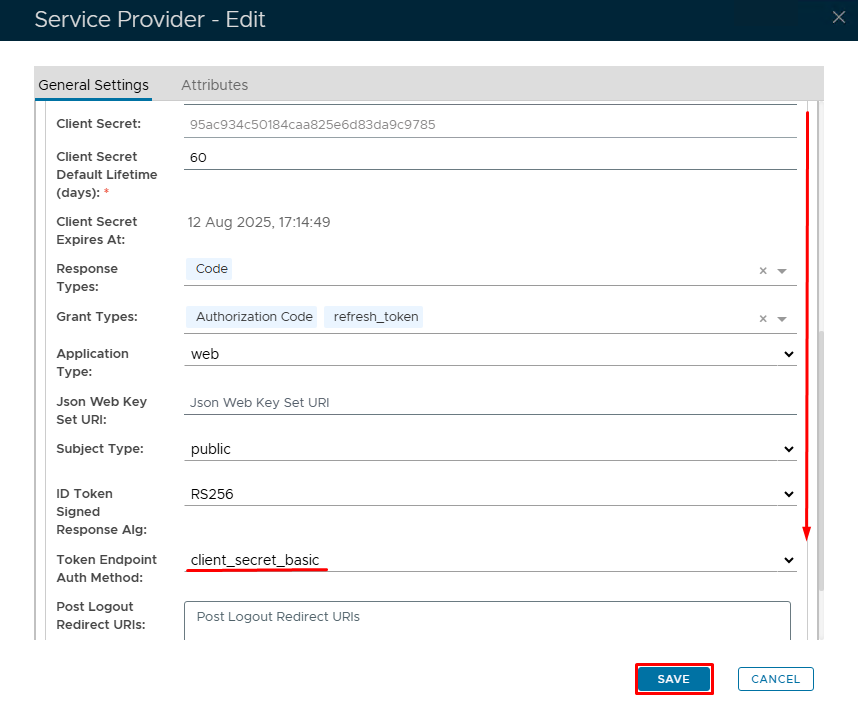
Change Token Endpoint Auth Method to client_secret_basic
Click Save